Disenqueue
- By
Lightweight WoW addon that queues disenchants from your bags, processing one per hardware input to stay within Blizzard's one-action-per-input rule. Also supports the Lesser Professions™ - Prospecting and Milling - because Enchanting is the one true craft.
1a.png
2a.png
3a.png
Description
Disenqueue
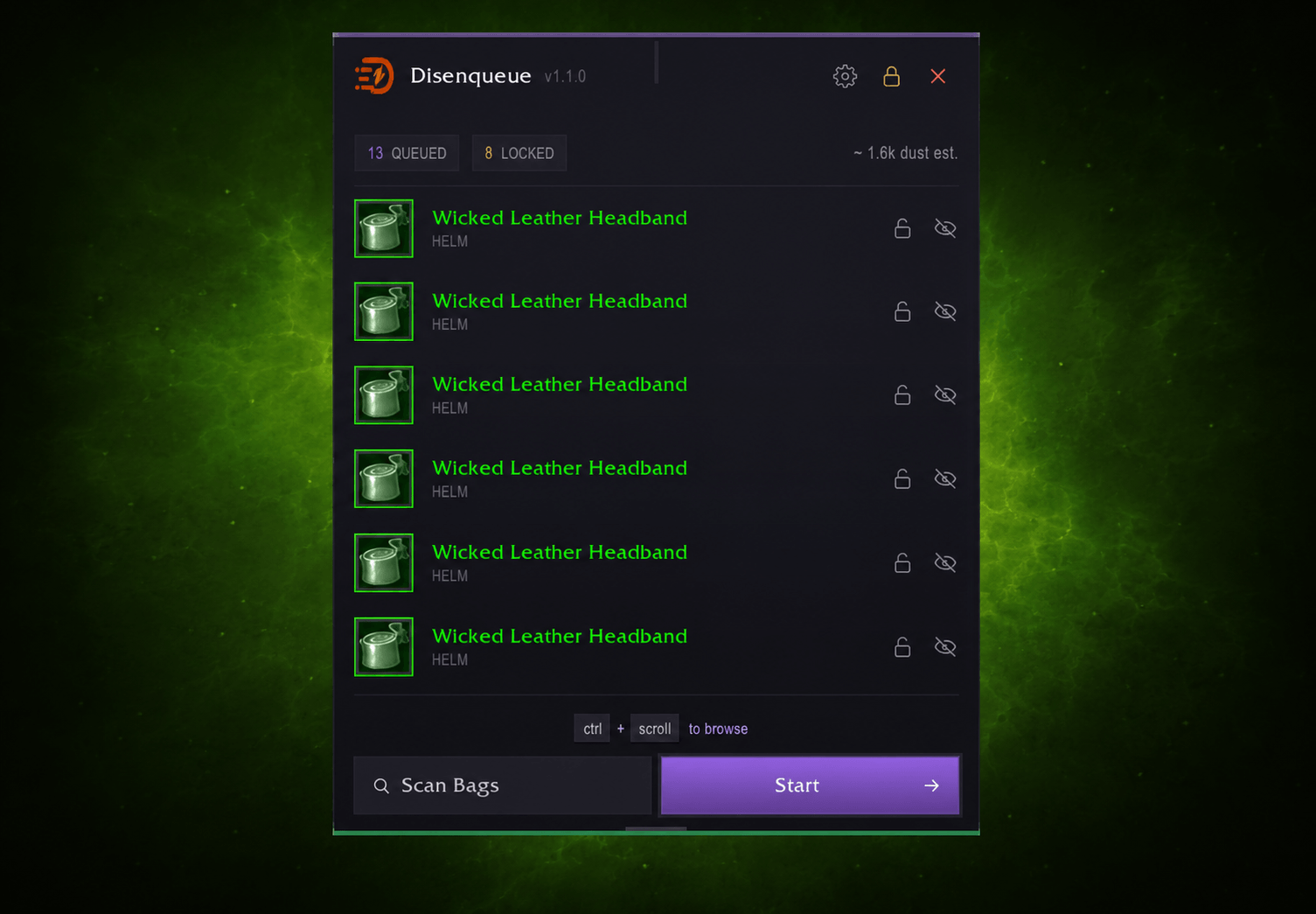
A lightweight disenchant queue that processes one item per hardware input: fully compliant with Blizzard's one-action-per-keypress rules. Scan your bags, bind a key (or your scroll wheel), and shred through items safely and efficiently.
Also supports the Lesser Professions™: Prospecting and Milling: for those of us who recognise that Enchanting is the one true craft and everything else is just breaking rocks and grinding weeds.
Features
- One action per input: processes exactly one queued item per key/wheel press, staying within Blizzard's hardware input rules at all times
- Smart bag scanning: automatically detects disenchantable gear in your bags based on configurable quality filters
- Scroll wheel workflow: bind Mouse Wheel Up/Down and scroll through your disenchant pile in seconds
- Alt+Click bag integration: Alt+Click items in your bags to toggle queue membership directly
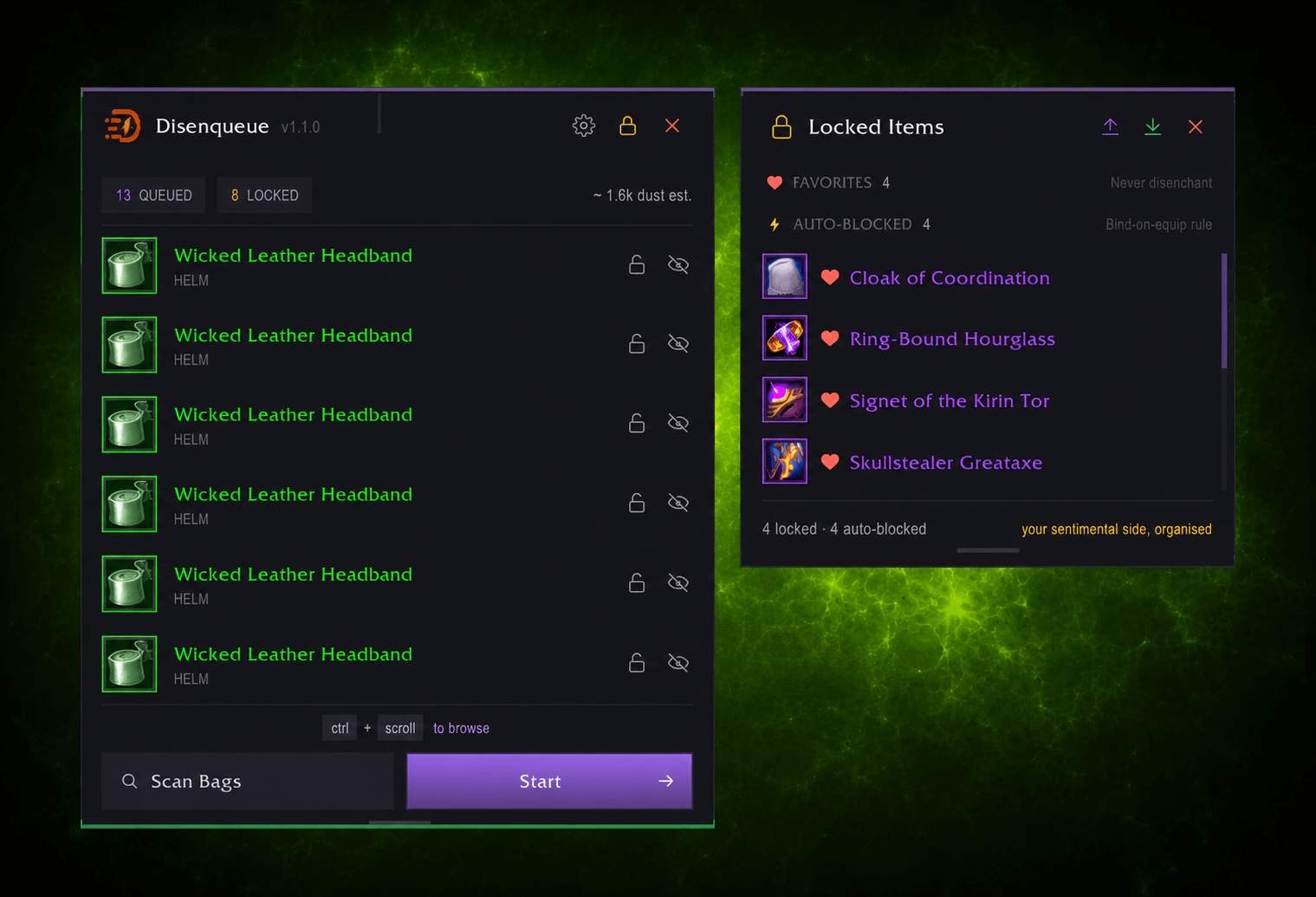
- Item locking: permanently protect valuable items so they never enter the queue, with manual lock and auto-lock support
- Auto-protection: items that fail disenchant twice are automatically locked to prevent repeated attempts
- Import/Export locked lists: share your protected item lists between characters or with friends via compact encoded strings
- Lesser Professions: optionally queue Prospecting (ore stacks of 5+) and Milling (herb stacks of 5+) alongside disenchants
- Soulbound filter: optionally restrict scanning to soulbound items only, keeping tradeable/AH-sellable gear safe
- Dust estimation: quality-based gold value estimates displayed in the queue header
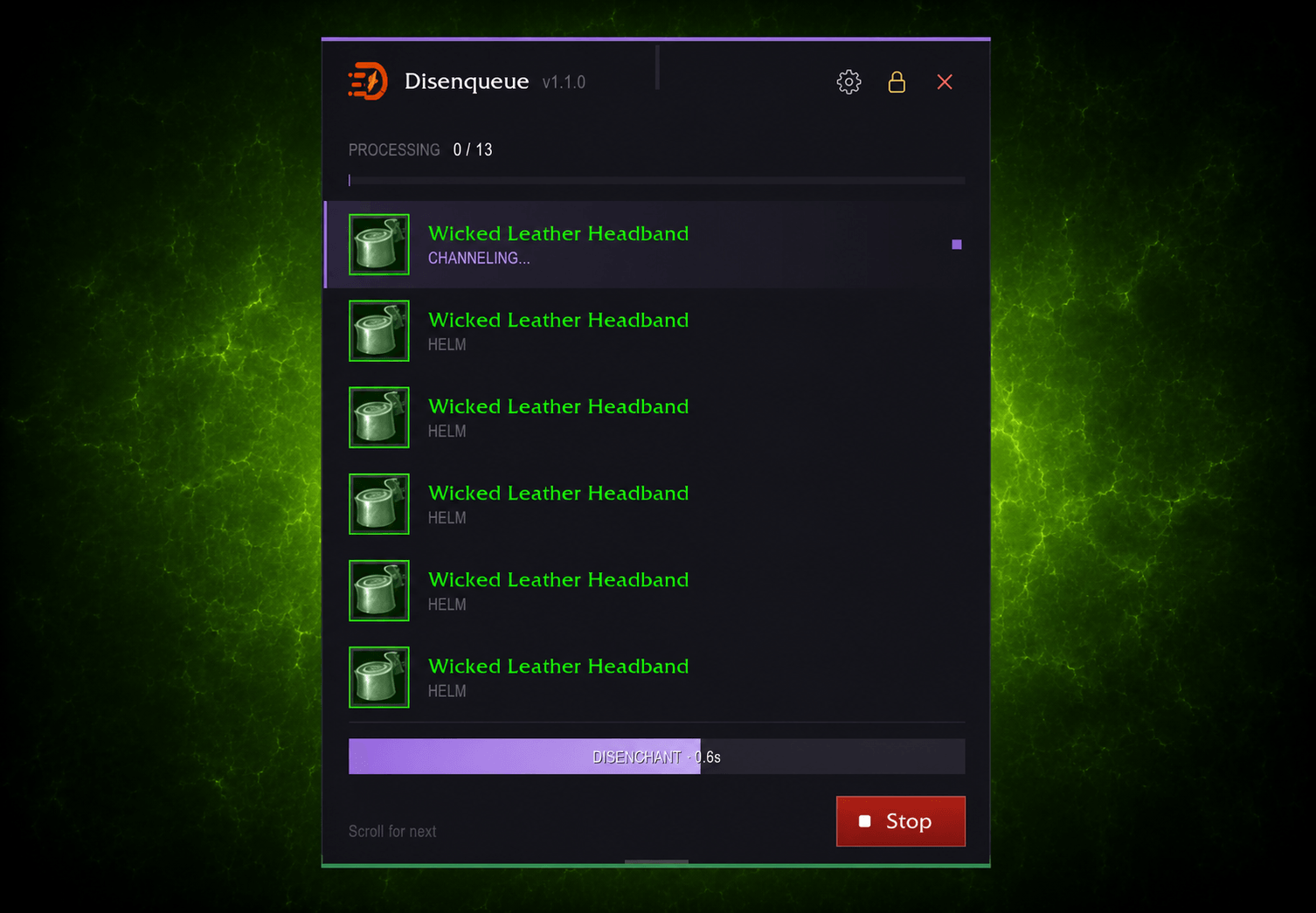
- Progress tracking: live count, ETA, and percentage bar during processing
- Resizable queue window: drag grip to resize (4–16 visible rows) with snap-to-row and position persistence
- Minimap button: click to toggle the queue window; draggable with angle persistence, optional hide via settings
- Customisable notifications: toggle chat messages for scanning, processing, warnings, and queue changes independently
- Custom themed UI: dark-violet design with animated chrome, cast bar, quality-bordered icons, and companion locked items panel
- Zero combat footprint: does nothing during combat; fully unloads keybinds when not processing
Getting Started
- Install the addon into your
Interface/AddOns/folder and/reload - Type
/wdq buildto scan your bags and build the queue - Open Key Bindings → AddOns → Disenqueue
- Bind Destroy/Disenchant next queued item to your preferred key (Mouse Wheel Up/Down recommended)
- Click Start in the Disenqueue UI and scroll to process items one at a time
Slash Commands
| Command | Description |
|---|---|
/wdq build |
Scan bags and rebuild the queue |
/wdq start |
Begin processing (activates keybind) |
/wdq stop |
Stop processing |
/wdq next |
Process the next queued item |
/wdq list |
Print queued items to chat |
/wdq clear |
Clear the entire queue |
/wdq ui |
Toggle the queue window |
/wdq quality |
Set quality filter (0–4, default: 2 4) |
/wdq protect add |
Permanently protect an item from queueing |
/wdq protect remove |
Remove item protection |
/wdq protect list |
List all protected item IDs |
/wdq help |
Show available commands |
Settings
Access via Settings → AddOns → Disenqueue or the gear icon in the UI header.
General
- Process Key: Scroll Wheel, Enter, Space, F, E, or R
- Minimum/Maximum Quality: filter which item rarities get queued (Poor through Epic)
- Soulbound Only: only queue soulbound gear
- Minimap Button: show/hide the minimap toggle button
Notifications
- Scan, Processing, Warning, and Queue Change notifications can each be toggled on/off
Lesser Professions (subcategory)
- Master toggle to enable/disable
- Prospecting: queue ore stacks (requires Jewelcrafting)
- Milling: queue herb stacks (requires Inscription)
Lesser Professions
When enabled, Scan Bags also queues:
- Prospecting: ore stacks of 5+ (Jewelcrafting)
- Milling: herb stacks of 5+ (Inscription)
Items are grouped by mode in the queue (disenchants first, then prospect, then mill) and the correct spell is cast automatically. Stack-based items keep processing until the stack drops below 5.
FAQ / Troubleshooting
Item not appearing in queue? Run /wdq build again after opening your bags. Uncached items may appear on a second scan.
Nothing happens when I scroll? Make sure the keybind is set in Key Bindings → AddOns → Disenqueue, and that you've clicked Start in the UI.
"Disenchant spell not known"? The current character doesn't have the Enchanting profession or hasn't learned Disenchant.
Will this get me banned? No. Disenqueue processes exactly one item per hardware input event, which is the same rule Blizzard applies to all actions. It does not automate, queue multiple actions, or bypass any restrictions.
Compatibility
- WoW Retail: The War Within (Interface 120005) and Midnight (Interface 120007) compatible
- Dependencies: None. Fully standalone, no libraries required.
- Conflicts: None known. Works alongside TSM, Enchantrix, and other inventory addons.
License
Licensed under the Apache License 2.0. Attribution and license notices must be preserved when redistributing or modifying.
Disenqueue Team