Ding - XP and leveling guide
- By
Leveling guide for WoW Forever: Gamepad Friendly, XP-optimized routes, a smart waypoint arrow, auto quest accept and turn-in, and a clean modern UI.
Description
⚠ Install QuestieDB first. Download QuestieDB-Forever.zip from https://github.com/Questie/QuestieDB/releases/latest and extract its QuestieDB folder into your game's Interface\AddOns folder, next to Ding. The CurseForge app does not install it for you, and Ding does not load without it.
Ding — leveling guide for WoW Forever
Ding is a free, open-source leveling guide for World of Warcraft: Forever (client 1.60). It shows what to do next, points the way with its own arrow, and moves forward on its own as you accept, complete and turn in quests. It is built from the ground up to be played with a gamepad.
Version 1.0, released during the Forever beta. The beta stops at level 30, so levels 30 to 60 have not been played in game yet: they are checked by our offline tools only. Please report what you find on GitHub.
Guides
- Alliance 1–60: Human, Dwarf/Gnome and Night Elf starting zones up to level 20, then a common route to 60.
- Horde 1–60: Orc/Troll, Tauren and Undead starting zones up to level 20, then a common route to 60.
- Routes generated by our own optimizer for XP per hour: quests grouped to avoid back-and-forth, poor-value detours left out, and never a quest above your level.
- Includes the new quests of Forever.
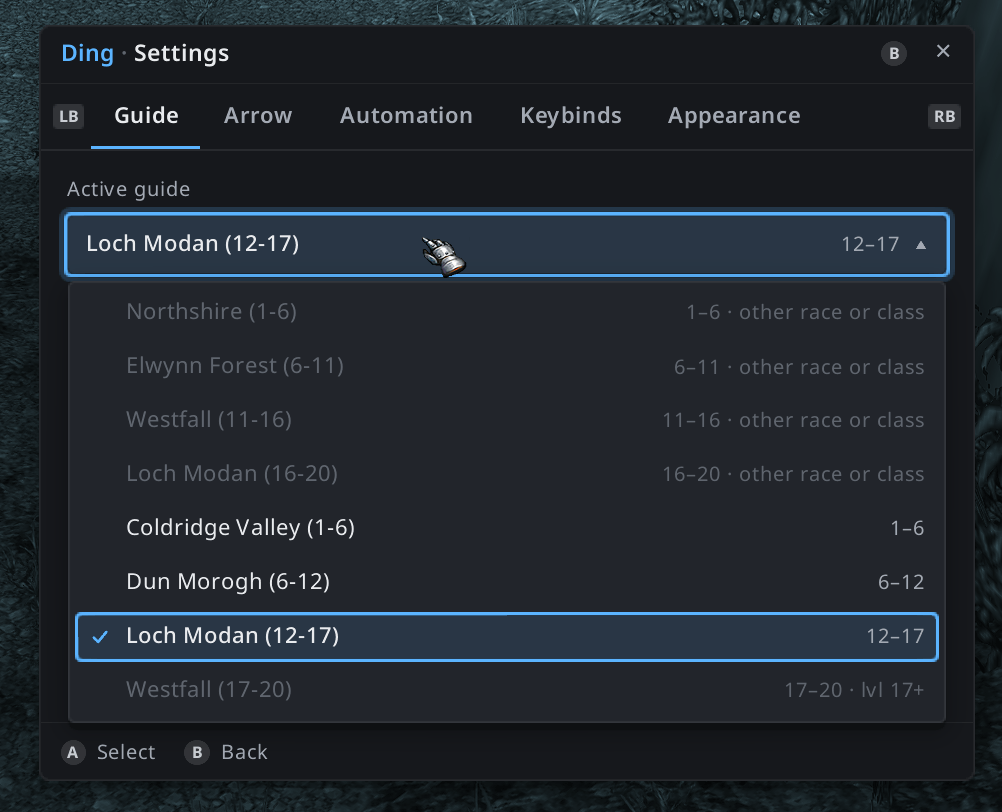
- Ding picks the right guide for your race, class and level, and takes the guide up where you really are: it first sends you to finish the guide's old quests still in your log, then skips what you have done.
Guide window
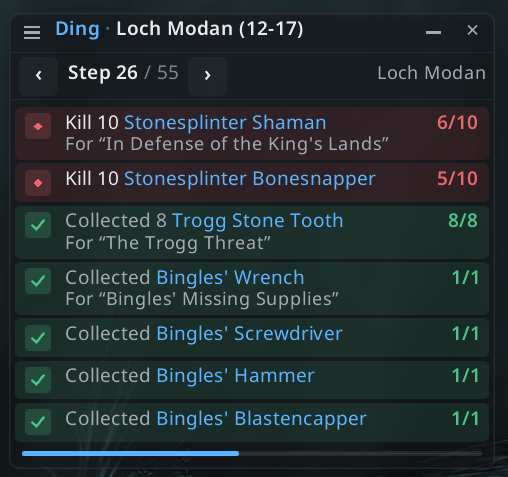
- The current step at a glance: one line per action and objective, with counters (2/6), done / to do / not yet possible states, and the guide's notes.
- Hover a line to see its quest (name, level, objectives); click it to send the arrow there.
- Minimizes to a single line, automatically in combat if you want.
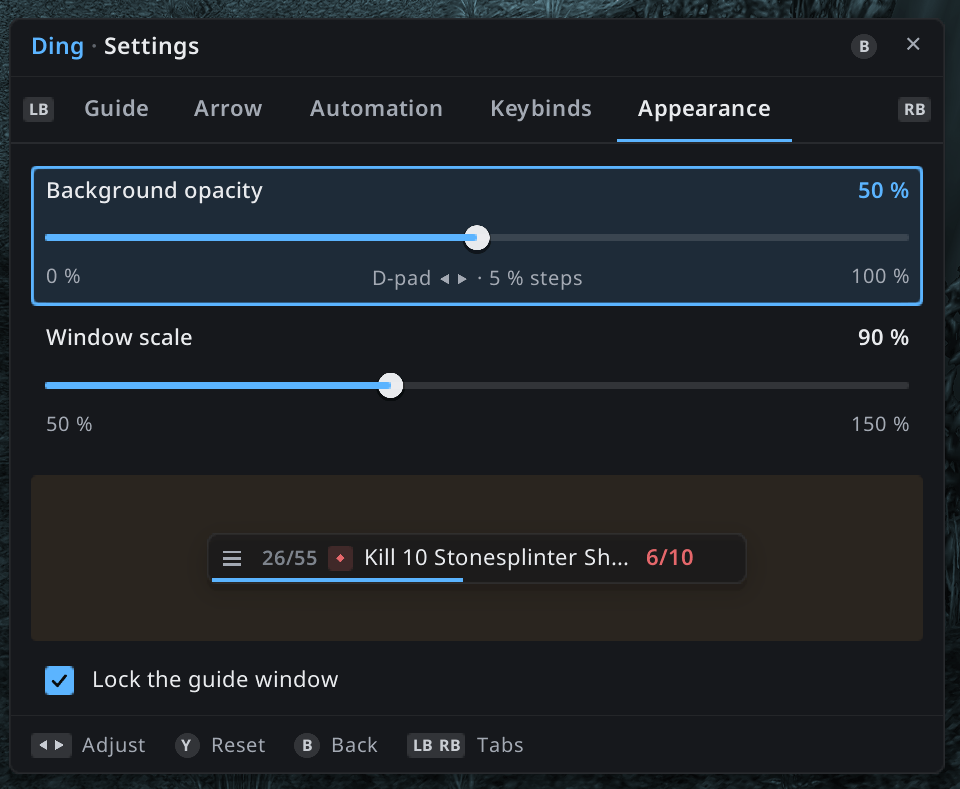
- Adjustable background opacity, size and width; can hide in dungeons.
Waypoint arrow
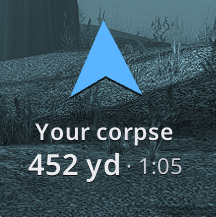
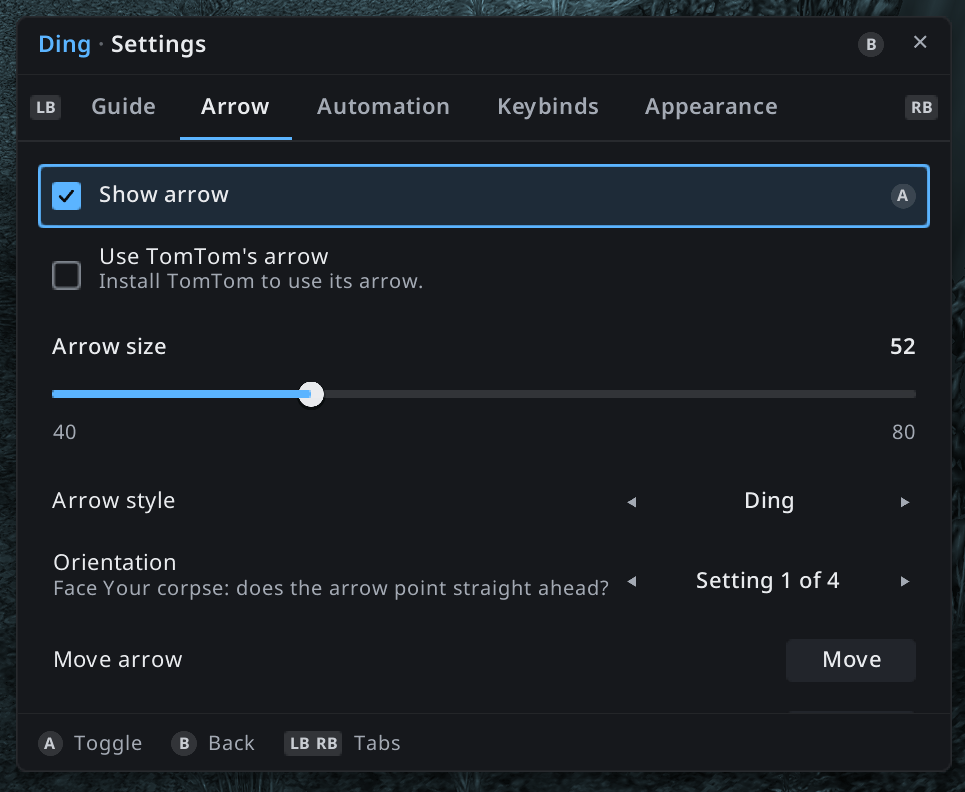
- Ding's own arrow, no other addon needed: distance and time to get there, red with "turn around" when the target is behind you.
- Hunting areas: among the monsters you have to kill, it tells you you're in the area and steps aside while you hunt.
- When you die, it leads your ghost back to your corpse.
- TomTom's arrow can be used instead (optional).
Automation
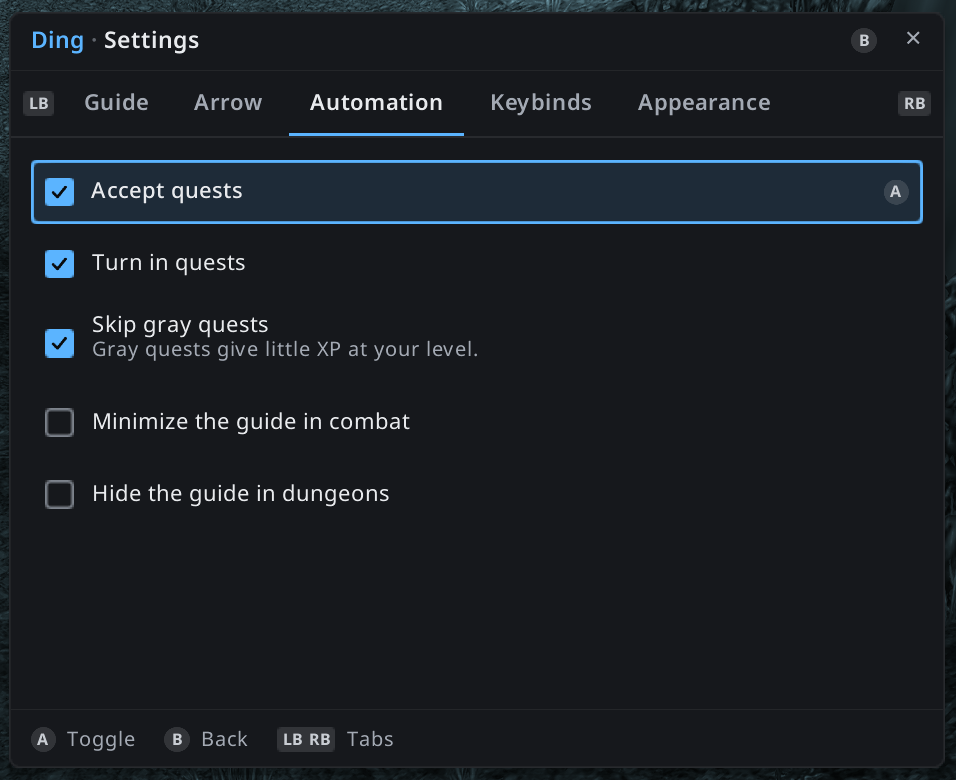
- Accepts and turns in the guide's quests when you talk to an NPC (you still choose your reward).
- Catches up on missing prerequisite quests before a quest that needs them.
- Optionally skips gray quests.
- Skip a step and come back to it later.
Quest item button
A floating button with the item the step needs (bait, flask, totem…): one press of a gamepad button uses it. Shows the cooldown and when you are out of range.
Made for gamepads
- Every action can be bound to a gamepad button. On first launch, Ding asks you to bind "Open Ding settings".
- The settings window is fully driven with the gamepad: LB/RB tabs, D-pad, A to select, B to go back, Y to reset.
- A focus mode lets you browse the guide window with the D-pad without taking any button away from the game.
- Xbox or PlayStation button names.
Also
- Minimap button: left-click for the settings, right-click to show or hide the guide.
- English and French. Quest, NPC and item names come in your game's language.
- Open guide format: anyone can write guides for Ding (guide packs are GPL too).
Requirements
- QuestieDB (separate addon, required, see the top of this page): Ding reads quest, NPC and map data from it. The full Questie addon is not needed.
- TomTom: optional.
Commands
/ding show/hide · /ding config settings · /ding list · /ding guide <id> · /ding next · /ding prev · /ding skip · /ding back · /ding reset (take the guide up where you are) · /ding minimap · /ding arrow · /ding arrowflip
Status and feedback
Ding is in active development during the Forever beta. Bugs and suggestions are welcome on GitHub: https://github.com/moust4ki/DingWowForever
License: GPL-3.0.
Ding - XP and leveling guide Team