Ding Leveling
- By
Free and fast 1-60 questing guide for WoW Forever: next step, arrow, quest items and automatic quest handling for Alliance, Horde and Skyborne.
Ding: Free and fast 1-60 leveling guide for WoW Forever
Ding is an in-game questing guide for WoW Forever (Classic+ realms, client 1.60). It covers Alliance, Horde and Skyborne from level 1 to 60, all the way to Mount Hyjal, including the new zones like Riverglades.
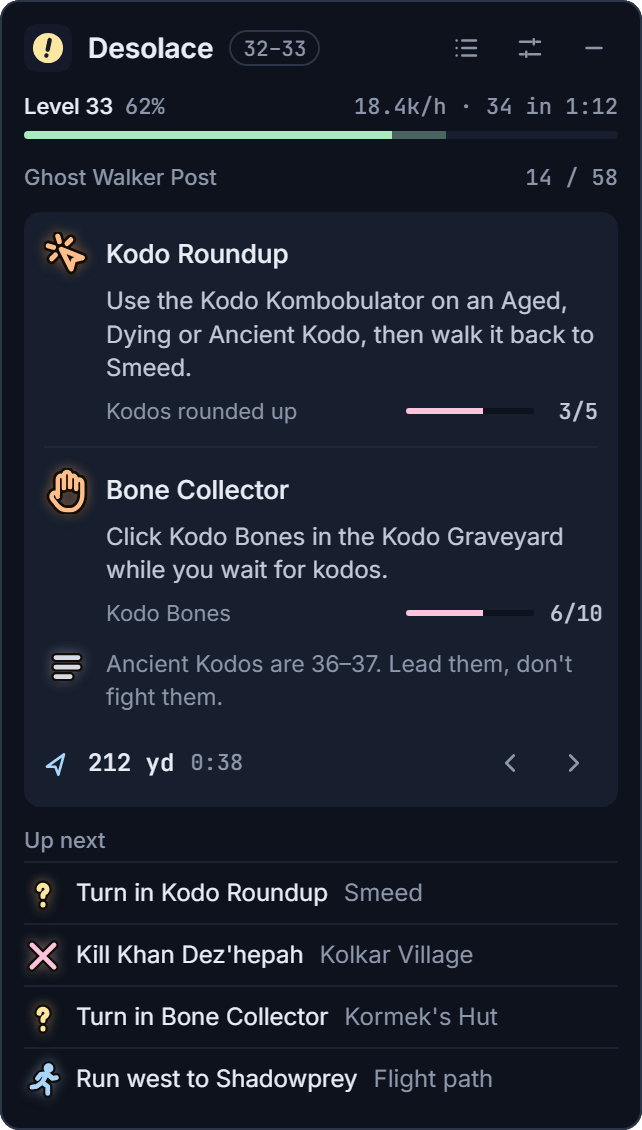
You always know what to do next: Ding shows the current step, points an arrow to where you need to go, and takes care of the clicking at quest givers so you can just play.
Features
- Step-by-step routes for every race, tuned for fast leveling with as little running back and forth as possible.
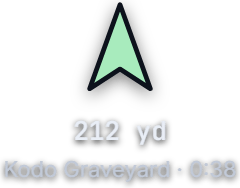
- Arrow pointing to your next quest giver, mob or turn-in.
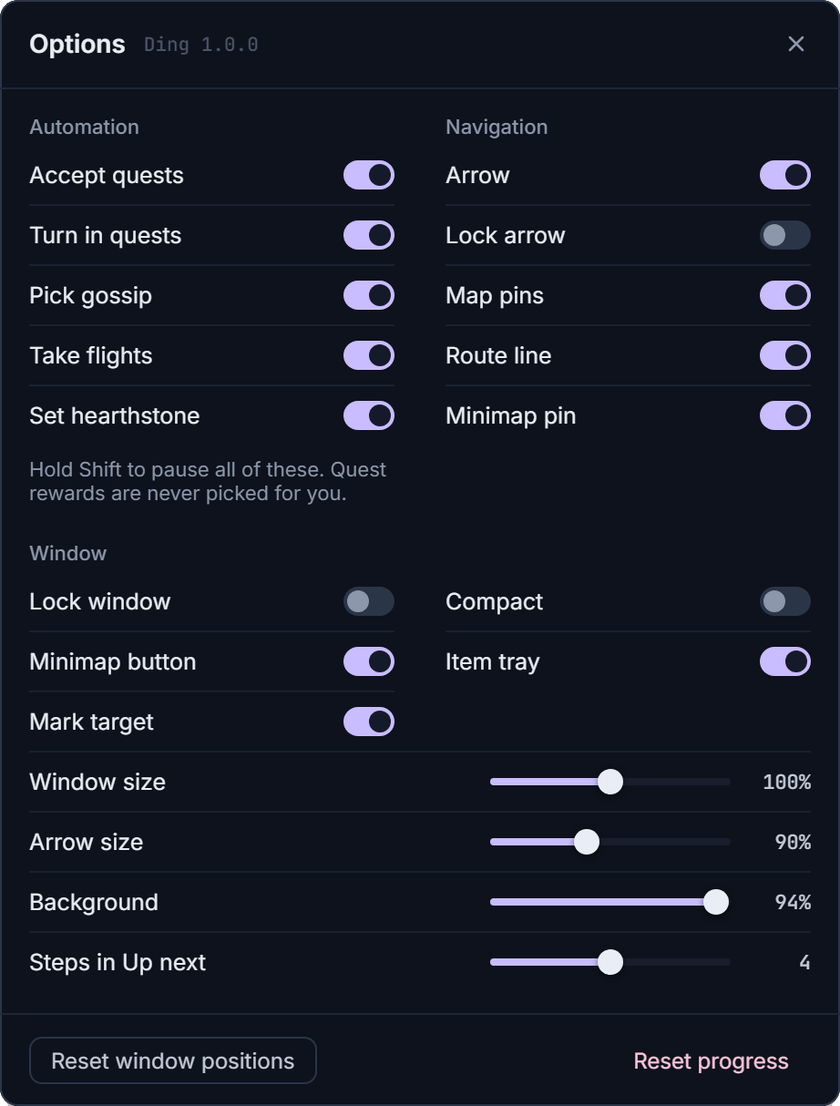
- Automatic quest handling: accepts and turns in the route's quests, picks gossip options and takes flights. Hold Shift to pause it at any time.
- Quest item tray: usable quest items sit next to the guide; the one you need right now comes first. Click it, press its key, or use
/click DingItemButtonin a macro. - Hearthstone help: on a "set hearth" step, Ding picks "Make this inn your home" for you.
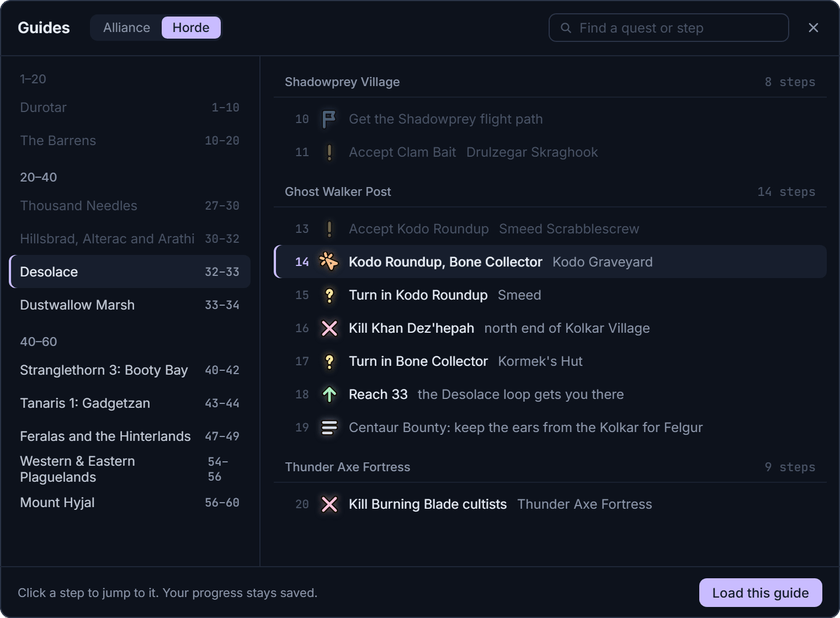
- Guide list and search: open any guide by level, or search for a quest or step across your faction's guides.
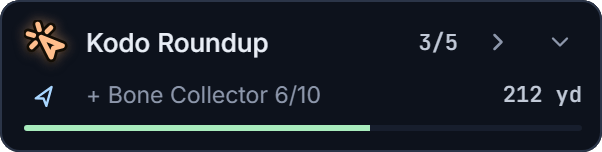
- Compact and mini modes: a smaller window, or a one-line pill that stays out of the way.
- Minimap button and key bindings for toggle, skip, back, list, quest items and targeting the step's NPC.
A closer look
Compact and mini modes, for when you want the guide out of the way:

The arrow points to your next stop, with the distance and time to get there. The quest item tray keeps the item you need right now first:
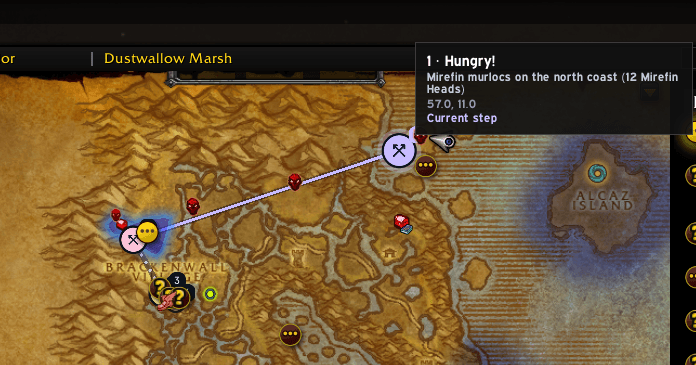
Map pins show the next steps and the route between them on the world map:
Every guide, by level, with search across all your faction's steps:
Options: switch any of the automation off, and size the window and arrow to taste:
Commands
/ding opens the guide. Also: /ding options, /ding list, /ding skip, /ding back, /ding arrow, /ding compact, /ding mini, /ding reset.
Install
Use the CurseForge app, or copy the
Ding folder into World of Warcraft\_forever_\Interface\AddOns\ and restart the game. After installing or updating, restart the game fully: /reload doesn't pick up new font files.
Feedback and bugs
Ding is made by one person. Found a bug or have an idea? Post it on the Ding Discord, in the bugs or ideas forum. Please include your faction, the quest or step and the zone.
Some aspects of the current guide may be inaccurate, incorrect or inefficient. We strive to improve this experience over time, so your feedback is invaluable.
Ding Leveling Team