


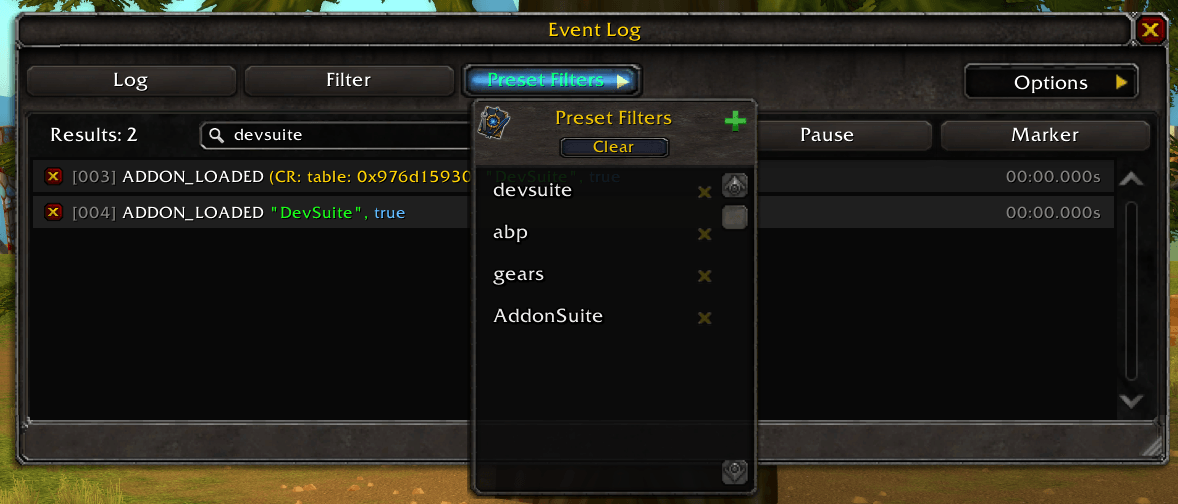
Click to view and manage your saved filter presets for the Event Trace UI. Select any preset to instantly apply its filter to the trace log. You can also add new presets or delete existing ones with ease.
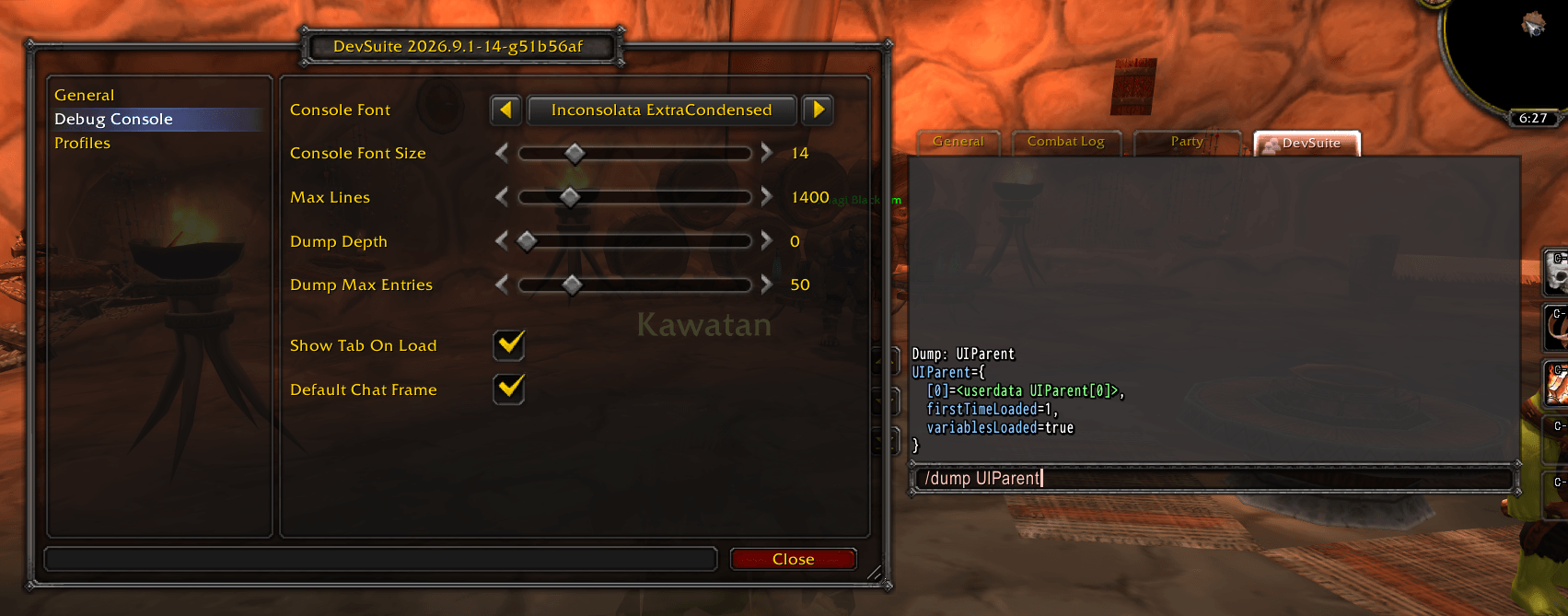
/dump output goes to its own DevSuite chat tab in a monospaced console font. Set the font, size, max lines and dump limits from the Debug Console options.
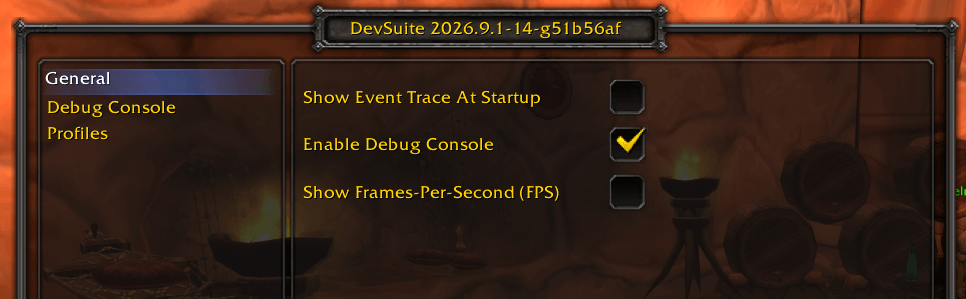
General options: open Event Trace at startup, turn on the Debug Console chat tab (requires DebugChatFrame), and show the frames-per-second counter.
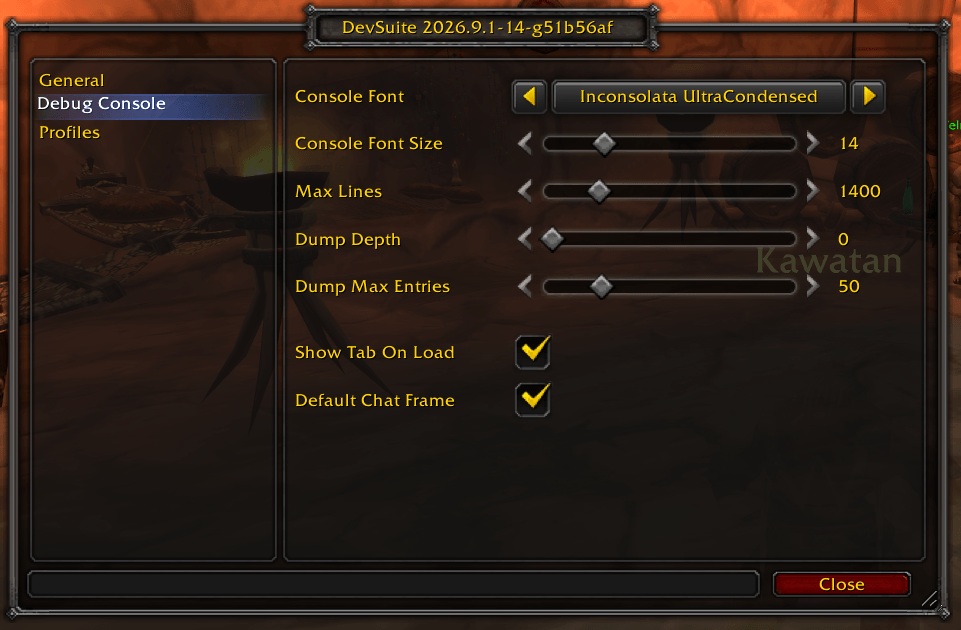
Debug Console options: pick the console font and size, cap max lines, set /dump depth and entry limits, and choose whether the console becomes the default chat frame.
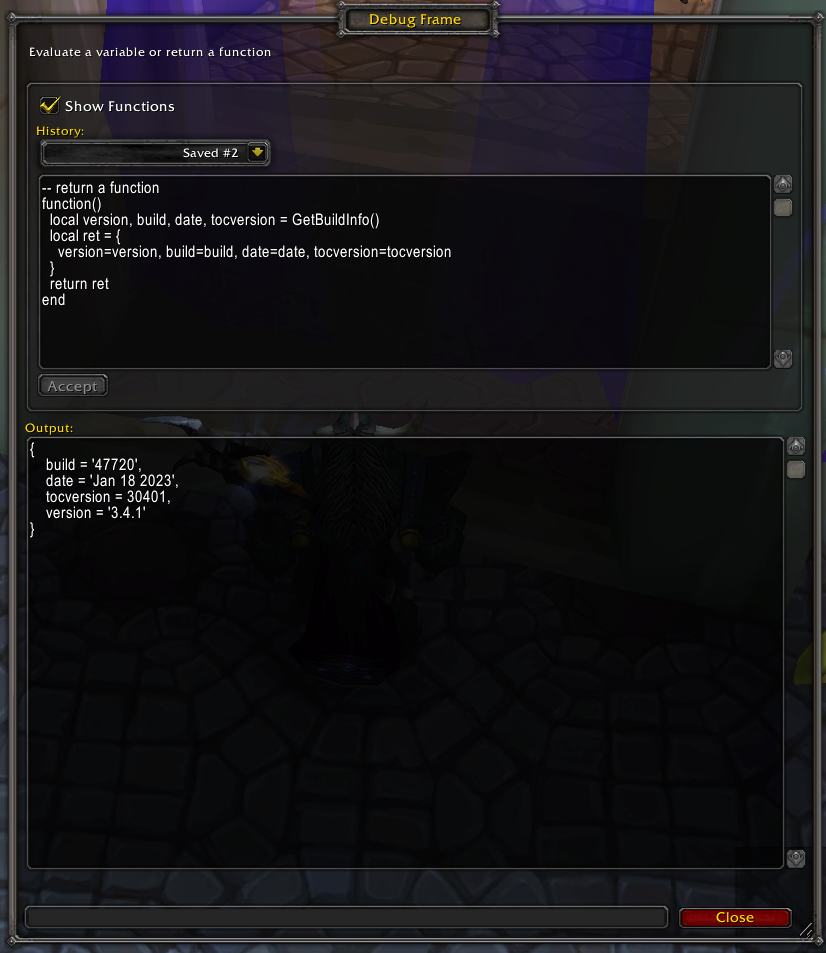
Enhance your Lua scripting capabilities by creating a custom function that incorporates sophisticated logic.
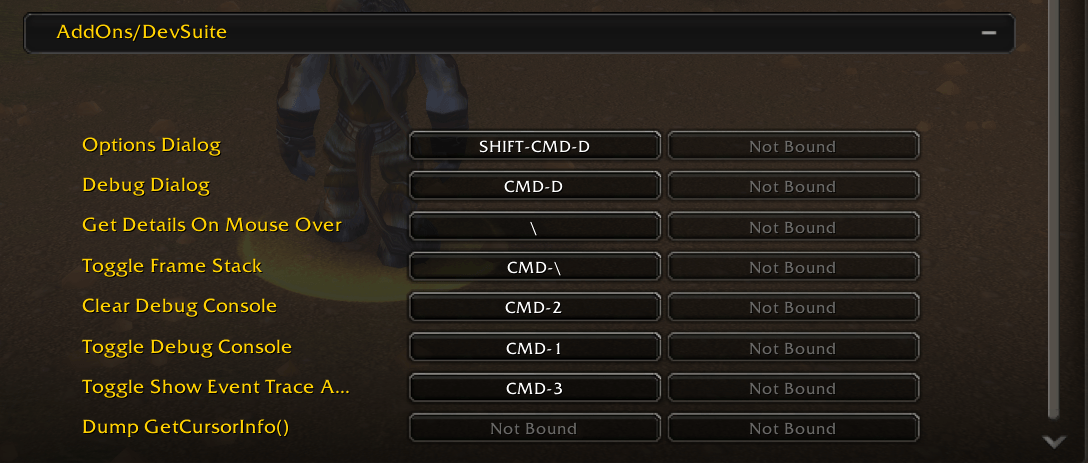
DevSuite adds handy keybindings for everyday developer tasks. For example, press a key while hovering over any UI frame to instantly open a details dialog with full information about that frame — making inspection and debugging quicker and easier.
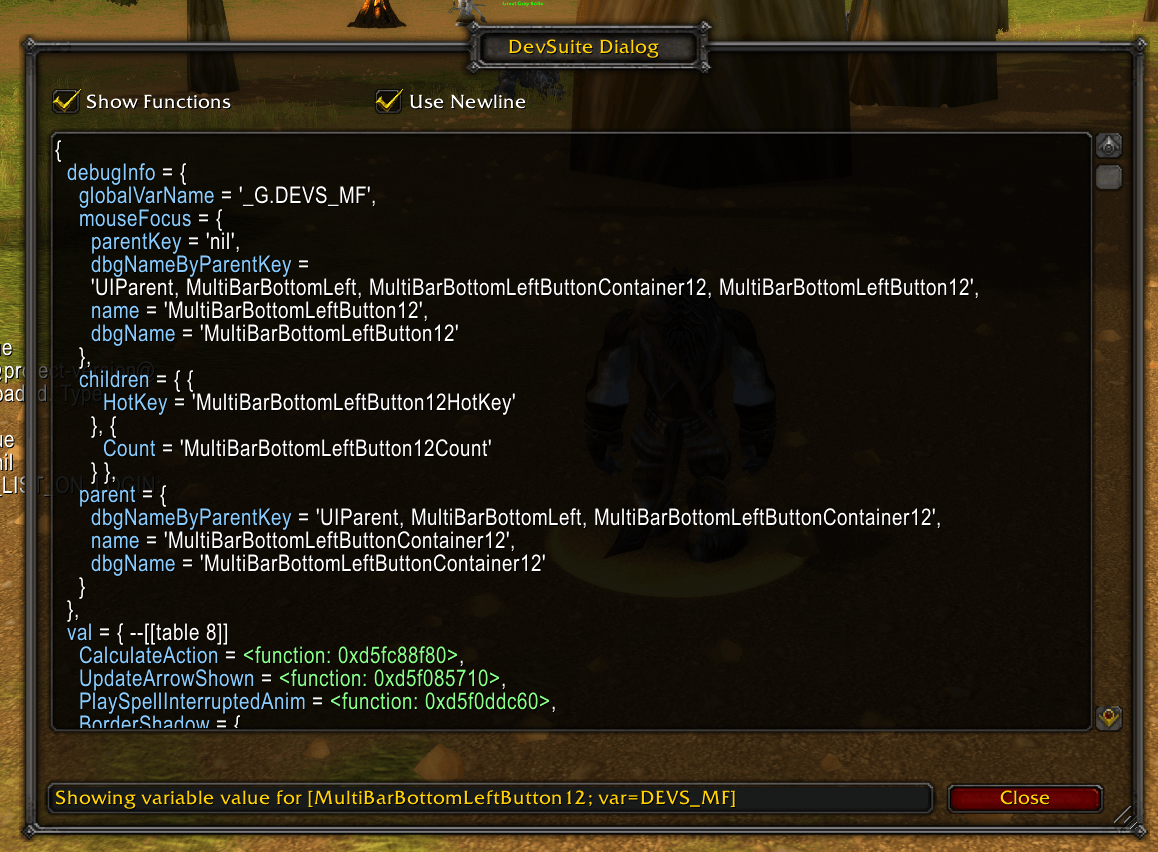
With a keybinding assigned, the 'Get Details on Mouse Over' feature swiftly evaluates any UI component under your cursor, making it one of my top favorite features for its simplicity and efficiency. The mouseover target is assigned to a global variable.
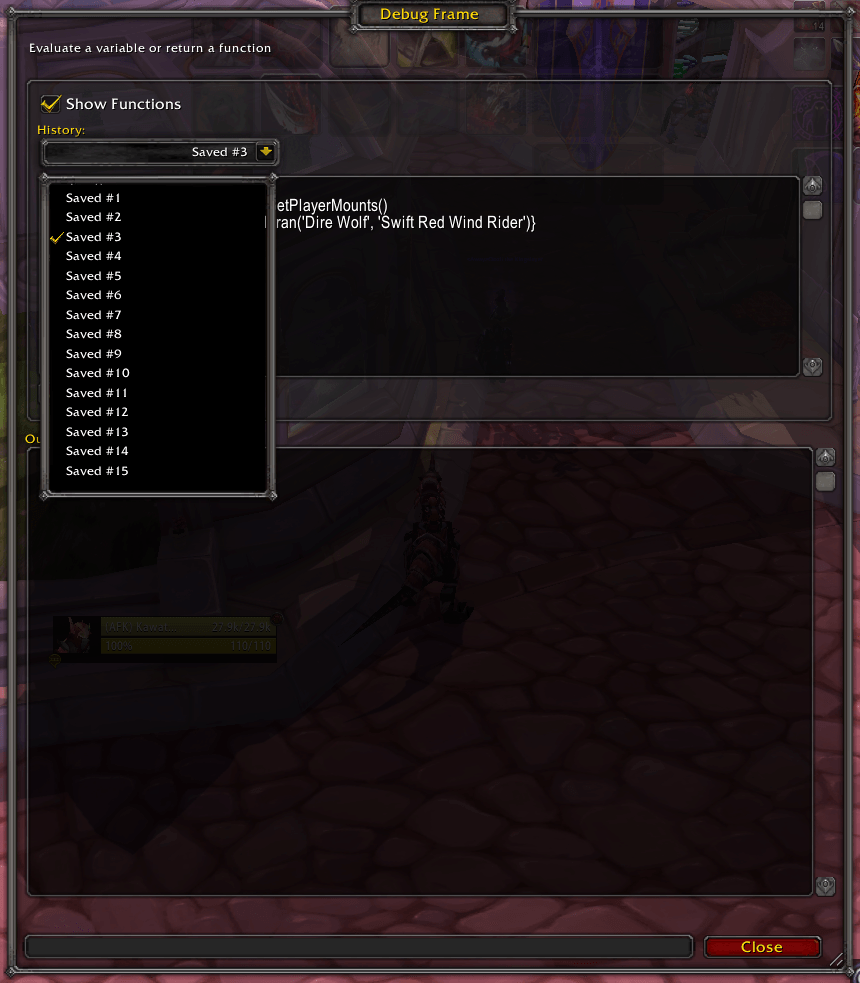
The Debug Dialog enables on-the-fly evaluations, saving up to 15 sessions for easy variable examination and add-on function testing, streamlining debugging.

