Derpstone: Audio Triggers of Warcraft
- By
Configurable PvP voice alerts that feature voiced class archetypes.
Description
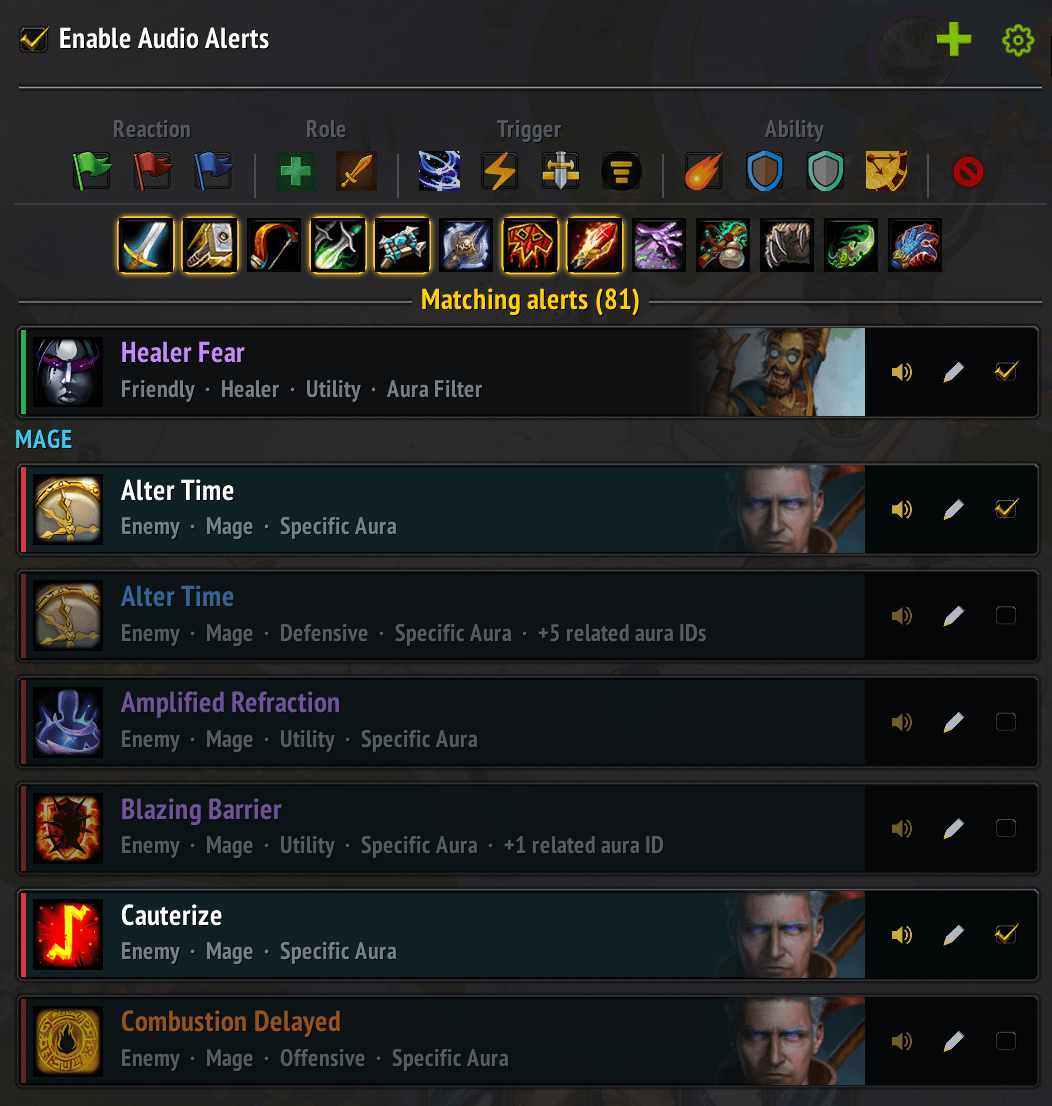
Derpstone — Audio Alerts
Derpstone is a configurable PvP oriented audio-alert addon that calls out important combat events without adding more visual clutter.
It can alert you to enemy and friendly abilities, crowd control, offensive and defensive cooldowns, utility, and other conditions, helping you keep your eyes on positioning, targeting, interrupts, and the fight itself.
Why audio?
PvP interfaces already demand constant visual attention. Derpstone moves selected information into a separate audio channel for:
- Lower visual clutter

- Faster recognition
- Better situational awareness
- More attention available for decision-making
Voices carry information
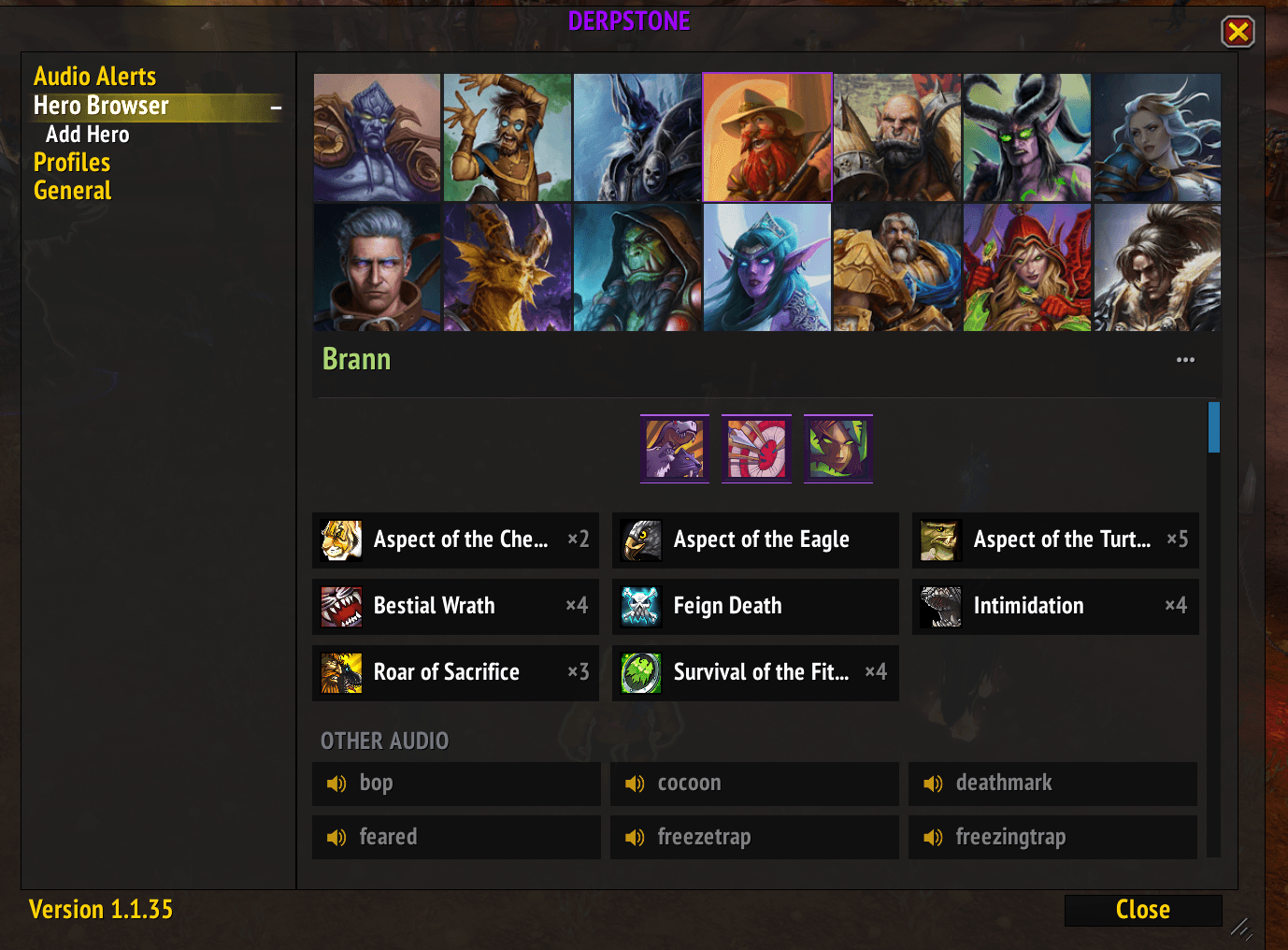
Derpstone supports multiple voiced personalities and sound sets. Voices can be associated with classes, specs, roles, or alert types, so the speaker itself provides context as well as the words being spoken.
Hearing “Combustion” in a Mage-associated voice, for example, reinforces both the ability and its class identity before the line has even finished.
Voice is therefore more than flavour: the words identify the event, while the speaker helps identify its source or meaning.
Where multiple recordings exist, Derpstone can rotate between them to reduce repetition while preserving that recognisable audio identity.
Adding a Custom Hero to Derpstone
Derpstone can use custom hero portraits and voice recordings through Hero Browser → Add Hero.
The overall process is:
- Create the hero's media folder.
- Add the portrait and audio files.
- Restart World of Warcraft if those files were added while WoW was already running.
- Open Derpstone → Hero Browser → Add Hero.
- Enter the hero details.
- Paste the audio filename list.
- Create the hero and review it in Hero Browser.
1. Create the hero folder
Create a folder inside:
World of Warcraft\_retail_\Interface\AddOns\Derpstone\Media\Audio\For example:
Derpstone\Media\Audio\Arthas\The folder normally uses the same name as the hero.
2. Add a portrait
Place the portrait in the hero folder.
The default filename is:
icon.tgaFor example:
Derpstone\Media\Audio\Arthas\icon.tgaA different portrait filename can be entered on the Add Hero page.
3. Add audio recordings
Place the hero's .mp3 or .ogg recordings in the same folder.
For spell-specific recordings, the recommended naming format is:
<SpellID>_<AbilityName>.mp3For example:
48707_AntiMagicShell.mp3
48792_IceboundFortitude.mp3
51052_AntiMagicZone.mp3
Multiple recordings for the same ability can use numbered suffixes:
48792_IceboundFortitude_01.mp3
48792_IceboundFortitude_02.mp3
Derpstone reads the leading Spell ID and associates the recording with that ability.
Generic recordings do not need a Spell ID:
stunned.mp3
healerlow.mp3
lineofsight.mp3
These appear under Other Audio.
4. Restart WoW after adding new files
If the portrait or audio files did not exist when World of Warcraft was launched, fully exit WoW and relaunch it before testing them.
/reload is not sufficient for newly added media files.
The Add Hero draft is saved automatically, so restarting WoW should no longer force you to re-enter the hero name and other details.
5. Generate the filename list with PowerShell
Instead of typing every filename manually, open the hero's folder in File Explorer, right-click an empty area and choose Open in Terminal.
To copy all MP3 filenames directly to the clipboard:
Get-ChildItem -File -Filter *.mp3 | Select-Object -ExpandProperty Name | Set-ClipboardThen paste directly into Derpstone's Audio filenames field.
For both MP3 and OGG files:
Get-ChildItem -File | Where-Object { $_.Extension -in '.mp3','.ogg' } | Select-Object -ExpandProperty Name | Set-ClipboardExample output:
48707_AntiMagicShell.mp3
48792_IceboundFortitude_01.mp3
48792_IceboundFortitude_02.mp3
51052_AntiMagicZone.mp3
stunned.mp3
6. Create the hero
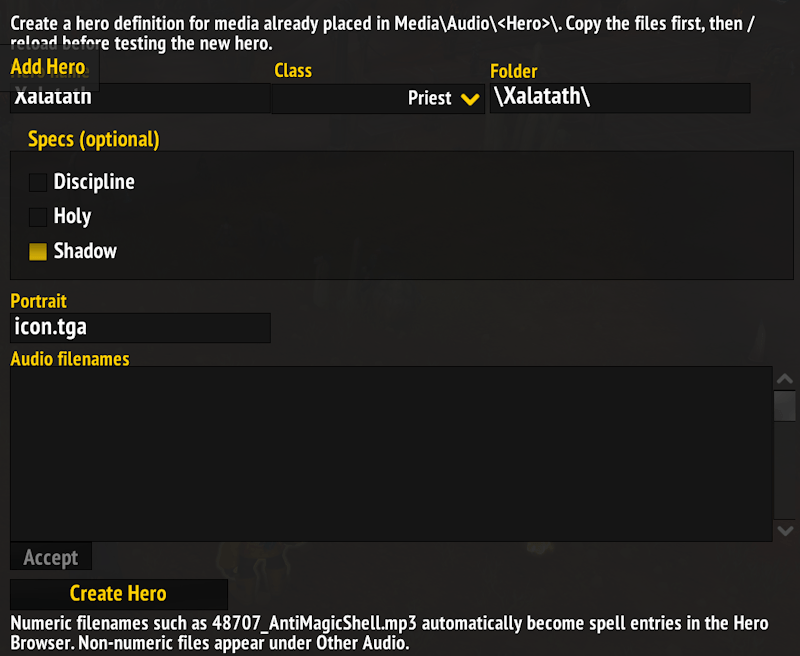
Derpstone → Hero Browser → Add Hero
Complete:
- Hero name — the name displayed in Hero Browser.
- Class — the WoW class associated with the hero.
- Media folder — automatically defaults to the hero name.
- Specs — optional; leave blank for a class-wide hero.
- Portrait — normally
icon.tga. - Audio filenames — paste the PowerShell-generated list.
Then click Create Hero.
7. Review the result
Return to Hero Browser and select the new hero.
Spell-ID recordings should appear under their resolved ability names and icons. Generic recordings appear under Other Audio.
Derpstone: Audio Triggers of Warcraft Team