QoLify: Decor Tools - Auto Shopping List
- By
Has a shopping cart that will autobuy items that you added to it either manually or from blueprint when you open a decor vendor, and also SpendWatch: Set a per-item gold cap on housing decor and get warned before you overspend.
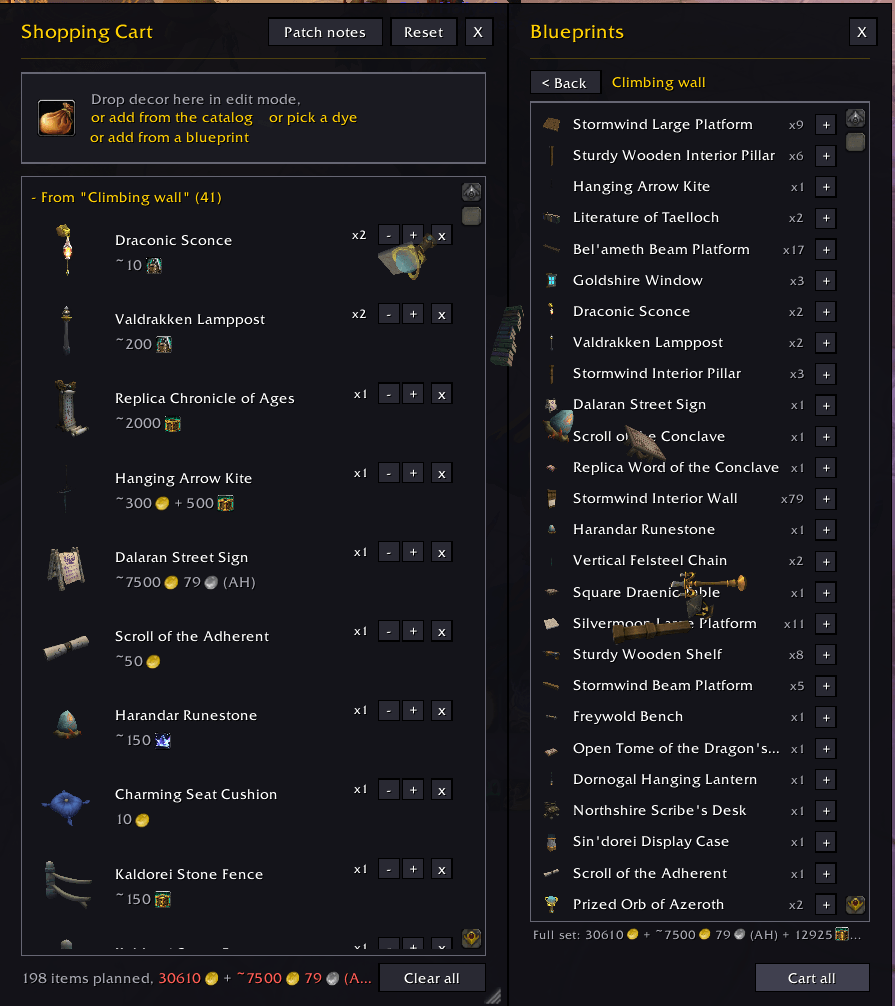
shoppingcart.png
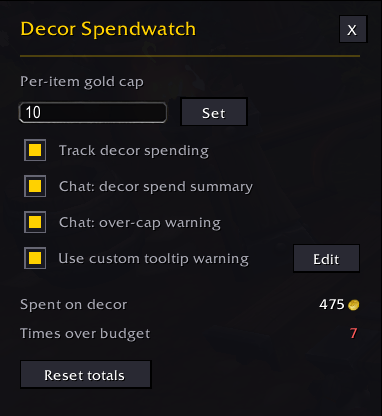
menu.png
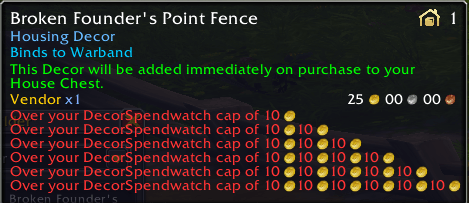
tooltip.png
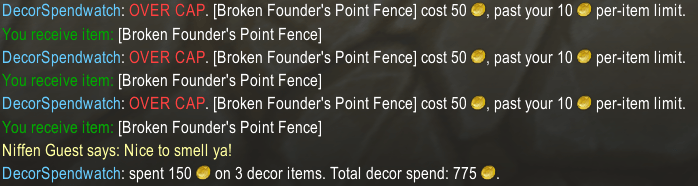
chatlog.png
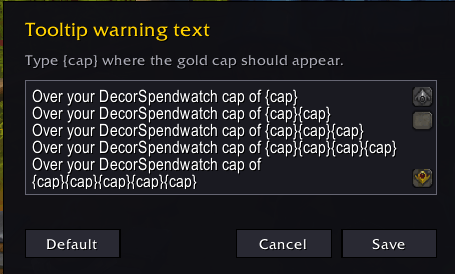
edittooltip.png
Description
Decor Tools
Two tools for housing decor: a shopping cart you fill while decorating, and a spending watcher so the decorating doesn't quietly empty your gold.
The shopping cart
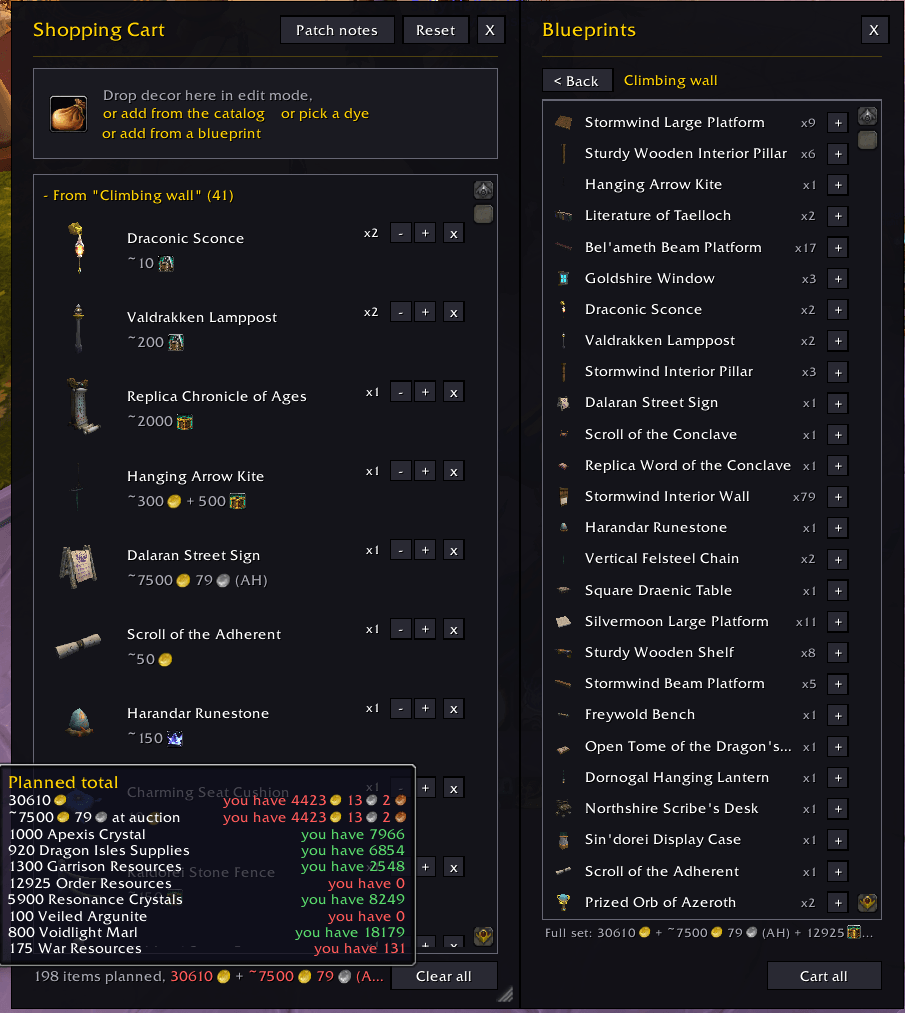
Type /cart or click the minimap coin. While you decorate, collect the pieces you're missing: every catalog entry gets a small + button (in the house editor storage and on the housing dashboard), the decor piece you have selected in edit mode can be dropped straight into the cart box, and decor items drag in from your bags. Shift adds 5 at once, Ctrl adds 10.
Price calculation
Carted items show their vendor and Auction House prices (If you have Auctionator scan or Oribos Exchange installed). The catalog gives an estimate, marked with ~, and visiting a vendor that sells a piece records its real cost, whether gold, a currency, barter items or a mix. Hover a cost icon to see what it is, and the footer sums up what the whole plan will run you.
Automatic vendor buying
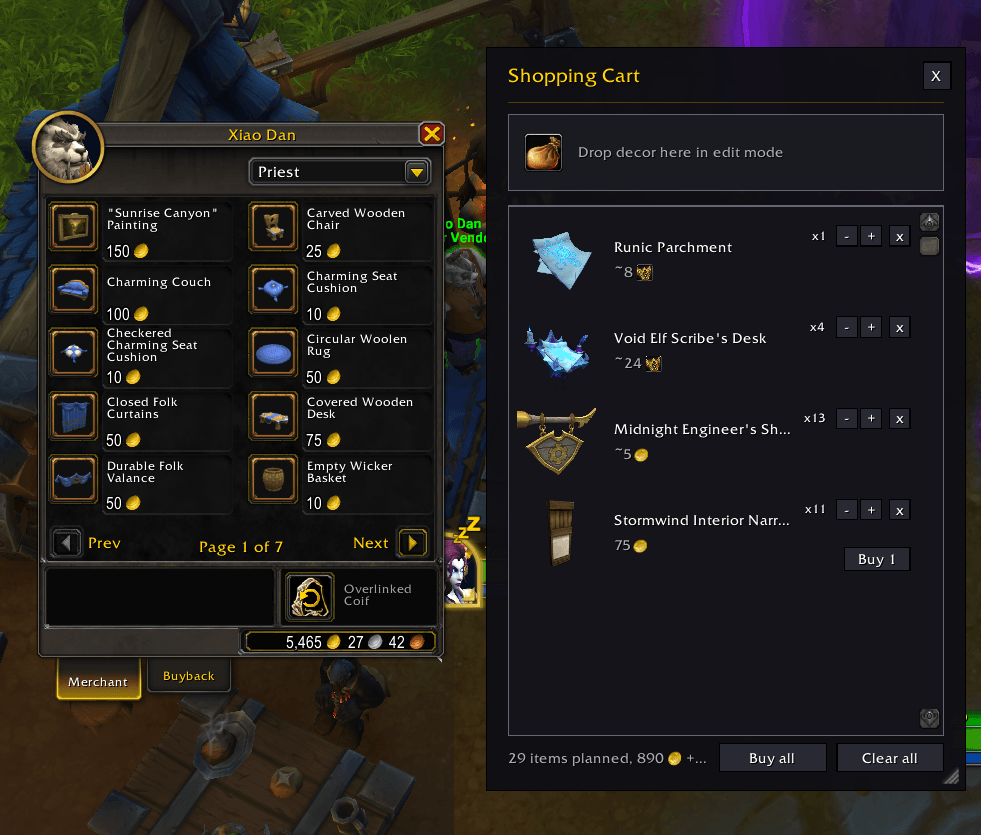
At a vendor, anything from your list gets a "buy N" tooltip line that counts down as you buy. Rows grow a Buy button for items the open vendor sells, walking up to a vendor that stocks your items opens the cart by itself, and Buy all fetches everything it can at three purchases a second, with a confirm click first so it never runs by accident.
Auction house and Auctionator search
When you open AH and your cart has crafted items in it, it will open the cart automatically and you can click the AH button to search the Auction House for purchasable items in your cart
The spend watcher
Type /dsw or right-click the minimap coin. Pick a per-item gold cap and anything priced above it gets a red warning on its vendor tooltip, plus a note in chat if you buy it anyway. A running total keeps track of what decor has cost you so far.
Part of QoLify
Decor Tools also ships as a module of QoLify, my quality of life suite. Install whichever you prefer, your settings follow you between them. If both are installed, the standalone runs and the module stands by.
QoLify: Decor Tools - Auto Shopping List Team

Owner