Blasta (DaylightUI Plugin)
- By
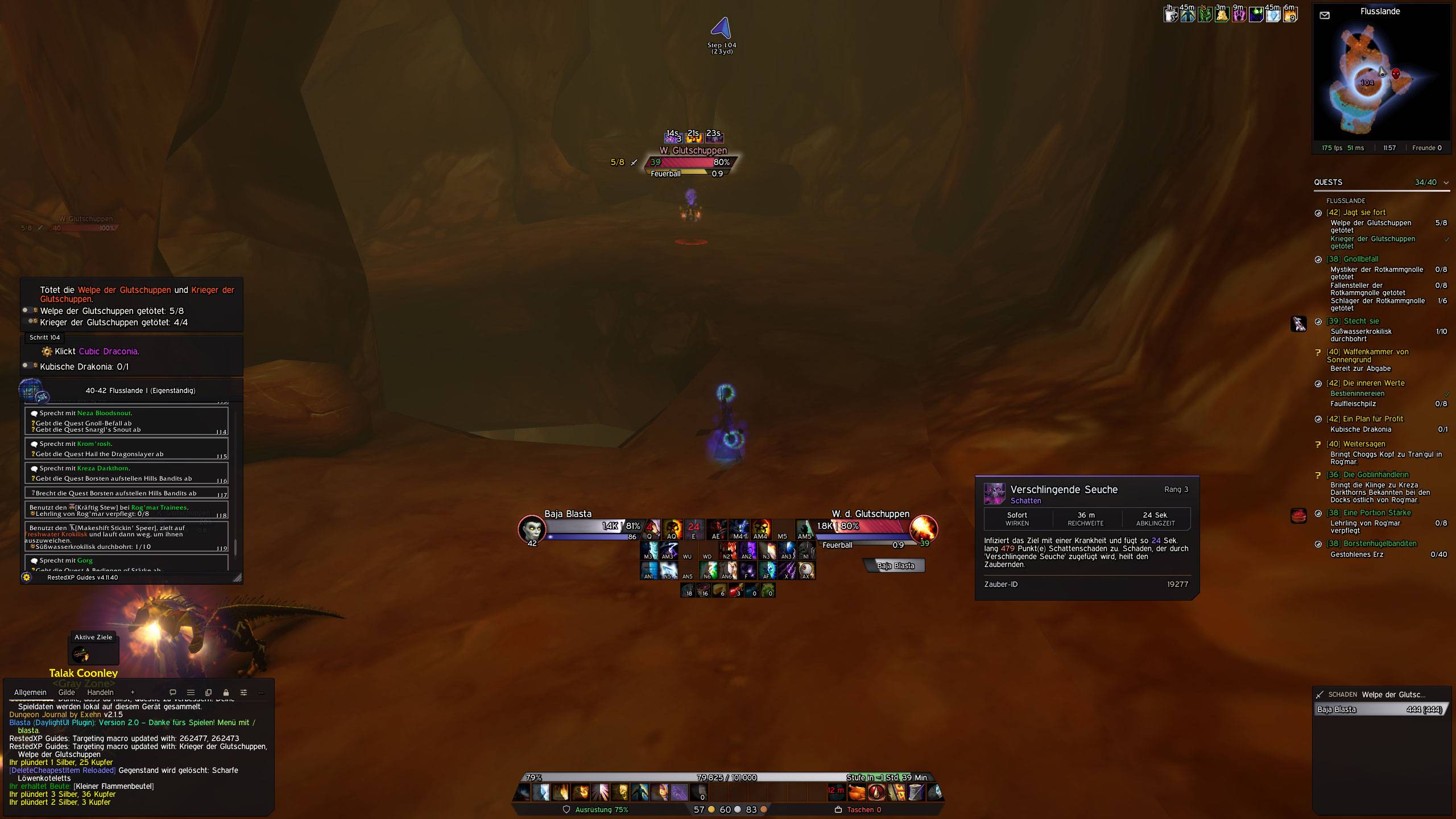
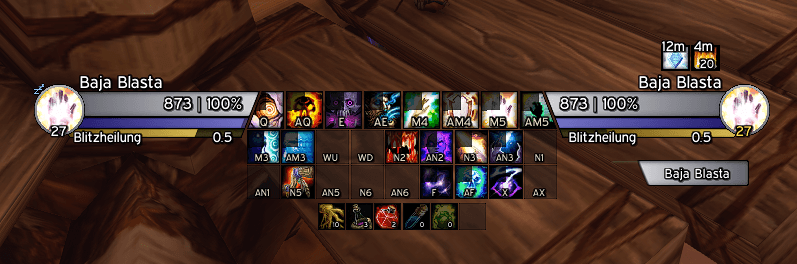
spellicon_castbarsettins_portraitborder.png
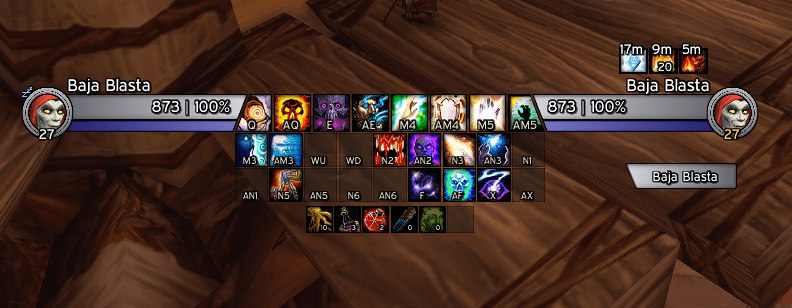
actiobaredge.png

actionbaredge2.png
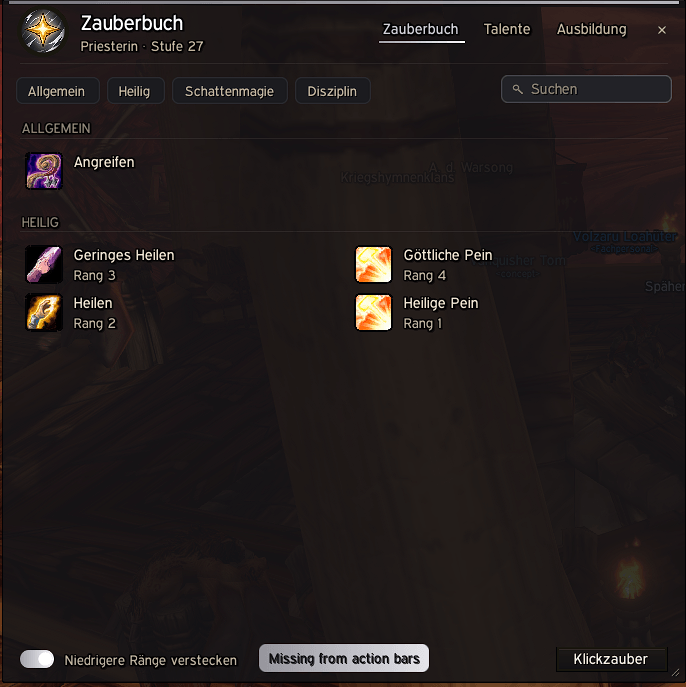
missingspellsinactionbar.png
questlevel.png
tooltip.png
dispelloverlay.png
blastacharacterbpanel.png
Description
Daylight Blasta
Daylight Blasta extends DaylightUI for World of Warcraft: Forever. See your progress on a full-screen AFK display, turn buffs and debuffs into compact duration bars, organize your bags with quick filters, and choose how new loot appears on screen. Blasta also adds customizable tooltips, equipment displays, combat helpers, and matching addon skins. Its settings and previews are integrated into DaylightUI.
Install DaylightUI first. Type /blasta in chat to open Blasta's settings, or go to /dui → Plugins → Blasta. The login message also shows the command.
Blasta AFK Screen shows a large clock, your character and zone, and progress toward your next level or watched reputation. Optional session details show quest turn-ins, gold change, free bag slots, and relevant mail or durability alerts. Enable it or try the preview under Blasta → AFK screen.
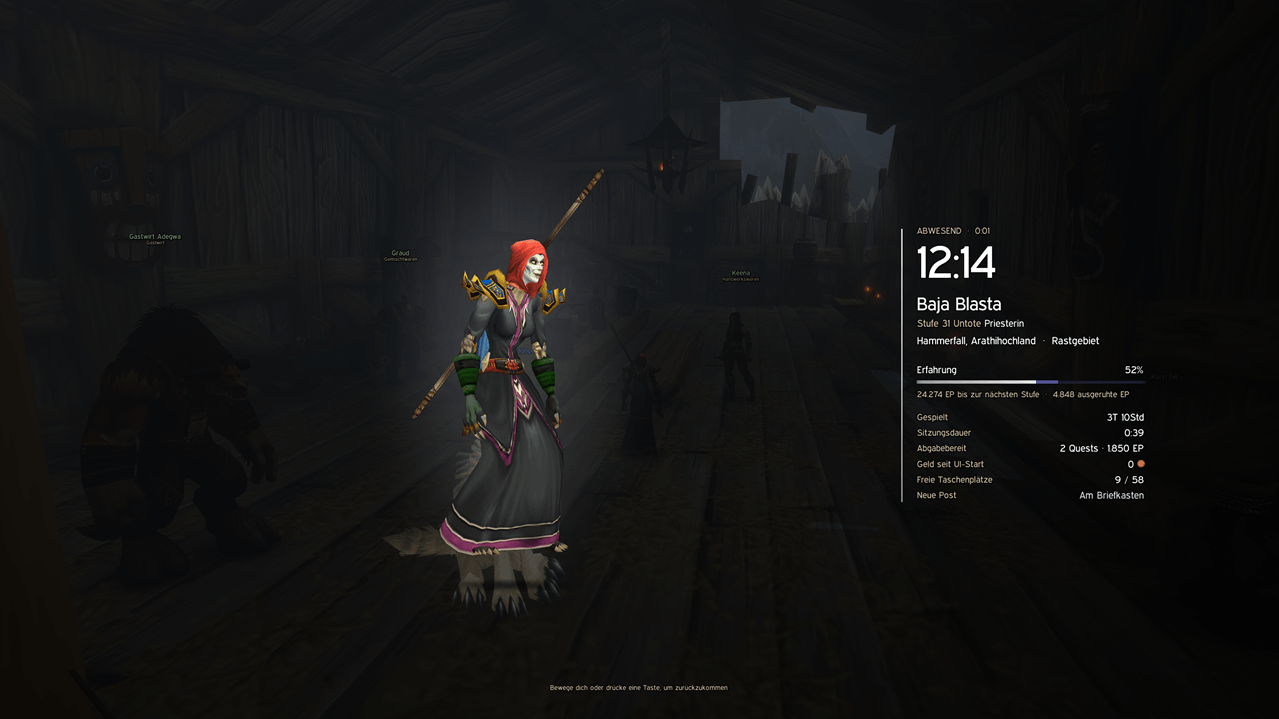
Blasta AFK Screen with character progress and session details.
Aura bars turn unit-frame buffs and debuffs into duration bars. Choose Blasta Standard with filled bars or Blasta Elegant with thin duration lines. On player, target, focus, and pet frames, fit up to three bars per row and optionally hide aura names. Set where buff and debuff rows grow, adjust how far they extend past the frame, and preview the result under Blasta → Auras. Bars respect DaylightUI's aura lists.
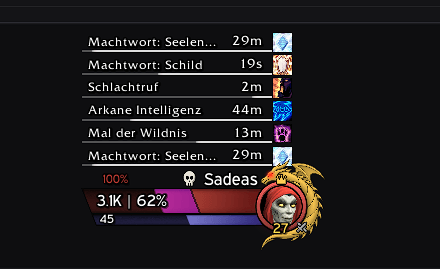 Named aura bars |
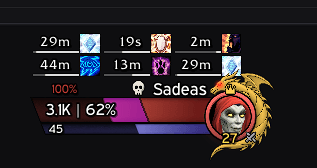 Compact aura bars |
BlastaBags adds quick filters to DaylightUI's bag window. Choose All, New, Quest, Custom, or a specific category. The grid rebuilds around matching items. Create your own categories, rename built-in categories, and toggle automatic groups for cloth, leather, herbs, metal and stone, cooking ingredients, and enchanting materials. Drag an item onto a category heading or an empty category's + slot to assign that item type. Hide a custom category to return its items to their usual groups until you show it again. Enable it under Blasta → Bags → BlastaBags.
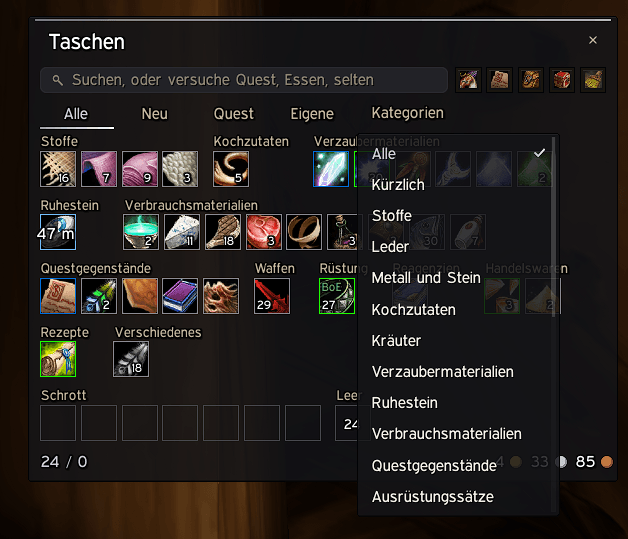
Quick filters and custom categories in the DaylightUI bag window.
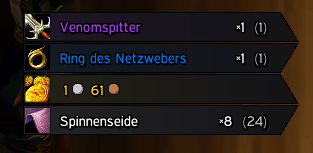
Blasta Loot Feed groups repeated drops and shows the amount looted beside your bag total, for example ×4 (24). Choose Daylight Standard, Blasta Standard, or Blasta Elegant. Elegant uses thin dividers and quality-colored item names and icon borders. Choose which items, coins, and skill gains to show, adjust the text and gradient, and preview the selected style under Blasta → Loot feed. With Auctionator installed, item tooltips can show the estimated stack value.
Blasta Standard |
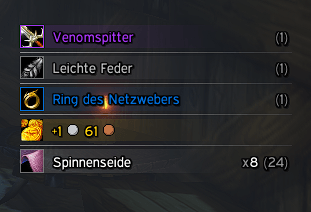 Blasta Elegant |
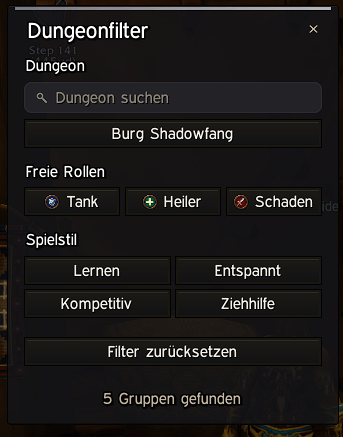
Blasta Dungeon Finder adds a docked filter panel to DaylightUI's dungeon listings. Search for a dungeon and combine it with a playstyle and open tank, healer, or damage slots. When you select several roles, a group matches if it has room for any of them. The panel updates the loaded results and keeps your filters when closed. Enable it under Blasta → General, then reload and open Find a group → Dungeons → Filters.
Filter dungeon listings by dungeon, open role, and playstyle.
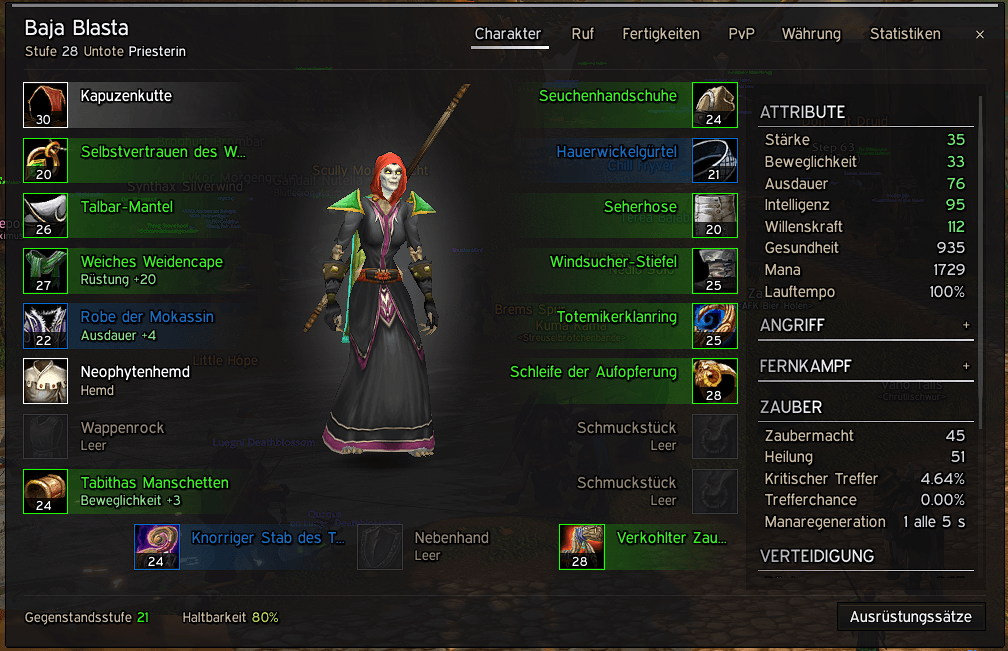
Blasta Character Panel with angled quality gradients and item-level overlays.
• Show missing Rage or Energy on action buttons for Warriors, Rogues, and Druids in Cat Form. Set the font size, corner, and offsets in the live preview.
Angled action-bar ends alongside the player and target frames.
Angled end buttons in game.
• Choose square equipment icons, adjust border thickness, and add mirrored, angled gradients in item-quality colors with adjustable opacity.
• Set the durability threshold for equipment labels. The default is 50%. An optional footer highlights missing enchants and low durability.
• Customize item borders in DaylightUI's bags and bank. Square slots keep a single quality outline, including for quest items.
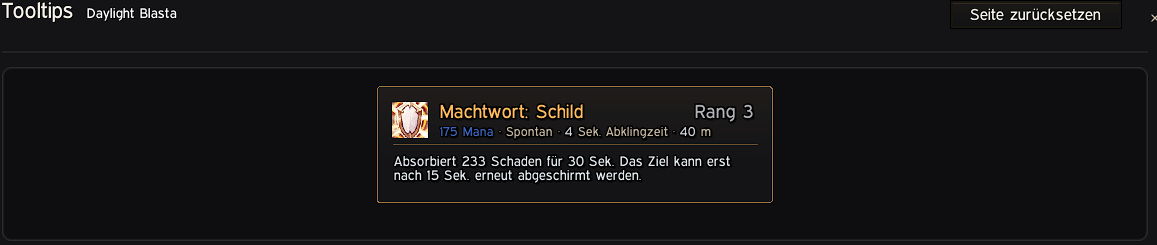
• Spell tooltips show rank beside the title and a compact spell-stat line using DaylightUI's resource colors. Item level appears beneath the icon or in the subtitle when the icon is hidden.
• Equipment comparisons mark the equipped item and group differences under Stat changes. Unusable equipment types, including weapons, shields, and armor, are marked in red.
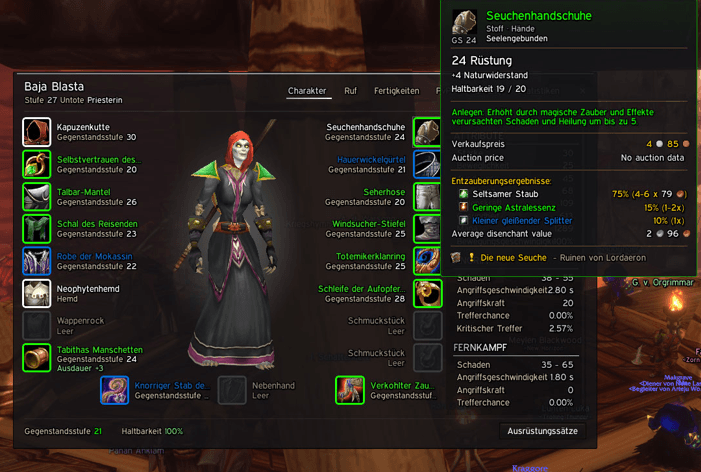
• Item tooltips can show vendor sell price, Auctionator prices, disenchant materials supplied by DisenchantBuddy or Auctionator, and item sources supplied by Forever Dungeon Journal. DisenchantBuddy's average value appears below the materials when available.
• Tooltips size to their content and use DaylightUI's positioning. Preview supported tooltip types in the settings and use a configurable modifier to show the original tooltip. The client may limit which tooltips can be restyled in combat.
Blasta's configurable tooltip layout.
• Party presets for Power Word: Fortitude, Arcane Intellect, and Mark of the Wild show how many eligible members are covered. Equal or stronger recognized buffs count toward coverage. Outside combat, the reminder advances to the next eligible unbuffed member.
• Adjust icon size, spacing, border thickness, and square or rounded frames. Preview the animation in settings. The reminder's entrance can follow DaylightUI's reveal.
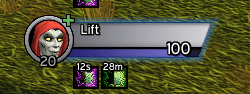
• Enable a pulsing dispel border and glow independently for the player, friendly target, party, and raid. The overlay is off by default and can be previewed on DaylightUI's test frames. Target highlights distinguish removable debuffs on allies from removable buffs on attackable targets, including active duel opponents.
• Use separate square-border settings for player buffs and debuffs. Optionally anchor debuffs below the buffs with adjustable spacing. The minimum space follows DaylightUI's icons-per-row setting.
• Adjust nameplate name length, health and cast-bar borders, and target glow intensity. Set nameplate cast-bar edges independently, use single-line spell names, choose a slide direction, and customize interrupt effects and channel ticks.
• Choose a separate entrance animation for each nameplate aura row, such as your debuffs, crowd control, and purgeable buffs. Preview the animations under Auras → Nameplates.
• Priests can enable a Shadow Word: Death kill estimate on the target frame and enemy nameplates. The marker lights up when the spell is ready, usable, and in range.
A dispel highlight on a unit frame.
• Adjust spell-name and timer sizes and offsets for player, target, focus, and party cast bars. Enable portrait spell icons and an interrupt pulse where supported.
• Adjust swing timer text size and position, with optional retraction while casting and a ranged wind-up effect.
• Show remaining recovery time on optional food and drink bars, attached to the player frame or placed independently.
Cast-bar controls and the optional portrait spell icon.
Find learned spells missing from your action bars.
• Use profession tabs to switch between professions. Enable a subtle gold sweep on a recipe after crafting it successfully.
• Show DaylightUI's skill-up chance directly in the recipe list, using the recipe's difficulty color. Trivial crafts show 0%, and unknown chances are omitted.
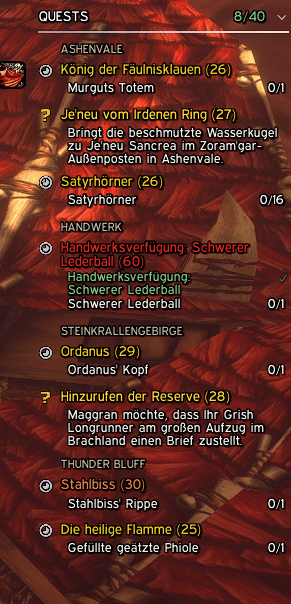
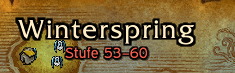
• Show difficulty-colored zone level ranges below the hovered area name. This uses data from the game client, with the Forever Group Finder as a fallback.
• With RareScanner installed, its map search adopts the DaylightUI look and moves into the world map header when space permits.
• Adjust the experience bar's edge angles, frame shape, border, height, and text styling. Set up three independent text positions with their own content and offsets, including a time-to-level estimate based on recent XP gains.
• Customize breath and other mirror timers. The flight timer offers elapsed time, remaining time, or estimated arrival, independent edge shapes, and an early-landing button when the client allows it.
• Show class and race in DaylightUI's friends list when the client provides them.
Open Blasta → AddonSkins to manage the available skins and appearance settings. Supported addons include BugSack, RareScanner, DeleteCheapestItem, Keep or Toss, DoesItDie, Camping Kit, LootTriage, OpenMap, Spoken, Forever Fishing, Polestar, Glowing Bars, Books on Map Forever, and GearQuest Forever. The Books on Map Forever skin covers book and reward notifications.
See more in the CurseForge gallery, including the spellbook filter, action-bar edges, and cast-bar settings.
Export the active DaylightUI and Blasta settings together as one profile code, including supported frame positions and Edit Mode data. Import it into a new named profile. You can choose whether to import Blasta's language and startup preferences.

DaylightUI and Blasta profile import and export.
Blasta defaults to German on a German client and English otherwise. Change the language or toggle the welcome message under General / Allgemein. Use /reload after changing the language. Separate toggles control DaylightUI's startup animation at character login and after an interface reload.
Feature requests and bug reports are welcome: https://github.com/BajaBlastah/DaylightUI-Blasta
As DaylightUI gains features with equivalent functionality, Blasta retires duplicate controls where the built-in feature covers the same use case.
DaylightUI by Dayliiiiight provides the UI and plugin framework. Thanks to the authors of Auctionator, DisenchantBuddy, Forever Dungeon Journal, and the addons listed under AddonSkins. Blasta integrates with their separately installed addons.
Blasta is released under GPL-3.0-or-later. The download includes the source and third-party notices.
Blasta (DaylightUI Plugin) Team