DART - Crosshairs
Target crosshair and melee range warning addon for WoW Classic Era
Crosshair 1-2mb.jpeg
Crosshair 2-2mb.jpeg
Crosshair 3.PNG
Description
DART - Crosshairs
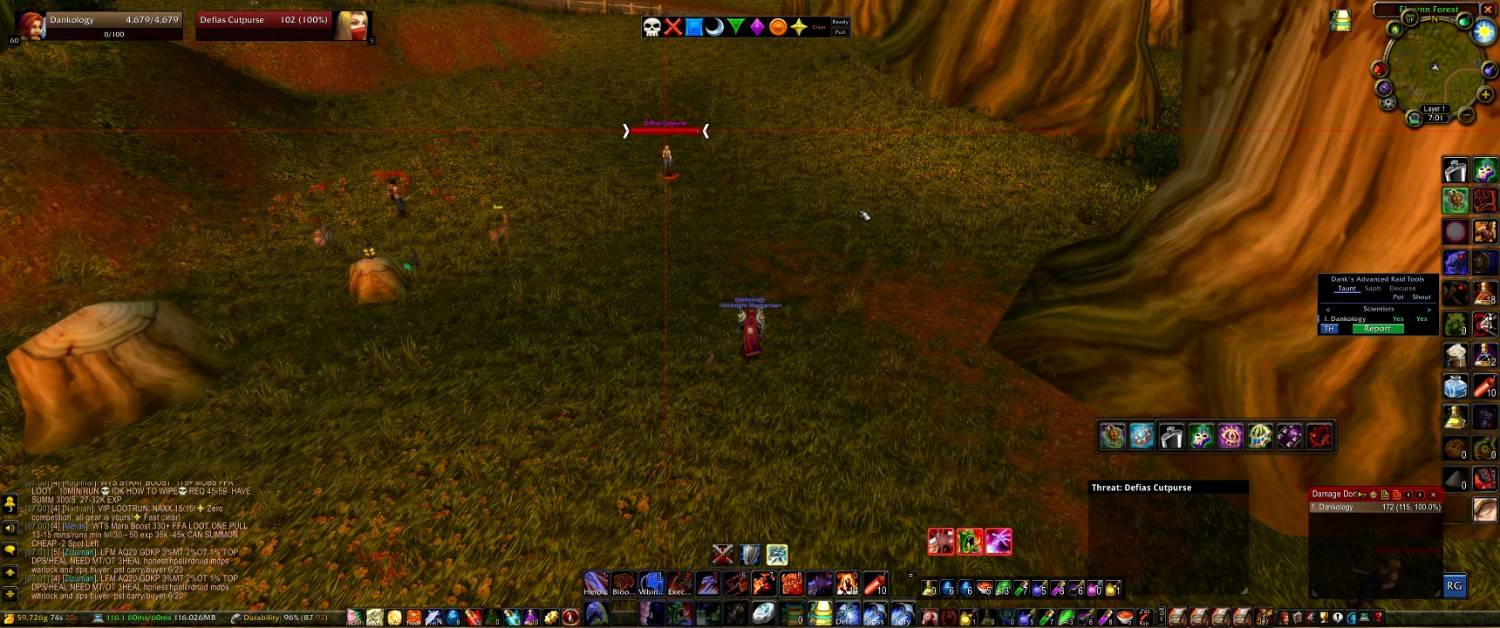
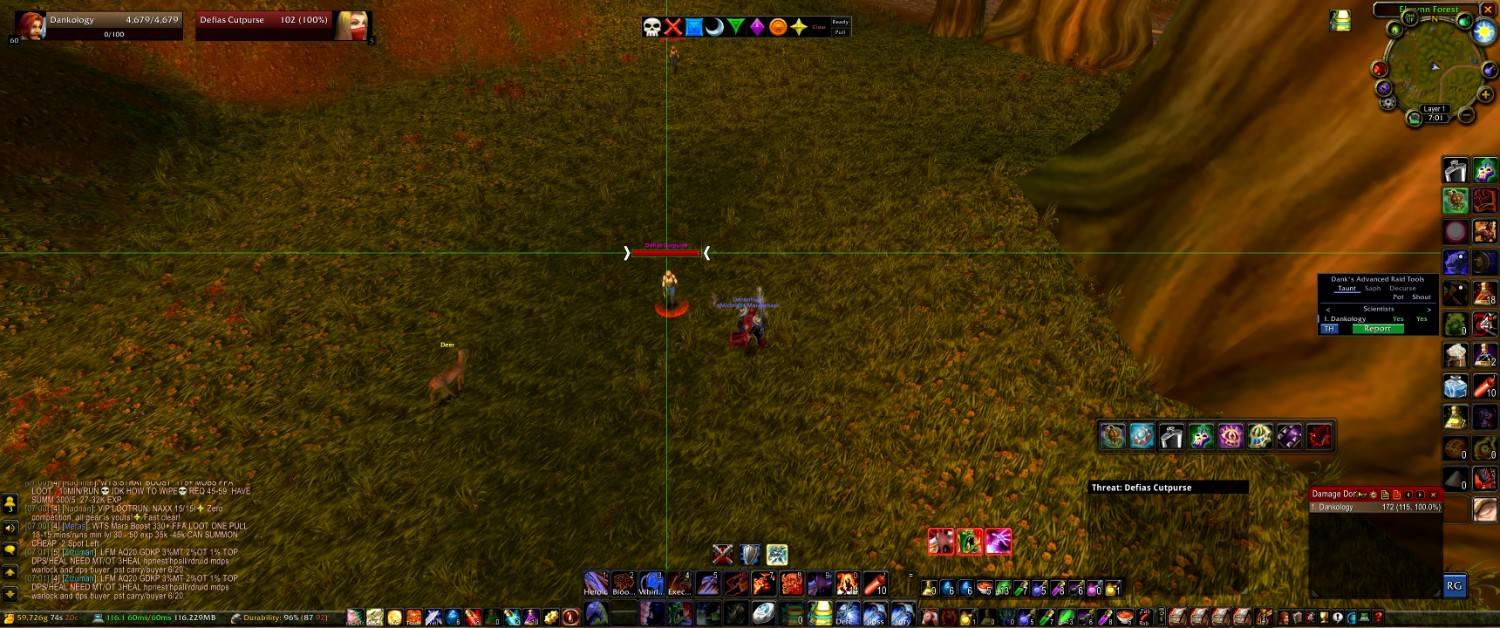
Never lose track of your target again. DART - Crosshairs draws lines through your target's nameplate so you can find it instantly in a crowded pull, plus optional on-screen warnings when you're out of melee range or facing the wrong way.
Features
Target Crosshair
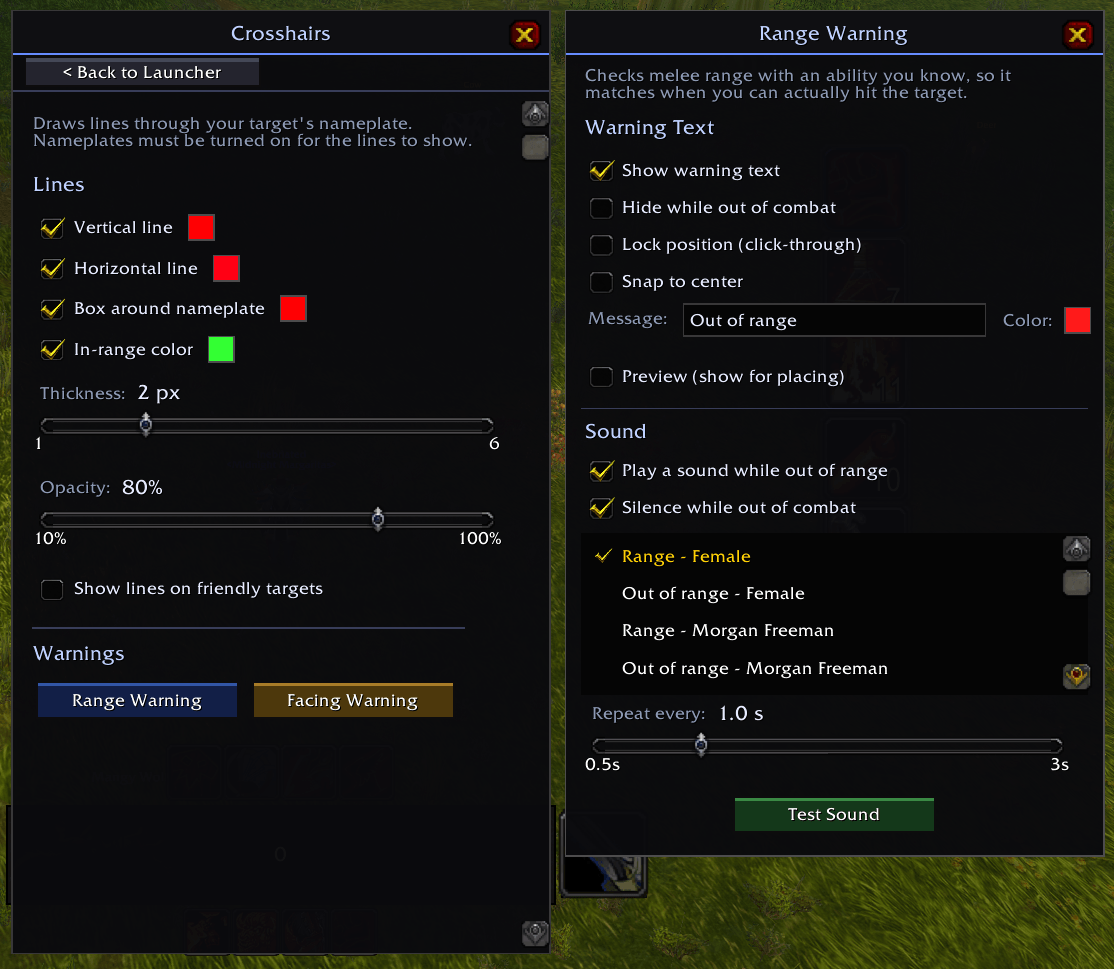
- Vertical and horizontal lines through your target's nameplate that run to the edges of your screen
- Box around the health bar that sits tight on the bar and grows and shrinks with it (target scaling included)
- Turn each line and the box on or off separately
- Separate colors for the vertical line, the horizontal line and the box
- Thickness from 1 to 6 pixels, always sharp
- Opacity from 10% to 100%
- Optionally show the crosshair on friendly targets too
In-Range Color (Optional)
- The lines and box switch to a color of your choice while you're in melee range of your target
- Turns back to your normal colors the moment you step out of range
- Works in and out of combat
Range Warning (Optional)
- Large on-screen "Out of range" text while you're out of melee range of an attackable target
- Uses the game's own melee range, so it matches when you can actually hit
- Optional repeating sound that stops the moment you're back in range
- Option to hide the text out of combat, and to silence the sound out of combat
Facing Warning (Optional)
- Large on-screen "Wrong direction" text when the game tells you you're facing the wrong way
- Clears as soon as one of your attacks lands, when you change targets, or when the target dies
- Choose how long it stays up (1-5 seconds)
- Optional sound(Current sounds for direction are just placeholders, ill add some better and custom ones later on)
Warning Customization
- Drag to place, resize with the corner grip
- Lock in place (click-through)
- Snap to center to keep it centered left to right
- Custom message text and color
- Preview mode for positioning
- Pick from built-in sounds
- Warning settings are saved per character
Works With
- Blizzard's default nameplates
- Threat Plates
- Plater
- Other nameplate addons: finds the health bar automatically
Lightweight
Built to do nothing when it doesn't need to. Every feature only runs while it's switched on and can actually matter: no target, no work.
Range Warning & In-Range Color Support
These use a melee ability you know to check range:
- Warrior, Rogue, Hunter: supported
- Druid: supported (Cat and Bear abilities)
- Shaman: supported once you have Stormstrike
Setup
- Make sure nameplates are turned on in-game (the crosshair attaches to your target's nameplate)
- Type /dart and open Crosshairs to customize
The DART - Crosshairs Team