Darklight LootCouncil
- By
LootCouncil addon designed to help your guild distribute raid loot fairly and efficiently.
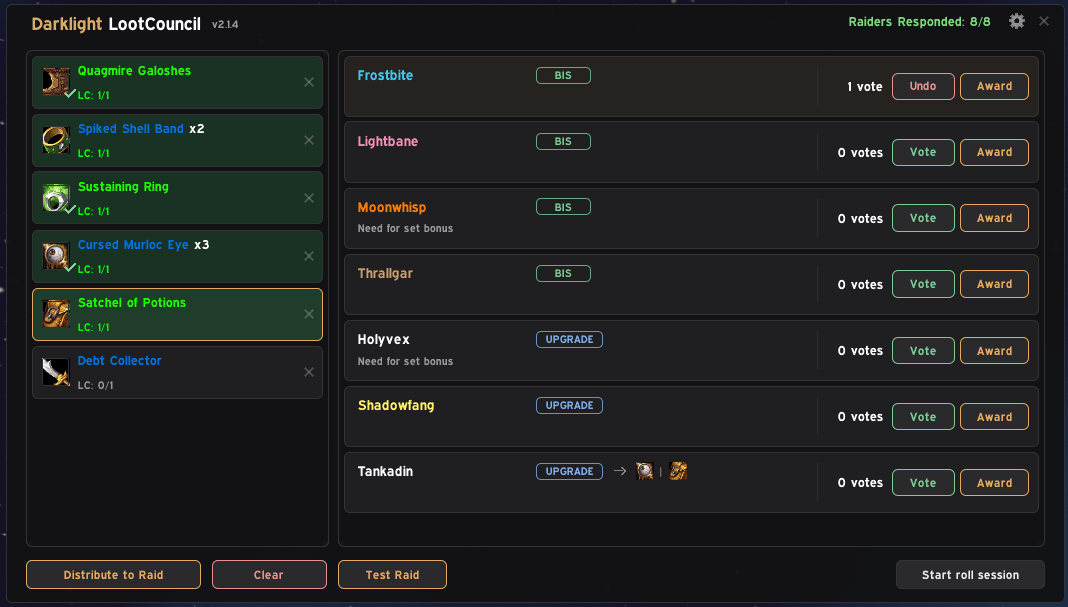
Main Council View — Live loot queue with candidate responses, equipped gear comparison, and real-time council voting.
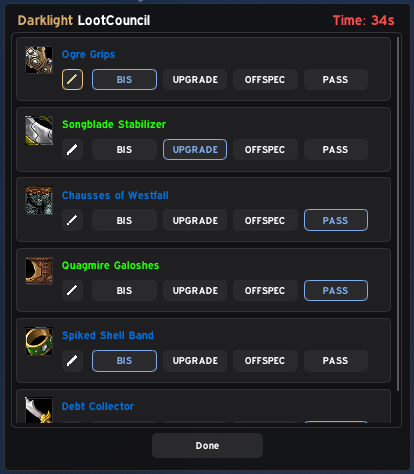
Raider Selection Popup — Clean, timed window where raiders submit BiS, Upgrade, Offspec, or Pass with an optional note.
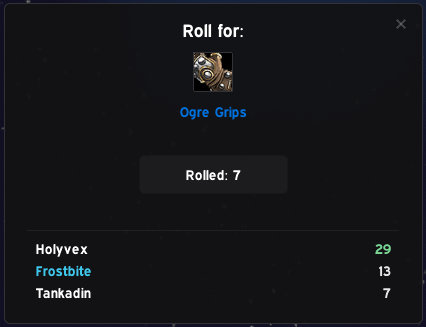
Roll Pop-up — Pop-up sent to candidates to quickly submit their roll with a 10-second timer.
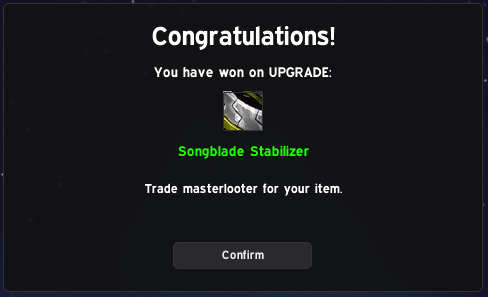
Winner Notification — Clear confirmation popup for the winning raider with item details and trade reminder.
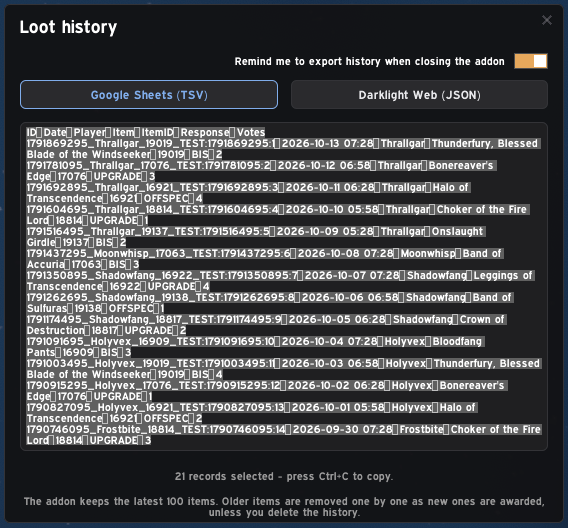
Loot History & Export — Direct one-click TSV/JSON export for Google Sheets and web rosters, with automatic 100-item FIFO history and post-raid reminders.
Description
Darklight LootCouncil
A clean, modern, and reliable loot council addon designed for raid leaders and guild loot councils who want quick, transparent, and hassle-free loot distribution without bloated interfaces.


Key Features
- Quick Loot Distribution: Add items to the queue and distribute them to the raid with a single click.
- Raider Responses: Raiders receive a clean, lightweight pop-up to submit their choice: BiS, Major Upgrade, Offspec, or Pass, along with an optional note.
- Council Voting: Council members see raider responses, current equipped gear, and cast votes in real-time. Duplicate votes and echoes are automatically filtered out.
- Roll Session: Easily start an in-game roll between selected candidates. A live Roll Results window shows everyone up for the roll and their rolls in real-time (highest roll at the top).
- Clean Raid Announcements: Awards and rolls are announced in Raid Warning.
- Solo Test Mode: Fully functional sandbox mode. Simulate a full raid roster, mock candidate votes, and test distribution without needing a group or polluting live history.
- Export History: Export your logs to TSV or JSON with a single click, and safely wipe history with confirmation.
- Persistent Council Settings: Council member permissions are saved per realm and raid leader, so you do not have to reconfigure your team every raid night.
Slash Commands
/dlc— Toggle the main LootCouncil window./dlc test— Toggle local Test Mode./dlc check— Check installed addon versions across your raid group.
Getting Started
- Set your council members via the LC Group menu.
- Put items into the loot queue (alt-click).
- Click Distribute to Raid to prompt raiders for their responses.
- Review council votes and equipped gear.
- Click Award to announce the winner, or Start roll session.
Darklight LootCouncil Team