Dan's Raid Frames
- By
A Simple Raid Frames Addon that allows quick controls for Blizzard’s party and raid frames: resize, rearrange and move them without opening Edit Mode.
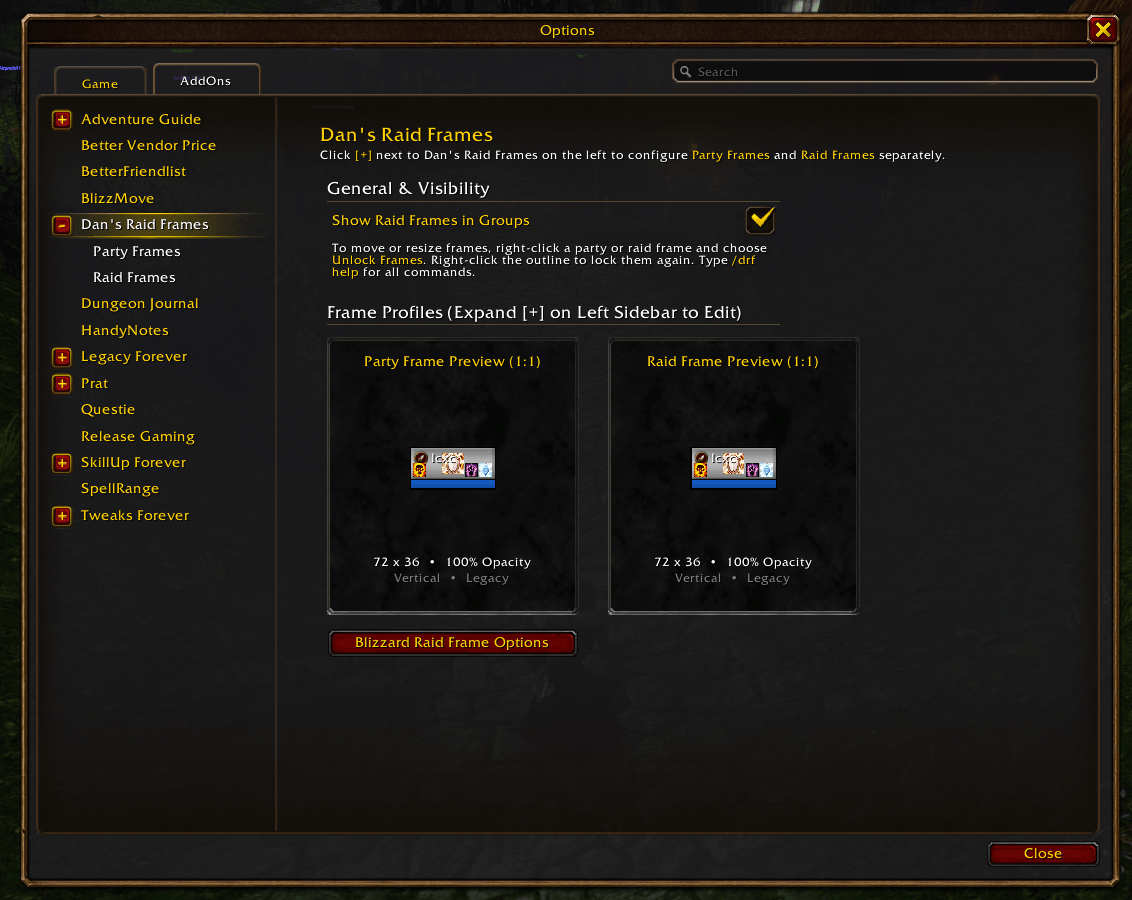
Main page of the Addon, in the Addons options list
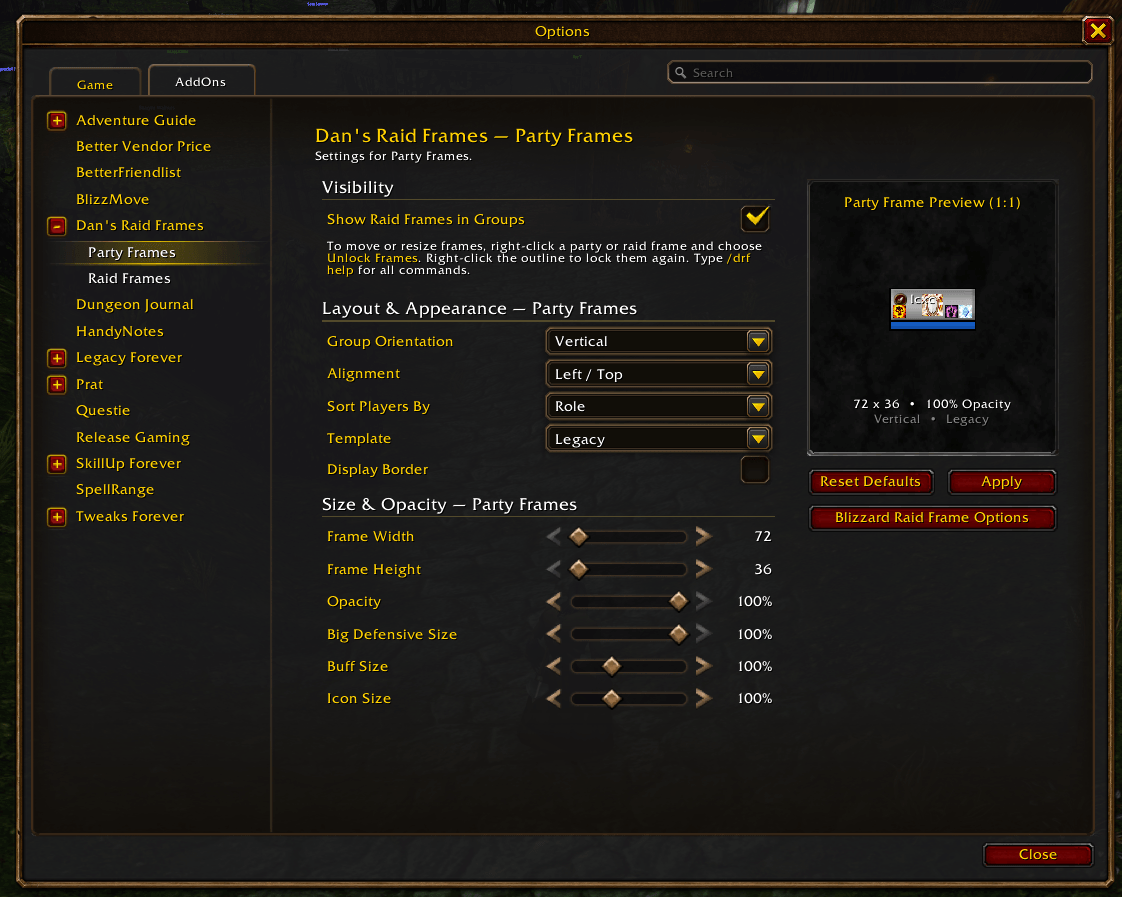
Settings of the Party Frame, it keeps Blizzards settings but without the need to go to edit mode to open the window then save then close edit mode
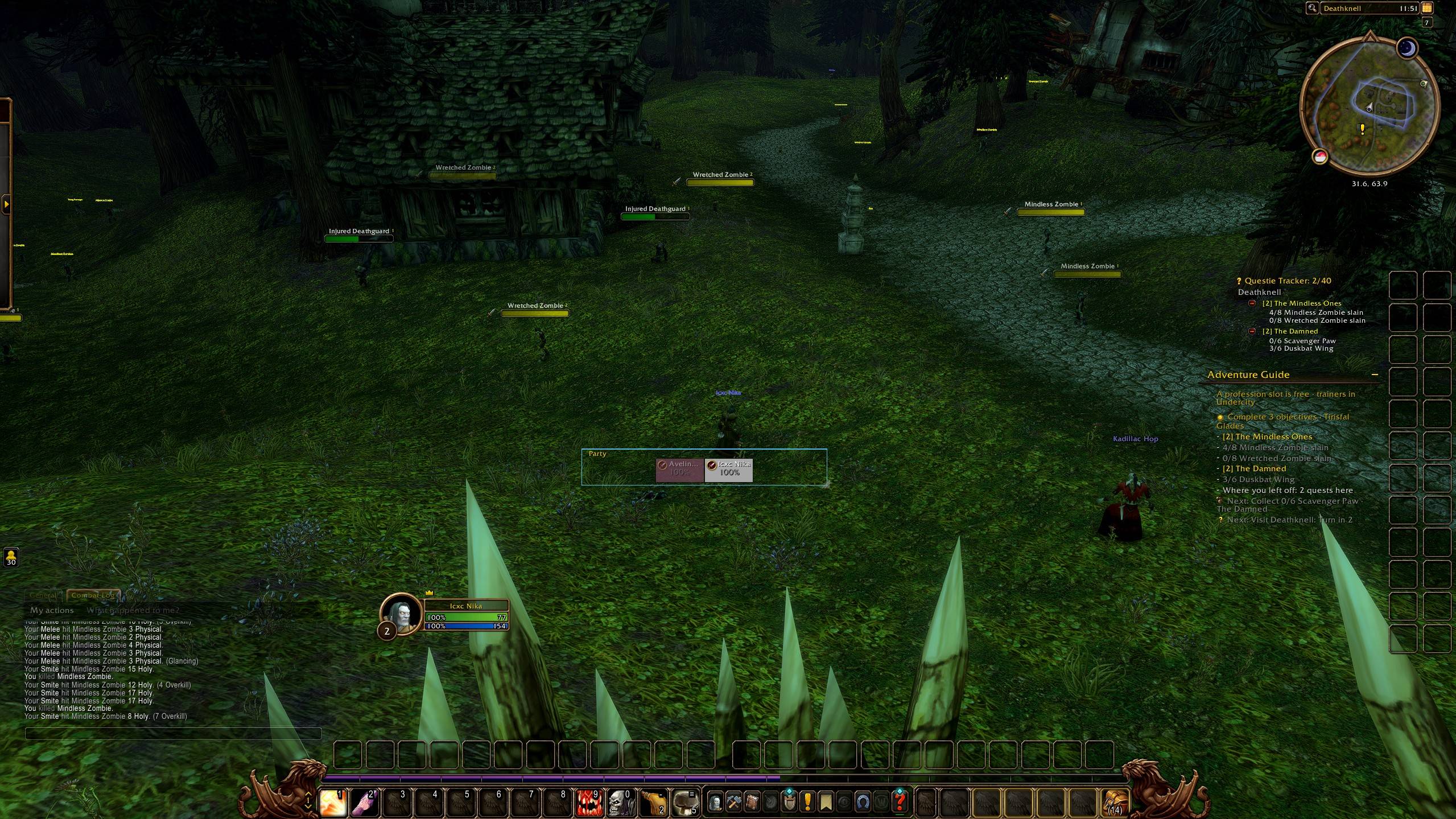
You can move and resize the frame directly, without the need to go to edit mode
Description

Dan's Raid Frames
Quick controls for Blizzard's party and raid frames: resize, rearrange and move them without opening Edit Mode.
Dan's Raid Frames doesn't replace the default frames. It gives you one place to set up Blizzard's own party and raid frames, and lets you move and resize them straight from the frames.
Features
- One options panel for both party and raid frames, each with its own settings: orientation, sort order, aura layout, border, width, height, opacity, and big defensive, buff and icon sizes.
- Live preview: frames resize on screen while you drag a slider, and a 1:1 preview shows the result.
- Move and resize from the frames: right-click a party or raid frame and choose Unlock Frames. An outline shows the full group (5 party slots, or a full 40-player raid). Drag it to move, drag its corner to resize.
- Party alignment: the party frame always has room for 5, and you choose whether members sit left, centered or right (top, center or bottom when vertical). A 2-player group stays centered.
- Pixel-perfect sizes: every frame is drawn the same size at any UI scale.
- Works with Edit Mode: settings and positions are saved into your active Edit Mode layout, so Edit Mode and Dan's Raid Frames always agree.
- Shortcut to Blizzard's Raid Frame options (power bars, class colors, debuffs, health text…), so those aren't duplicated.
How to use
Open the options with /drf, from Esc → Options → AddOns → Dan's Raid Frames, or by left-clicking the addon in the minimap's addon menu.
Moving and resizing frames
- Right-click any party or raid frame and choose Unlock Frames.
- Drag the outline to move the frames, or drag its bottom-right corner to resize them.
- Right-click the outline to lock them again.
Frames lock automatically when you enter combat. While solo, use /drf unlock or right-click the addon in the minimap's addon menu.
Slash commands
- /drf - open the options
- /drf unlock [party|raid] - unlock frames to move them (same as the right-click menu)
- /drf lock - lock the frames again
- /drf on / off / toggle - show raid-style frames in groups
- /drf width <n> / height <n> / size <w> <h> - frame size, for the Party or Raid page you used last
- /drf reset - reset that page's settings to defaults
- /drf resetpos - put the frames back in their default spot (with Edit Mode, use its Reset Position)
- /drf help - list all commands in chat
Good to know
- Edit Mode layouts: changes are saved into the Edit Mode layout you have selected. Blizzard's preset layouts (Modern, Classic) can't be edited, so if one of them is active, the addon creates its own layout, DansRaidFrames, and switches to it.
- Display options like power bars, class colors and debuffs stay in Blizzard's Options → Gameplay → Interface → Raid Frames. The addon's options page has a button that opens it.
- Taint-safe by design: the addon only uses plain frame methods (size, position, visibility) on Blizzard's frames and saves through the game's Edit Mode API, to avoid "action blocked" errors in combat.
Compatibility
Developed and tested on the WoW 1.60 client. Classic Era (1.15), Mists of Pandaria Classic (5.5) and Retail (12.1) are listed in the addon but haven't been tested yet.
Feedback & source
- Source code: github.com/MachineDan/Dans-Raid-Frames
- Found a bug or have an idea? Open an issue on GitHub
Dan's Raid Frames Team