DandyExtras - Suite of Dandy Addons
- By
Quality-of-life tools designed to feel at home in vanilla. Screenshot tools, quest and merchant automation, chat helpers, trackers, and extra information for WoW Forever. Works on its own or alongside DandyUI and DandyMap.
DandyExtras
1.0.0 Beta 1. Part of the Dandy addon suite.
DandyExtras adds screenshot tools, auction helpers, combat information, bag utilities, loot and trade history, and character previews to WoW Forever. Its tools use familiar Blizzard windows and controls where possible, with separate displays for information that needs its own space.
DandyExtras works on its own. DandyUI and DandyMap are optional. Choose the
features you want through /dandyextras and save your setup in dedicated profiles.
Tools
- Screenshot studio: Preview your character against green, blue or black backgrounds, or use the world behind the model. Orbit, pan and zoom, search supported emotes and aliases, pause a pose, hide the controls and capture your shot. Includes world-camera aiming, optional first-person framing and camera restoration when you close the studio.
- World screenshot mode: Hide the interface for clean world screenshots. Exit through Escape or Alt+Z, with recovery of the previous interface settings.
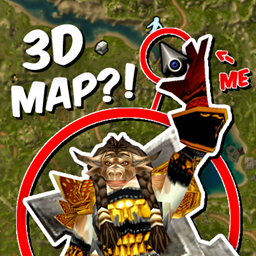
- Thumbnail tool: Temporarily replace the minimap location label for a screenshot thumbnail, then restore the normal zone text.
- World-marker bindings: Assign keys to place the eight colored world-marker beams or clear them through WoW's Key Bindings menu. No keys are assigned for you.
- Enabled addons first: Sort enabled entries first in the native addon list while keeping categories and dependency groups together.
- Reload shortcut: Add a Reload UI button to the native Settings window.
- Diagnostics: Run short timing samples, copy performance reports, and check mouse focus and action-button click state when troubleshooting.
Auction House
These helpers are experimental and off by default.
- Auto List: Queue eligible items from your bags with Start, Stop and Skip controls inside the sell panel. Prepare two-hour listings using comparable unit prices. You still post each item through the native Create Auction button.
- Low-price gap check: Pause the queue when the lowest comparable buyout is unusually far below the next distinct price. The default threshold is 25%. Missing, incomplete or suspicious prices also pause for manual review; your own listings are excluded from comparisons.
- Appearance previews: Try on dressable armor and weapons by hovering auction results, individual listings or your own auctions in the native dressing room. Normal item clicks remain available.
Combat
- Melee range indicator: Show available Auto Attack range information and whether auto-attacking is on. Optionally show it only while attacking. Unknown or restricted range stays Unknown; it does not confirm facing or line of sight.
- Tank threat overview: Watch the current target and up to six observed hostile enemies, prioritizing lost or unstable aggro. Includes a movable, minimizable display with saved position and optional five-player party threat pressure. Coverage depends on visible enemies and available game data.
- Warrior reminders: Highlight Rend when no bleed is detected, Overpower and Victory Rush when reported usable, and Battle Shout when its buff is missing during combat. Each reminder can be enabled separately.
- Spell history: Display the last five confirmed successful abilities. Unconfirmed attempts are not recorded.
- Death recap access: Add a shortcut beside the native ghost controls to open the client's available death recap.
Melee, threat, Warrior reminders and spell history are opt-in. The threat overview supports five-player parties; it is not a raid-wide threat meter.
Bags & Loot
- Received loot display: Show recently received items, quantities and money,
with quest-item labels when identified by the game. Move the display through
Edit Mode or
/dandelootmove. Positive money changes can include other income. - Trade history: Keep a persistent record of completed trades, including items and money given or received. Includes totals, item links, adjustable scale, resizing, minimizing and manual clearing. Experimental and off by default.
- Dungeon loot history: Record rare, epic and legendary dungeon drops and known winners in dungeon sessions. Includes item links, test previews and an Edit Mode mover. Experimental and off by default.
- Quick bag equip: Show carried bags that add slots, then fill an empty bag slot or upgrade the smallest compatible equipped bag. Includes compatible reagent and profession bags, with the replaced bag kept in your inventory.
- Profession tools: Keep recognized tools in the normal bag grid, move them into a separate Tools area, or hide them from the visible grid. Includes native tooltips, item clicks, dragging and a backpack-menu shortcut. Tools still occupy inventory slots; bank items are excluded.
- Reviewed stack purge: Find the eligible stack with the lowest total vendor value and show it for confirmation before deleting the entire stack. Excludes hearthstones, projectiles, quest items and recognized profession equipment. Available outside merchant interactions.
- Deletion prompt details: Add item-hover information and available stack quantities to ordinary native item-deletion prompts.
Character & Outfits
- Keep Inspect open: Retain the last inspected player's name, model and gear when your target changes or that group unit disappears. Cached item tooltips and modified clicks remain available; unavailable data tabs pause. Off by default.
- Inspect outfit preview: Try on an inspected player's outfit using the native character model.
- Mannequin preview: Open a movable character-model preview with bare or equipped modes and native rotate/zoom controls.
- Guild tabard preview refresh: Use the Randomize control to close the current preview and start a fresh guild-crest preview when you reopen the same designer. Normal Accept and Cancel controls remain in use.
- Tabard model controls: Rotate, drag and zoom the tabard preview model while retaining the native arrows and controls.
Profiles & Settings
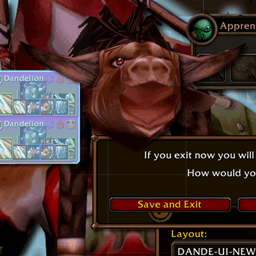
DandyExtras has its own Options, saved settings and profiles:
- Default, Dandelion, All Enabled and All Disabled presets.
- Save custom profiles, restore your previous setup, and export or preview imports.
- Read compatible tool choices from older DandyUI and DandyExtras exports.
- Update supported options live; feature-group switches and marked controls need Reload UI.
- Keep release and development settings separate. Both use
/dandyextras. - Retain existing preferences and relevant history during supported migration, with original data and backups preserved.
Commands
| Command | Opens or controls |
|---|---|
/dandyextras |
Options |
/dandyextras profiles |
Profiles and sharing |
/dandyextras about |
Version and build notes |
/dandyscreenshot |
Screenshot studio |
/dandyscreenshot world |
World screenshot mode |
/dandythumbnail |
Temporary thumbnail label |
/dandymannequin |
Mannequin preview |
/dandyloot |
Dungeon loot history, when enabled |
/dandelootmove |
Received-loot display positioning |
/dandyextrasperf |
Timing samples and reports |
/dandeclick |
Action-button click diagnostics |
The Dandy Suite
Use DandyExtras independently or alongside DandyUI and DandyMap. DandyUI contains Blizzard UI customization, chat and social tools, unit frames, nameplates, quests, tooltips, fast looting and merchant conveniences. Each addon keeps its own setup.
Beta 1 is the start of DandyExtras' standalone 1.0.0 beta line. Feedback on tools, appearance, compatibility and errors is welcome.
Support and feedback: discord.gg/pugs
DandyExtras - Suite of Dandy Addons Team