Danders Mover
- By
One mover for all your addons. Drag, snap and anchor frames from every supported addon in a single editor.
DandersMover
One mover for all your addons.
⚠️ Please read before installing: DandersMover is a tool that other addons plug into. On its own it does nothing. It only moves frames from addons that have added support for it, such as DandersFrames. It can't move the default Blizzard UI, or frames from addons that don't support it.


📐 What is it?
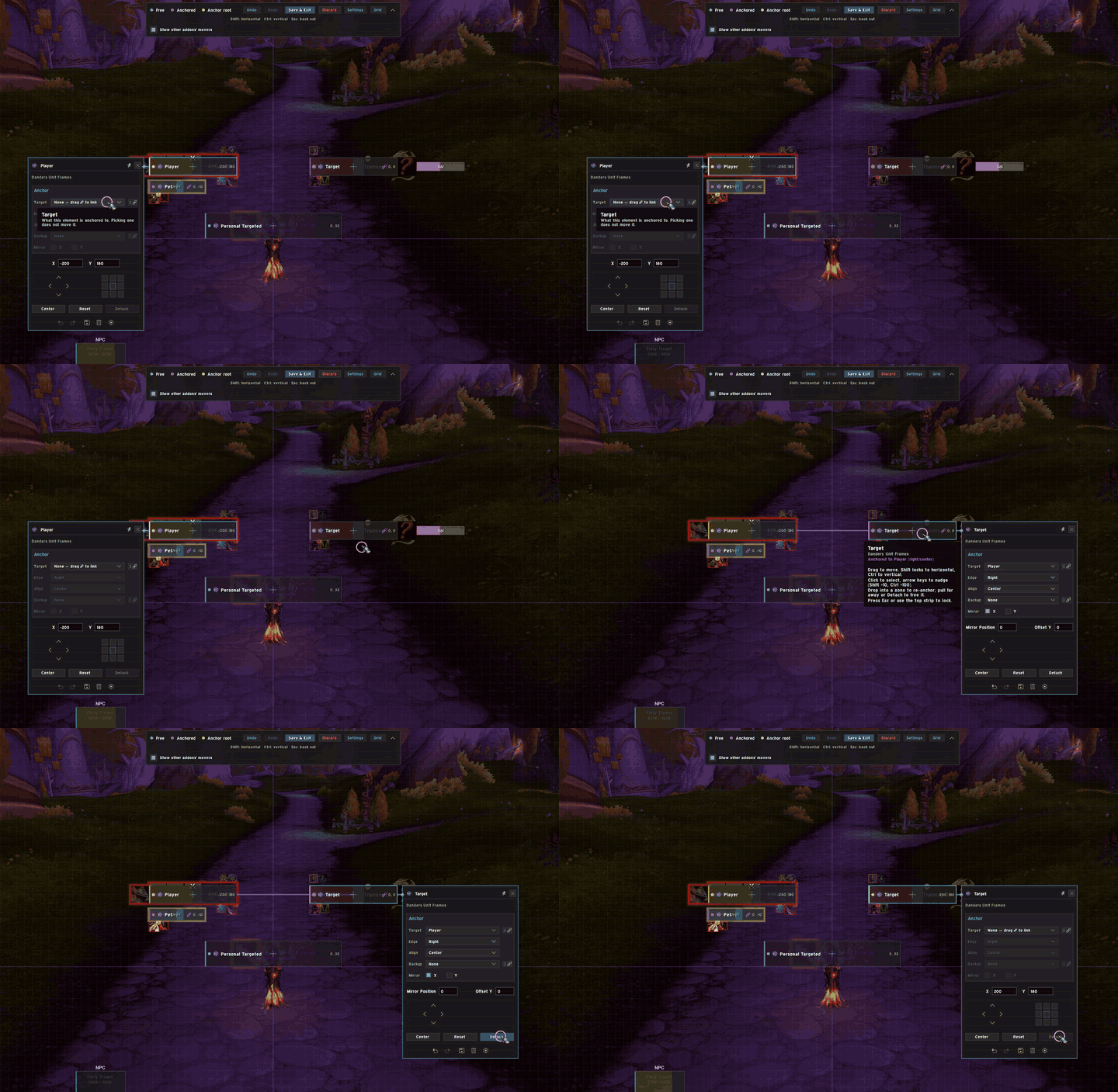
Most addons have their own way of moving frames, and those movers can't see each other. DandersMover gives addon authors one shared mover to plug into. Every addon that supports it shows its frames in the same editor, where they can snap to each other, anchor to each other and move together.
The more addons that support it, the more of your UI works as one piece.
🧩 Which addons work with it?
- DandersFrames supports it out of the box: party frames, raid frames, pinned sets and targeted-spell displays
- More addons can add support at any time. If yours doesn't yet, point its author to the Developer Guide below
If none of your addons support DandersMover, /mover will open an empty editor.
✨ Features
🧲 Snapping
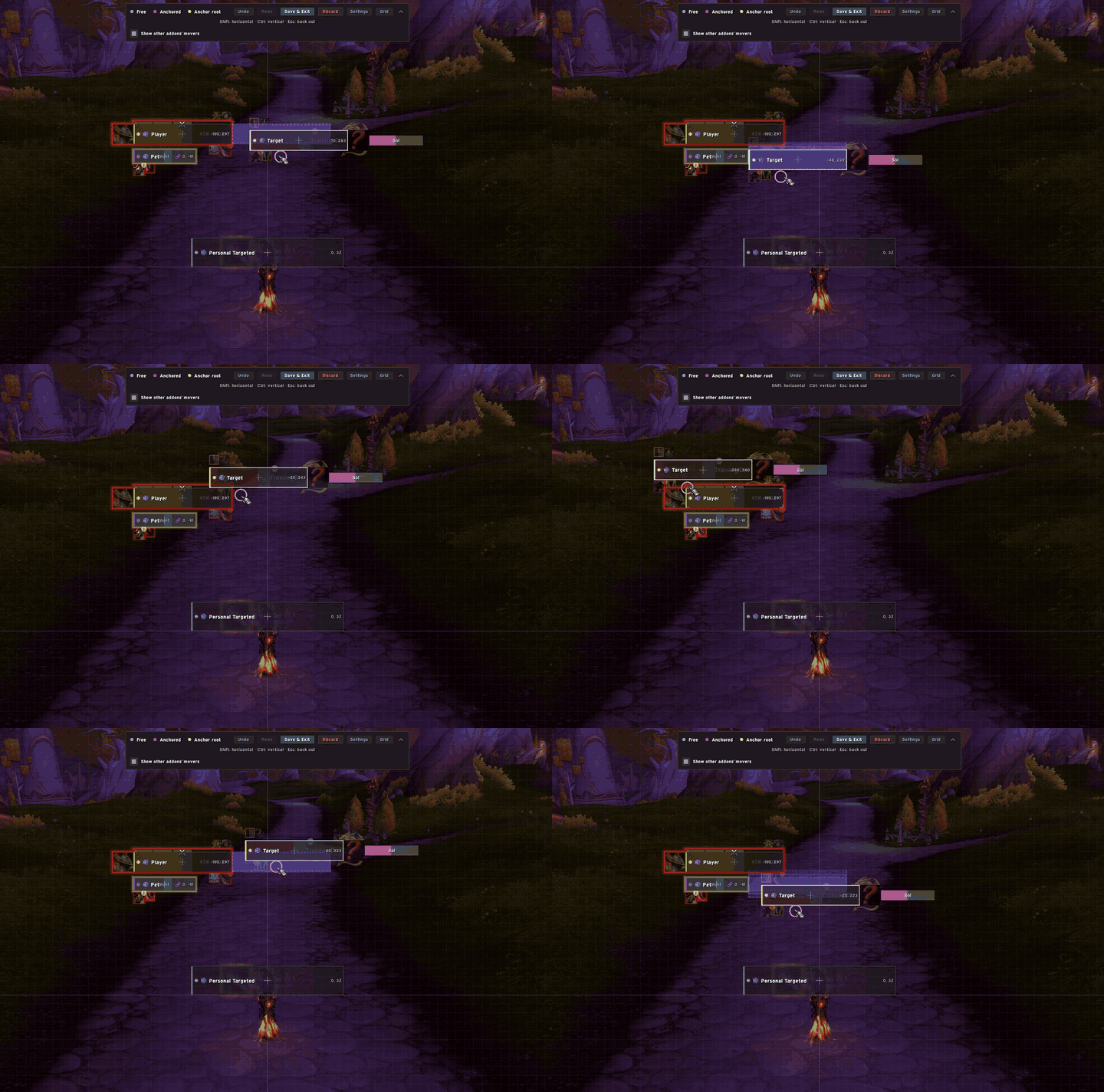
Snap to a grid, the screen edges and other frames. Nudge keys and adjustable snap ranges let you line things up exactly.
🔗 Anchoring
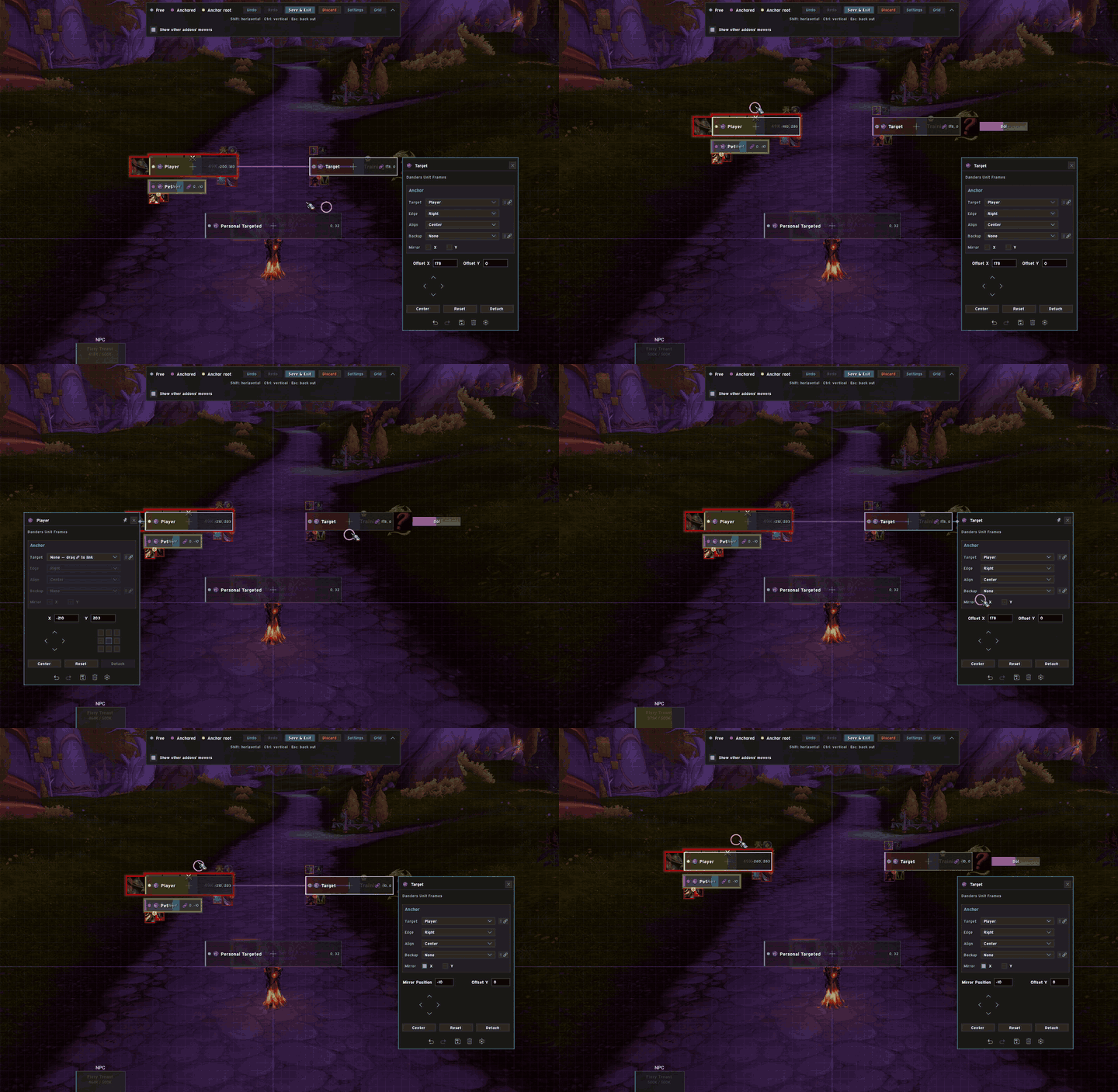
Drop a frame near another to anchor it, even across addons. Each frame has a panel for exact positions, edges and offsets, plus a backup anchor for when its target isn't on screen.
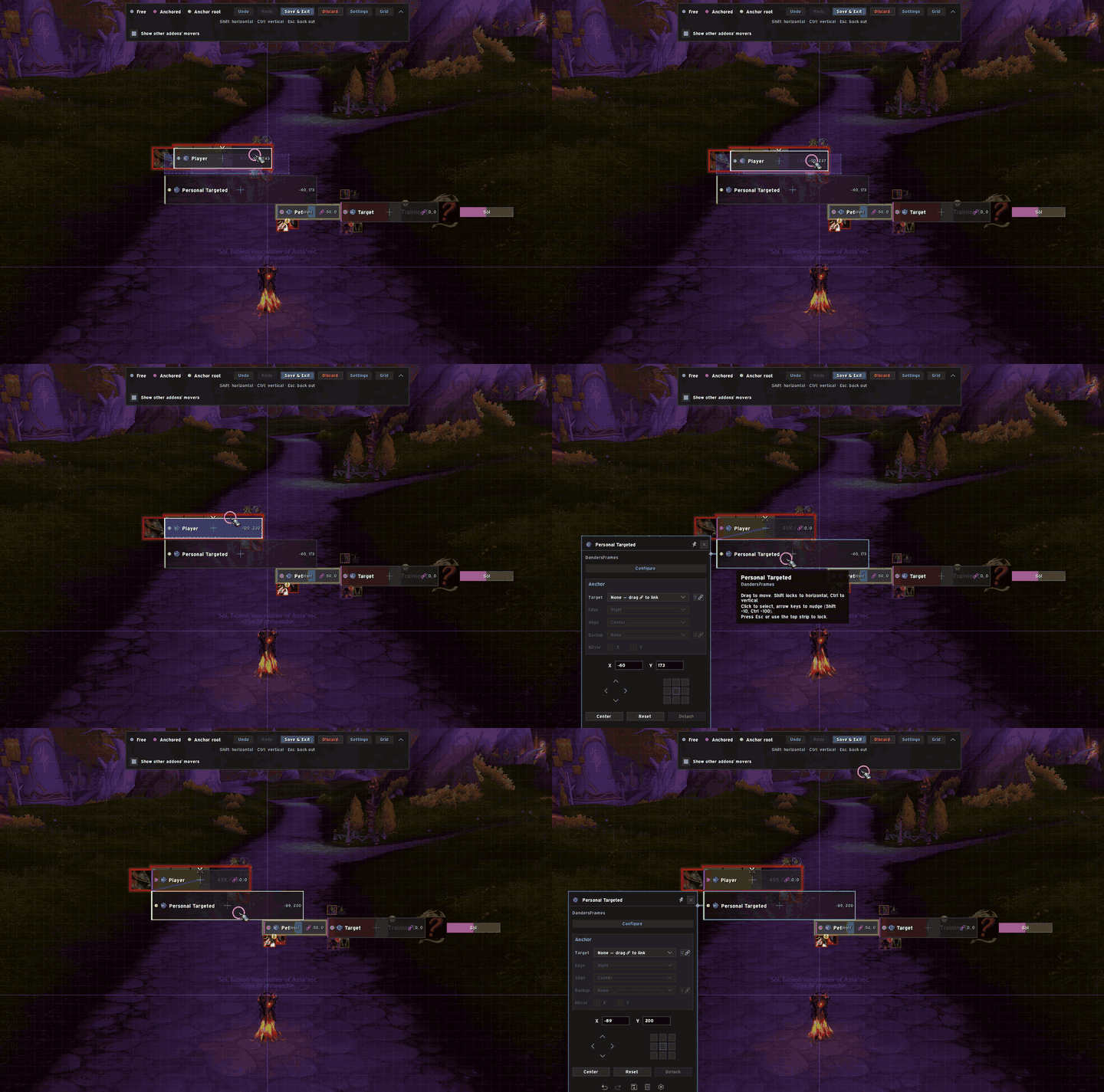
🚚 Move together and mirror
Move one frame and everything anchored to it follows, however long the chain. Mirroring keeps two frames symmetrical around a centre line, so moving one moves the other the opposite way.
More
- One command: type
/moverto arrange every supported addon at once - Undo, redo, save and discard, so nothing is final until you press Save
How to Use
- Install DandersMover and at least one addon that supports it
- Open the editor: type
/mover - Drag frames around. Drop one near another frame to snap and anchor it
- Click a frame to open its panel for exact positions and anchors
- Press Save & Exit, or Discard to undo the whole session
The User Guide covers everything else, including troubleshooting.
🛠️ For Addon Authors
Adding DandersMover to your addon takes about ten lines. Your addon keeps its own saved positions and still works for players who don't have DandersMover installed.
- Developer Guide: step-by-step setup with a complete example addon
- API Reference: every function and option
Free and open source under the MIT licence.

Feedback & Support
Found a bug or have an idea? Join the community, or open an issue on GitHub.

If DandersMover has helped your UI, consider supporting development:

Danders Mover Team
Owner