Screenshot 2025-12-18 161352.png
Screenshot 2025-12-18 161425.png
Screenshot 2025-12-18 161551.png

Screenshot 2025-12-18 153346.png

Screenshot 2025-12-18 153400.png
Description
DandersFrames

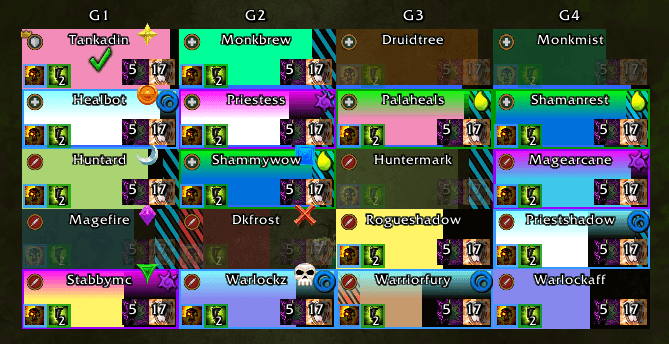
DandersFrames is a fully custom party and raid frame addon, built from the ground up for WoW Midnight. Total control over every part of your group frames, with a visual Aura Designer, a Filter Designer, built-in Click Casting, automatic raid layouts and its own frame mover.
DandersFrames placed second in CurseForge's 2026 Addon Trials WoW contest. Thank you to everyone who tested, reported bugs and spread the word.




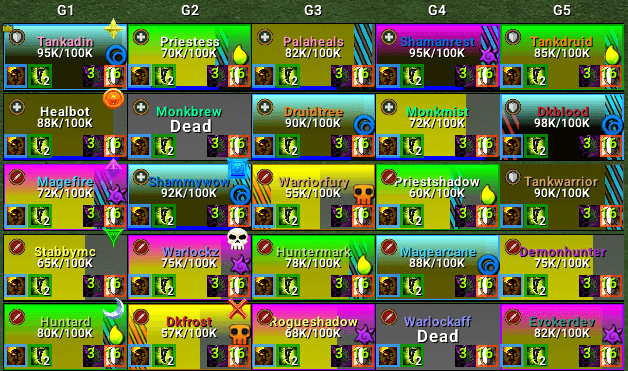
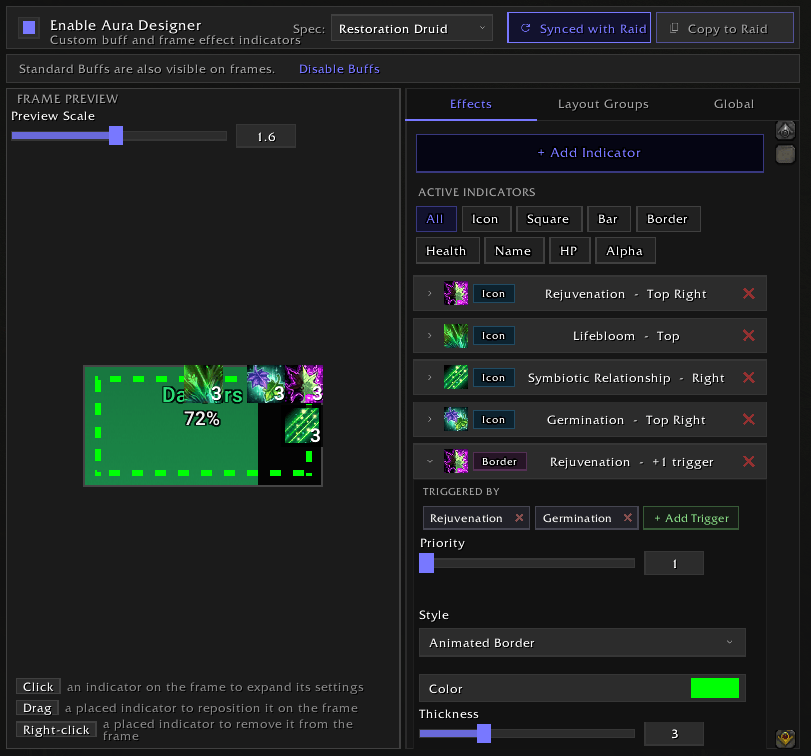
🔮 Aura Designer
A full visual indicator system built into the addon. Track buffs, debuffs and defensives directly on your frames, no WeakAuras needed.
- 8 indicator types: Icons, Squares, Bars, Border Effects, Health Bar Color, Name Color, Health Text Color and Frame Alpha
- Guided add flow: add from a spell or a whole filter, pick the look from pictures of your own frame, then pick where it goes
- Filter Groups: place an entire filter on the frame as a self-arranging icon row
- Debuff Groups with Show/Hide filters, so big mechanics can become big click targets
- Expiry alerts and sounds: warn when a buff is about to run out, drops off or gains a stack
- Layout groups that collapse when inactive, and priority stacking so the most important aura wins
- Per-spec setups that swap automatically when you change spec
- Power Infusion Helper for priests: highlights who just pressed a big cooldown and who already has Power Infusion
🧩 Filter Designer
Decide exactly which auras show where.
- Built-in presets kept up to date from real raid and dungeon logs: Healing, Raid Cooldowns, External Defensives, Offensive Cooldowns, Tank Cooldowns, Consumables, Trinkets and more
- Build your own filters and use them on the Buff Bar, Debuff Bar or in the Aura Designer
- Share a single filter with a friend without sending your whole profile
🖱️ Built-in Click Casting
Full click casting built in, no extra addons needed.
- Bind spells and macros to any mouse button + modifier combo
- Per-spec profiles that switch automatically
- Works on party, raid, pet, boss, target and focus frames
- Smart resurrection detection and spell transform support
- Tooltip shows active bindings on hover
- Import/export to share setups
🎯 Targeted Spells
See which enemy casts are aimed at you.
- Personal targeted icons near your character
- Targeted List with cast bars for every incoming spell
📐 DandersMover
DandersFrames ships with DandersMover, a standalone mover for your party frames, raid frames, pinned sets and targeted-spell displays.
- Snap to each other or to other addons' elements
- Anchor one thing to another, with a backup anchor for when the main one is hidden
- Undo/redo, nudge keys, grid and adjustable snap ranges
⚙️ Auto Layouts (Raid)
Switch raid frame settings automatically based on content and group size.
- Three content categories: Instanced, Mythic (20-man) and Open World
- Size-range profiles: different layouts for 1-10, 11-20 and 21-40 players
- Only your changes are stored; everything else follows your base profile
- Changed settings are clearly marked so you always know what's overridden
📌 Pinned Frames
Put your co-tank, co-healer or priority targets in their own movable group.
- Multiple independent pinned sets
- Auto-fill by role (tanks, healers, DPS)
- Per-set size, growth direction and position
🧪 Test Mode
Set everything up without a group.
- Preview 1-5 party or 1-40 raid frames
- Simulated health, absorbs, auras, dispels and range fading
- Indicator Info: hover anything on a test frame to see what it is and jump to its settings
✨ Core Features
🎨 Health Bars
- Dynamic gradients, class colors, custom colors or a mix
- 15+ built-in textures + SharedMedia support
- Smooth bar animations and missing health overlay
- Frame Fade, health threshold fading and Unhealable Fading
🛡️ Absorbs & Heal Prediction
- Absorb overlay or floating bar with full positioning
- Heal absorb tracking
- Incoming heal prediction from you, others or everyone
🎯 Auras
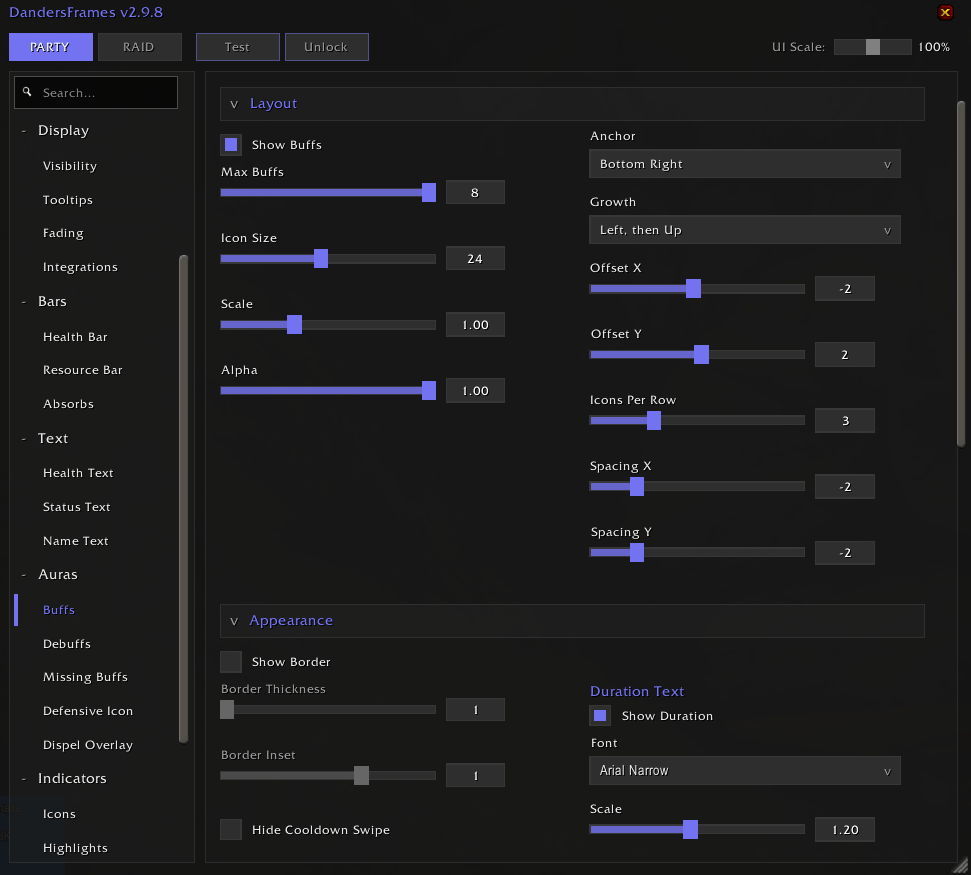
- Buff Bar, Debuff Bar and Defensive Bar with Show/Hide filters per category
- Duration bars, dispel text codes, caster names and pandemic warnings
- Boss Debuffs (Private Auras) with highlight borders
- Missing buff indicator that works in combat
- Sort by applied order, your own auras first, and more
💡 Highlights & Indicators
- Target, Hover, Selection and Aggro highlights in several styles, including animated borders
- Dispel overlay: border, glow or symbols per debuff type, with types you can hide
- Role, Leader, Raid Target, Ready Check, Resurrection, AFK and Phased icons, all movable
- Status text for Dead, Offline, AFK, Vehicle and Phased
📊 Sorting & Layout
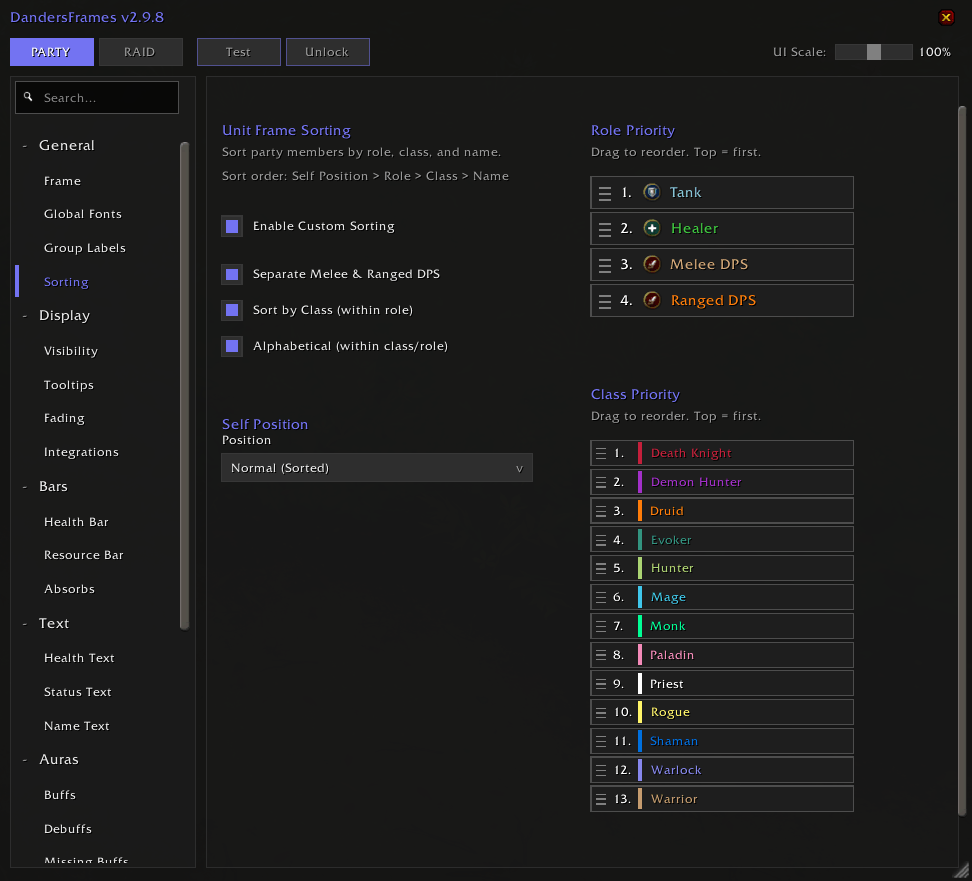
- Sort by Role, Class or Name, with a separate Melee/Ranged option
- Flat or grouped raid layouts, custom growth directions and groups per row
- Center Mode for centred group layouts that don't jump around
⚙️ Settings & Profiles
- Rebuilt settings window: collapsible cards, two-column layout on wide windows and pop-out sections you can keep open side by side
- Search bar to find any option instantly
- Changed settings marked with a dot; hover for the default, hold-click to reset
- Separate Party/Raid settings, with a GLOBAL tab for the shared ones
- Per-spec profile switching and one-click import/export
🔌 Compatibility
- SharedMedia: custom fonts and textures
- Masque: button skinning
- External API: UI pack creators can query frames and export/import profiles and click casting setups
How to Use
- Install the addon
- Open settings: click the minimap icon or type
/df - Preview: use Test Mode (
/df test) to see your frames without a group
Feedback & Support
Found a bug or have a feature request? Join the community!

If DandersFrames has improved your gameplay, consider supporting development:

Danders Frames Team
Owner