Description
~~~~~~~~~~~~~~~~~~~~~~~~~~~~~~~~~~~~~~~~~~~~~~~~~~~~~~~~~~~~~~~~~~~~~~~~~~~~~
Description:
Want to make the game's damage meter windows smaller or larger?
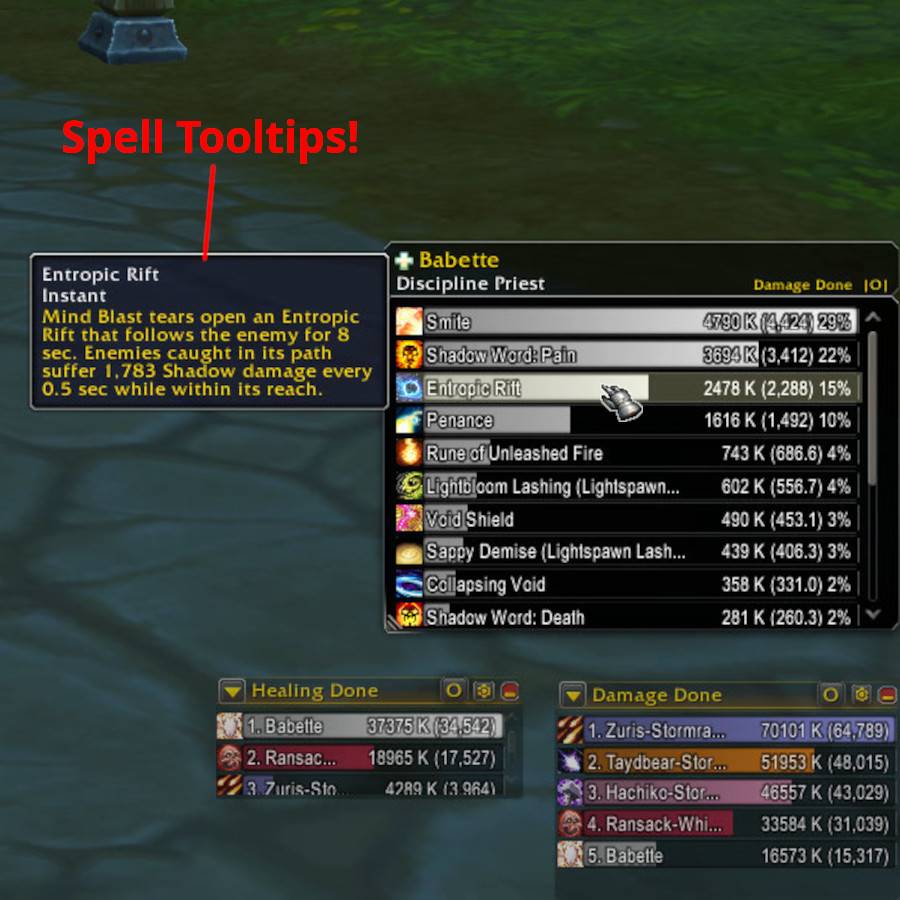
Want to see spell tooltips when hovering over the detail windows?
Want to copy player names to look them up online?
This addon does that plus more!
UppyMods enhances the game's own damage meter instead of replacing it completely. Most of the enhancements can be turned on and off as desired, so it can be made to "play nicely" with other addons that also customize the damage meter.
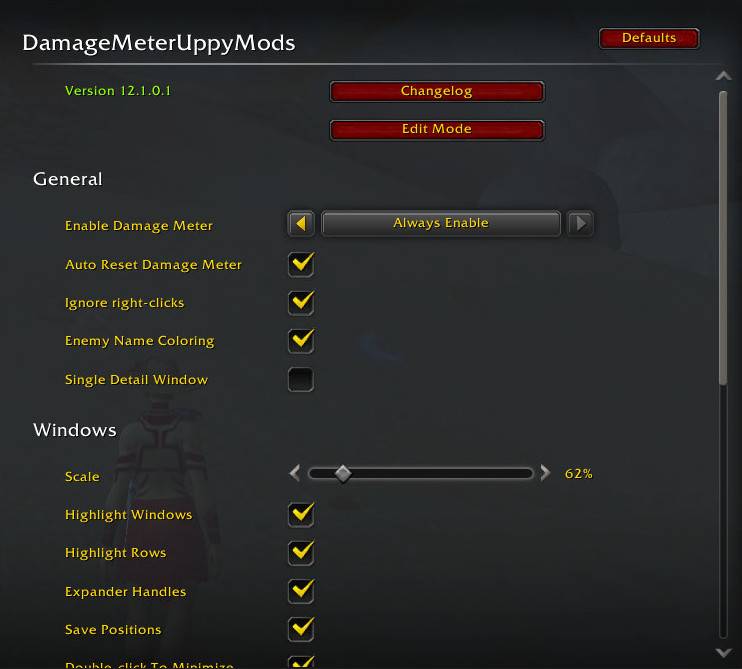
Type /dmum for options. Also see "Important Tips" below!
~~~~~~~~~~~~~~~~~~~~~~~~~~~~~~~~~~~~~~~~~~~~~~~~~~~~~~~~~~~~~~~~~~~~~~~~~~~~~
Features:
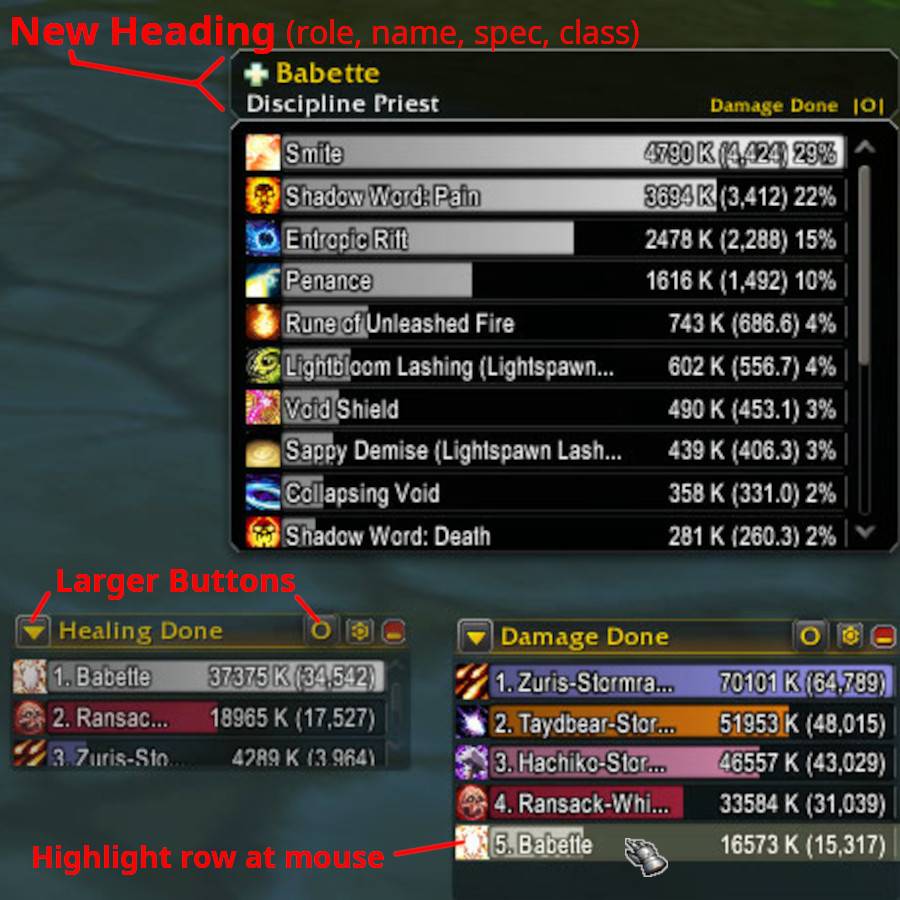
- Scales damage meter windows smaller (down to 30%) or larger (up to 150%).
- Restores size and position of windows even after they are closed and reopened.
Note: The main damage meter window must still be positioned using the game's Edit Mode UI.
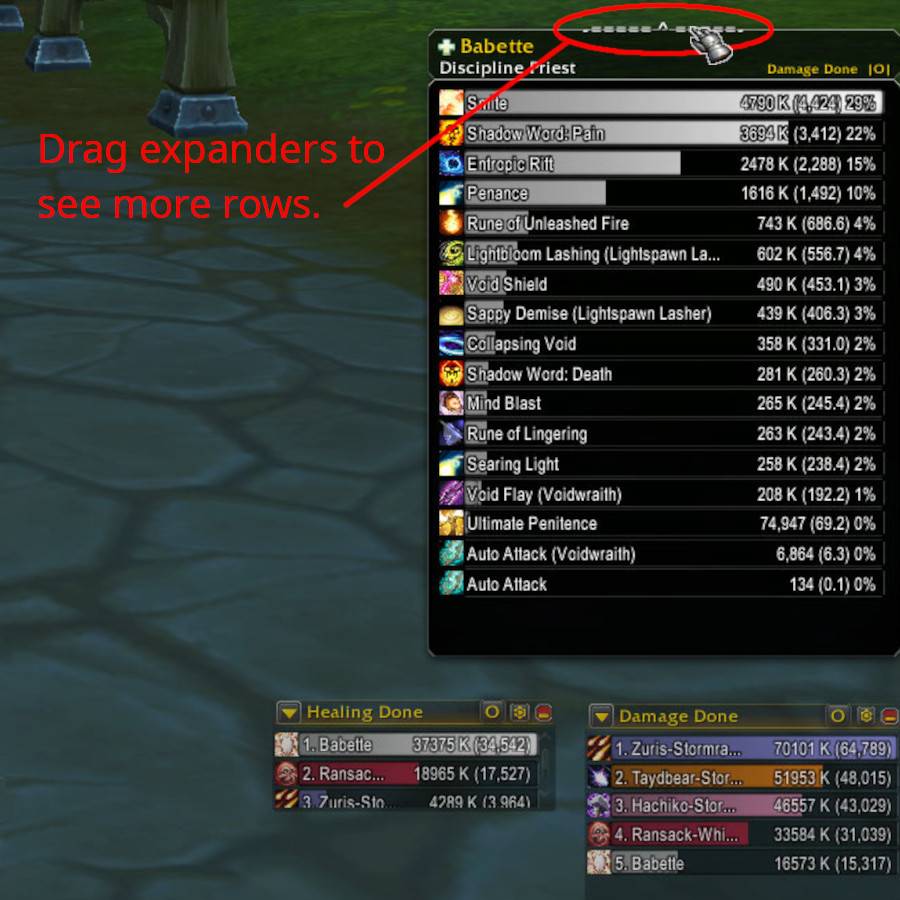
- Adds expander handles to the top and bottom edges. Drag them up/down to temporarily
make meter windows taller.
- Highlights row at mouse cursor.
- Ignores right-clicks so "mouse look" works over a meter window.
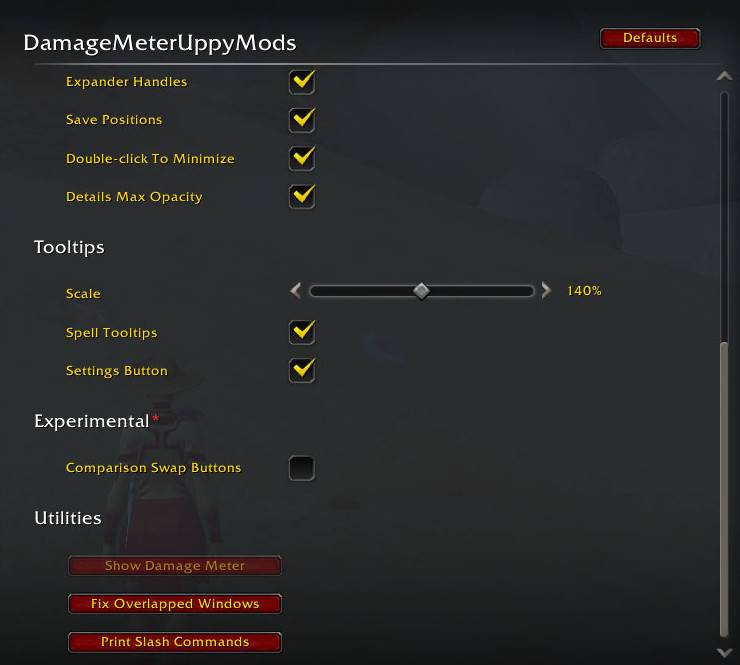
- Keeps detail window opacity at 100% (non-transparent) if your opacity setting
in Edit Mode is less than 100%.
- Makes enemy player names red (after leaving PvP matches). Useful when the
damage meter's "Show Class Color" option is on.
Note: Blizzard marks enemies by changing the bar color if "Show Class Color" is off.
Note: Blizzard marks Alliance and Horde players when Show Class Color" is off. However, that is
not the same as marking enemy players since different factions can compete on the same team.
- Customizes the detail window that appears when a row is clicked:
Hovering over rows shows a tooltip describing that spell/ability.
Adds a heading box above the window including the player's name, class, spec, and role.
Right-clicking the heading box shows a text box to copy player names.
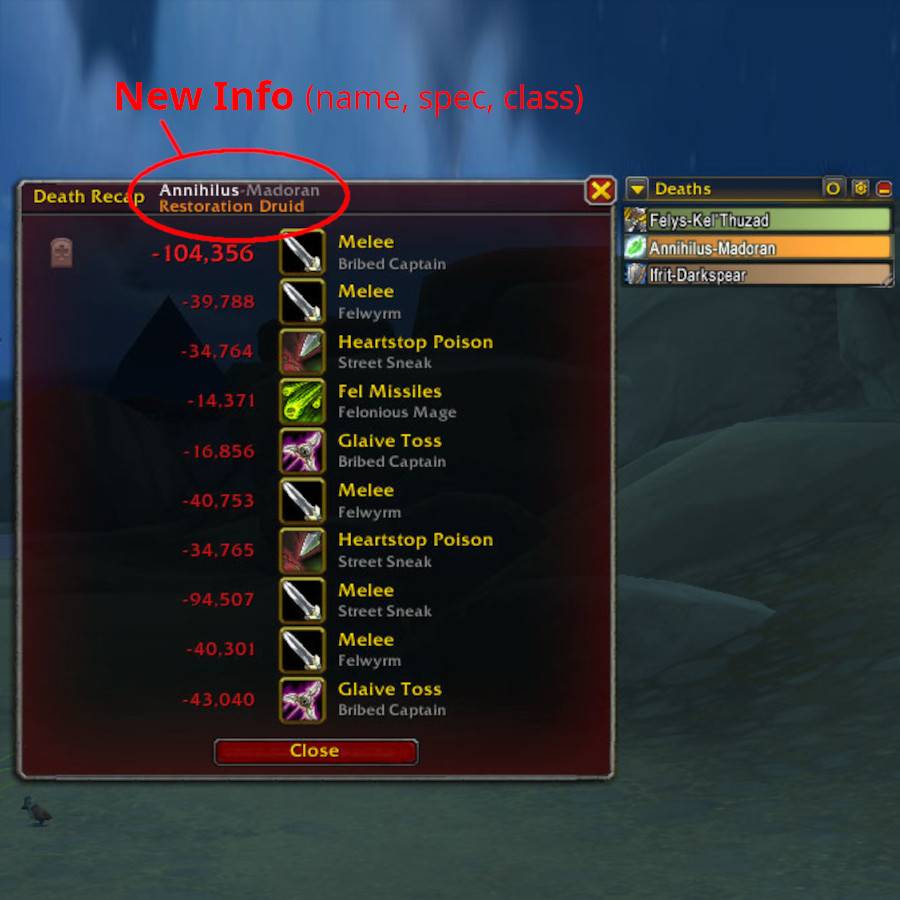
- Customizes the Death Recap window:
* Remembers its position between reloads.
* Shows player name and class in its title bar.
~~~~~~~~~~~~~~~~~~~~~~~~~~~~~~~~~~~~~~~~~~~~~~~~~~~~~~~~~~~~~~~~~~~~~~~~~~~~~
Important Tips:
- To best read text when scaling the damage meter less than 100%, increase Bar Height and Text Size in the game's Edit Mode window.
EXAMPLE: For 85% window scale ...
* Bar Height: Set this slider near its middle position (or higher).
* Text Size: Set to 130%.
Other Tips:
- Quick ways to open this addon's settings:
* Alt+Click the settings icon button in any meter window.
* Middleclick any meter window title bar, or an empty area of its background.
- Quick ways to open the game's Edit Mode UI:
* Alt+Middleclick any meter window title bar, or an empty area of its background.
- For a full list of slash commands:
/dmum help
- If you ever accidentally overlap two meter windows and are having trouble grabbing one, open this addon's settings (/dmum) and click the "Fix Overlapped Windows" button near the bottom.
~~~~~~~~~~~~~~~~~~~~~~~~~~~~~~~~~~~~~~~~~~~~~~~~~~~~~~~~~~~~~~~~~~~~~~~~~~~~~
DamageMeterUppyMods Team

Owner