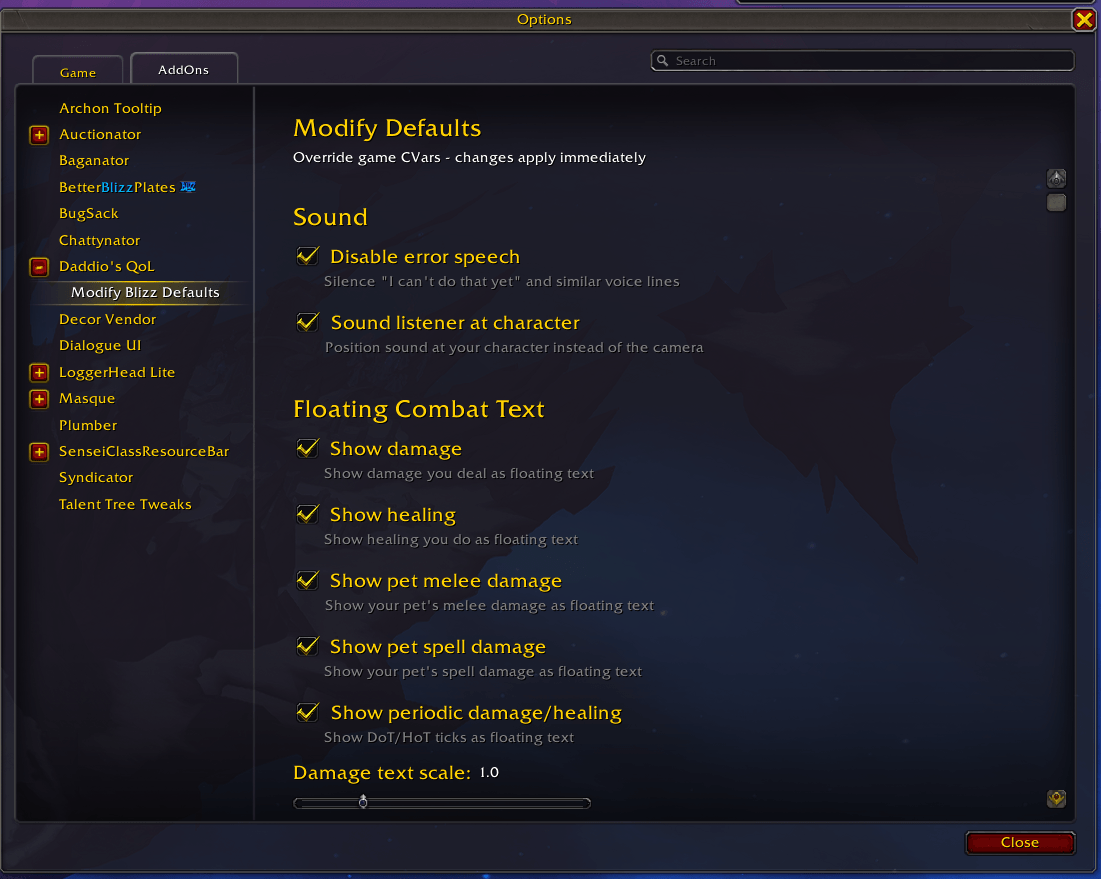
cvars.png
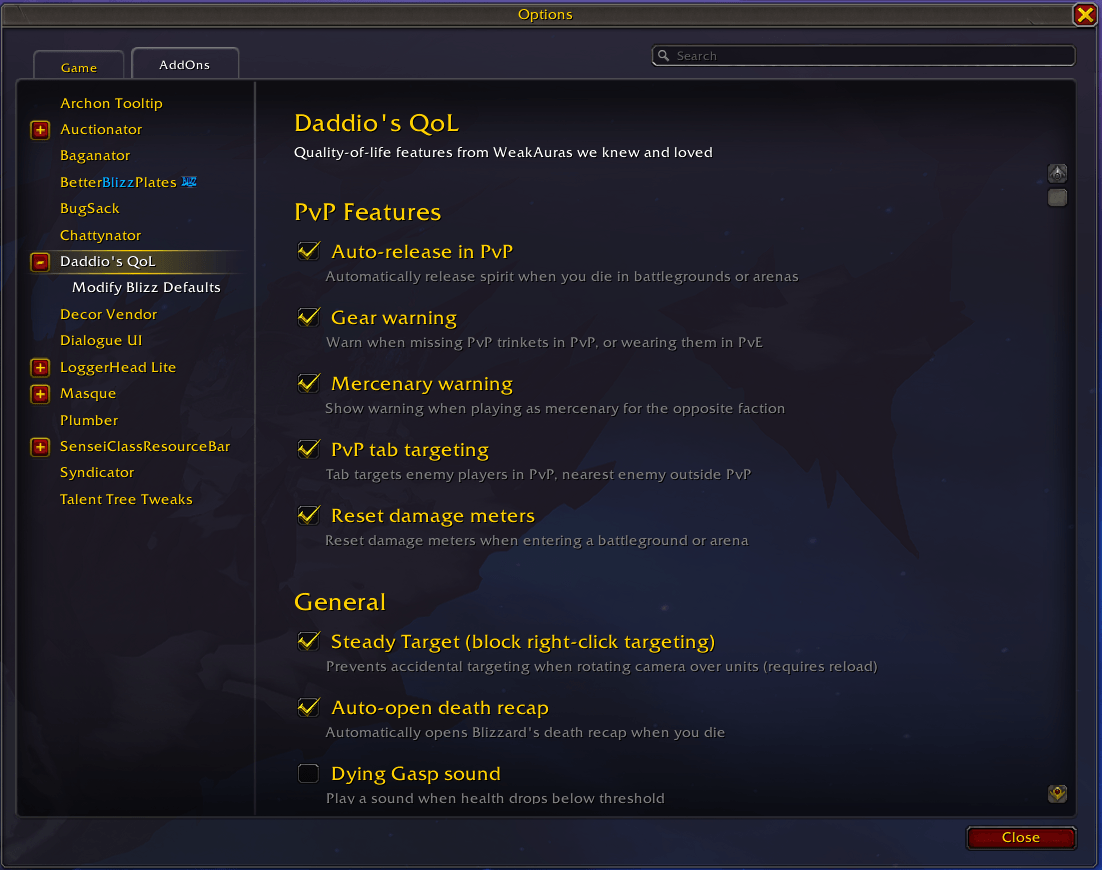
daddiosqol.png
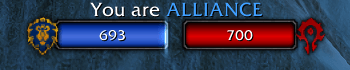
daddio mercenary.png
console.png
Description
Daddio's QoL
Look kid, I've been playing this game since before you were born. After 20 years of dealing with Blizzard's "default settings," I got tired of fixing the same garbage every patch. So I made this addon. It does what it does. No bloat, no fluff.
What's In The Box
PvE Features
- Shhh, Valeera - Mutes that chatty companion in delves. Restores when you leave. You're welcome.
- Loadout Announcer - Announces your spec, talent loadout, and gear when you zone into instances. Good for those "wait, am I on the right build?" moments. Integrates with TalentLoadoutsEx if you've got it.
- Reset Damage Meters - Clears your meters when you zone into dungeons or raids. Fresh start every pull.
- M+ Key Change Reminder - Time a key, and if the new keystone in your bag is the same level or lower, a big gold banner pops up on screen: "You can change your key!" with the map and level so you know what you've got. No more forgetting to go trade up.
PvP Features
You die in a BG, you wanna get back in the fight, not sit there staring at a release button like some slack-jawed tourist.
- Auto-release - You die in PvP? You're back at the graveyard. Done. No clicking required.
- Gear Warning - Big red "PVP GEAR" warning if you forgot your trinkets. Works the other way too - walks you into a dungeon with PvP trinkets still on, you'll know about it.
- Mercenary Warning - Playing merc? The addon tells you which side you're on so you don't heal the wrong team. Again.
- PvP Tab Targeting - Tab targets players in PvP, not some random critter. Outside PvP, works normal.
- Reset Damage Meters - Clears your meters when you zone into PvP. Fresh start every match.
General
- Steady Target - Prevents blizzard's accidental targeting bug when rotating camera over units with right mouse button by disabling right-mouse clicks. This also enables left-click to interact for obvious reasons.
- Auto Death Recap - Opens the death recap automatically when you die. You're gonna wanna know what killed you.
- Dying Gasp - Plays a sound when your health gets low. Configurable threshold, 6 sounds to pick from. Saved my bacon more times than I can count.
Modify Blizz Defaults
Listen, Blizzard ships this game with some truly baffling default settings. This panel fixes 'em.
Sound:
- Disable Error Speech - Silences "I can't do that yet" and all that chatter
- Sound at Character - Makes sound come from your character, not the camera floating 40 yards back
Floating Combat Text:
- Toggle damage, healing, pet damage numbers
- Adjust the size if your eyes ain't what they used to be
Camera & Visuals:
- Max Camera Distance - Default is way too close. Crank it up.
- Resample Sharpen - Makes everything look less blurry
Targeting:
- Target Distance - How far away you can tab-target
- Target Radius - How wide the targeting cone is
- Disable Deselect on Click - Stop accidentally clearing your target clicking the ground
Nameplates:
- Max Distance - See nameplates further out. Default 60 is fine, but you might want more.
Map:
- Disable Map Fade - Keeps your map visible when you move. Revolutionary, I know.
Mouse:
- Raw Mouse - Bypasses Windows mouse acceleration. If you've got good aim, keep it.
Installation
- Drop the
DaddiosQoLfolder inWorld of Warcraft/_retail_/Interface/AddOns/ - Restart WoW or
/reload - Disable the old addons if you were running them separately (BattleReady, SteadyTarget, AutoDeathRecap). They'll fight over settings otherwise.
Commands
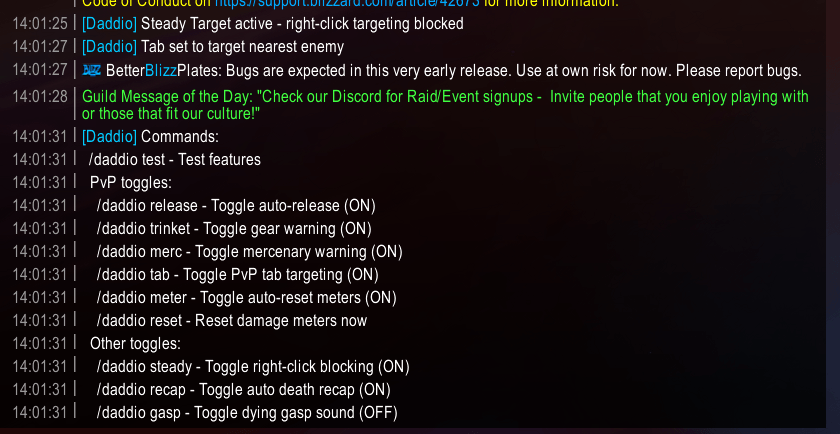
Type /daddio or /dqol to see everything. But here's the list:
| Command | What It Does |
|---|---|
/daddio |
Shows all commands and current settings |
/daddio test |
Tests the features so you can see they work |
PvE Stuff:
| Command | What It Does |
|---|---|
/daddio loadout |
Toggle loadout announcer |
/daddio shhh |
Toggle Shhh, Valeera |
/daddio meterpve |
Toggle PvE meter reset |
/daddio key |
Toggle M+ key change reminder |
/daddio testkey |
Preview the key change banner |
PvP Stuff:
| Command | What It Does |
|---|---|
/daddio release |
Toggle auto-release |
/daddio trinket |
Toggle gear warning |
/daddio merc |
Toggle merc warning |
/daddio tab |
Toggle PvP tab targeting |
/daddio meter |
Toggle PvP meter reset |
/daddio reset |
Reset meters right now |
Everything Else:
| Command | What It Does |
|---|---|
/daddio steady |
Toggle steady target (needs reload) |
/daddio recap |
Toggle auto death recap |
/daddio gasp |
Toggle dying gasp |
Settings Panel
Game Menu > Options > AddOns > Daddio's QoL
The main panel has sections for PvE Features, PvP Features, General, and Dying Gasp settings.
There's a sub-panel called "Modify Blizz Defaults" for all the CVar stuff - camera distance, nameplates, sound settings, all that.
Notes
- Steady Target needs a
/reloadwhen you toggle it. That's just how it works. - Settings save to
DaddiosQoLDB. Account-wide. - CVar changes apply immediately. No reload needed for those.
Author
DADD10
Now get out there and stop dying to stuff you should've seen coming.
The Daddio's QoL Team