CurtainCall
- By
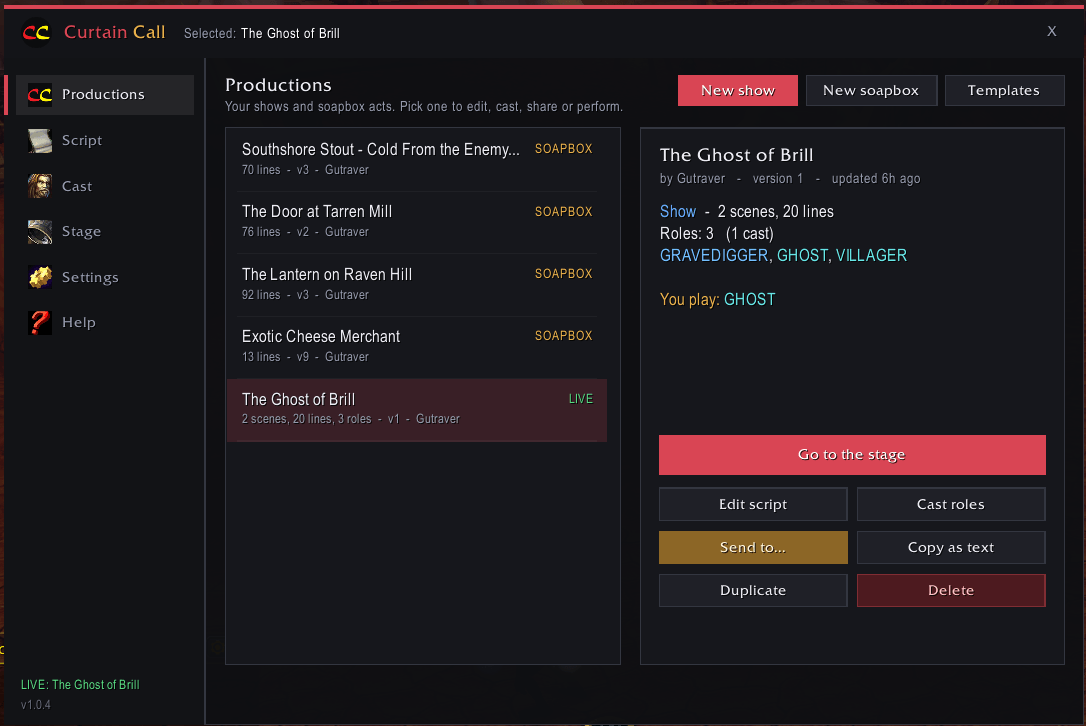
Manage and view saved shows, soapboxes, and live performances currently running .
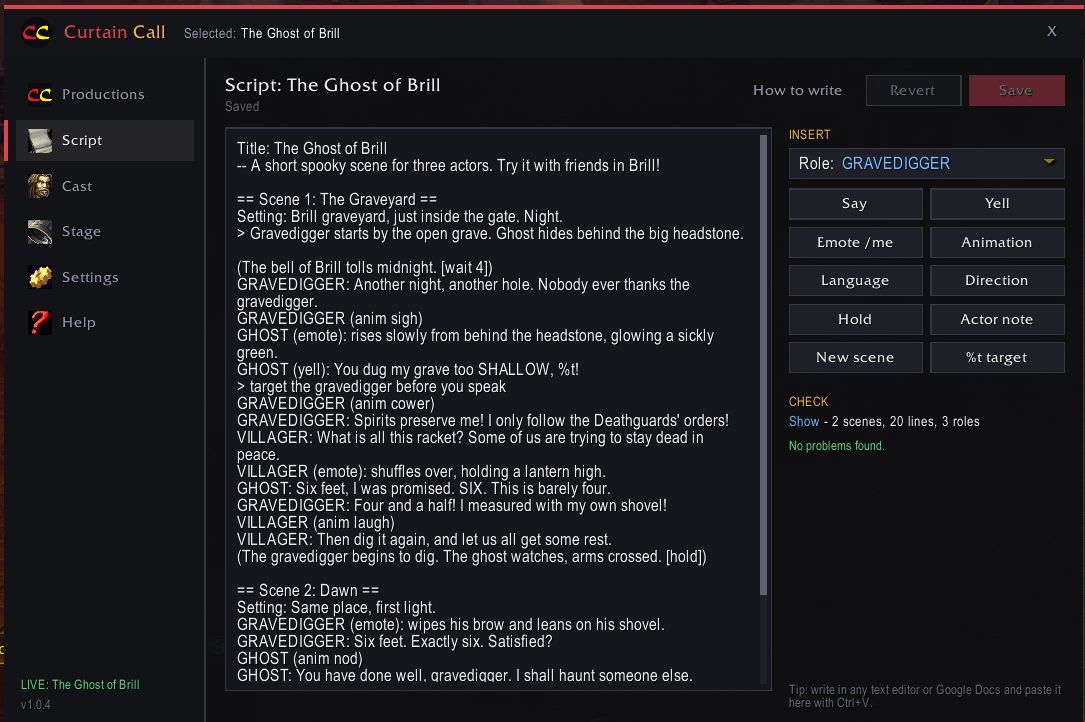
Edit scripts, in detail, with the help of commands all in one place (or paste from another text document!).
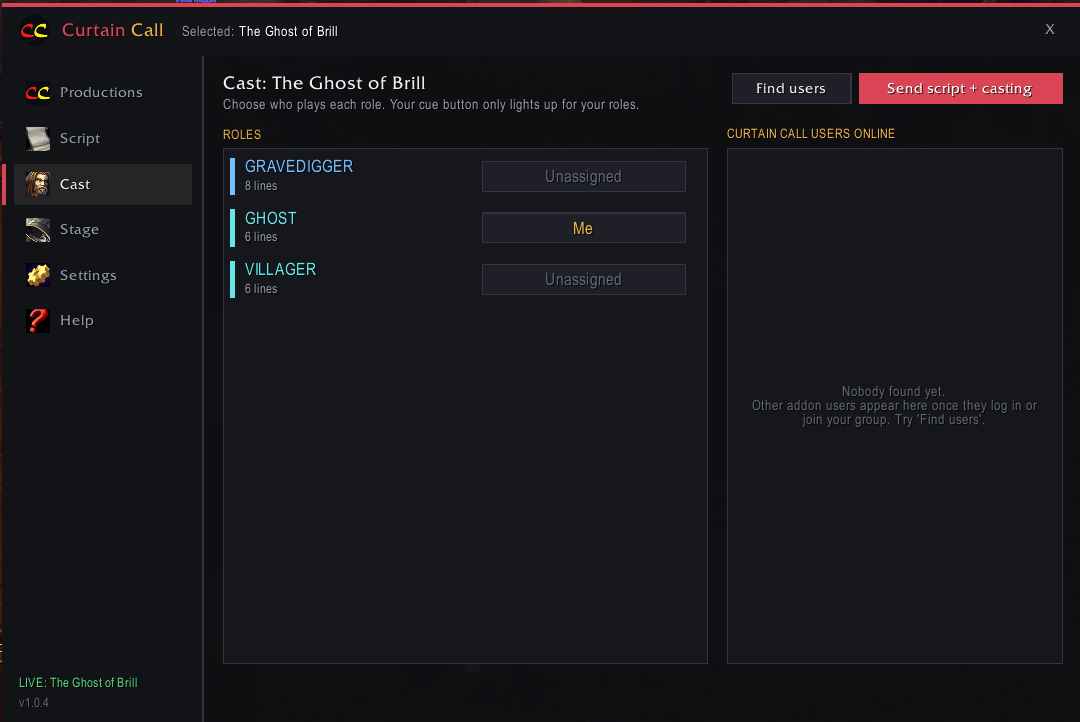
Manage your cast and assign specific roles.
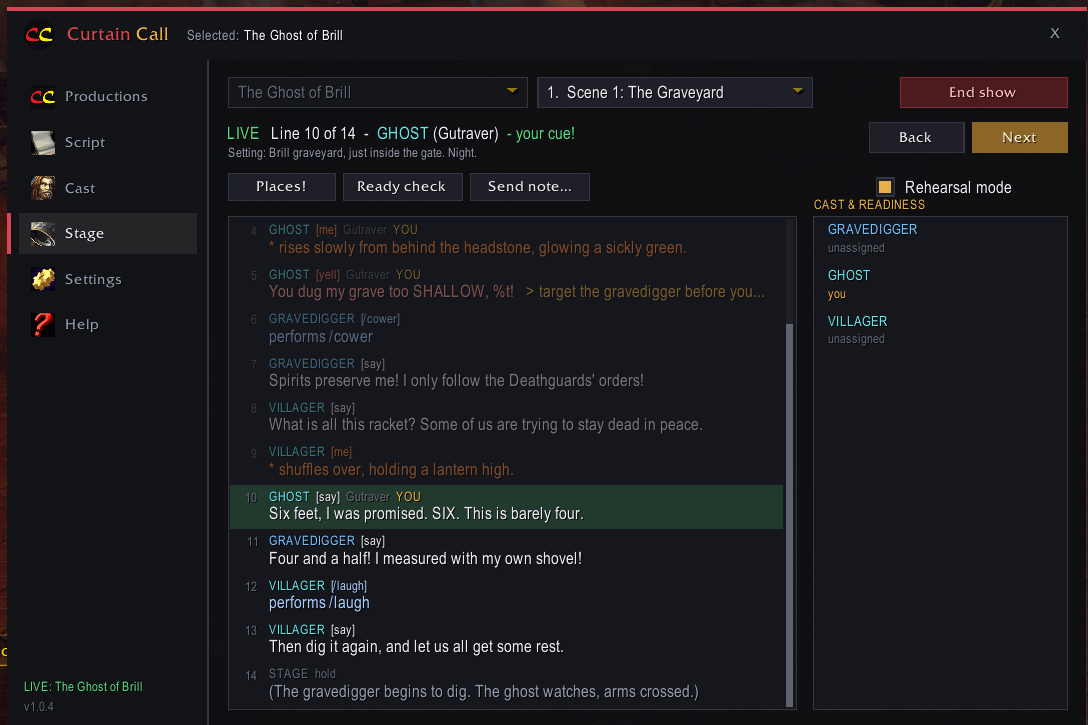
This is where the magic happens when it's time to perform. Set the stage or rehearse for a future performance.
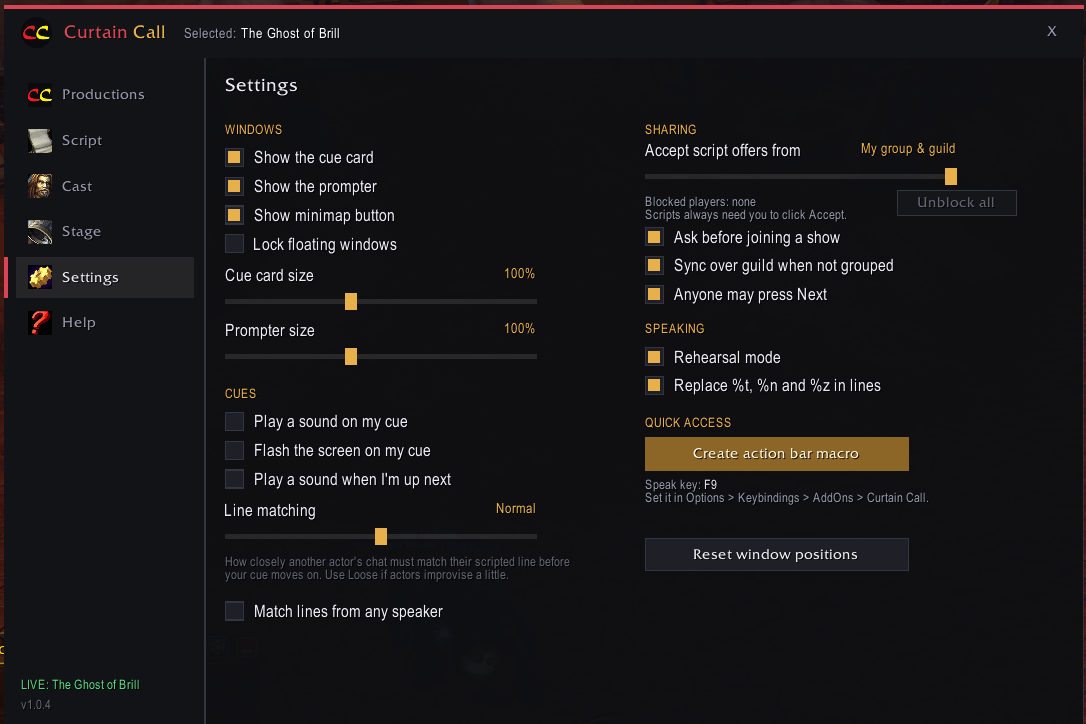
Adjust prompter or cue card size and set cues to your preferences along with other settings you may want to change!
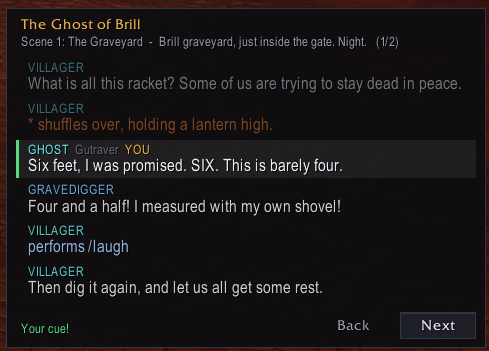
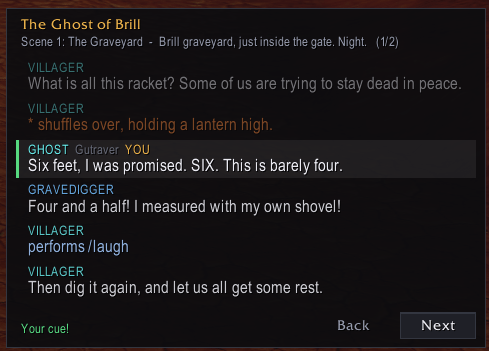
In-game prompter window so you can close the main addon window and visually see the play's progress. Does not open in Soapbox mode.
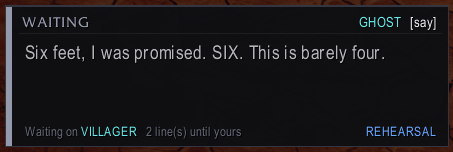
Not time for you to speak? No problem. The cue card will let you know how many lines will need to be said before it's time for you to speak and who is currently saying their line.
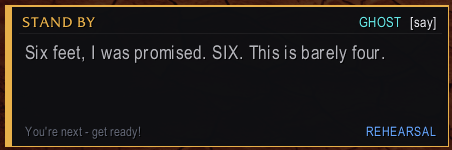
Yellow cue warning when your line is the next line spoken.
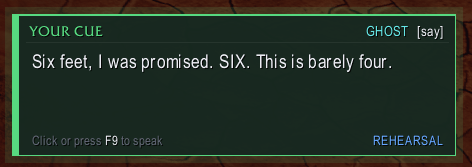
A green cue card lets the player know it is time for them to speak their line.
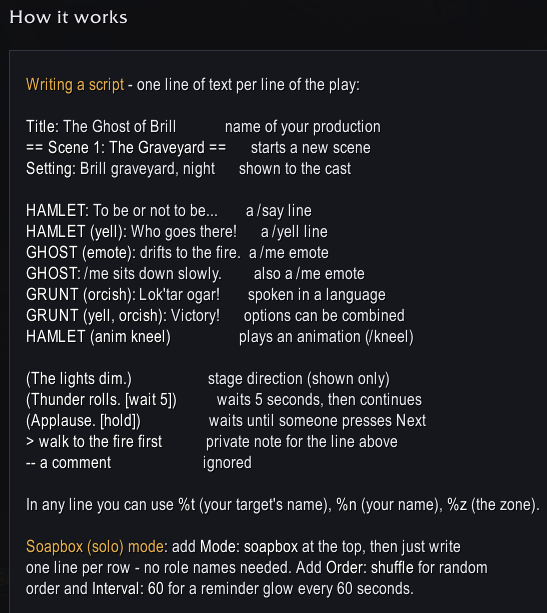
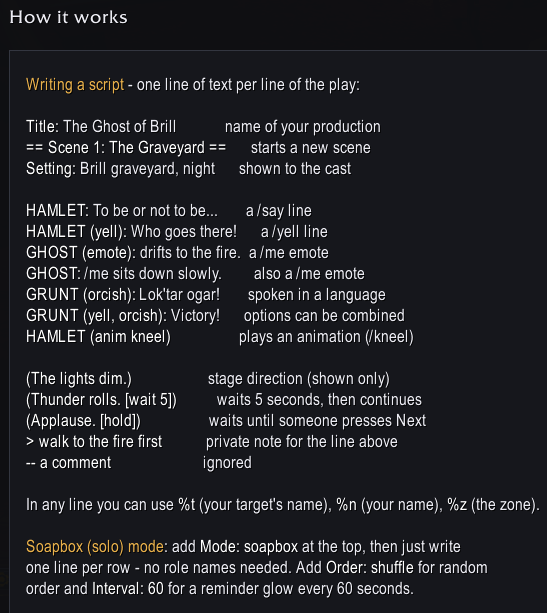
A short guide on how to format each line of your script using the in-game addon or pasted in by using another text editor of choice.
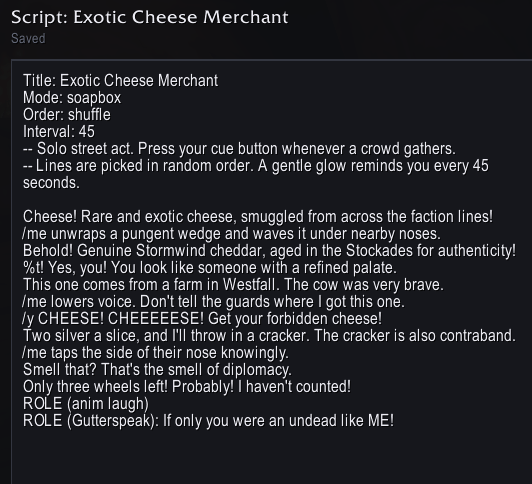
Here's a fine example of what a script would need to look like to randomize what your character says and how often you should be reminded to say it. Don't forge to add "Repeat: yes" under the "Mode" if you don't want a hard end to the show!
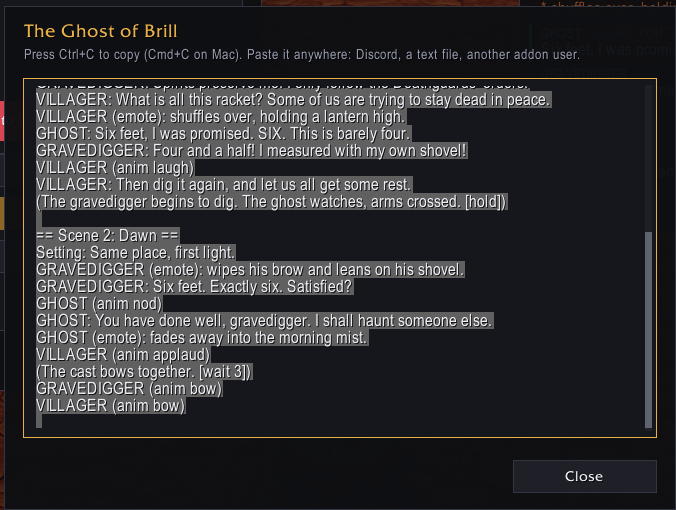
Need to share the script with another addon user? This addon has you covered!
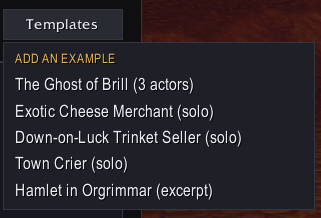
Here's a few templates to get you started. Check each one out for some ideas on formatting, script writing, and what you can do with the addon! You'll find this on the Productions tab.
Description
CurtainCall
Curtain Call is a theatre and roleplay addon for World of Warcraft: Forever. Write scripts, assign roles, share them with your cast and perform live in the open world. When it is your turn to speak, your cue card turns green and a single key press delivers your line in /say, /yell, /me or a racial language.
Features
- Script editor with a simple plain-text format, insert buttons and live error checking
- One-button delivery of lines, emotes and character animations
- Automatic cue tracking using nearby chat and addon sync between actors
- Prompter window showing the surrounding lines and who speaks next
- Casting and sharing to one player, your cast, your group or your guild
- Stage manager controls: next and back, scene changes, ready checks, "Places" countdowns and private notes to actors
- Soapbox mode for solo acts such as merchants, beggars and town criers
- Rehearsal mode that sends lines to party chat for private practice
- Starter templates, a minimap button and a dark, modern interface.
Know when to say your next line and then say it with a click, keybind or macro!
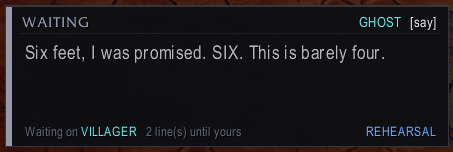
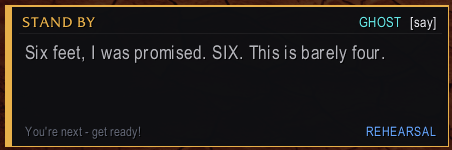
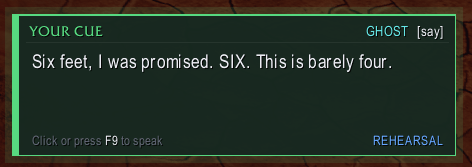
Follow the play with your own prompter! You'll always know what the other actors are supposed to be doing!
Quick Start
- Type /curtain or click the minimap button.
- Productions: create a new show or load a template.
- Script: write your play (see the format below).
- Cast: assign roles, then click Send script + casting. Actors must accept the script.
- Stage: with your cast in a party or raid, click Start show.
- Press your speak key when your cue card turns green.
- Can now add "Repeat: yes" at the top of the scripts to continue cycling through after all lines have been used. Useful for merchants, beggars, town criers, etc.
Commands
All commands start with /curtain (or the shorter /cc).
| Command | Description |
|---|---|
| /curtain | Open or close the main window |
| /curtain speak | Speak your line (hold Shift to say it early) |
| /curtain next | Move the show to the next line |
| /curtain back | Go back one line (stage manager) |
| /curtain goto <number> | Jump to a line number |
| /curtain restart | Start the scene or soapbox over |
| /curtain stop | End the current show |
| /curtain rehearsal | Turn rehearsal mode on or off |
| /curtain card | Show or hide the cue card |
| /curtain prompter | Show or hide the prompter |
| /curtain lock | Lock or unlock the floating windows |
| /curtain minimap | Show or hide the minimap button |
| /curtain macro | Create a speak macro for your action bar |
| /curtain reset | Reset window positions |
| /curtain blocked | Open your blocked players list |
| /curtain block <name> | Block a player |
| /curtain unblock <name> | Unblock a player |
| /curtain ping | Look for other Curtain Call users |
| /curtain help | List all commands in chat |
A speak key and a "Stage: next line" key can be assigned under Options > Keybindings > AddOns > Curtain Call.
Notes
- All performers need Curtain Call installed.
- Scripts are plain text and cannot run code. Every script must be accepted manually, and senders can be blocked.
- WoW requires a key press or click for each spoken line, so lines are never sent automatically.
- Lines are limited to 255 characters by the game.
Please join the discord attached under "Links" for addon support or if you'd like to join our troupe on the RP ruleset!
CurtainCall Team