CursorComet
- By
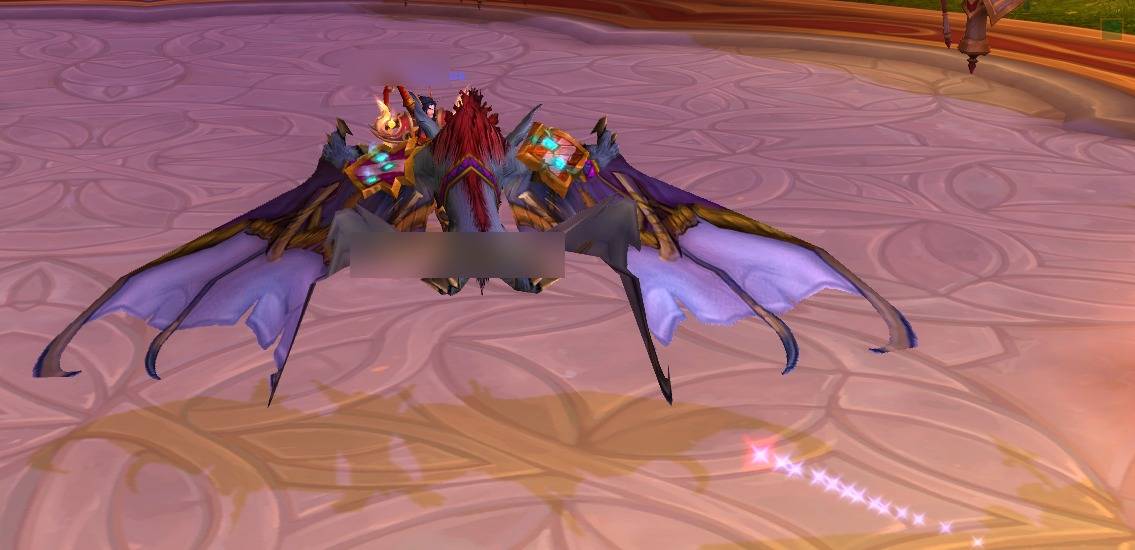
A customizable glow that follows your cursor so you never lose it. Pick the shape and colors, add a trail, and it flares in combat.
cursorcomet_panel.jpg
cursorcomet_action.jpg
Description
CursorComet
Lose track of your cursor in a busy pull, a raid full of spell effects, or a packed city? CursorComet keeps a clean, customizable highlight on your pointer at all times, so your eye always finds it again fast.
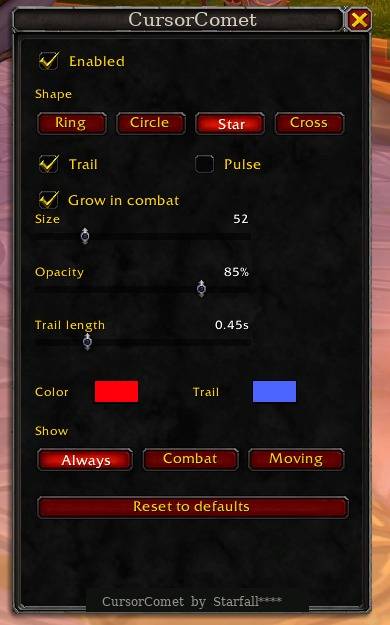
Everything is configured from a simple in game panel. Open it from the minimap button or type /comet. Your settings are saved per character.
Features
- A highlight that follows your cursor in one of four shapes: ring, solid circle, star, or crosshair.
- Independent colors for the marker and the comet trail, each set with a full color picker.
- An optional motion trail with adjustable length.
- Combat emphasis: the marker grows and brightens the moment you enter combat, then settles back down when you leave, so it pops exactly when the screen gets busy.
- Shake to locate: flick the mouse quickly and a large flash pulses right at the cursor to pull your eye to it.
- Adjustable size, opacity, and an optional gentle breathing pulse.
- Show it always, only in combat, or only while the mouse is moving.
- A movable minimap button and a clean options panel.
How to use
- Click the minimap button (the glowing ring) to open the options panel, or type /comet.
- Pick a shape, then set your colors, size, and opacity.
- Turn the trail on and set its length, and toggle combat emphasis if you want it.
Right click the minimap button to turn the highlight on or off. Drag the button to move it anywhere around the minimap.
Slash commands
All settings live in the panel, but these are available too:
- /comet : open the options panel
- /comet toggle : turn the highlight on or off
- /comet shape ring|circle|star|crosshair
- /comet size 20 to 200
- /comet color r g b (each value 0 to 1)
- /comet trailcolor r g b
- /comet traillength 0.2 to 1.5
- /comet combat : toggle combat emphasis
- /comet mode always|combat|moving
- /comet locate : fire the locate flash now
- /comet reset : restore defaults
Installation
Use the CurseForge app, or download the zip, extract the CursorComet folder into World of Warcraft_retail_\Interface\AddOns, and /reload. Make sure the folder sitting in AddOns is named CursorComet with the files directly inside it.
Compatibility and safety
Built for Retail (Midnight, patch 12.0). It does not read combat data and does not automate anything, so it stays fully within Blizzard's addon policy. Settings are saved per character.
Created by Starfall****.
CursorComet Team