CS.Coder - Quest Indicator
- By
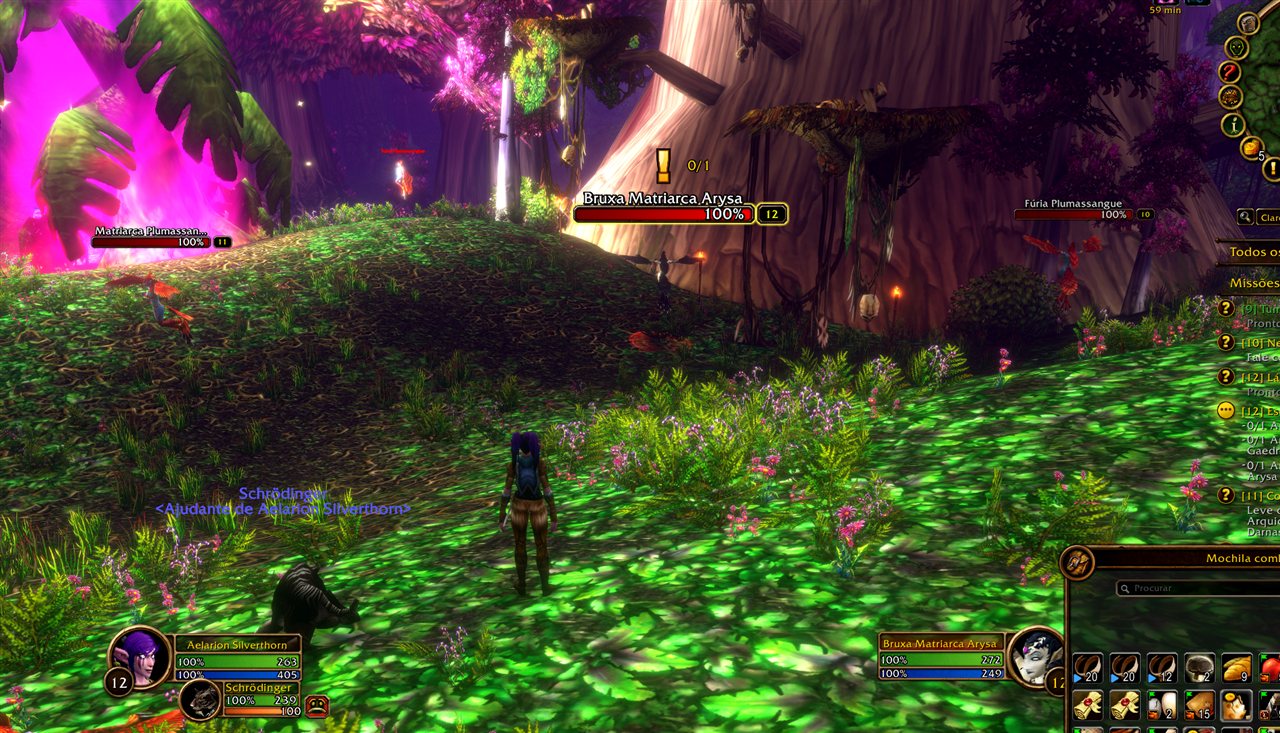
A floating "!" over every quest mob and item you still need, with live progress (8/12).
Never hunt the wrong mob again. A floating, animated "!" marks every mob you still need for an active quest, and the quest item lying nearest to you, with your progress (8/12) right beside it. When an objective is done, the icon turns into a green check mark and goes.
Highlights
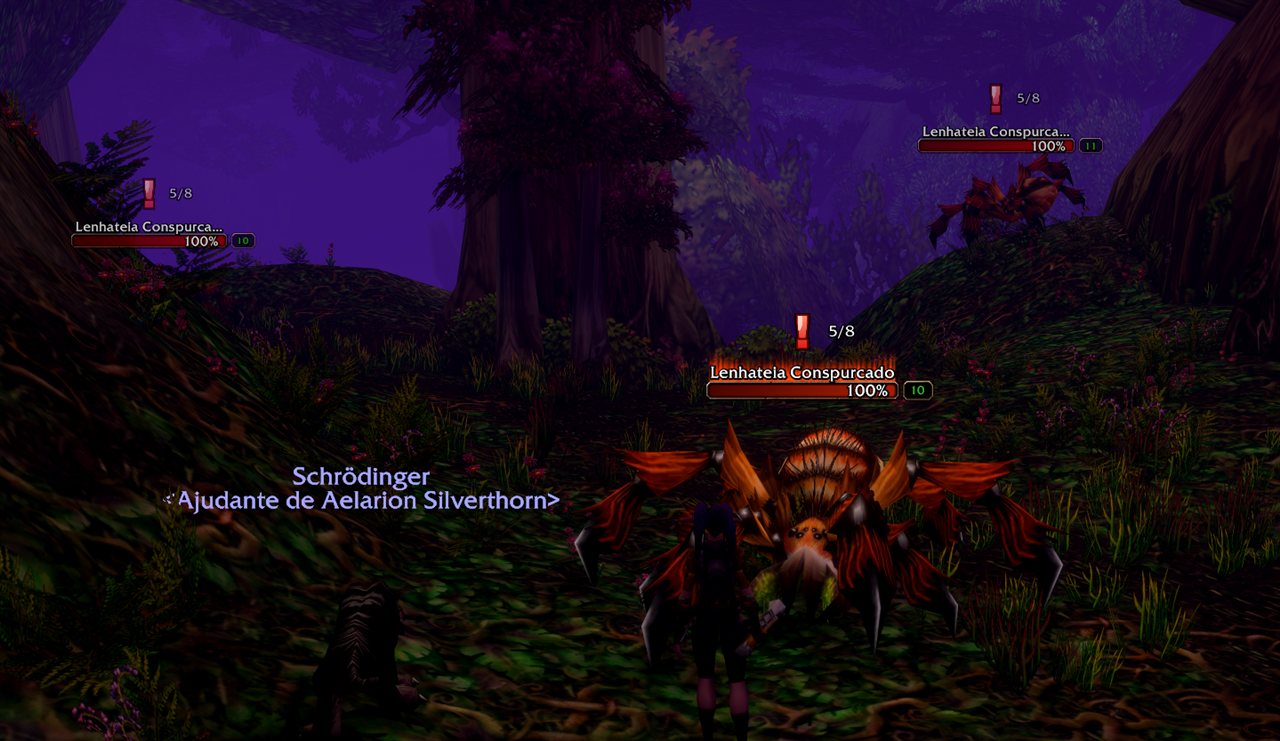
- Quest mobs and quest items marked on their nameplates, with the objective count next to the icon.
- Level alert: the icon turns red for quests above your level, deeper red the higher they are.
- Quest pickup and auto turn-in (optional, Gameplay tab): accept every quest an NPC offers automatically or with one Accept all button, and hand in finished quests. Rewards you must choose are always left to you, and Shift makes any talk manual.
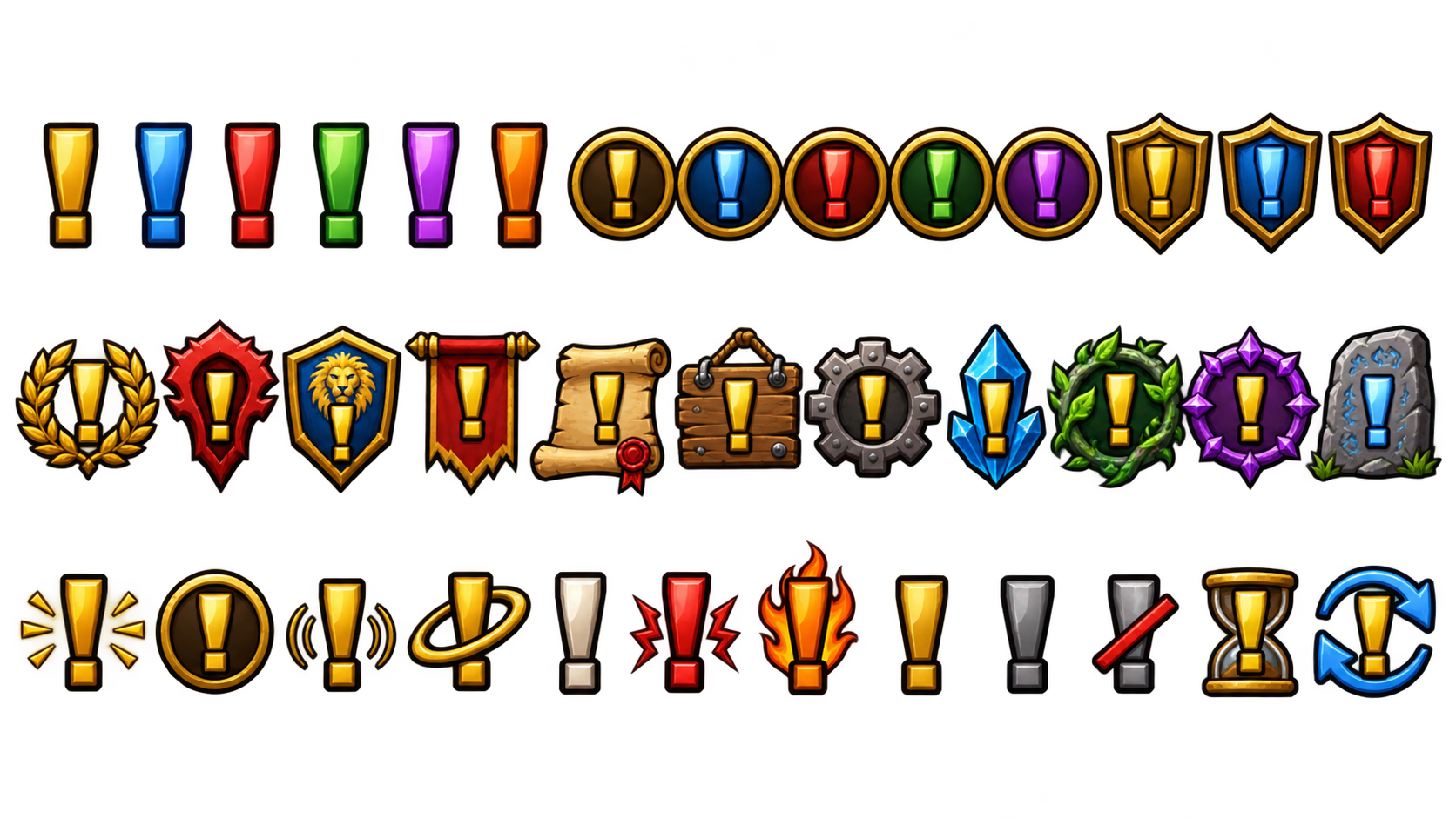
- 37+ icons in three categories (Standard, Themed, States), picked from a visual icon window.
- A setup guide on first login: start with the defaults, or choose your icon, size and position with a live preview.
- Its own options window, clean dark and gold: switches, sliders with typed values, menus and a live preview that matches your real nameplates.
- Check mark when done, a count that pulses when it goes up and turns gold when one is left, and a "ready to turn in" line in chat.
- Quest summary on the minimap button: hover it to see what is left of each quest.
- Sound when an objective completes: pick from several sounds, hear each one first, set its volume.
- Hide during the fight (optional): a mob fighting you loses its icon, back if it survives.
- Anchor and position: top, bottom, left or right of the nameplate, then fine-tune X and Y.
- Quest items can have their own look (icon, float, glow).
- Quick themes: Classic, Subtle or Flashy in one click.
- Color by quest type: daily quests in blue, group quests in red.
- Questie as a helper: with Questie active, its data fills in counts the game doesn't show. Without Questie nothing changes.
- Profiles per character, with export and import to share them.
- 6 languages: English, Portuguese (Brazil), Spanish, German, French, Italian.
How to use
- Turn on enemy nameplates (default key V).
- Follow the setup guide, or open the options any time with /cqi or the minimap button.
| Command | What it does |
|---|---|
/cqi |
Opens the options |
/cqi toggle |
Turns the addon on or off |
/cqi setup |
Opens the setup guide again |
/cqi news |
Shows what's new in this version |
/cqi debug |
A short report to copy into a bug report |
Notes
- Made for WoW Forever.
- Not in dungeons and raids: the game locks nameplates and quest information there for every addon (Questie does the same). The icons come back as soon as you leave.
- Quest items use the game's interact soft target, so the nearest item in front of you shows the icon.
- Quest pickup and turn-in stay out of the way of any other addon that already does them (Questie, Leatrix Plus, QuickQuest, AutoTurnIn).
- Works alongside ForeverLootSparkles.
Found a bug or have an idea? Leave a comment or open an issue on GitHub.
CS.Coder - Quest Indicator Team