CraftedSkinning
- By
Know which mobs you can skin before you pull them: Skinnable in tooltips, what they drop, nameplate icons and kill reminders.
Screenshot 2026-10-25 191143.png
Description
CraftedSkinning tells you which mobs can be skinned, what they'll give you and whether your Skinning skill is high enough, all before you pull them.
Features
- Skinnable in tooltips. Mousing over a skinnable mob shows a pelt line with the Skinning skill it needs, coloured against your skill:
- red: too low (shows your current skill)
- orange, yellow or green: you'll get a skill-up
- grey: trivial
- What it drops. The tooltip lists the leathers, hides and scales the mob gives when skinned. If Auctionator is installed, each one shows its auction price.
- Nameplate icons. Skinnable mobs get a small pelt icon on their nameplate, so you can spot farming targets from a distance.
- Kill reminders. When you kill something you can skin, a big icon and an on-screen message remind you to skin it. You can choose the sound and how long the icon stays up. Mobs above your skill are skipped.
- Built-in mob database. 2,122 skinnable mobs from Wowhead's MoP Classic data. Critters are excluded. Any mob the list misses is learned automatically the first time you see it as a skinnable corpse.
- Learns real skill requirements. If the game says "Requires Skinning 450", that number is remembered for that mob.
- CraftedPanel plugin and addon menu entry. Shows your Skinning skill on your CraftedPanel bar. Click it for settings, or shift-click it for a test reminder.
Commands
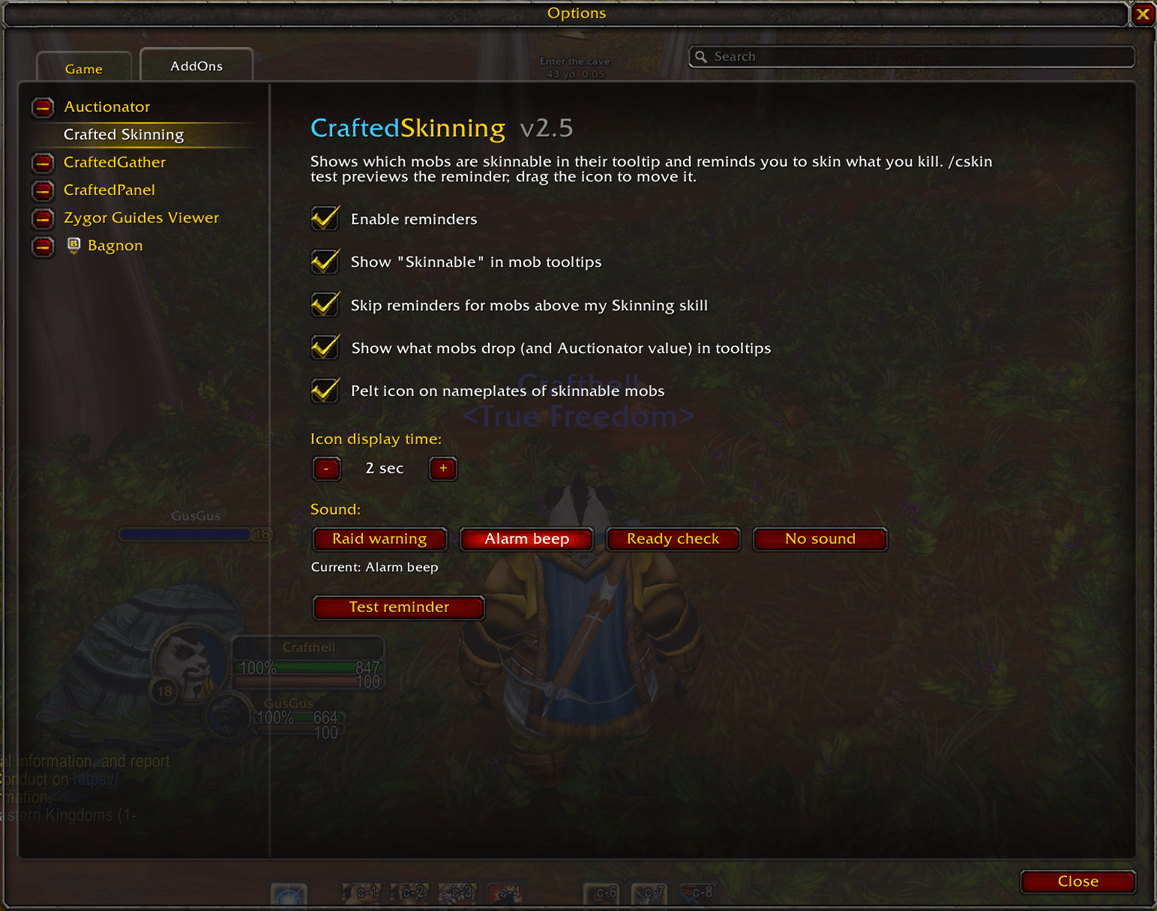
/cskin: open settings (also under Options → AddOns → CraftedSkinning)/cskin test: show a test reminder (drag the icon to move it)/cskin debug: show what the addon sees for your mouseover or target
Notes
- Required skill is exact for mobs up to level 80. For levels 81 to 90 it's an estimate until the addon learns the real number from the game.
- Common leathers (Light through Rugged, Borean, Mist-Touched) are shown from the mob's level. Special drops such as scales, Knothide, Savage and Sha-Touched come from Wowhead's "Skinned from" data.
CraftedSkinning Team