CraftedChat
- By
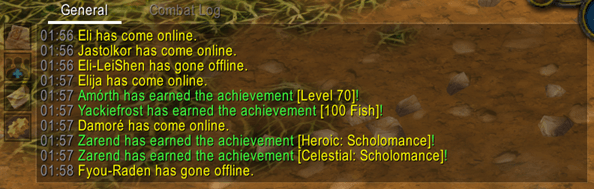
A clean, modern replacement for the Blizzard chat look: short channel names, class colours, clickable links, keyword alerts, spam filter, chat history and more.
Screenshot 2026-11-01 135822.png
Screenshot 2026-11-01 135756.png
Description
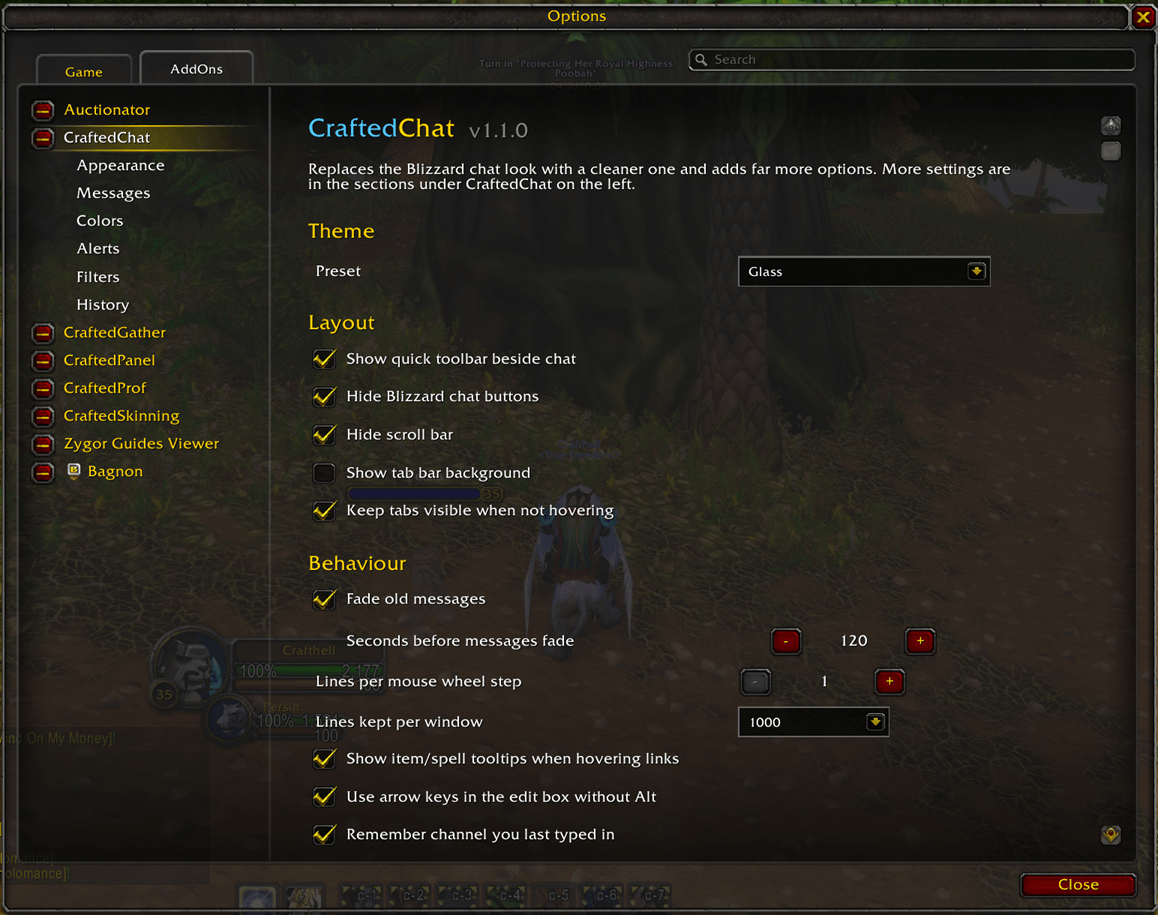
CraftedChat gives your chat a cleaner, modern look and the options Blizzard never added. Everything is set up in Options > AddOns > CraftedChat, or type /cc.
A cleaner look
- Flat, dark chat panels and tabs in place of the parchment frames
- Selected tab gets an accent underline; the edit box lights up while you type
- Hides the clutter: friends, voice, menu and scroll buttons, plus the scroll bar
- Small fade-in toolbar beside chat: copy chat, social, channels, options
- Four colour presets (Midnight, Glass, Ember, Jade) or your own colours, including your class colour
- Any font, size, outline and shadow, with LibSharedMedia support
Easier-to-read chat
- Short channel names:
[4. LookingForGroup]becomes[LFG],[4.LFG]or[4] - Hides realm names and the brackets around player names
- Player names coloured by class in every chat type
- Timestamps in the format and colour you choose
- Compact whispers:
From Name:/To Name: - Clickable web links with a copy box
- Hover item, spell, achievement and quest links to see their tooltip
Alerts and filters
- Highlights your name and any keywords you pick (for example
SoO, heroic, tank) and plays a sound - Flashes your taskbar icon when you're whispered
- Spam filter hides repeated messages and anything containing words you block (friends and guild are skipped)
Quality of life
- Mouse wheel scrolls several lines at a time; Shift jumps to top/bottom, Ctrl scrolls a page
- "Jump to newest" button when you've scrolled up
- Copy the contents of any chat window
- Brings back your chat from last session when you log in
- Remembers what you typed (Up arrow) between sessions
- Arrow keys work in the edit box without holding Alt
- Up to 5000 lines of scrollback
- Every chat colour in one place on the Colors page
Commands
/ccopen the options/cc copycopy the current chat window/cc clearclear the current chat window/cc resetreset all settings
Support
Found a bug or have an idea? Email Crafted@gmail.com with your CraftedChat version number and what happened.
CraftedChat Team