Craftable shows you which recipes you can craft right now, which you're partway to, and which you can't. It reads the materials in your bags and bank, and it works for any crafting profession, and helps you build a shopping list for crafting.
Features
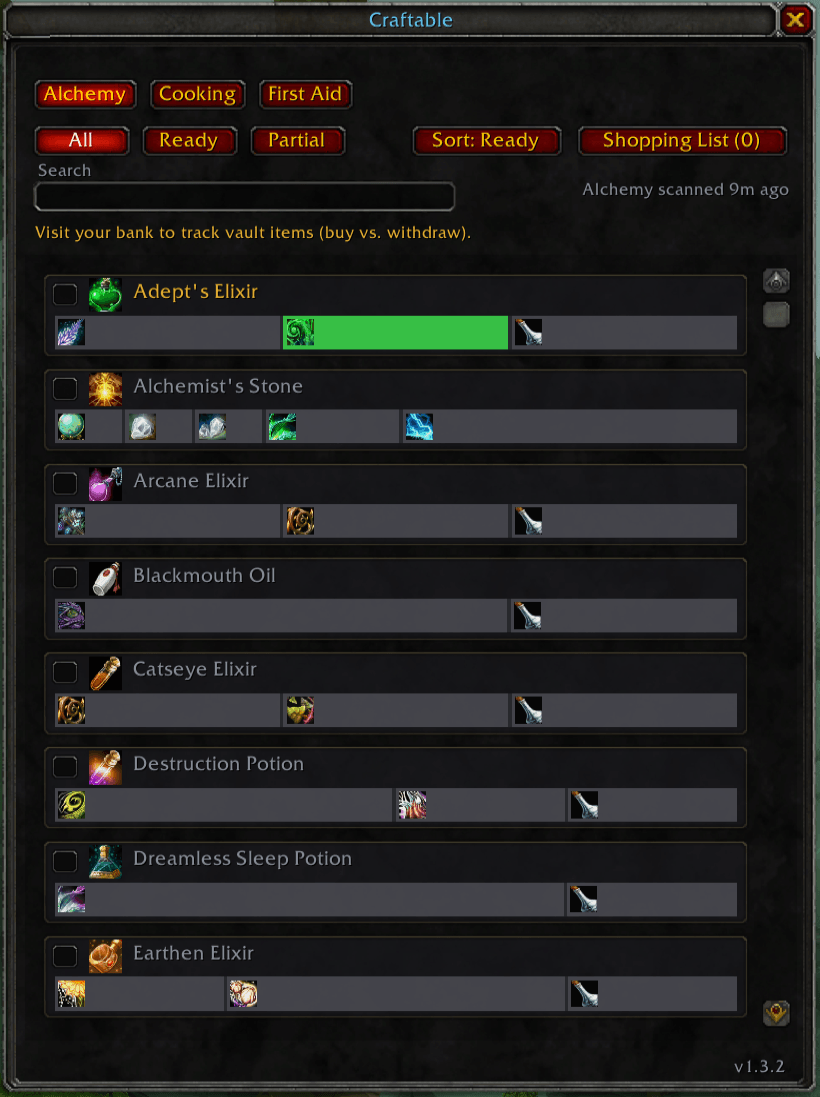
Colour-coded recipes. Green means ready, amber means partial, grey means missing. Each recipe shows a "×N" count of how many you could make right nowReagent bars. Every recipe has a bar with one segment per ingredient, sized by how many you need. Each segment shows the ingredient's icon and how much you hold, and a bag icon flags anything sitting in your bank.
Bank tracking. Craftable remembers your vault contents (with an "as of" time) so it still works when you're at the auction house. Everything is tracked separately per character.
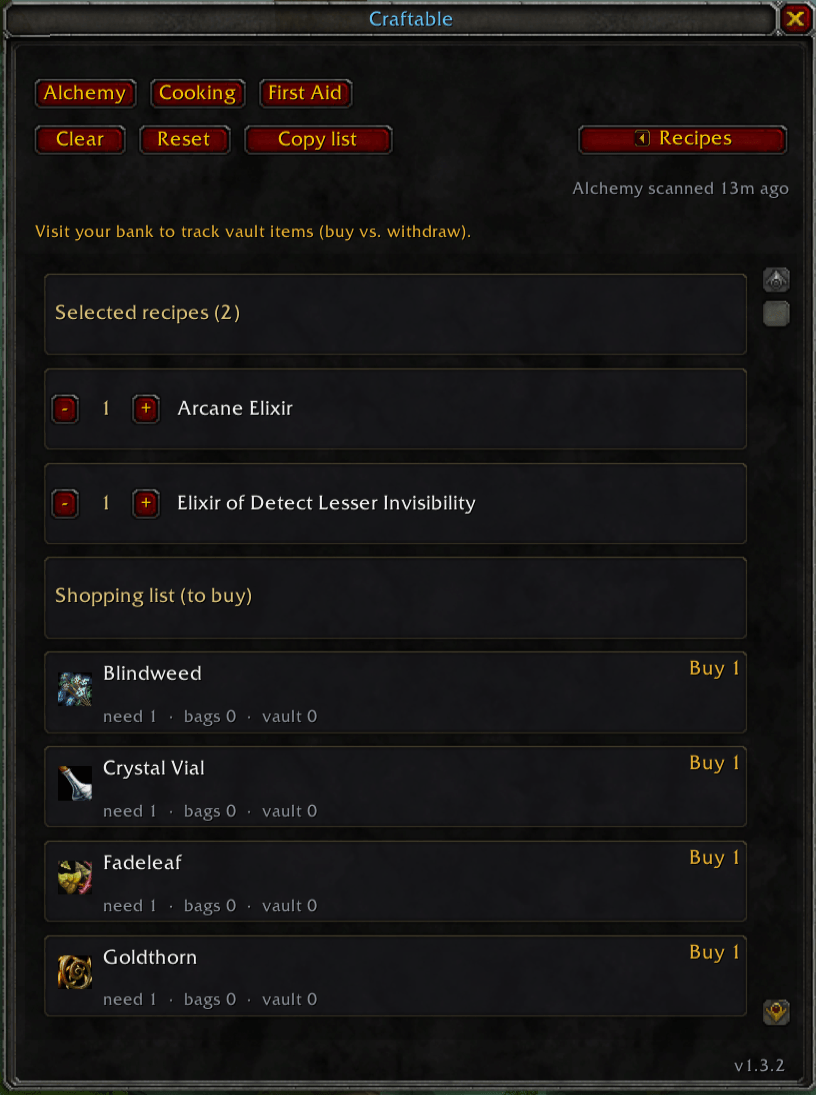
Shopping list. Tick the recipes you want to make and set quantities. Craftable tells you what to withdraw from your bank versus what to buy from the auction house, and gives you a copy-paste buy list.
One-click scan. Craftable detects the professions you have. Click a dimmed tab and it opens and scans that profession for you. It covers Alchemy, Cooking, Enchanting, Smelting, and every other crafting skill.
How to use
- Click the minimap button, or type /craftable.
- Click a profession tab. Dimmed tabs open and scan the profession for you.
- Tick recipes, then open the Shopping List to see what to buy and what to pull from the bank.
- Visit your bank now and then so vault counts stay current.
Installation
Automatic: install with the CurseForge app or WowUp, then restart WoW.
Manual: extract the Craftable folder into World of Warcraft_anniversary_\Interface\AddOns, then type /reload.
Commands
/craftable or /cft commands
- toggles the window (or use on and off).
- ver,
- reset (wipes all data),
- resetpos,
- clear,
- minimap, and
- help.
Compatibility
Built for WoW Classic TBC Anniversary (2.5.x) and WoW Forever, with every crafting profession.
Note: a profession's recipes can only be read once its window has been opened. That's a Blizzard limitation. Craftable's dimmed tabs do this for you in one click, then remember the recipes.
Found a bug? Please open an issue.
Recommended Companion Addons
I recommend using it with MBB Minimap Button Button to keep your minimap clean. (Any popular minimap button addon is good too)
The Craftable Team