CouchMode
Formerly ConsoleBags
A controller-first interface for World of Warcraft. Built for the couch. Made for Azeroth.
CouchMode brings a console-inspired feel to Azeroth, with readable panels, controller-friendly navigation, and a consistent look across your interface. From managing your inventory to following conversations, it’s designed to make playing from across the room feel comfortable.
Built for Retail and WoW: Forever, with support for Forever’s native Gamepad UI and optional ConsolePort integration.
Use the whole collection or choose your favorite modules. Each can be enabled and configured independently.
🎒 Bags
The original ConsoleBags experience
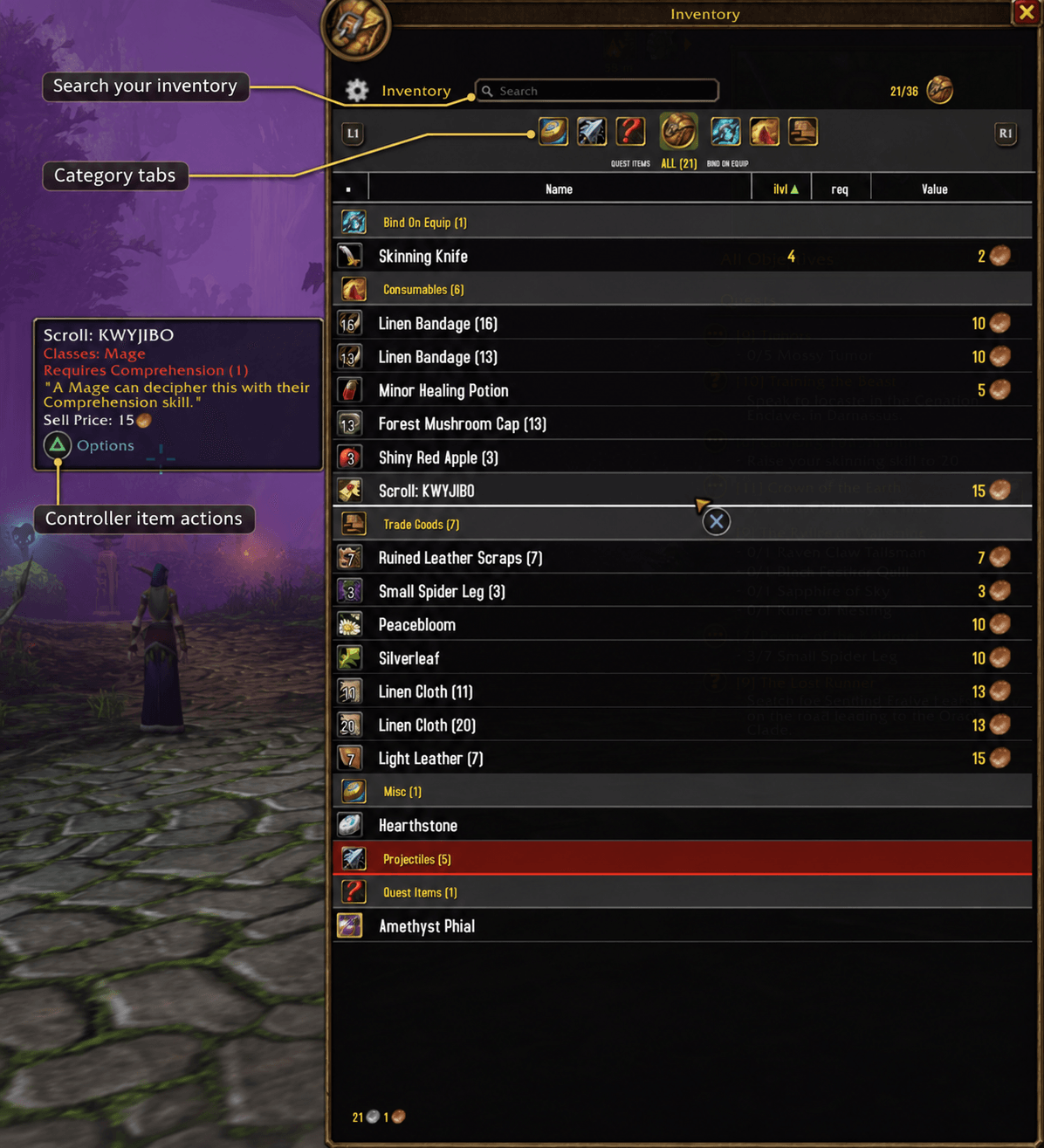
An inventory built for browsing with a controller. Organized categories, item search, and readable item rows make it easier to find what you need, compare equipment, and manage your belongings.
Choose a compact window or a full view, with optional integrations for upgrade suggestions, appearance collection, and junk marking.
🪙 Merchant
A better view of what’s for sale
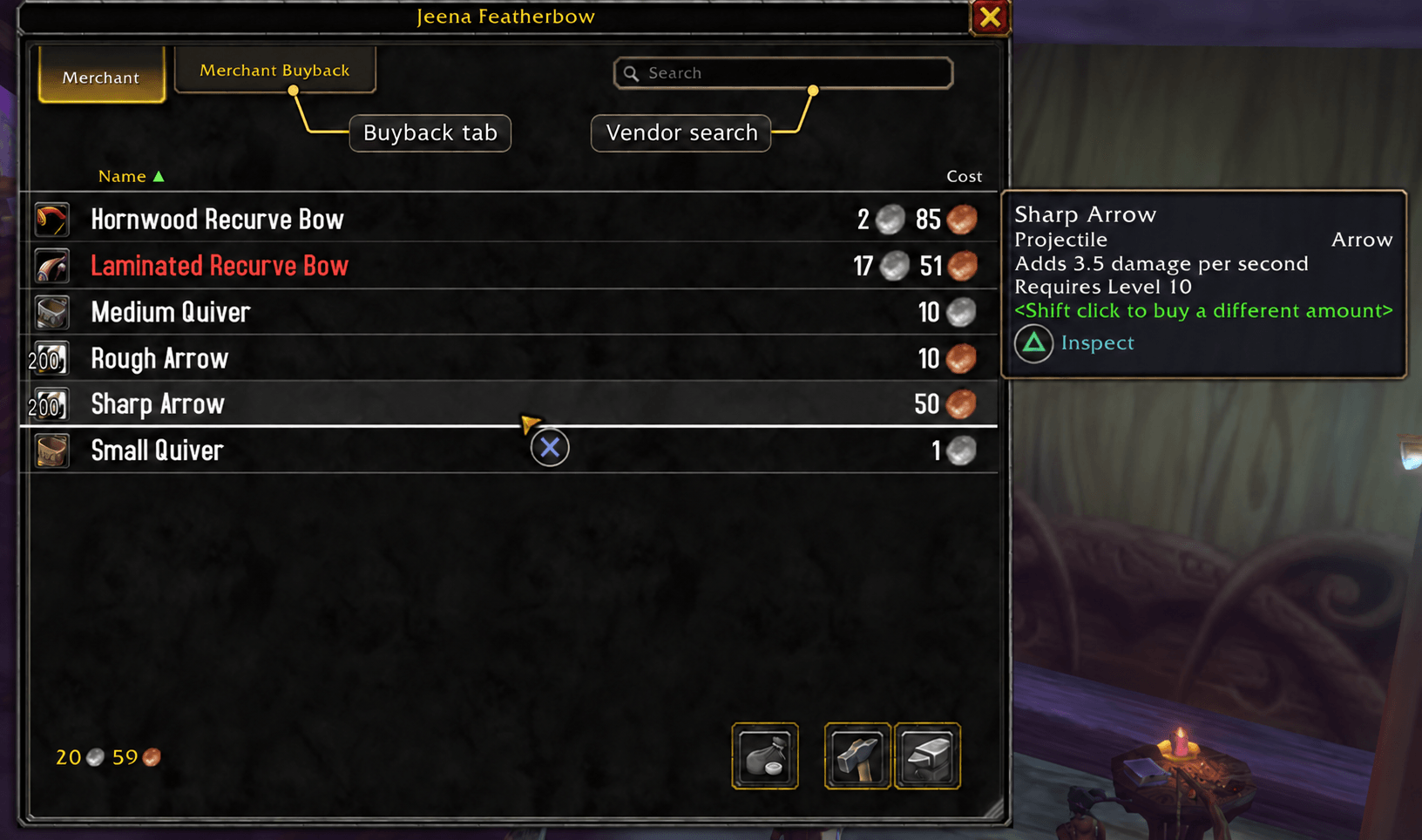
Browse vendors in a clear, searchable list with readable item names, prices, and purchase controls. Shop, choose quantities, and recover items from buyback through a merchant window designed to fit the rest of your interface.
🛡️ Nameplates
Keep your attention on the world
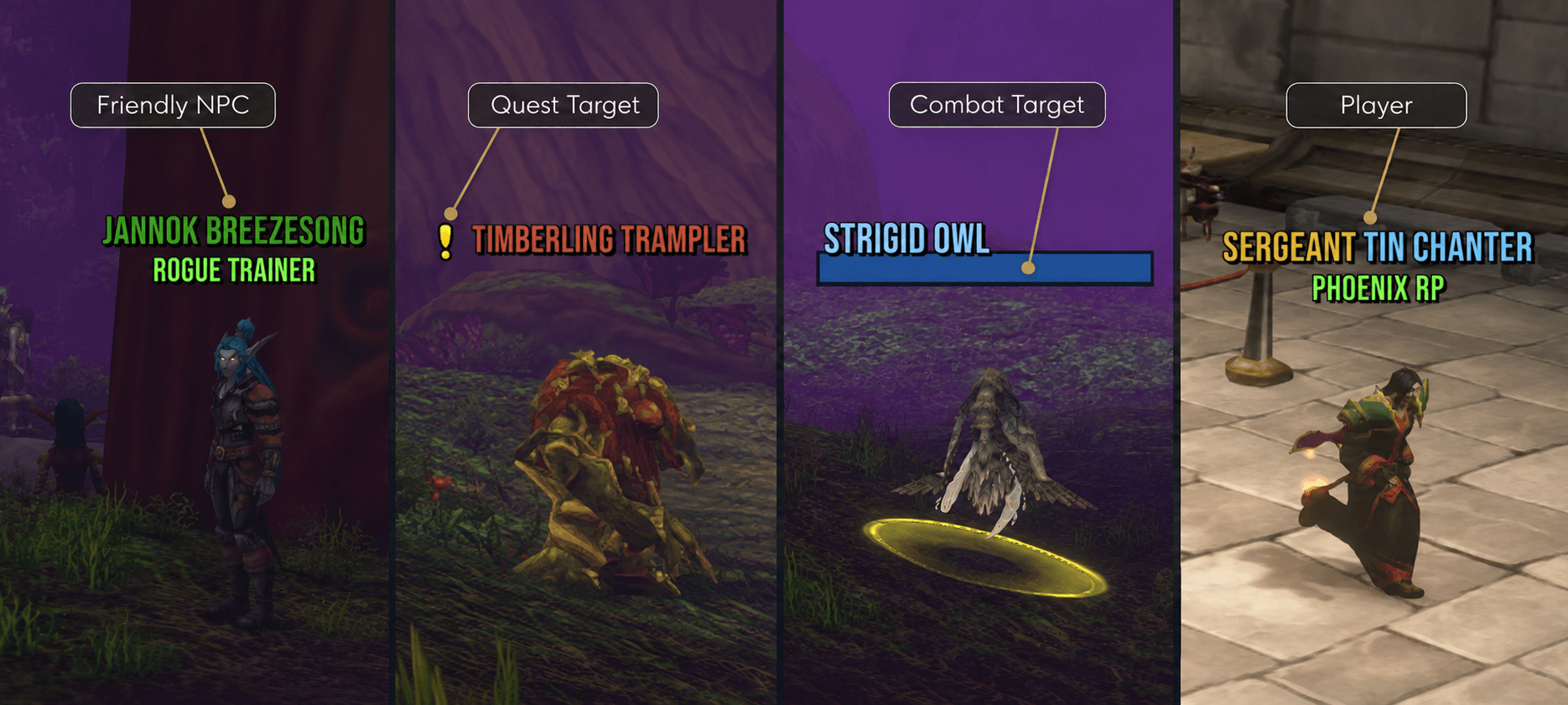
Custom nameplates bring names, health, casting information, and auras together above players and NPCs. Built with soft targeting in mind, they help you follow the action while playing with a controller.
Tune visibility and targeting behavior to suit your playstyle, with Total RP 3 name support and Musician performance indicators.
💬 Tips
Useful details at a glance
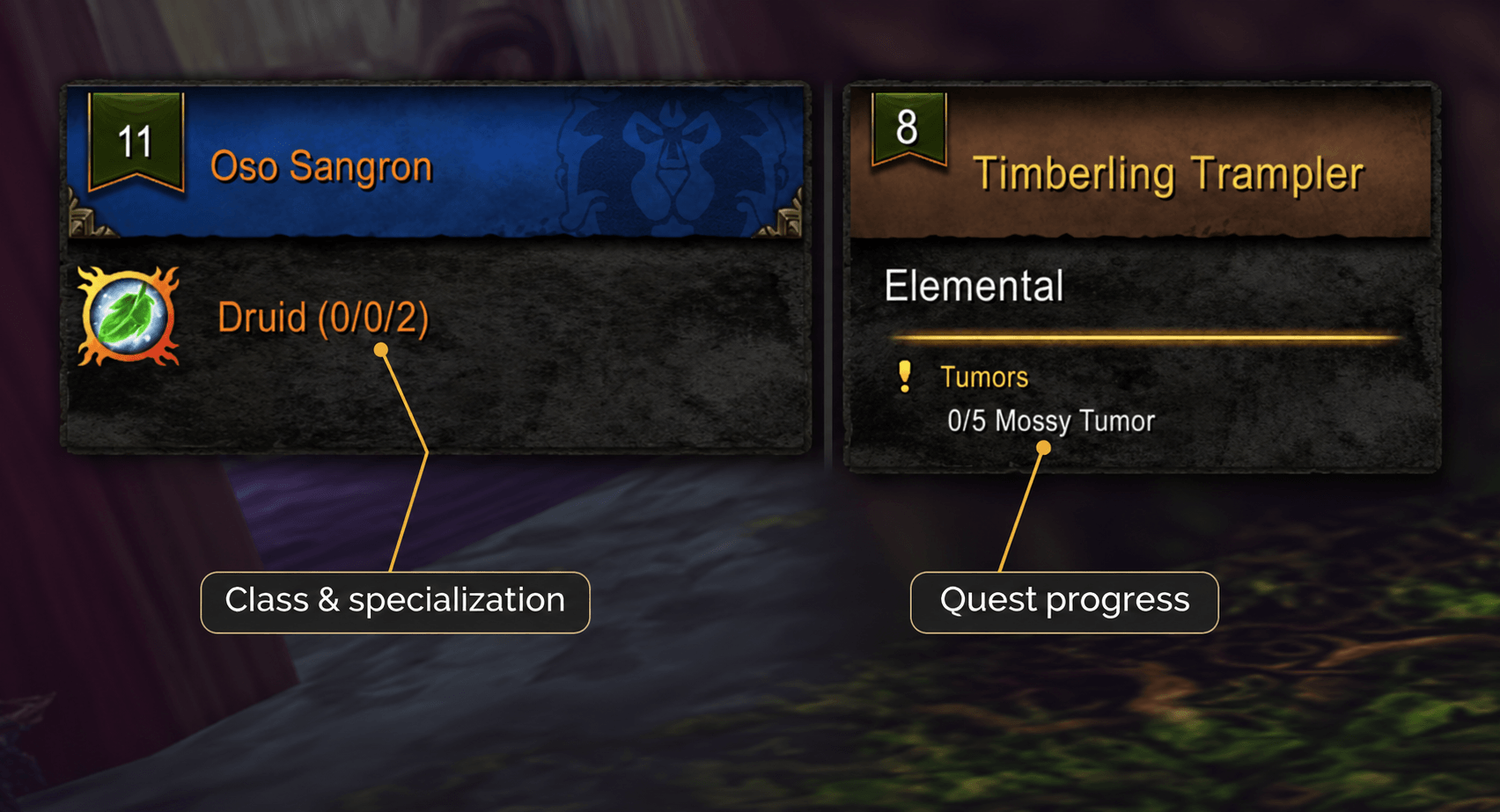
Readable unit tooltips for the players and creatures you target or hover over. Character details, levels, classes, mount information, and quest progress come together in a presentation that’s easy to read from the couch.
Includes Total RP 3 name support and options to prioritize quest objectives, rares, and other important encounters.
❤️ Player Bars
Your character’s essentials, where you want them
Dedicated health, mana, and resource bars keep your character’s status easy to follow. Adjust their placement, size, colors, and numeric displays to build a layout that feels comfortable on your screen.
🎯 Cast Bar & Cast Ring
Follow every spell your way
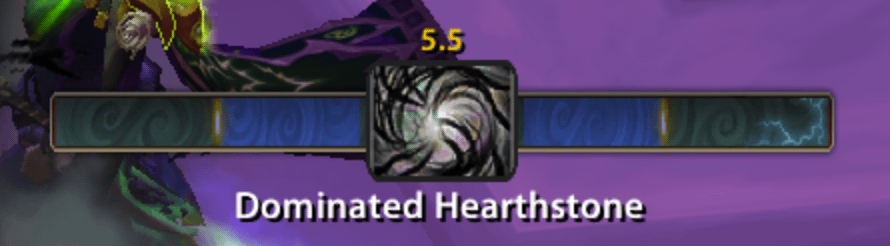
Track your casts and channels with a traditional horizontal bar or a circular Cast Ring.
Give the ring its own place in your layout, or have it follow your target’s nameplate while you cast. When no nameplate is available, the horizontal bar can take over.
👥 Party Frames
Keep your group in view
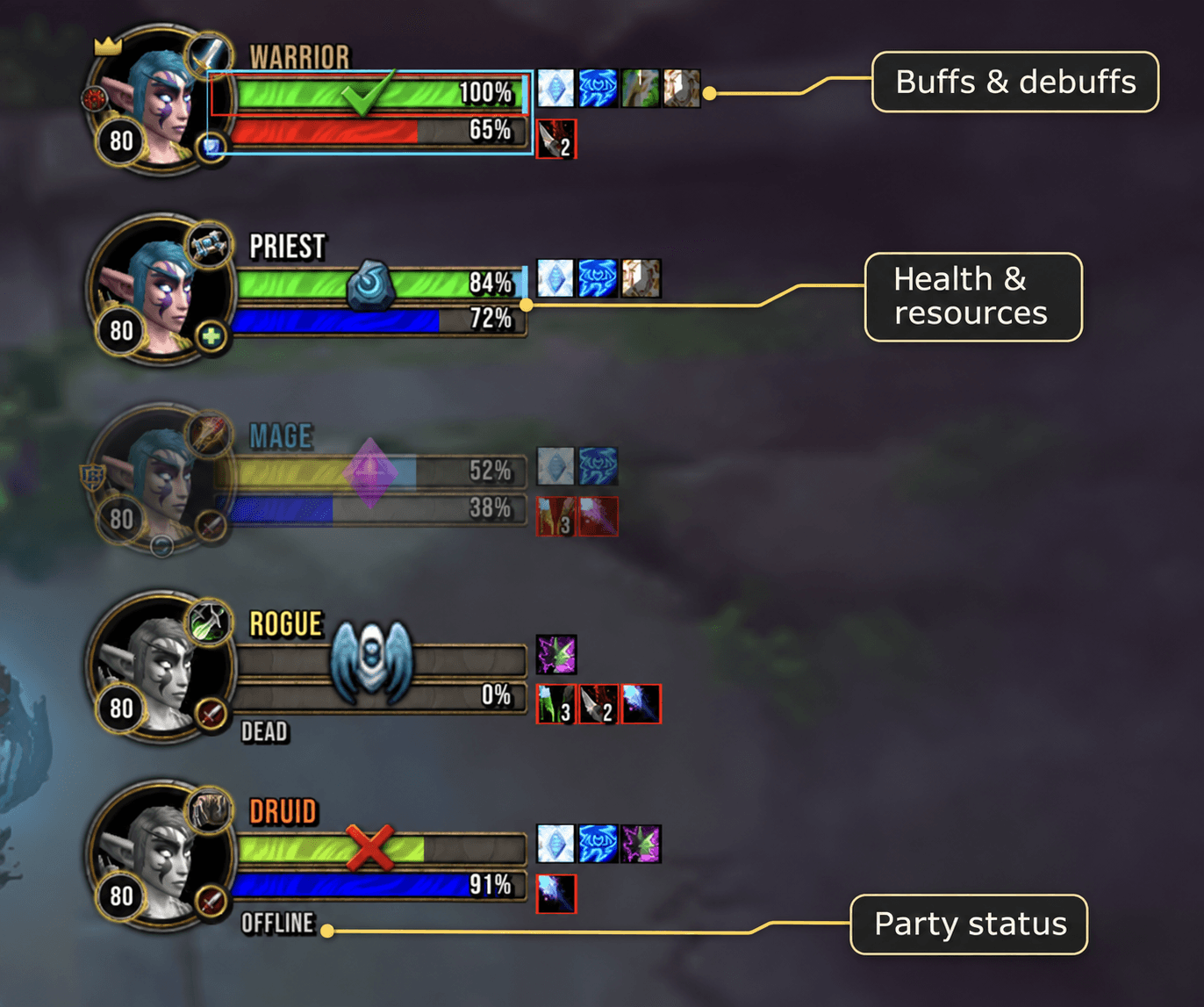
Portraits, health, resources, buffs, debuffs, and group status indicators give you a clear view of your party.
Adjust the size and placement to fit your layout, enable smooth bar updates, or keep your own frame visible while adventuring solo.
🗺️ Map
See more of Azeroth
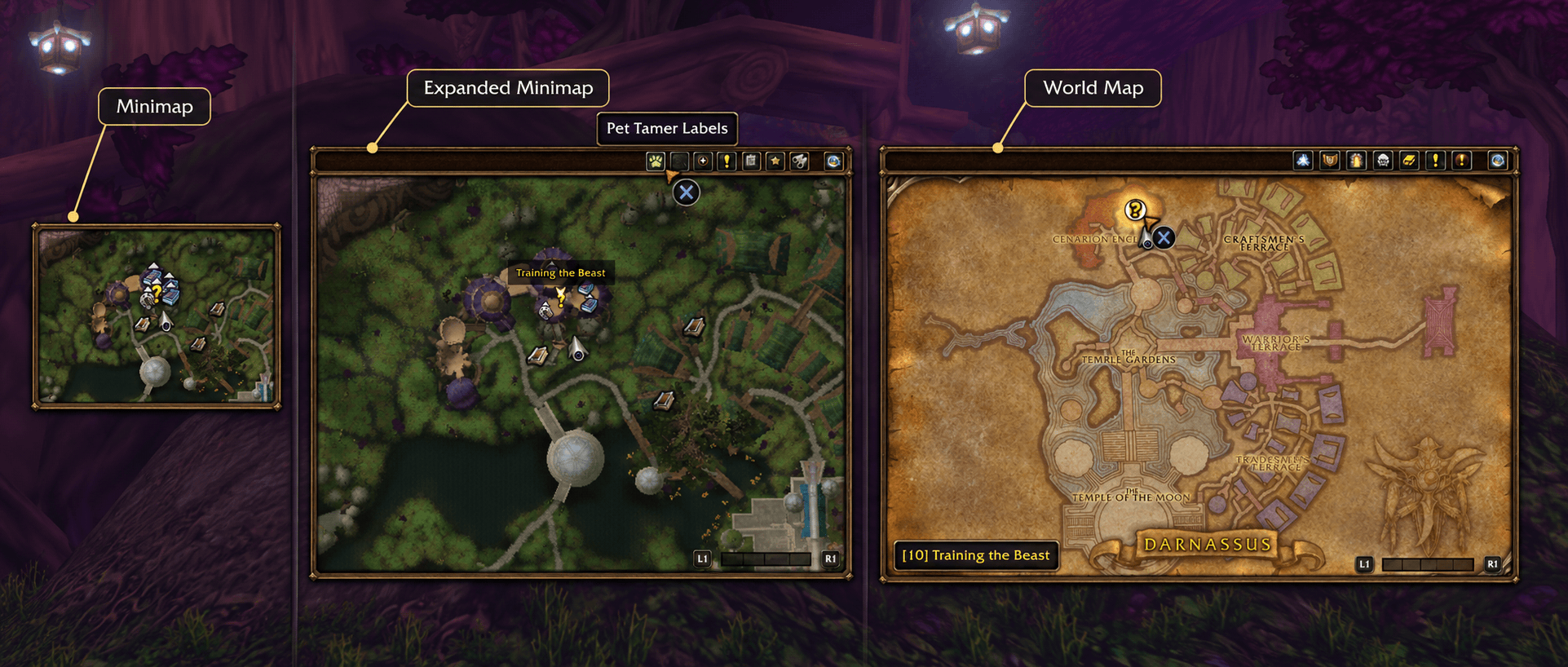
A clean minimap and refined world map make exploration feel at home in your layout. Choose a square or wide minimap, adjust its size, and expand it through a dedicated key binding when you need a closer look.
Quest objective and rare labels help you spot what’s nearby, while a consolidated toolbar keeps useful map controls together. Optional movement fading lets the minimap step back while you travel.
🗨️ Chat
Give conversations room to breathe
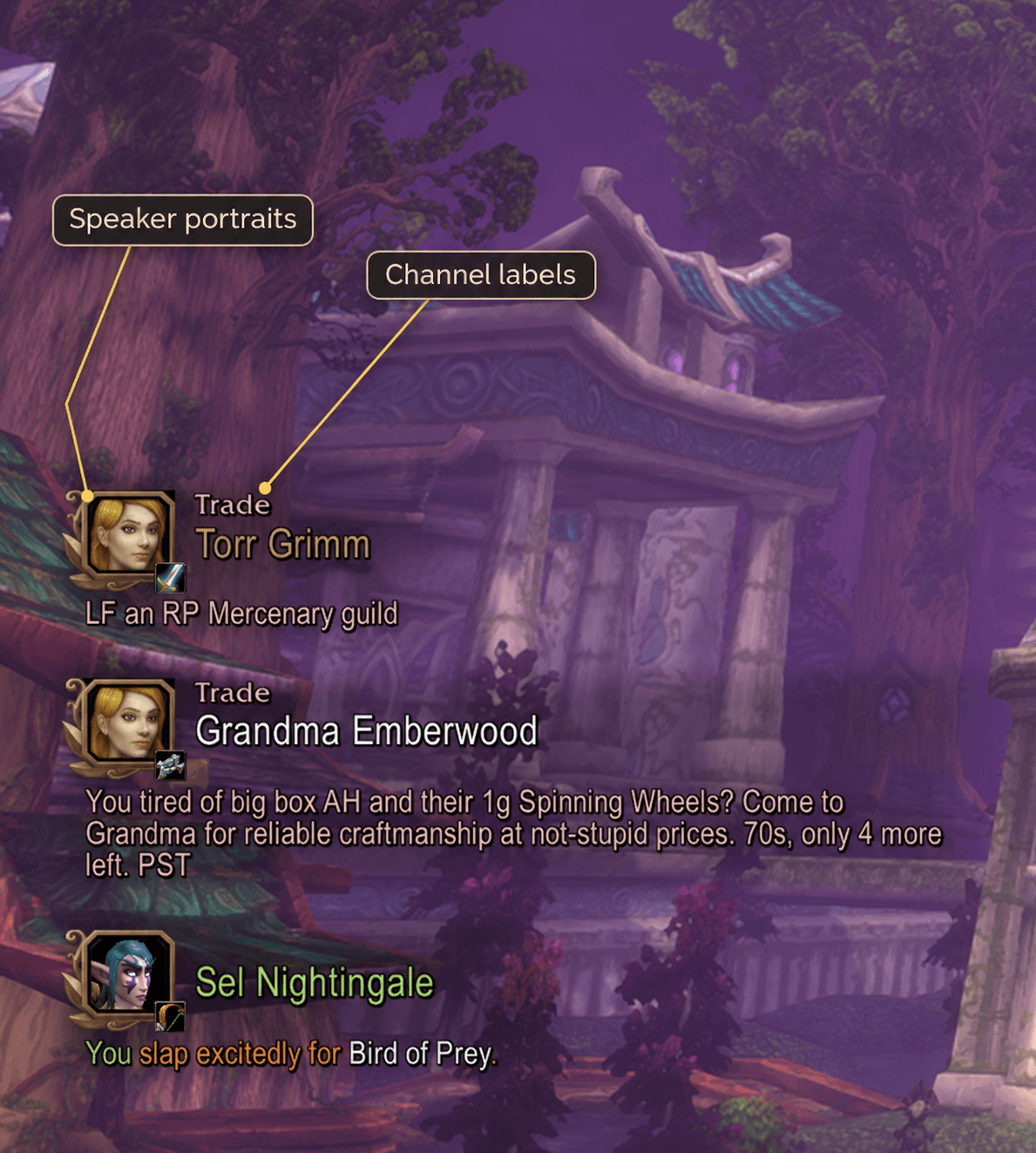
A complete chat replacement with speaker portraits, grouped messages, channel filters, and scrollback for your current session.
Optional animated text and automatic fading keep conversations readable without leaving a permanent wall of text on screen. Customize channel labels, switch to a compact layout, and manage local player or guild blocks.
🎮 Chat Composer
Stay part of the conversation
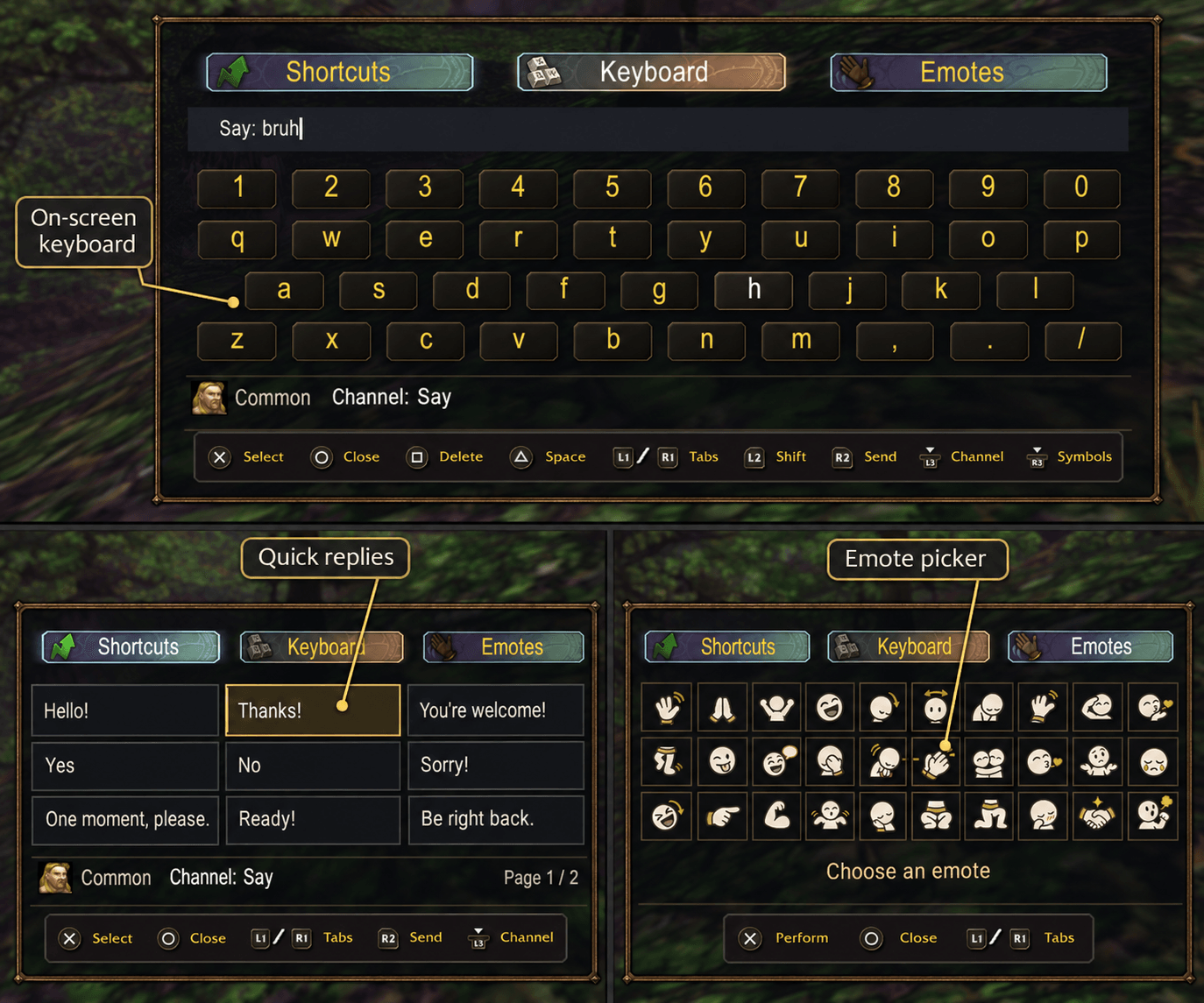
Write messages with a controller using the built-in on-screen keyboard, choose a customizable quick reply, or express yourself through the visual emote picker.
Select your channel or whisper recipient, prepare your message, and send when you’re ready. Mouse and keyboard input work too.
Assign CouchMode → Chat Composer in Key Bindings for quick access.
🗯️ Chat Bubbles
Bring NPC dialogue into the scene
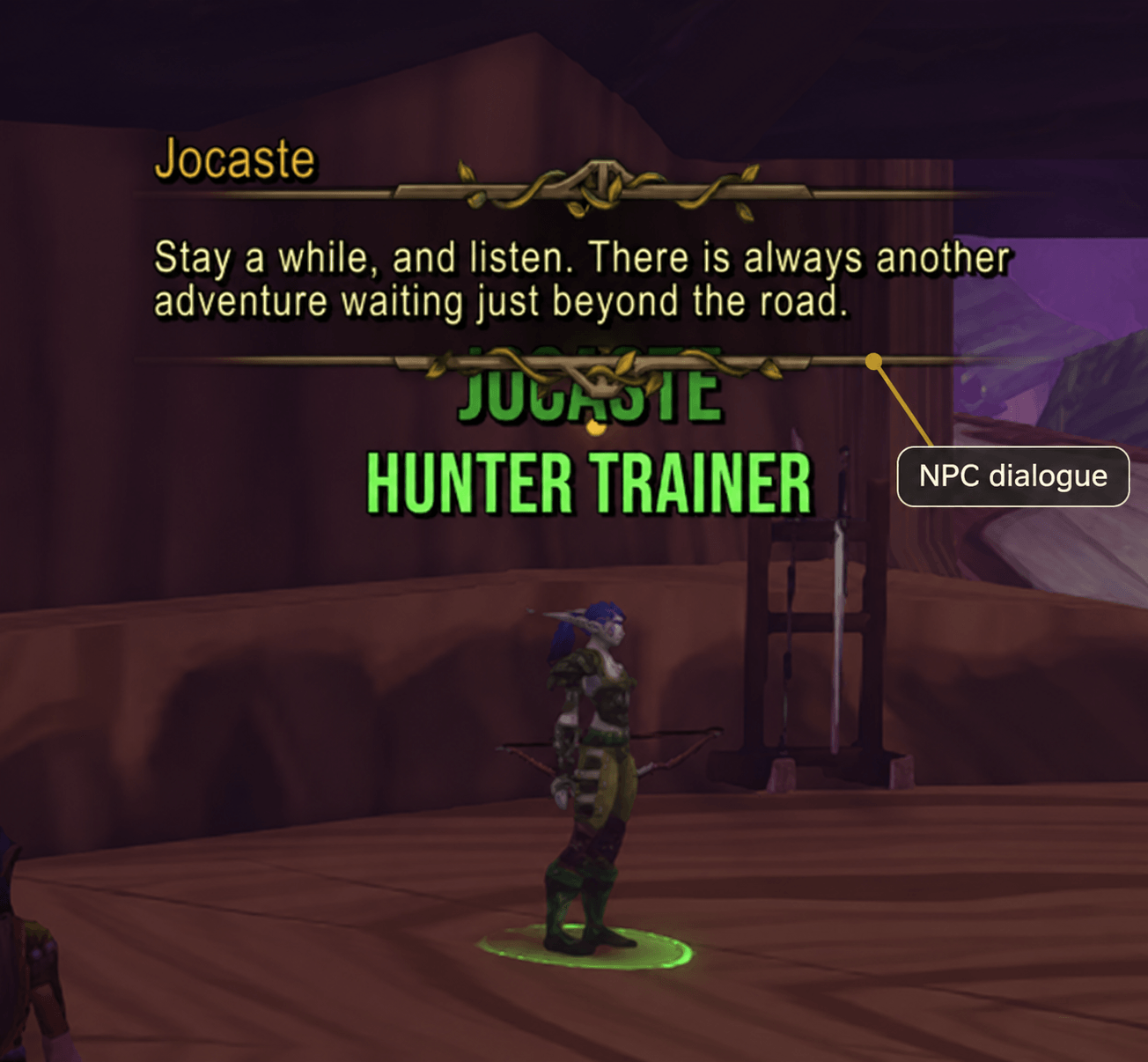
NPC speech bubbles gain portraits, readable text, and optional character-by-character animation, giving conversations a more cinematic feel.
Dialogue that cannot be displayed through a replacement bubble can appear in CouchMode Chat. You can also keep a record of every NPC line there and hide Blizzard’s Talking Head frame.
✨ Toasts
Let your rewards have their moment
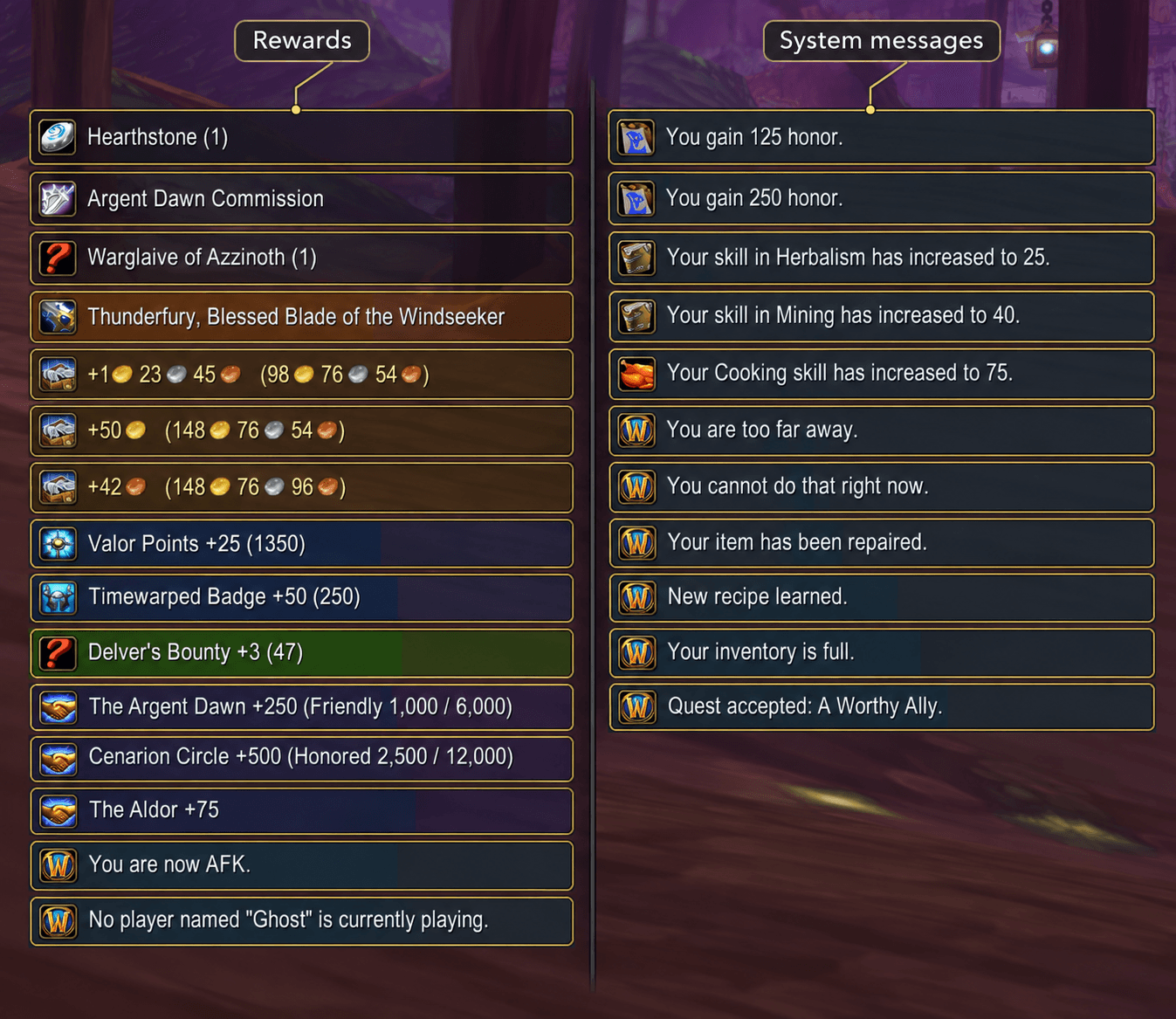
Loot, money, currency, reputation gains, and system messages appear in a dedicated fading feed.
Choose which categories to display, adjust how long they stay visible, and filter repetitive action errors such as “Out of range” to keep the screen calmer.
🤝 Quick Thanks
A small gesture for a friendly buff
Available on WoW: Forever.
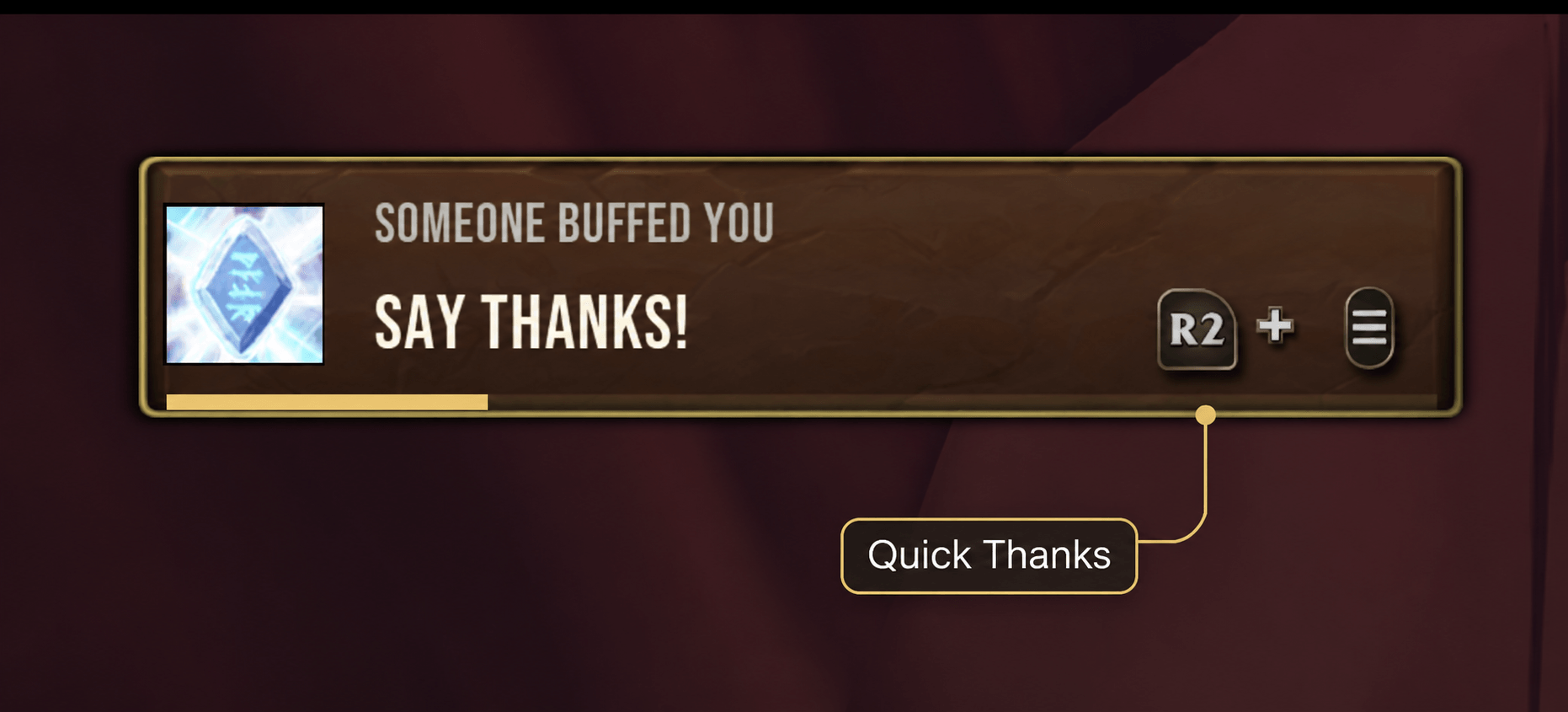
When someone outside your group gives you a qualifying long-lasting buff, a brief prompt lets you say “Thanks!” with a click or your Chat Composer binding.
A simple way to acknowledge a helping hand while continuing your adventure.
✦ Make It Your Own
Move and resize supported components through WoW’s Edit Mode, with positions saved to your active layout. Module settings provide further control over fonts, colors, visibility, and behavior.
Many modules include previews, so you can arrange your interface without waiting for a party, conversation, or reward.
✦ Optional Integrations
CouchMode includes integrations with:
- ConsolePort — controller navigation and input.
- Masque — bag item icon styling.
- Pawn — inventory upgrade indicators.
- CanIMogIt — appearance collection indicators.
- Scrap — junk marking.
- Total RP 3 — roleplay names and character details.
- Musician — nameplate performance indicators.
ConsolePort is optional.
✦ Getting Started
- Install CouchMode and enable it for your character.
- Type
/cmor/couchmodeto open settings. - Enable the modules you want and adjust their appearance.
- Use Edit Layout to position supported components.
- Assign your CouchMode controls in Key Bindings.
Settle in. Pick up your controller. Make yourself at home in Azeroth.
CouchMode (formerly ConsoleBags) Team