Consider
- By
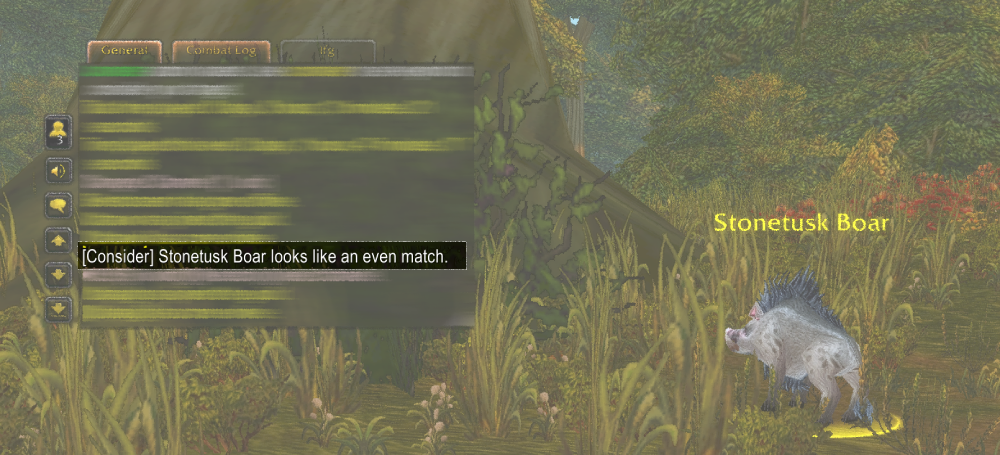
A World of Warcraft Classic Era addon that emulates the classic "consider" command from early MMORPGs. Get instant feedback on how challenging a target will be before engaging in combat. A perfect edition to Ultra Hardcore addon.
Consider


Know your fights before they start.
A World of Warcraft Classic Era addon that brings back the old-school "consider" command from early MMORPGs. Instantly see how tough your target is—perfect for no-nameplate, no-frame, or Ultra Hardcore play.
Features
- Instant Target Check – See difficulty based on level difference
- Classic Colors – Red = impossible, Green = trivial, etc.
- Custom Keybind – Uses Blizzard’s Keybindings menu (defaults to SHIFT+G)
How to Use
Setting a Keybind
- Open Options → Keybindings (or press
Esc→ Keybindings). - Expand the Consider category.
- Click the Consider Keybind slot and press your preferred combo (defaults to SHIFT+G).
- Hit Accept to save.
You can also type /consider anytime to open the addon info window.
Using Consider
- Press your keybind while targeting a mob or player to get the difficulty readout.
- Or use
/condirectly in chat for a quick check.
Difficulty Colors
| Color | Meaning | Description |
|---|---|---|
| 🟥 Red | Impossible | You’ll get wrecked |
| 🟧 Orange | Very Hard | Nearly unbeatable |
| 🟨 Yellow | Hard | Tough but possible |
| ⬜ White | Even | Could go either way |
| 🟦 Blue | Easier | You’ve got the edge |
| 🟩 Green | Much Easier | Little to no threat |
| ⬛ Gray | No Reward | Too weak to matter |
Commands
/consider– Show addon info and tips/con– Quick check on your current target- Saves through Blizzard’s native keybinding system
- Clean, concise chat notifications
✨ Relive the MMO nostalgia—make every pull an informed choice.
Consider Team

Owner