Matt's Action Bar Fonts & UI QoL
- By
Addon to change default font of WoW default action bars and UI QoL.
Matt's Action Bar Fonts & UI QoL


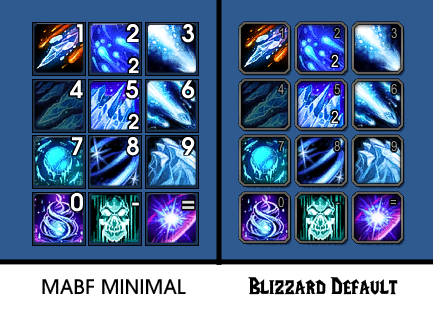
Custom fonts for the Blizzard action bar , minimal themes, and UI QoL tweaks. (Now w/ Dominos support!)

Action Bar Features
- Custom Fonts – use any font, with full size & position control.
- Minimal Themes – Black or Translucent action bar skins with adjustable opacity.
- AB Tweaks – mouseover fade, reverse bar growth, hide macro text & more.
Quality of Life Features
- Complete Class Reminders - Major buffs, consumes, class auras, shields, beacons etc.
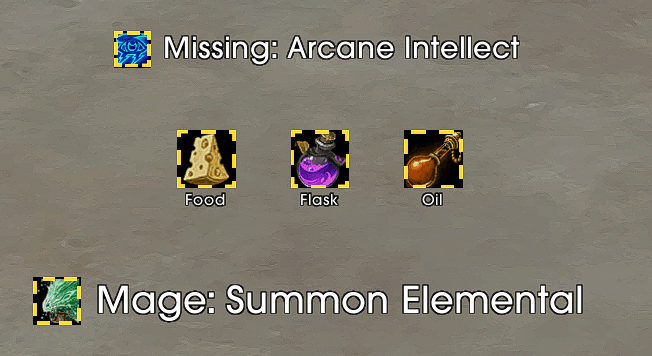
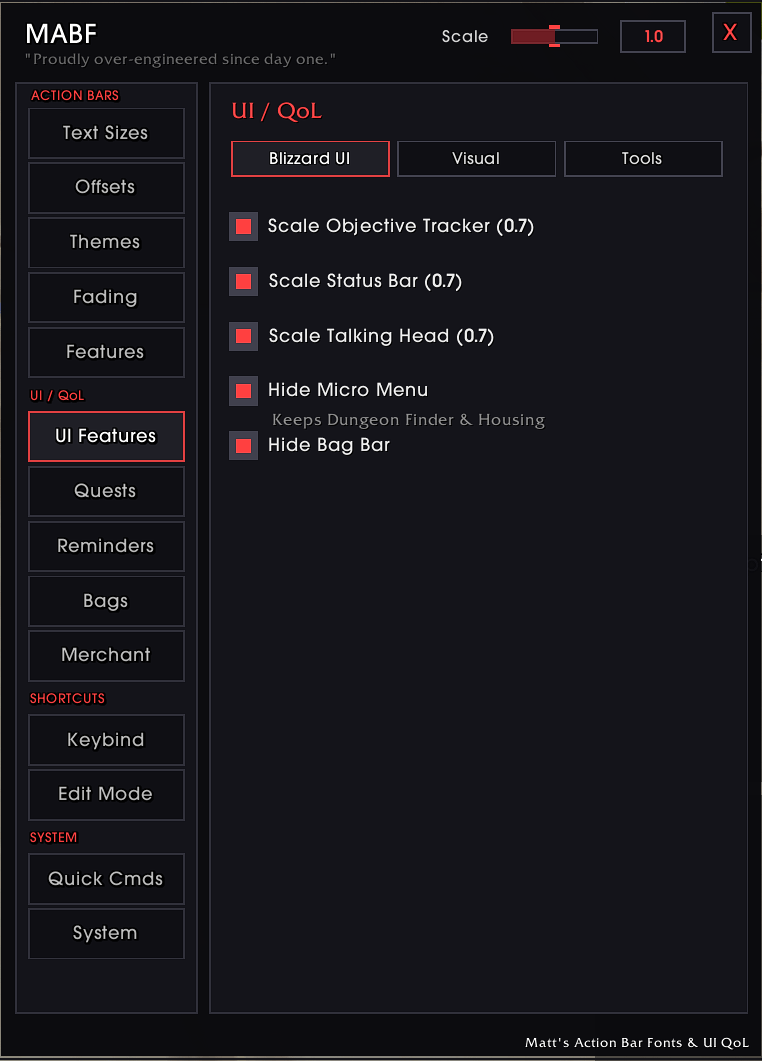
- UI Tweaks – scale objective tracker / status bar / talking head, hide micro menu, cursor circle & bag bar.
- Performance Monitor – draggable FPS/MS display with color & layout options.
- Quest Tweaks – auto accept & auto turn in quests (hold Shift to skip).
- Bag Tweaks – show item levels in bags & bank, color-coded by rarity.
- Edit Mode Device Manager – auto-apply an Edit Mode layout on login.
- Quick Commands –
/kb,/rl,/edit,/pull X(all toggleable).
Example of MABF GUI:
Slash Commands
/mabf— Open addon options/rl— Reload UI/kb— Keybind mode/edit— Edit Mode/pull X— Pull timer
Custom Fonts
- Drop
.ttffiles into the CustomFonts folder. - Register them in AddYourCustomFonts.lua.
- Select from the dropdown in settings.
Note
The font and theme features work with WoW's default action bars and Dominos. UI QoL tweaks work independently of your action bar setup.
Matt's Action Bar Fonts & UI QoL Team

Owner