CompanionWF
- By
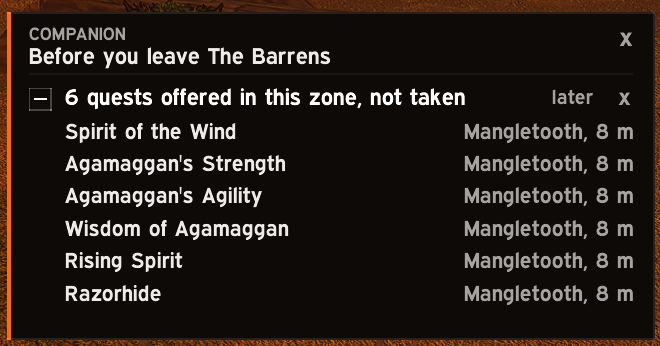
Never fly off with a quest one kill short again. CompanionWF warns you at the right moment in WoW Forever: before you leave a zone, at the vendor, at the dungeon door. Spend less time backtracking and more time adventuring.
01-card-before-you-leave.png
02-arrow.png
03-prepare.png
04-supplies.png
05-arrow-off-screen.png
07-card-after-vendor.png
08-card-since-you-are-here.png
Description
CompanionWF
Never fly off with a quest one kill short again.
You know the moment. You land two zones away and see it in your log: 9/10. Or you are at the last boss and remember the quest you never picked up. Or your bags fill up in the middle of a pull, five minutes after you walked past a vendor.
CompanionWF is a companion for World of Warcraft: Forever that speaks up before that happens. One small card, at most three lines, each with its reason. It shows on its own when there is something worth saying and goes away by itself.
It speaks at the right moment
| The moment | What it tells you |
|---|---|
| You open the flight map or cast your hearthstone | Quests you can hand in right here, quests one kill or one item short, quests offered here that you never took, worn gear, full bags, supplies you are short of |
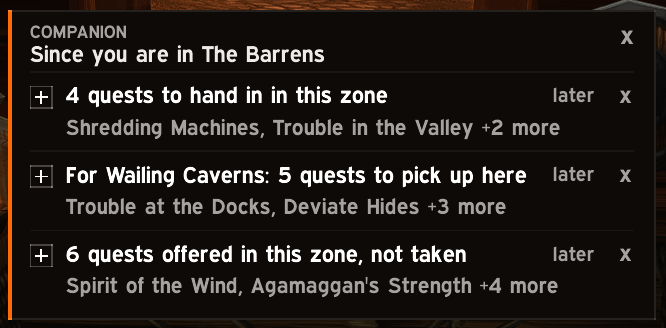
| You arrive in a zone | What you can hand in here, what was offered here, and the quests of your chosen dungeon that start here |
| You talk to a vendor | Repair, bags, the supplies it sells that you lack, the class reagents you are out of |
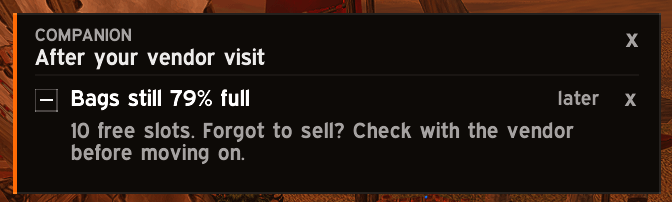
| You walk away from a vendor | Bags still nearly full: forgot to sell? |
| You stand where two quests overlap | Their open objectives side by side, so you do them in one pass |
| A fight ends | Loot left on a corpse while a quest here still needs items |
| You step into a dungeon | What each quest you carry needs in there |
| You step out of a dungeon | Which of its quests are still open |
Every line can be put off ("later") or dismissed ("x"), and every kind of reminder can be turned off. Nothing is said twice for the same reason. The card hides in combat.
An arrow that takes you there
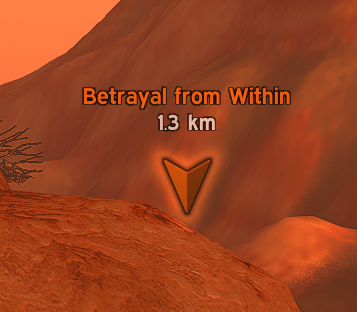
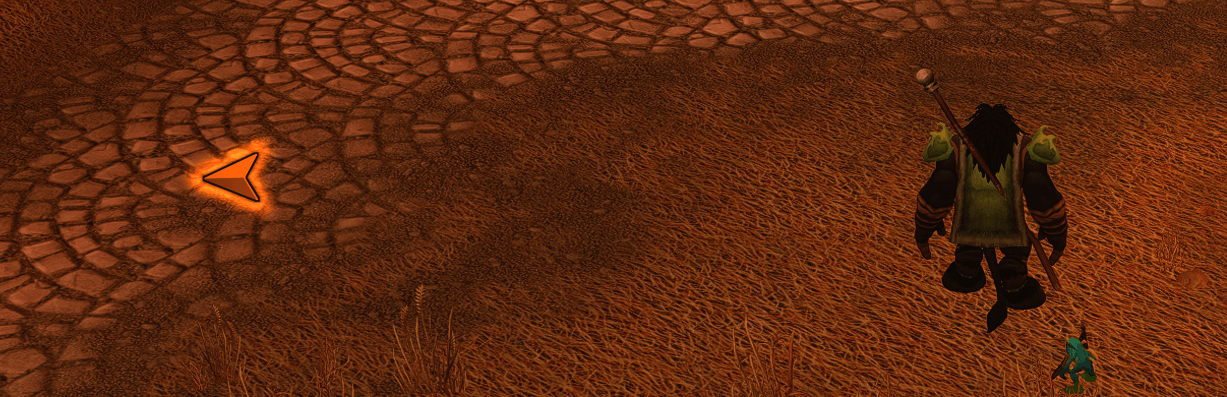
Shift-right-click any quest, on the card or in the window, and an arrow appears in the world in your class colour, with the name and the distance.
It points to the NPC that gives the quest or takes it in, to the quest you have to do first, to the entrance of a dungeon, or to where you left loot behind. Off screen, it slides to the edge and points the way.
Walk into every dungeon ready
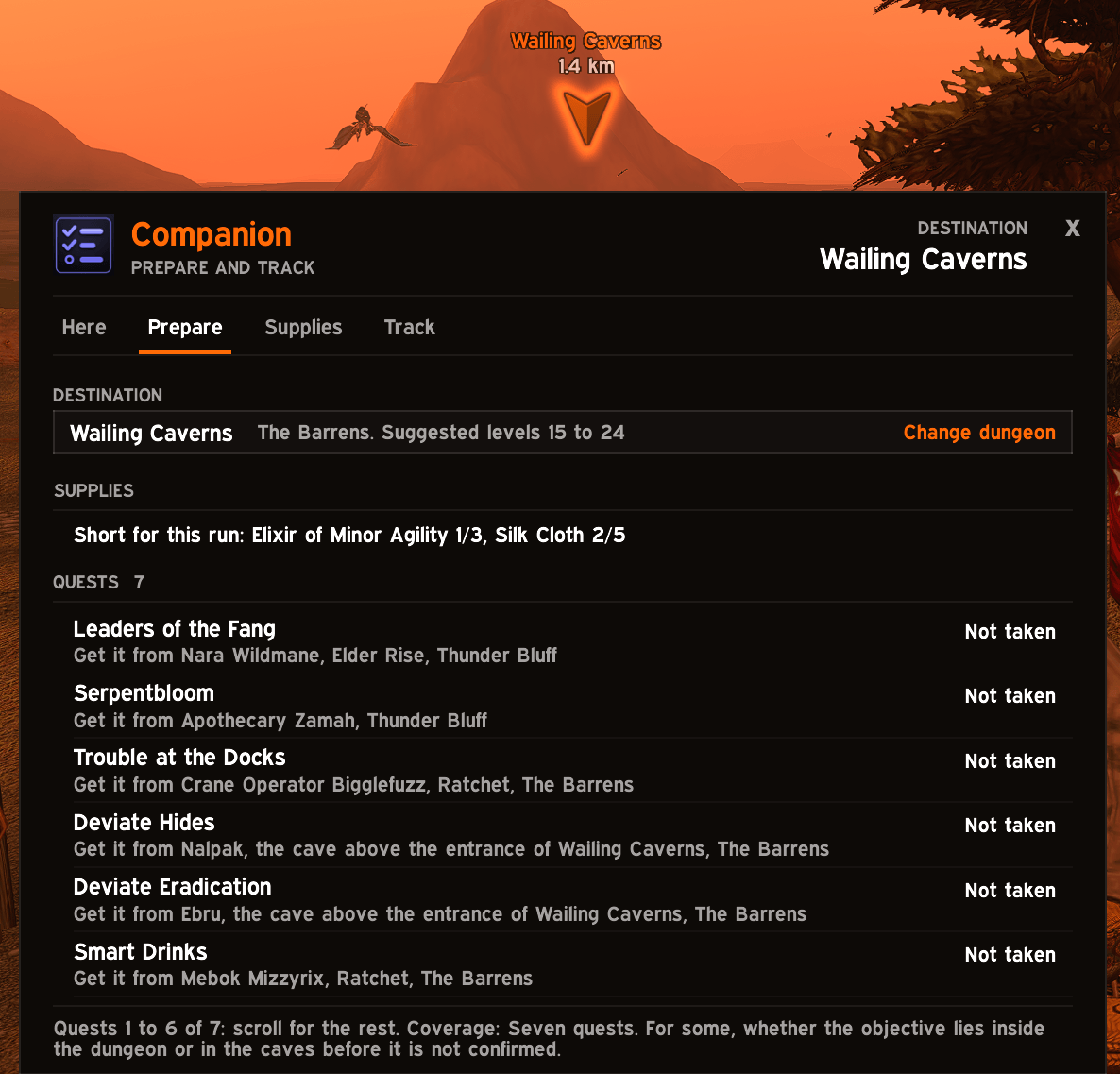
Choose a dungeon in the Prepare tab and see its quests for your faction and class: which you have, which are ready, which you still need to pick up, the quest that has to be done first, the level they open at and who gives them.
32 dungeons and 360 quests, for Horde and Alliance. Shadowfang Keep, Blackfathom Deeps, Ragefire Chasm and Wailing Caverns also describe what to do or pick up inside (Horde quests).
Inside, a small pinned panel keeps the essentials in view: the quests you carry with what each one still needs, your own reminders with a box to tick, and the bosses already down.
Never run out again
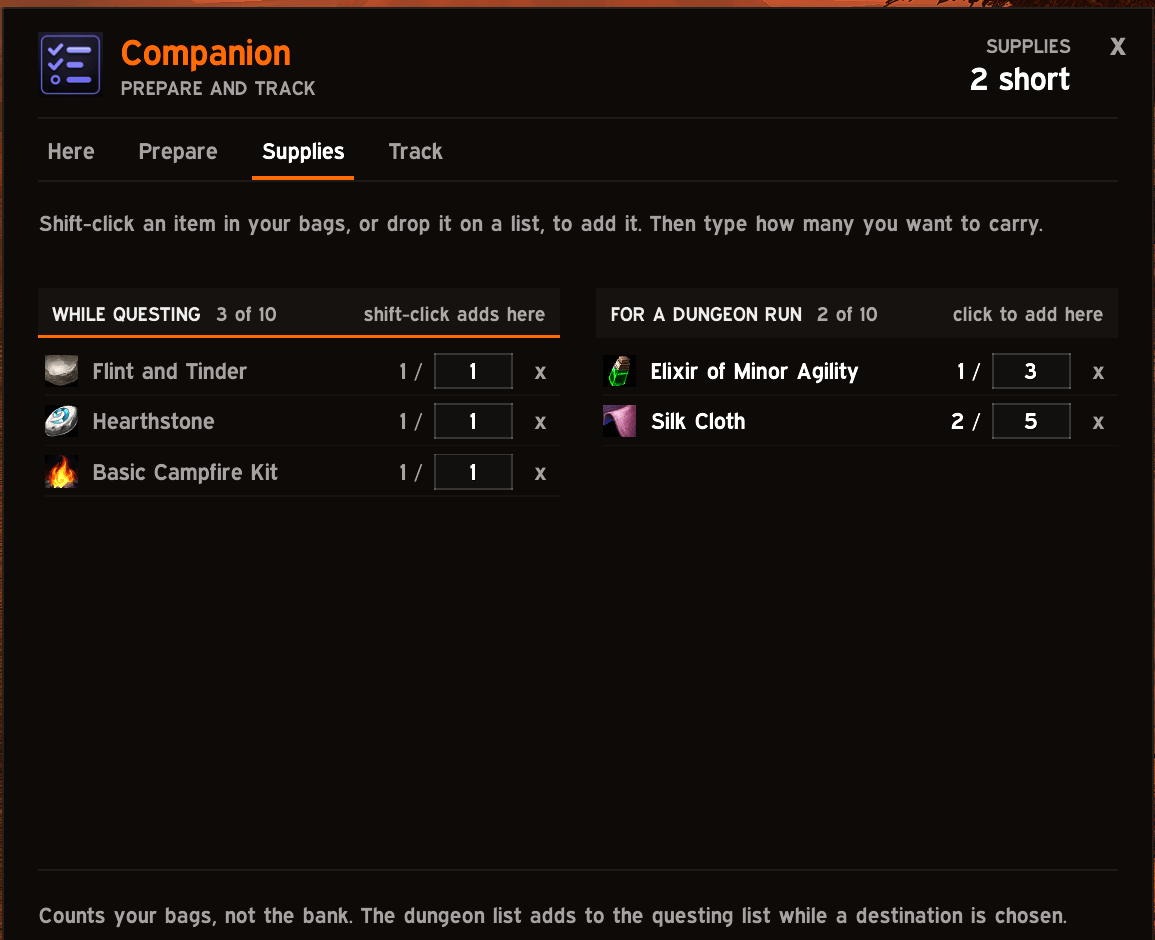
- Supplies: two lists of what you want to carry, one while questing and one for a dungeon run. Shift-click an item in your bags to add it, type how many you want. At a vendor that sells what you are short of, the card says so.
- Class reagents: the addon learns which reagents your character uses and warns you at a vendor that sells one when you have none or one left.
The window
- Here: the quests of your log for the zone you are in, nearest first, with progress and the next step.
- Prepare: your dungeon, its quests and what stands between you and each one.
- Supplies: what you want to carry, and what you are short of.
- Track: your own reminders for a dungeon, shown again once you are inside.
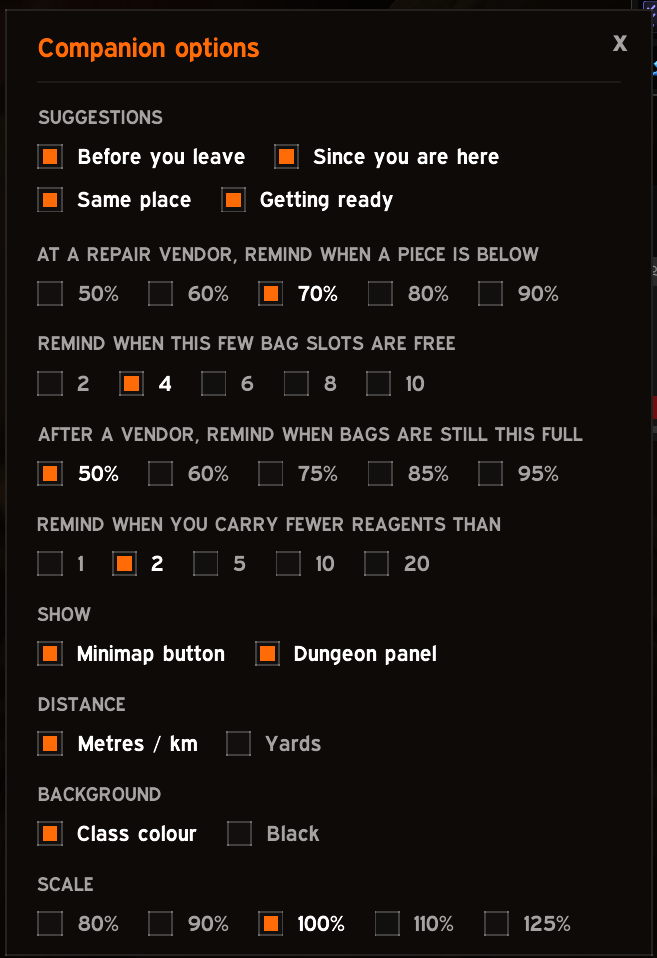
Clean flat panels in your class colour, readable text, no clutter. When the reminders speak is yours to set: the durability that calls for a repair, how few free bag slots are too few, how full the bags may stay after a vendor, how few reagents are too few. So are the distance unit, the background and the scale.
Honest by design
- It never plays for you. No accepting or handing in quests, no buying, selling or equipping. It reads, explains and reminds.
- It never guesses. When the game gives no answer, a quest is shown as unknown, never as done or available. The window says how much is covered for the dungeon you chose.
- It stays quiet. No chat messages, no addon messages, no sounds.
Light on your game
Nothing runs on a timer or per frame while there is nothing to show. The window and the dungeon data are separate load-on-demand addons, loaded the first time they are needed.
Commands
| Command | What it does |
|---|---|
/cwf |
Open or close the window |
/cwf suggest |
Show what there is to say about where you are now |
/cwf status |
Print the chosen dungeon and the state of its quests |
/cwf here |
Print the quests of your log for the zone you are in |
/cwf supplies |
Print both supply lists and what is in your bags |
/cwf note <text> |
Add a reminder for the chosen dungeon |
/cwf track |
Turn the dungeon panel on or off |
/cwf arrow clear |
Remove the arrow |
/cwf options |
Open the addon page in the game options |
/cwf mem, /cwf cpu |
Memory and time used by the addon |
Left-click the minimap button for the window, right-click it for the options.
Good to know
- Inside a dungeon the game gives addons no position, so there are no arrows in there.
- The arrow uses the game's single map pin: setting one replaces a pin you placed.
- World of Warcraft: Forever only. Other game versions are not supported.
CompanionWF Team