Companion Chronicle
- By
Remember the players who shape your adventures with a personal journal of encounters, notes, and trusted companions
Companion Chronicle
Some names deserve a place beyond the next quest.
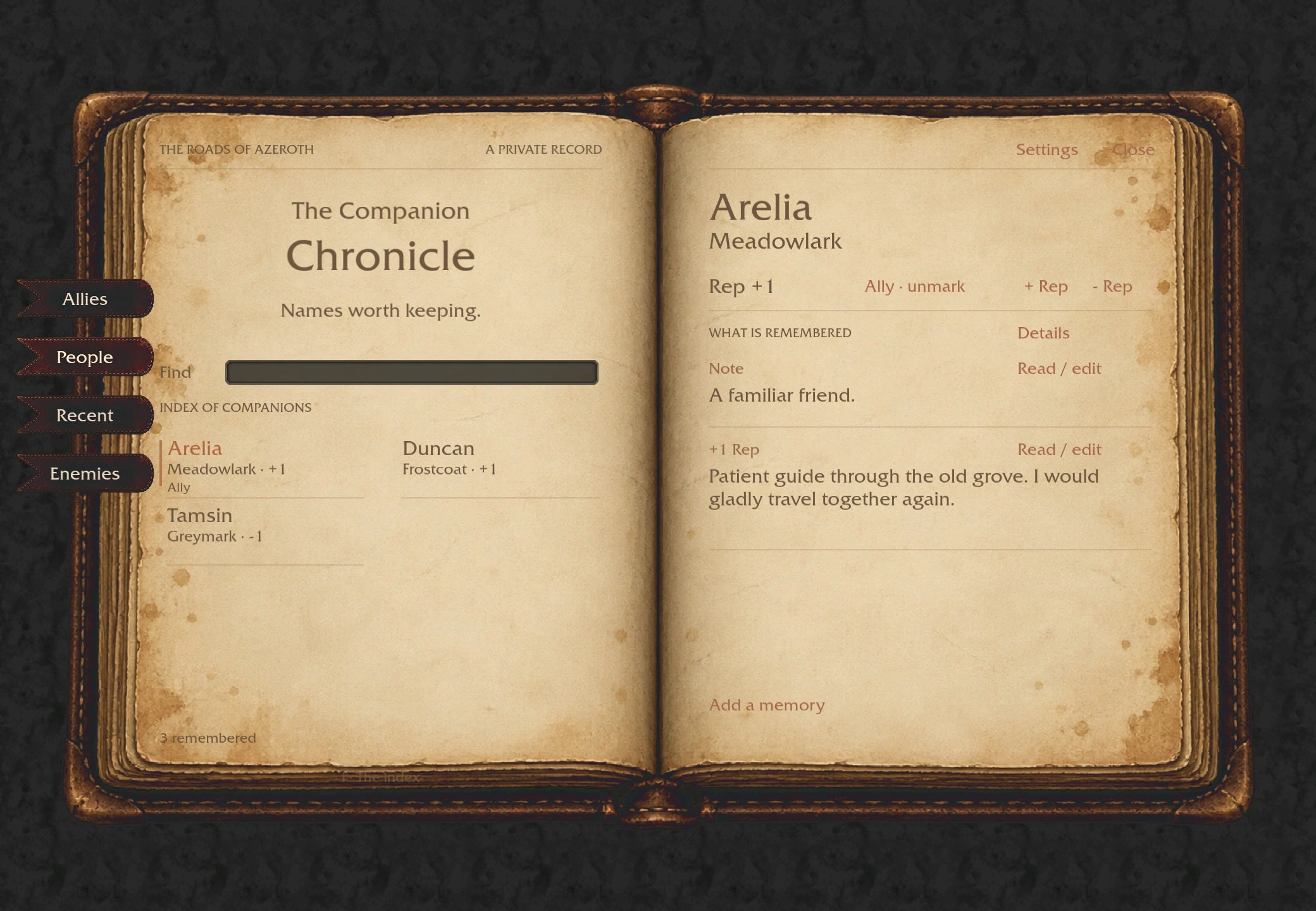
Companion Chronicle is a private journal for the players you meet in WoW Forever and Retail. Remember the stranger who helped you, the companion who made a dungeon memorable, or the familiar face you hope to see again. Give someone a friendly or unfriendly mark, write down what happened, and keep trusted companions close as allies.
Open the Chronicle
What you can do
- Remember an encounter. Mark another player Friendly or Unfriendly from a supported player portrait or chat name menu. Undo your last mark if you change your mind.
- Write a memory. Add an optional note, browse your history, and edit or remove entries later.
- Keep track of allies. Mark trusted companions and find them with the Allies filter. Search the people you've remembered or review recent encounters.
- Recognize familiar names. See your own reminders in the journal and in supported tooltips, chat messages, group reminders, and friendly nameplates.
- Make the journal yours. Choose the illustrated Chronicle or compact Modern view. Set the journal size from 70% to 110%; it also fits itself to the available screen space.
Optional Total RP 3 integration on Retail
The separate Companion Chronicle: Total RP 3 addon shows a player's current RP name alongside their game character in the journal when a profile is available. New entries can remember the RP name used when you met, even if that player later changes profiles. A button on the Total RP 3 target frame opens that player in your Chronicle.
This companion addon requires both Companion Chronicle and Total RP 3. Enable its separate checkbox in WoW's AddOns list, then reload. The base journal works without Total RP 3.
Getting started
Install the Retail or WoW Forever file that matches your client. The two
editions keep their journal records separate. Click the book beside the minimap
to open or close the journal, or type /cchron or
/companionchronicle. Drag the button around the minimap to save a new
position. Open Settings in the journal to choose its appearance, size, and
reminders. For outdoor nameplate reminders, enable friendly nameplates in the
game settings.
If your travels uncover a bug or spark an idea, share it in the issue tracker. For bugs, please include whether you use Retail or WoW Forever, your game version, what you were doing, and any error message.
The Companion Chronicle Team