Community Crafts
- By
Guild and community crafting directory for WoW Retail with an attached artisan side-sheet, searchable browser, favorites, and quick crafter contact tools.
Community Craft 2.png
Community Craft 1.png
Description
# CommunityCrafts
CommunityCrafts is a World of Warcraft Retail addon that helps guilds and communities keep track of who can craft what.
Instead of asking in chat every time you need an item, CommunityCrafts lets players scan their professions, share their crafting profile, and build a local directory of known crafters. You can then browse available crafts, open an artisan profile, and contact the right player quickly.
## What the addon does
CommunityCrafts creates a lightweight crafting directory for your guild or community.
Each player can:
- scan their professions and known crafts
- share their profile with guild members and an optional community channel
- appear in a searchable local crafter directory for other addon users
This makes it easier to find the right crafter without spamming chat or checking multiple profession windows manually.
## Main features
### Attached artisan side-sheet
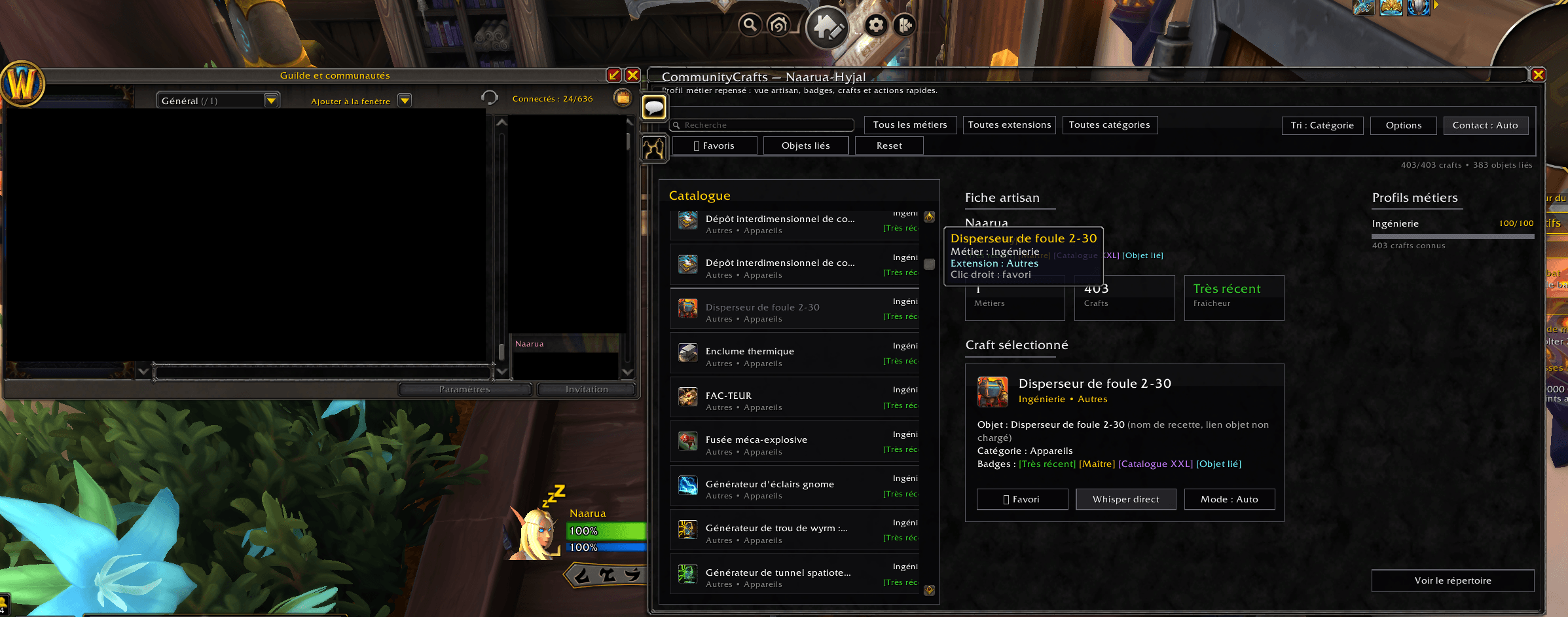
CommunityCrafts can open a compact artisan profile directly next to the Guild or Communities window.
Clicking a player in the roster can open or update the side-sheet automatically, so the crafter profile stays close to the Blizzard social UI.
### Searchable craft browser
The addon includes a full browser to explore known crafters and recipes with filters for:
- profession
- expansion
- category
- artisan
- favorites
- crafts with linked item data
It also supports advanced search terms to narrow results faster.
### Crafter profiles
Each profile shows:
- professions
- profession rank
- known crafts
- linked item information when available
- freshness / recency of the shared data
- useful profile badges
### Favorites
You can mark crafts as favorites to keep your most useful recipes easy to find later.
### Quick contact options
When you find the crafter you need, CommunityCrafts can help you contact them with three modes:
- draft a whisper in chat
- ask for confirmation before sending
- send directly
### Automatic missing-profile requests
If you open a player profile that is not yet known locally, the addon can automatically request that data from the player, provided they also use CommunityCrafts.
### Appearance options
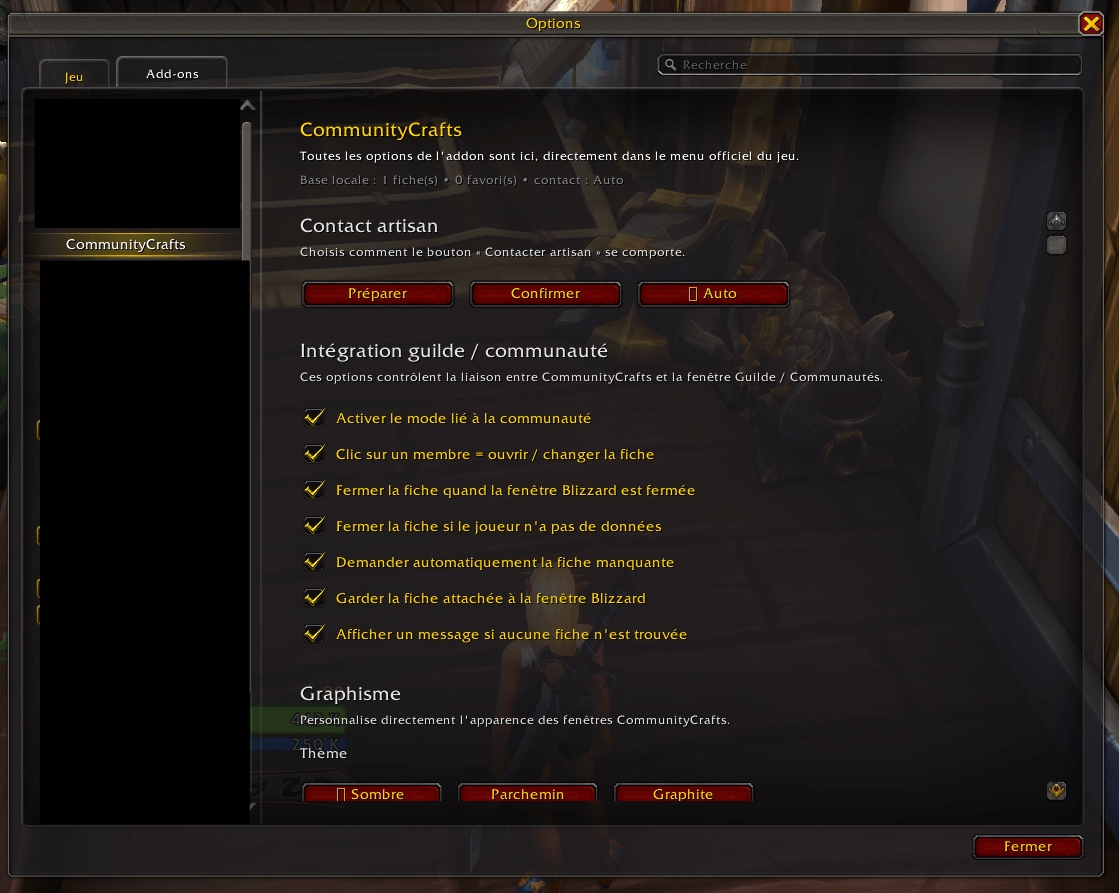
The addon includes appearance settings for:
- theme
- window opacity
- window scale
Window positions are also saved.
### Safe roster integration options
CommunityCrafts includes configurable guild/community integration options, including Legacy and Safe modes, to keep the Blizzard UI interaction more controlled.
## How it works
1. Install the addon.
2. Scan your professions.
3. Share your profile.
4. Other players with CommunityCrafts can receive your data and add it to their local directory.
5. Everyone can browse known crafters and contact them more easily.
CommunityCrafts works best when multiple members of the same guild or community use it.
## Slash commands
- /cc scan
- /cc share
- /cc browser
- /cc show Name
- /cc me
- /cc options
- /cc favorites
- /cc contact draft
- /cc contact confirm
- /cc contact auto
- /cc mode legacy
- /cc mode safe
## Notes
- This addon is designed for WoW Retail.
- CommunityCrafts stores and displays locally received crafter data.
- The best experience comes when guildmates or community members also have the addon installed.
- If a player has not shared data yet, their profile can remain empty until data is received or requested.
## Why use CommunityCrafts?
CommunityCrafts is made for players who want a cleaner, faster way to find crafters inside a guild or community.
It adds a practical social layer to professions:
find artisans faster, browse known recipes more easily, and contact the right person with fewer steps.
Community Crafts Team