Teleport Hub
- By
A customizable teleport hub for WoW that brings your teleport items, toys and housing destinations together in one clean, movable window.
Teleporthub - Bouton.png
Teleporthub - 1.png
TeleportHub - Option 1.png
TeleportHub - Option 2.png
TeleportHub - Option 3.png
Description
TeleportHub
Stop searching. Start teleporting.
Your bags are full of hearthstones.
Your Toy Box is packed with teleport toys.
Your dungeon teleports are buried inside your spellbook.
Your housing destinations are hidden somewhere else.
TeleportHub puts them all in one place.
Create your own teleport menu, keep only the destinations you actually use, and customize the interface until it perfectly matches your UI.
No clutter. No endless bag searching. Just click and go.
Build Your Own Teleport Hub
TeleportHub gives you full control over the contents of your travel menu.
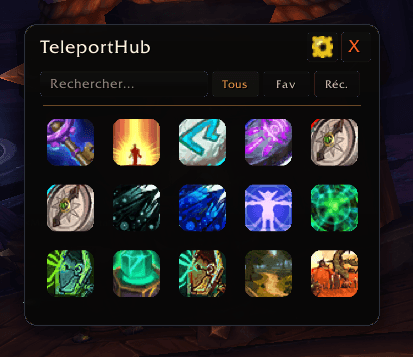
Drag your favorite teleport items and toys into the window, add your housing destinations, and let the addon detect the dungeon teleports available in your spellbook.
Only compatible teleportation items can be added. Regular items are automatically rejected, preventing accidental clutter.
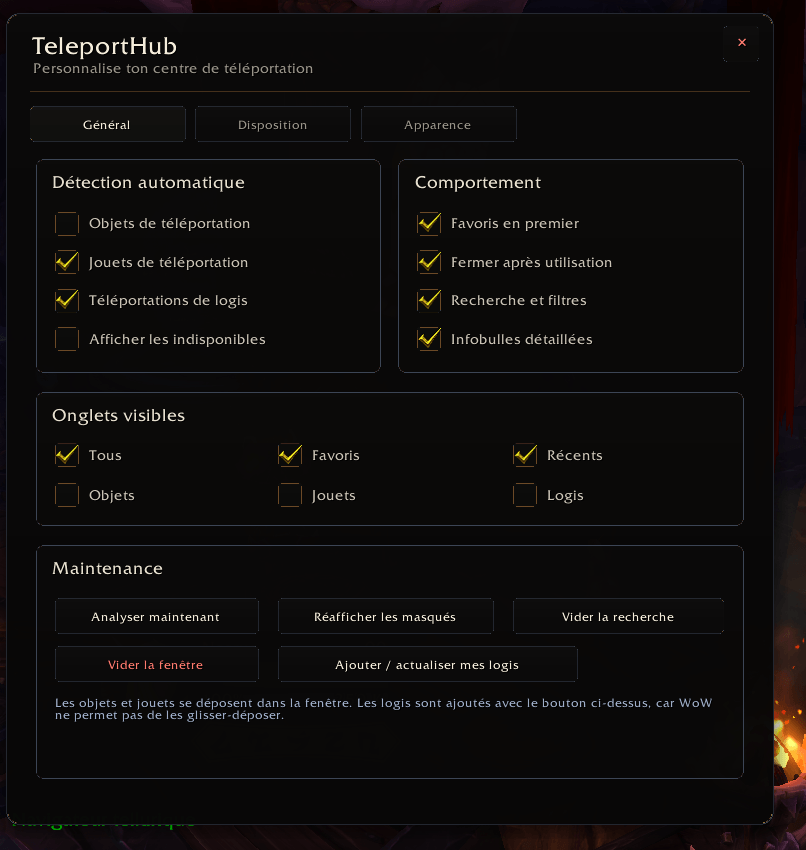
Automatic detection can also be enabled whenever you prefer TeleportHub to find supported teleports for you.
Supported entries include:
- Hearthstones and cosmetic hearthstone toys
- Teleportation items
- Teleportation toys
- Engineering teleport devices
- Dungeon teleport spells
- Housing destinations
- Other supported travel utilities
Dungeon Teleports
TeleportHub can automatically detect the dungeon teleport spells learned by your character.
Detected teleports are placed in their own Dungeons tab instead of being mixed into the general All category.
Inside the Dungeons tab, teleport spells are grouped by expansion, making large collections much easier to browse.
Supported features include:
- Automatic spellbook detection
- Hero’s Path teleport detection
- A dedicated Dungeons category
- Teleports grouped by expansion
- Cooldown tracking
- Favorites and recently used support
- Automatic updates when new spells are learned
Dungeon detection can be enabled from the options or with:
/tph dungeons on
Easy First-Time Setup
The first time TeleportHub is loaded, a welcome window explains how the addon works.
From this window, players can immediately enable dungeon teleport detection and begin building their travel menu.
Once the message has been confirmed, it will not appear again.
Designed Around Your UI
TeleportHub is not a fixed menu that forces you into one layout.
You control:
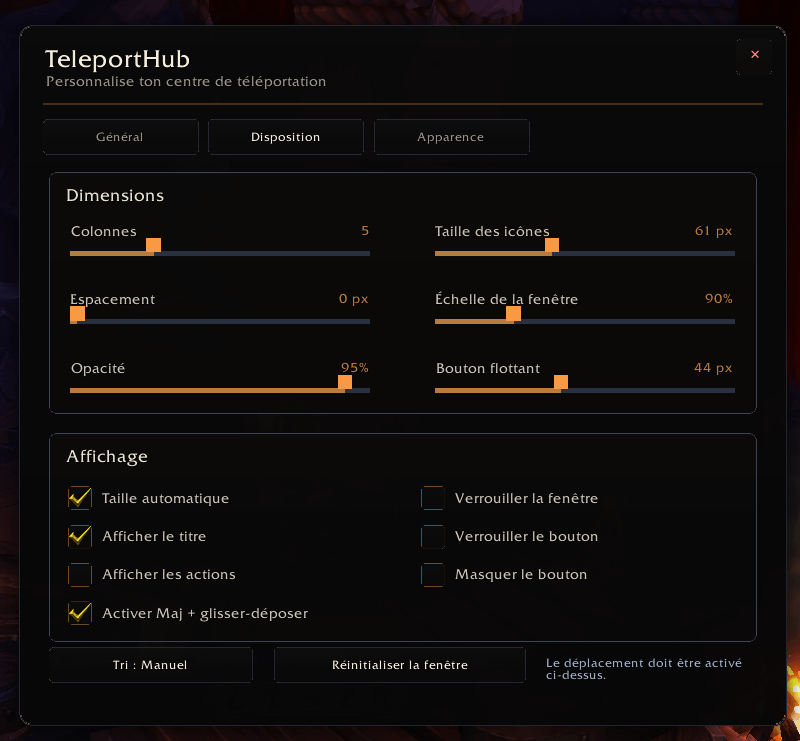
- Icon size
- Icon spacing
- Number of columns
- Window size and scale
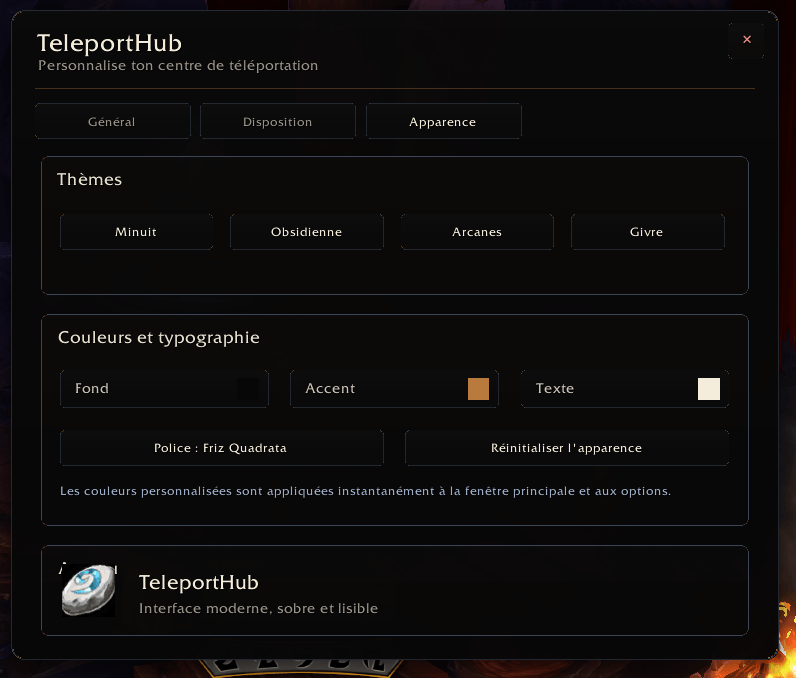
- Background, border and text colors
- Font
- Opacity
- Visible category tabs
- Automatic window sizing
- Floating launcher size and position
Make it compact, oversized, minimal, colorful, or almost invisible.
Fast and Easy to Organize
- Drag teleport items directly from your bags
- Drag teleport toys from the Blizzard Toy Box
- Automatically reject non-teleport items
- Reorder icons with Shift + drag
- Mark teleports as favorites
- View recently used destinations
- Search by name
- Filter items, toys, dungeons and housing
- Hide category tabs you do not need
- Remove individual entries
- Clear the entire window and rebuild it
Your layout is saved automatically.
Housing Support
TeleportHub can display your available housing destinations as separate buttons.
Use:
Options → General → Add / Refresh My Homes
The addon retrieves your current housing information and updates the available destinations.
A Small Button, Your Entire Travel Network
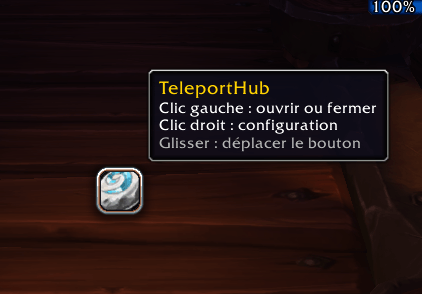
TeleportHub includes a movable floating launcher:
- Left-click to open or close the hub
- Right-click to open the options
- Drag to move it anywhere
The launcher can be resized, locked, or hidden.
Useful Information at a Glance
TeleportHub can display:
- Cooldowns
- Item quantities
- Availability
- Detailed tooltips
- Favorite status
- Recently used teleports
Unavailable actions are clearly identified instead of silently failing.
Automatic Language Detection
TeleportHub automatically uses the language of the World of Warcraft client.
Currently supported interface languages:
- English
- French
Item names, spell names and destinations continue to use the localized names provided directly by the game.
Commands
Open or close TeleportHub
/tph
Open the options
/tph config
Scan enabled teleport categories
/tph scan
Open and scan the Dungeons category
/tph dungeons
Enable automatic dungeon detection
/tph dungeons on
Disable automatic dungeon detection
/tph dungeons off
Show or hide the Dungeons tab
/tph dungeons show
/tph dungeons hide
Show or hide the floating launcher
/tph button
Reset window positions
/tph reset
Build your hub. Keep your favorites. Teleport faster.
Teleport Hub Team