


File Details
v1.1.0
- R
- May 24, 2026
- 99.13 KB
- 9
- 12.0.5
- Retail
File Name
CombatReticle-v1.1.0.zip
Supported Versions
- 12.0.5
CombatReticle changelog
1.1.0
New textures
- Modern chevron set (slots 21-30): Down Chevron, Up Chevron, Triple Down Chevrons, Triple Up Chevrons, Skull, Horizontal Chevron Pair, Shamrock, Converging Triple Chevrons, Sharp Down Chevron, Sharp Up Chevron. Sharp polygonal silhouettes with subtle axial gradient shading; no baked-in outline so the color picker tints them cleanly.
1.0.0
Initial release.
Textures (20 total)
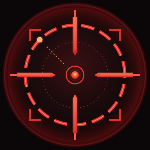
- Standard (slots 1-10): Crosshair, Brackets, Target Rings, Diamond, Hexagon, Double Side Arrows, Star, Triangle, X, Quad Double Arrows.
- Inward-pointing / small (slots 11-20): Arrows In, Top Chevron, Bottom Chevron, Gap Crosshair, Side Arrows, Small Square, Filled Dot, Vertical Arrows, Ring + Dot, Corner Arrows.
Customization
- Any
Interface\Iconstexture as the reticle, set via popup or/cr icon <name>. - Blizzard color picker for tinting. Cancel restores the previous color.
- Sliders for size (16-256 px), opacity, X/Y offset. Each has stepper buttons (click nudges, hold repeats).
Options window
- Floating
BasicFrameTemplateWithInsetwindow. Drag title bar to move, X or ESC to close. Position persists. - 5x4 visual icon grid for reticle selection. Hover for name, gold border on the active selection.
- Reticle stays visible while the window is open so you can see what you're configuring.
Visibility
- Show-only-in-combat toggle (off by default).
- Hide-on-vehicle / taxi toggle (on by default).
MEDIUMframe strata so Blizzard panels render on top naturally.
Minimap / addon compartment
- Static brand-icon minimap button via LibDBIcon. Left-click opens options, right-click toggles combat-only, drag to reposition.
- Matching addon compartment entry with status tooltip.
Slash commands
/cropen the options window/cr reticle <1-20>pick a preset by number/cr icon <name>use a built-in WoW icon/cr icon clearrevert to selected preset/cr size <n>size in pixels (16-256)/cr coloropen the color picker/cr combat on|offtoggle combat-only/cr minimap on|offshow / hide the minimap button/cr listprint all presets/cr resetreset to defaults/cr helplist all commands
Compatibility
- WoW Midnight (patch 12.x).
- Embeds LibDBIcon-1.0 + LibStub + LibDataBroker-1.1 + CallbackHandler-1.0. LibStub defers to a newer copy if loaded.
- No required dependencies, no taint.