Cobas-Core
- By
Modular addon suite for WoW: Forever – one sleek settings window, profiles and plug-in modules.
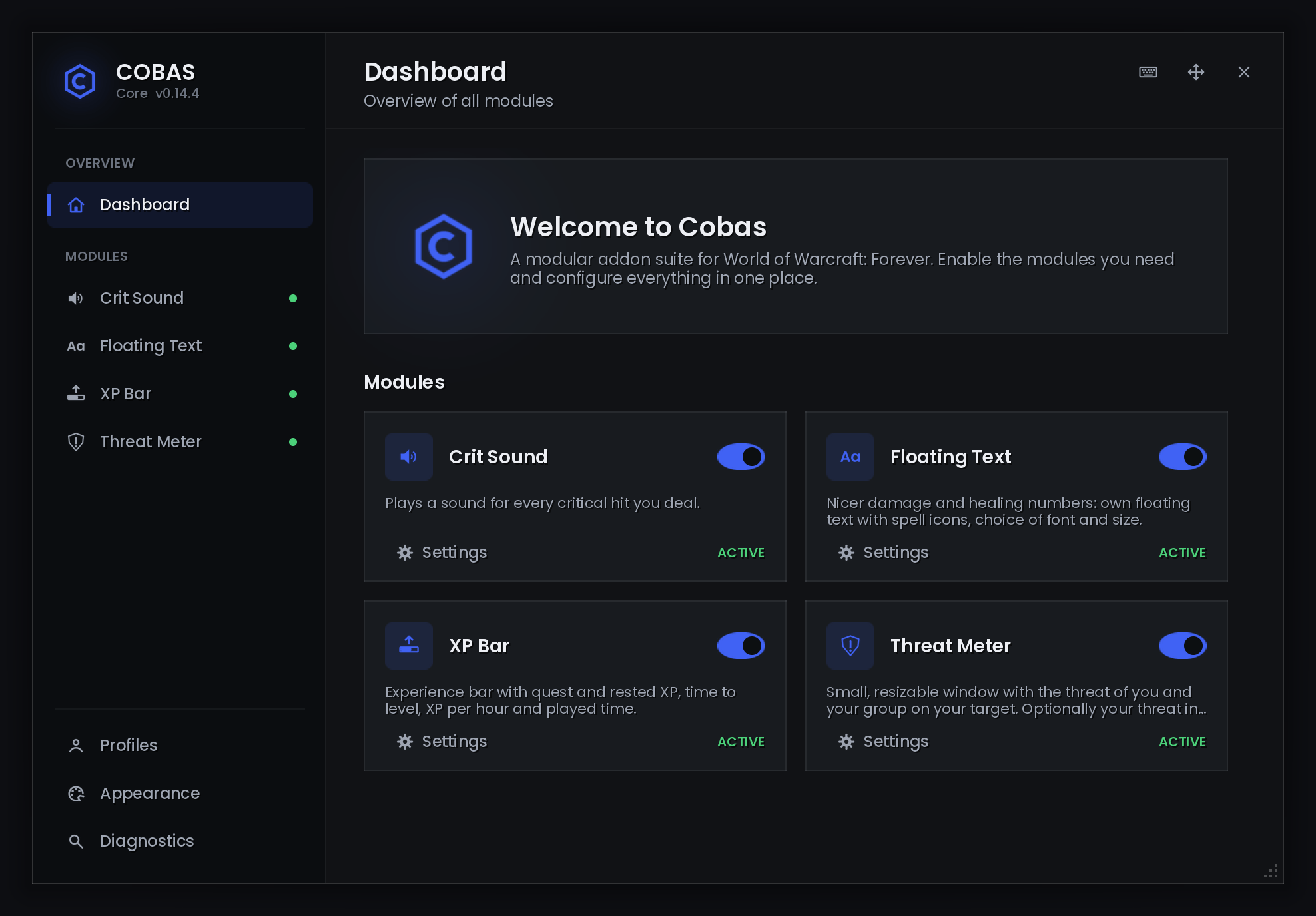
01-dashboard.png
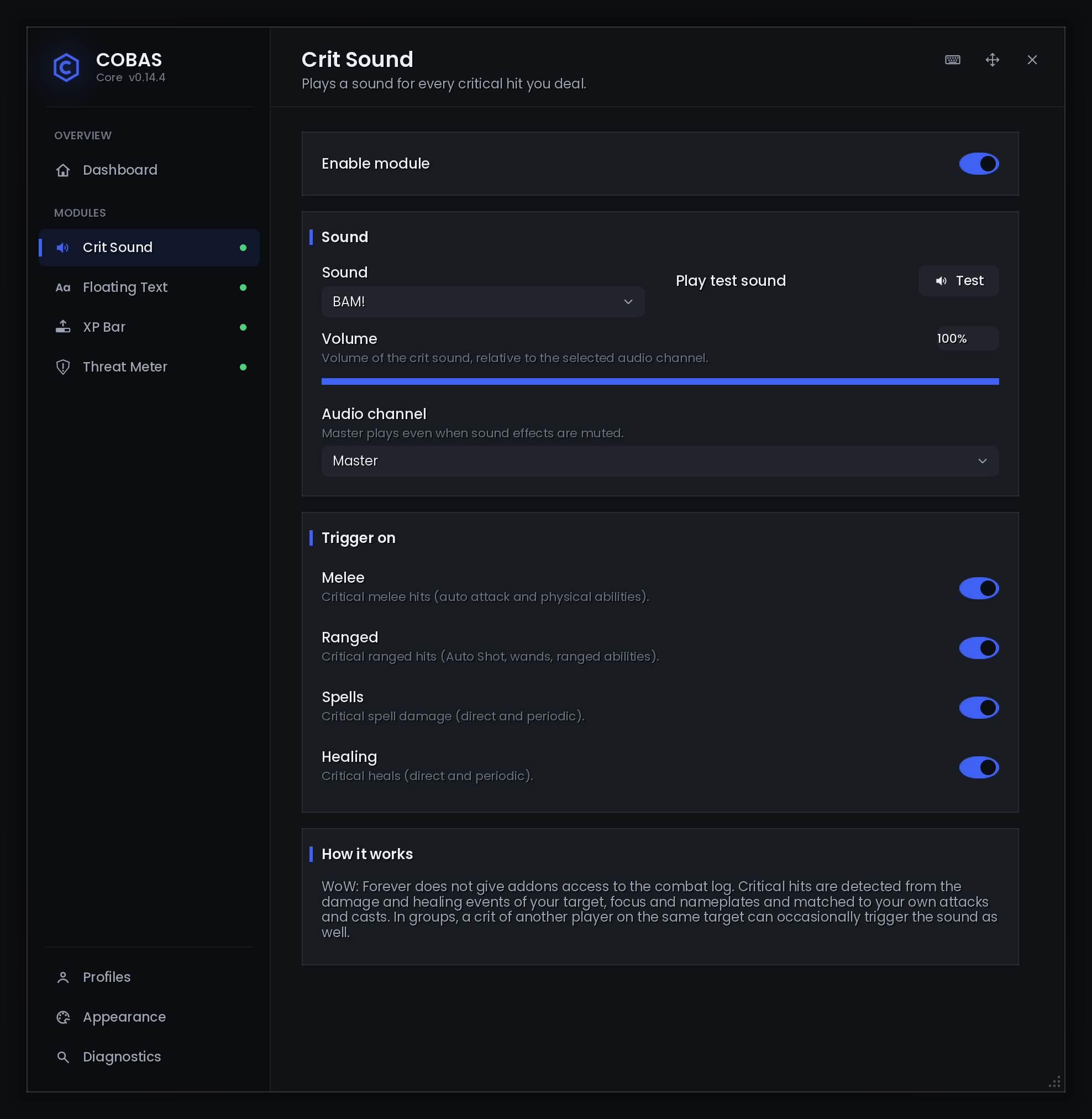
02-crit-sound.png
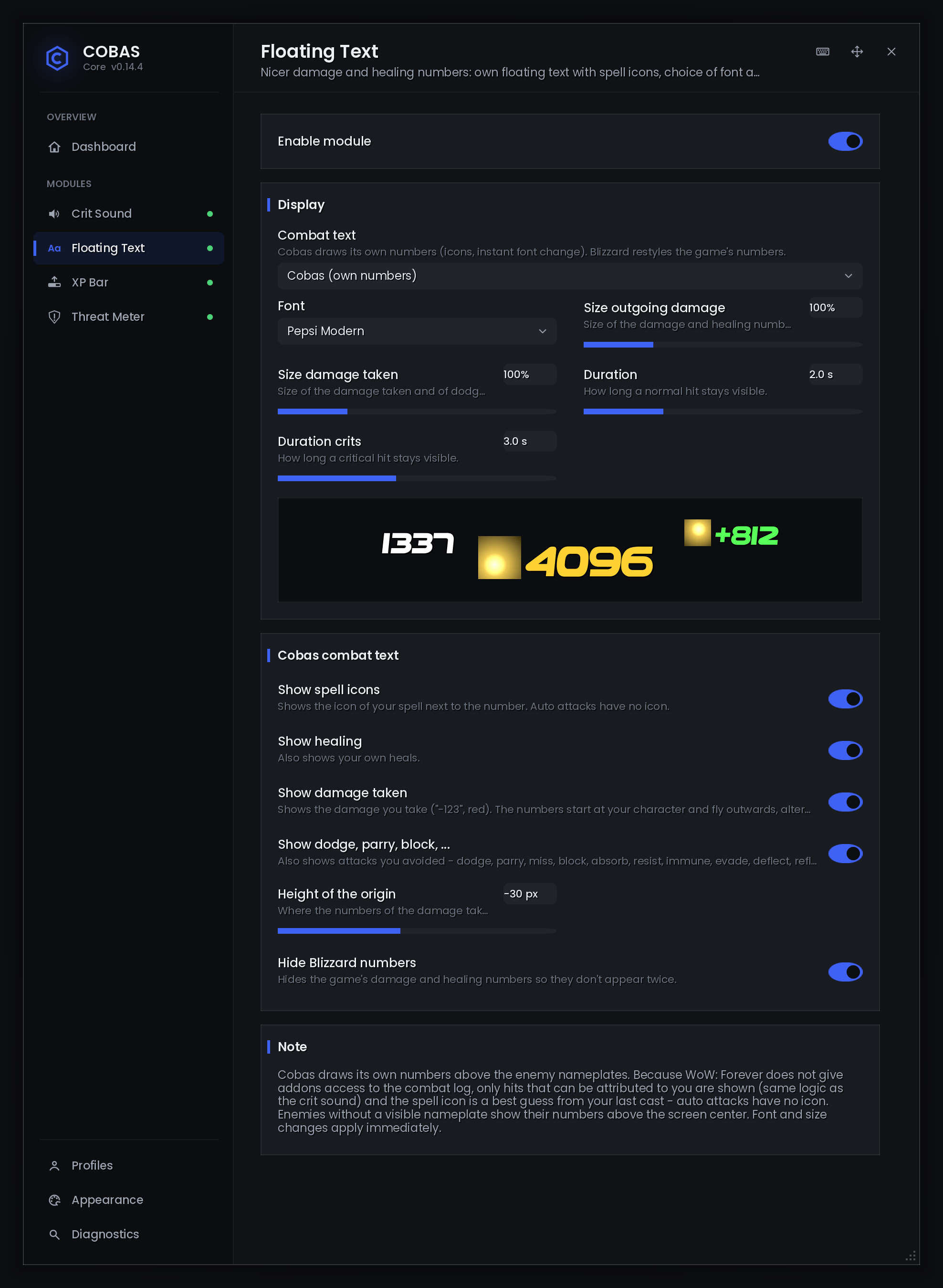
03-floating-text.png
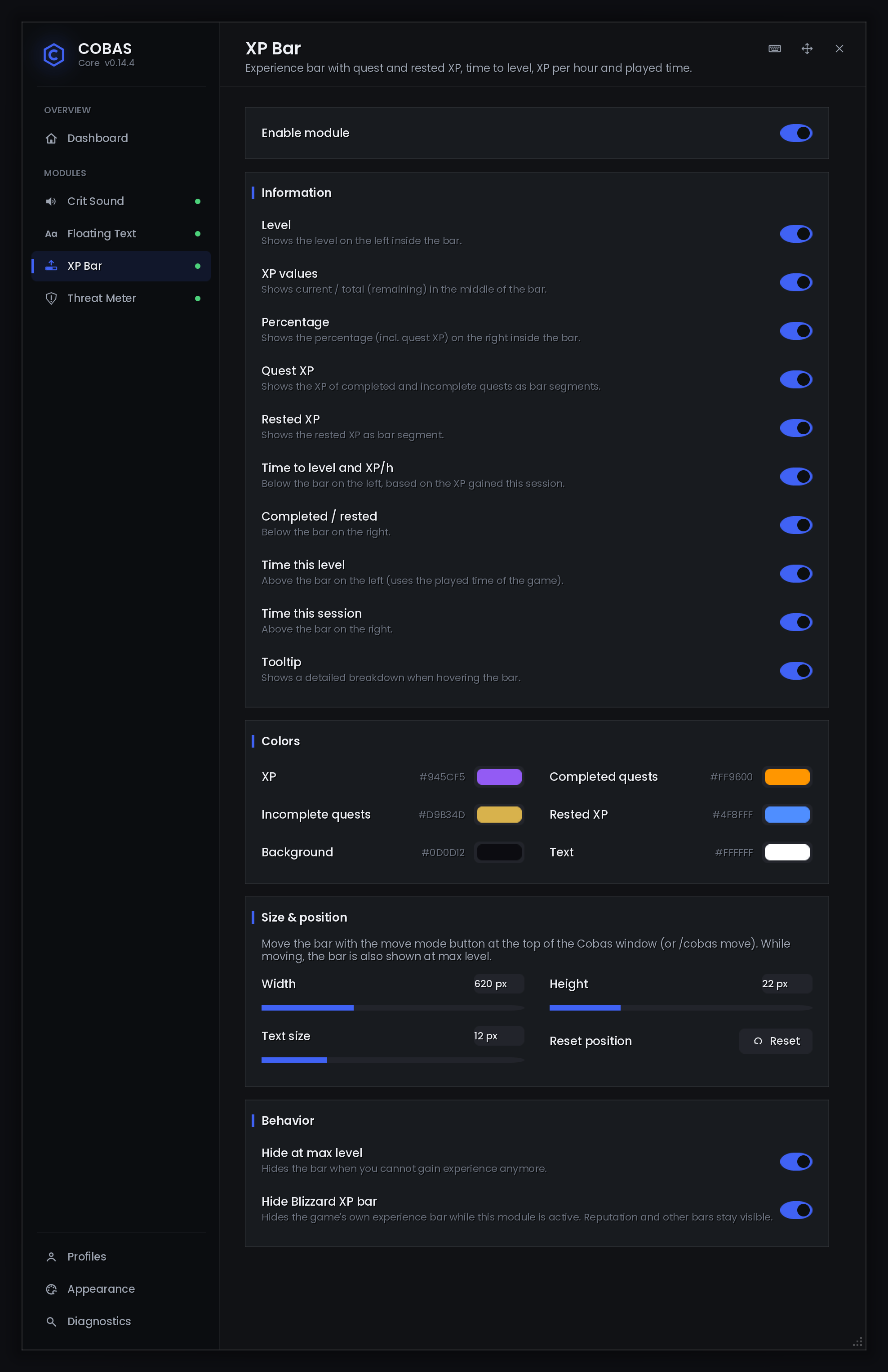
04-xp-bar.png
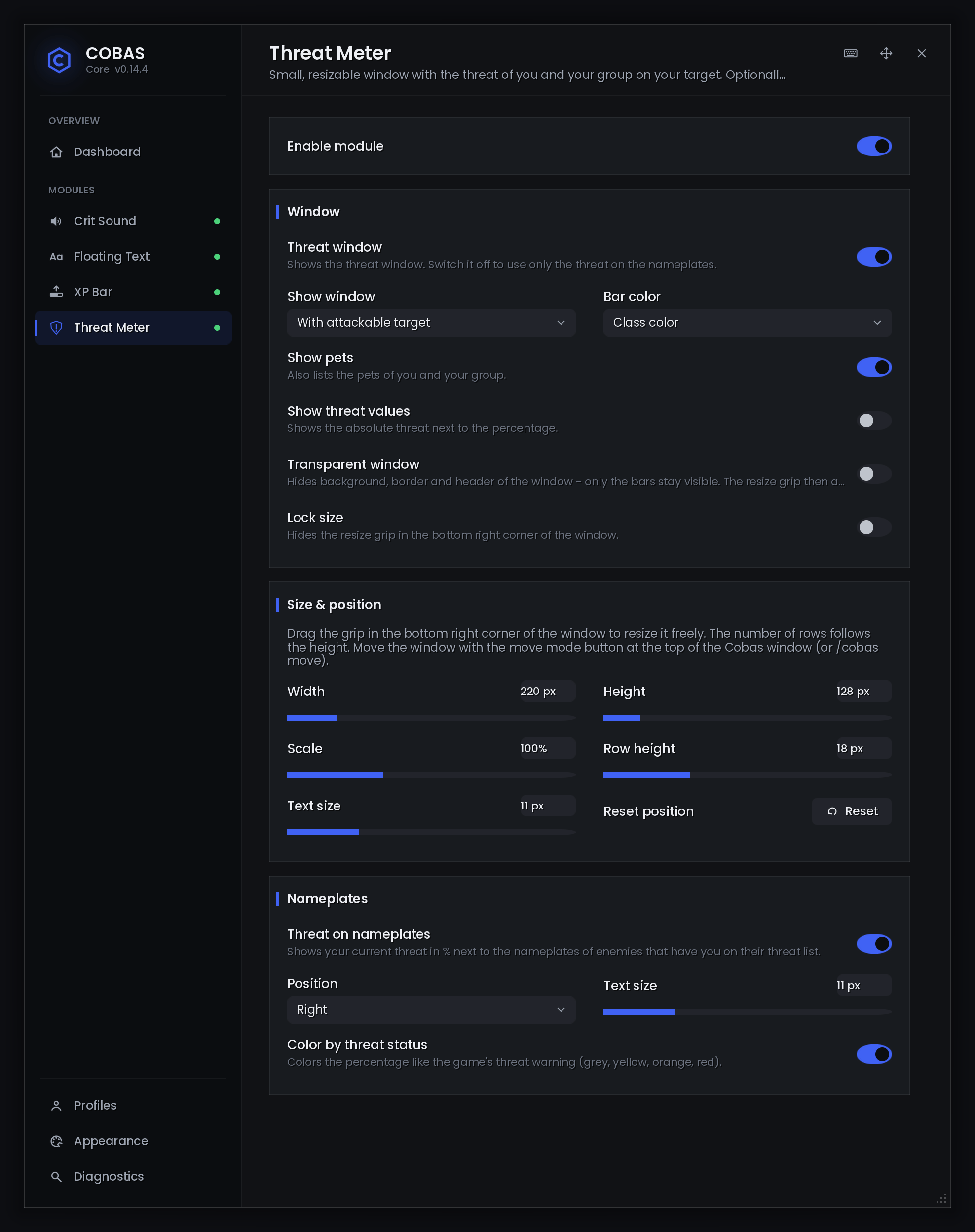
05-threat-meter.png
Description
Cobas Core
A modular all-in-one suite for World of Warcraft: Forever, with its own modern UI.
Cobas Core is one clean window where every feature is a module. Turn modules on or off, configure them live, and switch profiles per character. No Blizzard templates, no clutter, one accent color for everything.
Built for the WoW: Forever client (Interface 16001). The combat log is restricted for addons there, so Cobas includes its own combat service. Crit sounds and floating text work without it.
Modules
Floating Combat Text
Better damage and healing numbers.
- Cobas mode: its own numbers above the enemy's nameplate, with spell icons, popping crits and colors by spell school
- Damage taken starts at your character and flies outwards, whatever your camera angle
- Dodge, Parry, Block, Miss, Resist, … in their own colors (only damage is red)
- Separate sizes for outgoing and incoming numbers, separate durations for normal hits and crits
- 11 fonts (Pepsi Modern, Bangers, Zero Cool, Big Noodle, …). The font changes instantly, with a live preview
- Hides the Blizzard numbers so nothing shows twice
- Blizzard mode as an alternative: restyles the game's own numbers (font and size)
Threat Meter
- A small window with the threat of your whole group on your target, pets included
- Freely resizable: drag the grip, or set width, height, scale, row height and text size
- Bars in class color or threat status color, optional absolute threat values
- Transparent mode: only the bars, no background or frame
- Threat on nameplates: your threat in % next to every enemy, colored like the game's threat warning
- Show the window always, with a target, only with threat, or only in combat. You can also turn it off and use just the nameplate %
XP Bar
- Experience bar with completed and incomplete quest XP and rested XP as segments
- Time to level, XP per hour, time on this level, time this session
- Detailed tooltip with the full breakdown
- Every text can be switched on or off, every color can be changed, and size is adjustable
- Optionally hides Blizzard's XP bar (reputation bars stay)
Crit Sound
- A sound for every critical hit of yours: BAM! or Lightsaber
- 10 volume steps, audio channel (Master / Sound / Dialog), test button
- Triggers can be switched on or off separately: melee, ranged, spells, heals
Core features
- Move & scale Blizzard windows (BlizzMove-style)
- Drag the character sheet, spellbook, quest log, bags, map, vendors, settings and more
- Ctrl + mouse wheel scales a window (50–200 %)
- Shift + right click resets the position, Ctrl + right click resets the scale
- Positions and sizes are kept until closed, for the session, or permanently
- Bag sort button in the bag window
- One click sorts everything to the top
- Sensible order (not by name): quest items, keys, consumables, weapons, armor, …, junk last
- Partial stacks are merged
- Move mode: move every Cobas frame at once, with a grid, snapping and center lines (
/cobas move) - Keybind mode: hover an action button and press a key. Works with modifiers, mouse buttons 3–5 and the mouse wheel (
/kb) - Profiles: per character, with copy, reset and delete
- Appearance: pick your accent color (or a preset) and scale the window. Every element follows the accent color
- Reload prompt: settings that need a reload ask once when you close the window
- Version check: tells you when someone in your guild or group has a newer version
- Diagnostics: debug log and snapshot for easy bug reports
- Fully localized: English and German
How to open
- Minimap button: left click opens the window, right click reloads the UI
- Game menu (Esc) › Cobas Core, or Options › AddOns
- Slash commands:
| Command | What it does |
|---|---|
/cobas |
Open the window |
/cobas move |
Move mode |
/cobas sort |
Sort bags |
/kb |
Keybind mode |
/rl |
Reload UI |
/cobas help |
All commands |
Found a bug?
- Type
/cobas debug. - Reproduce the problem.
- Open
/cobas logand copy the log (select all, Ctrl+C). - Post it in the comments or as an issue.
Window mover inspired by BlizzMove. XP bar design inspired by the Luxthos Experience Bar WeakAura. Both are our own implementations.
Cobas-Core Team