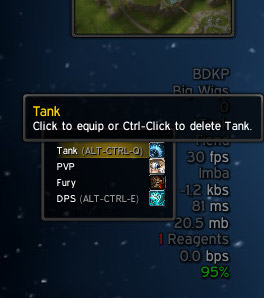
ClosetGnome LDB menu.
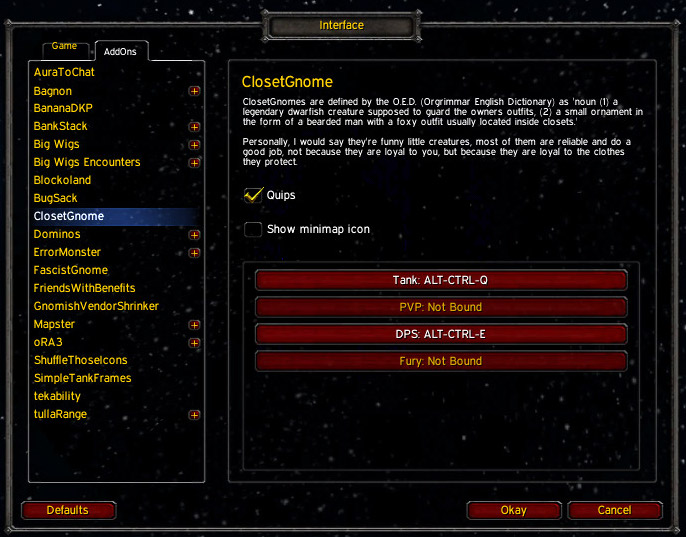
Interface options screen.
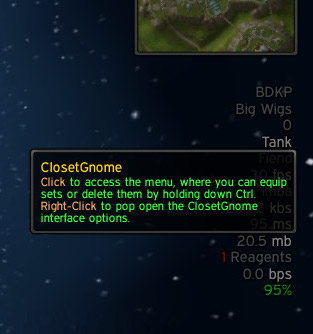
LDB tooltip.
Description
What is it?
ClosetGnome is just a handy tool over the Blizzard Equipment Manager. It provides you with a nice LDB display and some funny quips when you change equipment sets, plus it allows you to bind keys directly to equipment sets. Yes, yes - you can bind your sets with macros and action buttons and stuff already ... But your ClosetGnome will do it with style!
The LDB display addon shown in the screenshots is Blockoland, but of course any LDB display addon will work fine; like Titan Panel, ButtonBin, Bazooka, ChocolateBar, NinjaPanel, Fortress, and so forth. Addon will be attached to minimap by default.
If you wish to request a feature or report a problem, you can use the ticket tracker for ClosetGnome here on CurseForge.
Thank you!
FAQ:
- To use the Blizzard Equipment Manager in WotLKC you have to enable it under "Interface->Game->Features->Use Equipment Manager".
- Hint: The Blizzard Equipment Manager was introduced in patch 3.1.2, so this addon is effectively useless in Burning Crusade Classic or Vanilla (classic era).
ClosetGnome Team

Owner