


ClickCopyChat
- By

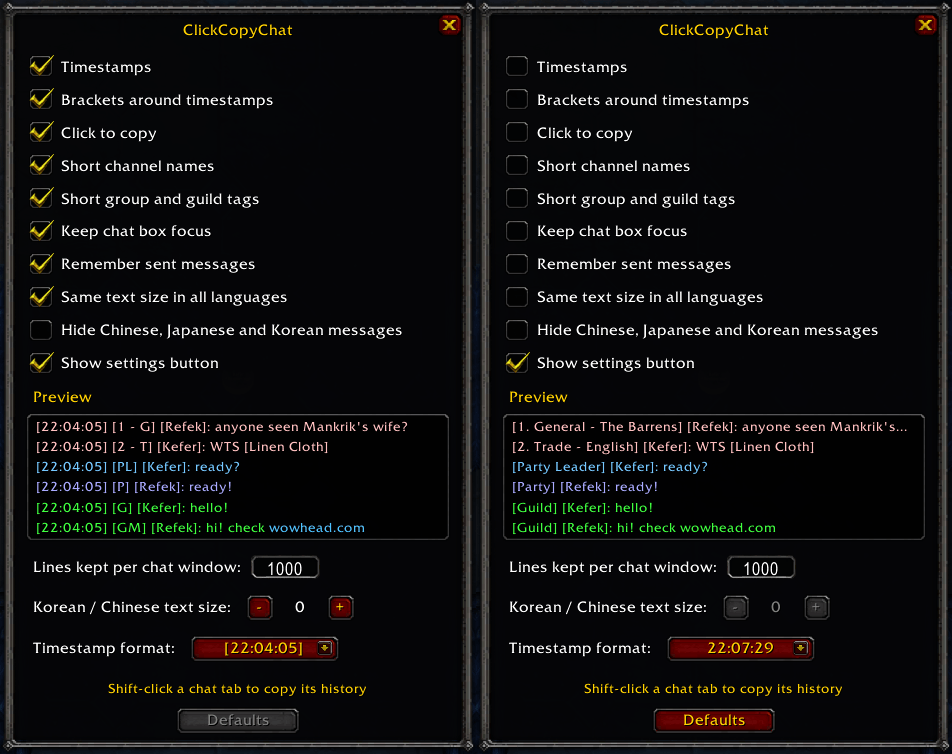
Left: default settings. Right: every option off, as Blizzard shows it. The preview shows how chat lines look with your settings as you change them. Open it with the CCC button or /ccc.
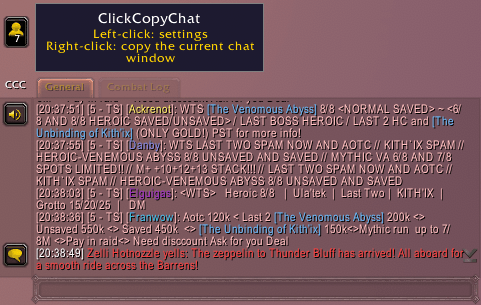
Every line gets a timestamp you can click to copy it, and channel names shrink to their number and initials ([5 - TS]). The CCC button left of the first chat tab: left-click for settings, right-click to copy the window.
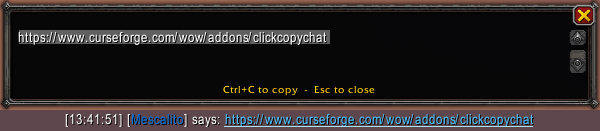
Web links in chat become clickable. Click one to get just the address, ready for Ctrl+C.

Click a line’s timestamp (or [+] with timestamps off) and the whole line opens selected. Ctrl+C copies it and closes the window.
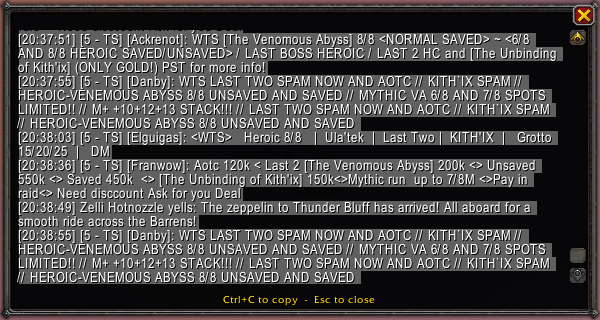
Shift-click a chat tab, right-click the CCC button or type /ccc copy to to get the window’s history in a copy box, up to 1000 lines by default. Chinese, Japanese and Korean show as ? there but copy as the real text. Select only what you wanna copy.
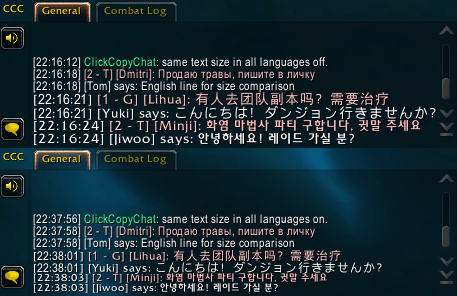
Top: off. Korean, Chinese, Japanese and Russian lines ignore the chat font size and show at a different size. Bottom: on. Every line follows the chat window's font size.
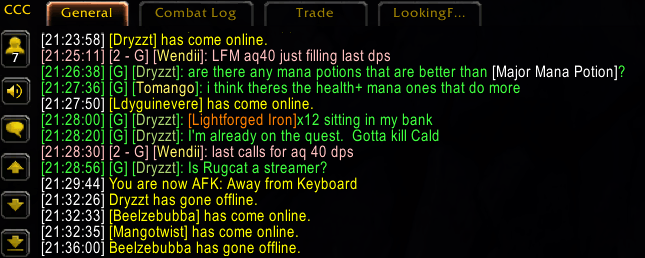
Everyday chat: short tags like [G] and [2 - G] (Guild and General chats), and timestamps in your choice of 24-hour or 12-hour format, with or without seconds and brackets.