Claw Suite
- By
One overview for all Claw addons: see what is installed and active, open, enable or disable them in one place – and discover the ones you are missing, with CurseForge links.
Anonymous_2026-10-28 01h54_29.jpg
Anonymous_2026-10-28 01h55_20.jpg
Description
The control center for all **Claw** addons. One window shows everything – what you have, what is running, and what you are missing.
## Features
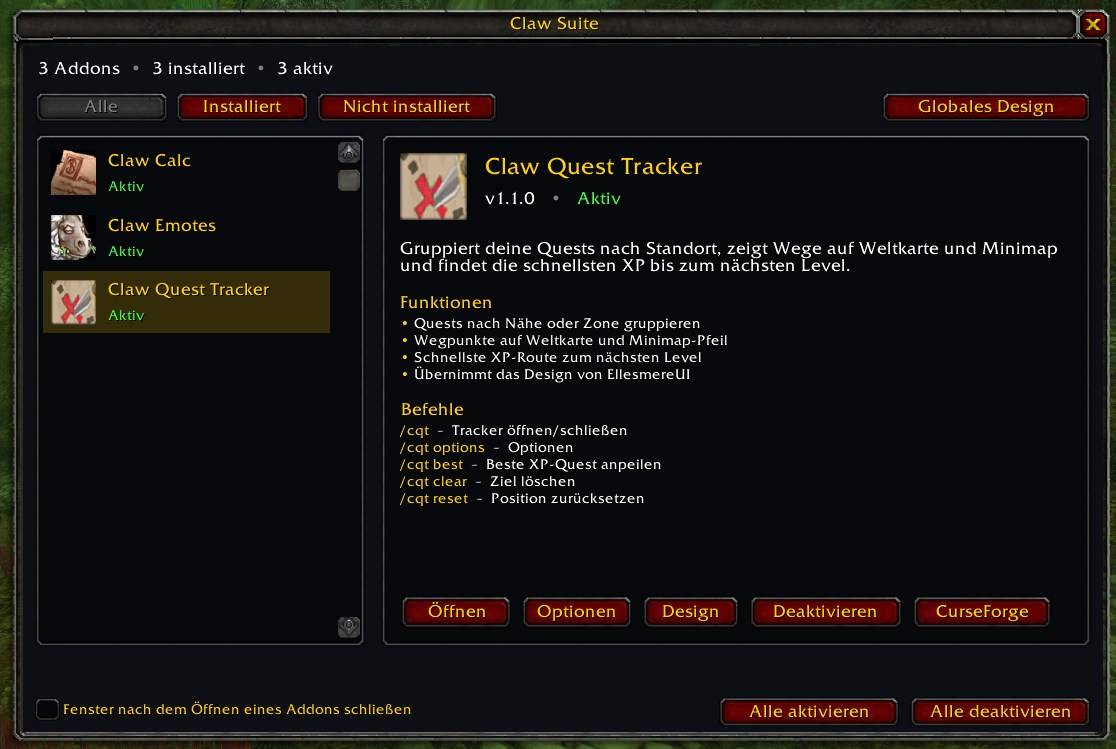
- **Clear overview** – every Claw addon in a list with icon, version and status (Active, Disabled, Reload needed, Not installed).
- **Control from one place** – open an addon, jump to its options, or enable/disable it. "Enable all" / "Disable all" included. A reload button appears when a change needs one.
- **Discover more** – addons you have not installed are shown too, with a copy-ready CurseForge link and a short description of what they do.
- **Automatic detection** – other Claw addons in your AddOns folder show up without any setup.
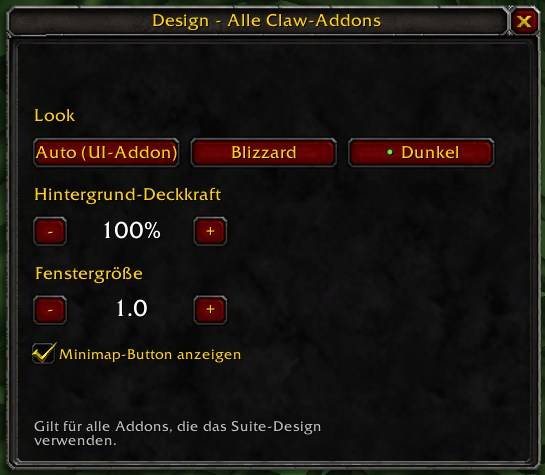
- **One design for everything** – set look (Auto / Blizzard / Dark), background opacity, window scale and minimap buttons for all Claw addons at once. Any addon can opt out and keep its own values.
- **Minimap button** with a status tooltip, plus a key binding.
- **Looks like your UI** – uses the standard Blizzard style, so UI addons like ElvUI, NDui or EllesmereUI can skin it.
- English and German, chosen automatically.
## Commands
- `/clawsuite` or `/csuite` – show/hide the overview
- `/clawsuite list` – addon status in chat
- `/clawsuite open quest|emotes|calc` – open an addon
- `/clawsuite design` – global design for all Claw addons
- `/clawsuite reload` – reload the UI
- `/clawsuite minimap` – show/hide all Claw minimap buttons
- `/clawsuite scale 0.6-1.6` – window size of all Claw addons
- `/clawsuite reset` – reset the window position
## Included in the overview
- **Claw Quest Tracker** – quests grouped by location, routes and fastest XP
- **Claw Emotes** – emote buttons with favorites
- **Claw Calc** – calculator with gold support and notepad
## Compatibility
World of Warcraft: Mists of Pandaria Classic and Retail.
Feedback and bug reports are welcome in the comments.
Claw Suite Team