Chronicle: Voices of Azeroth
A lore journal that tells the story of your quests, with a voice for every quest giver, greeting, book and NPC.
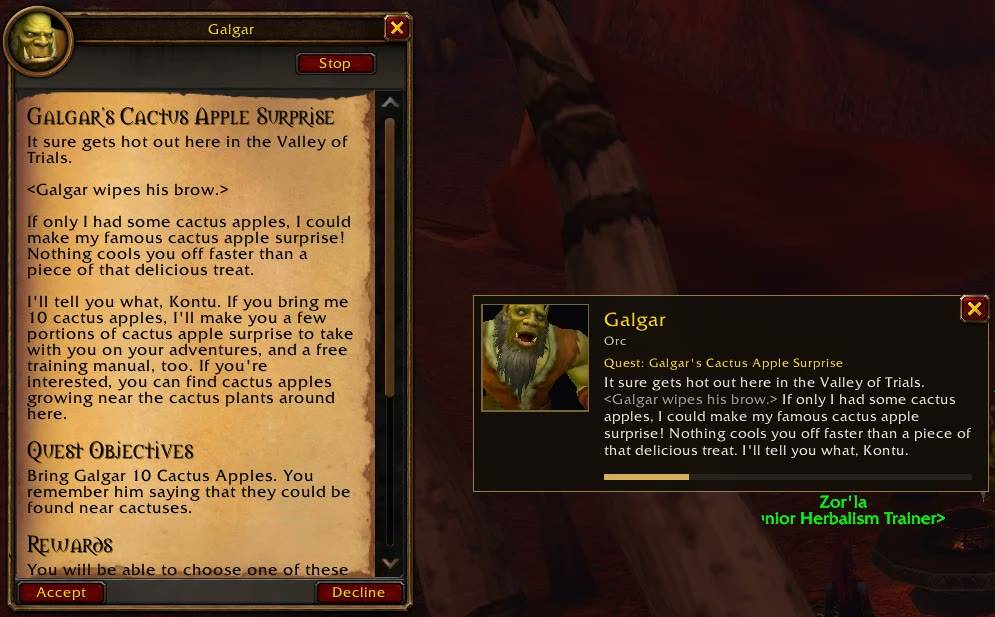
1-quest-voice-and-subtitles.jpg
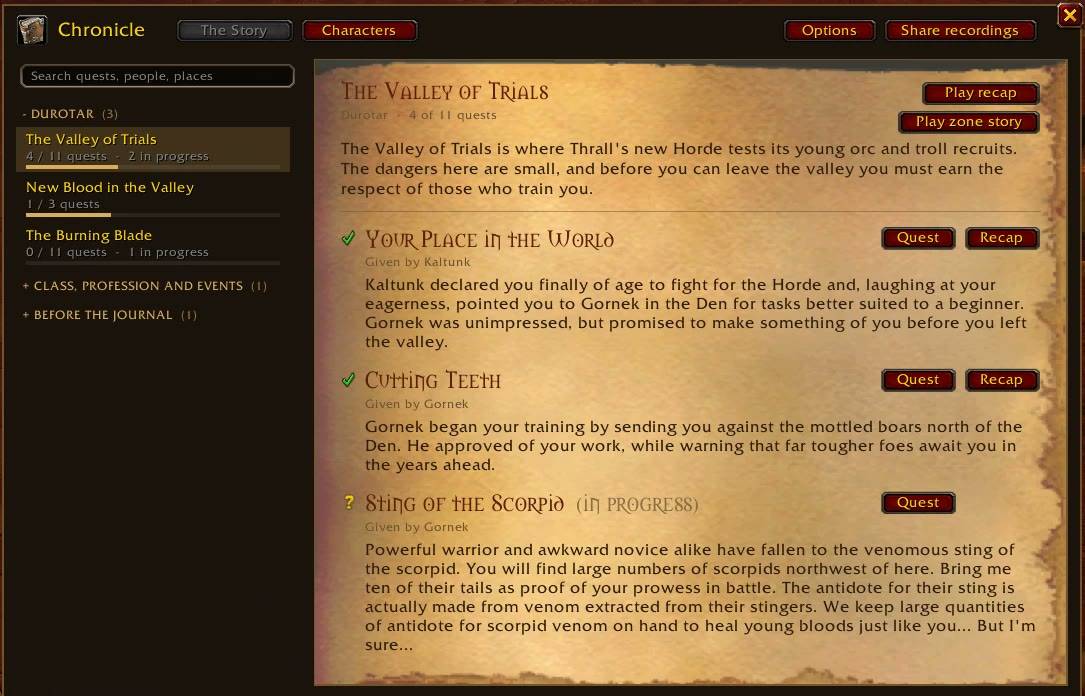
2-journal-story.jpg
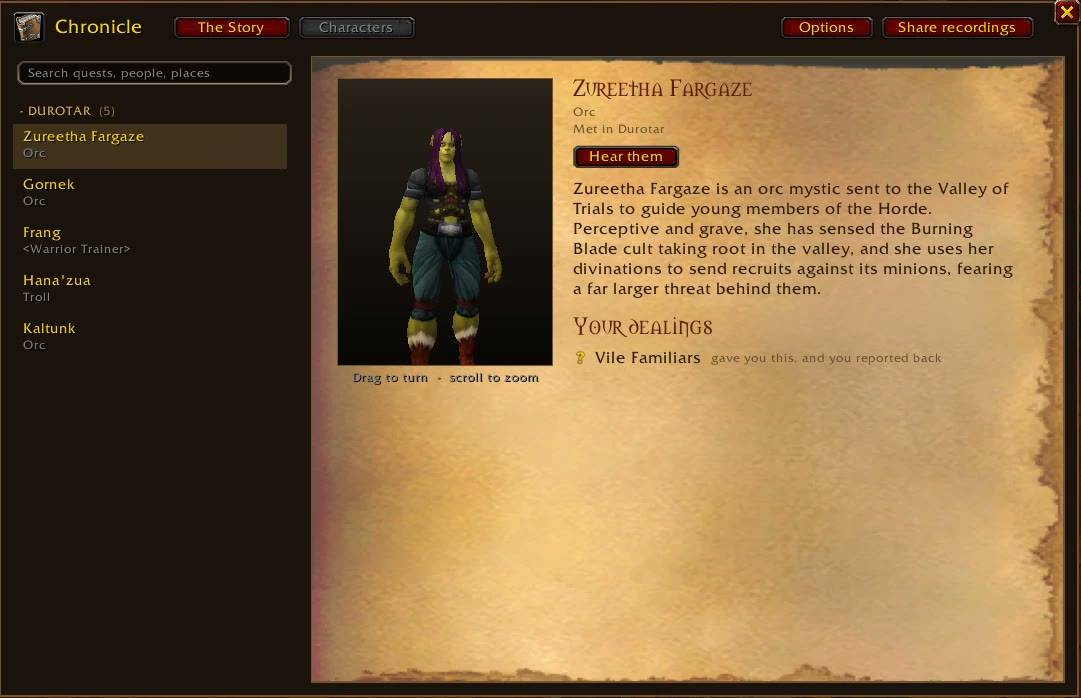
3-characters.jpg
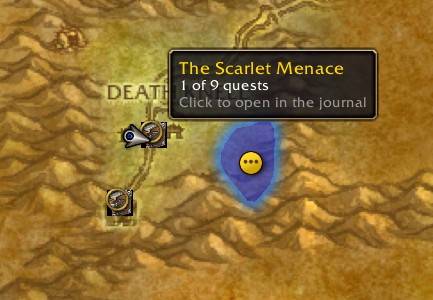
4-map-pin.jpg
4-narrator-recap.jpg
Description
Chronicle: Voices of Azeroth
Join the Chronicle Discord for news, bugs and help voicing new quests.
Downloading by hand? You need the three voice packs too, or Chronicle will be silent: Voices of Kalimdor, Voices of the Eastern Kingdoms and Books & Adventures. Unzip all four into your AddOns folder. With the CurseForge app they install automatically.
This is a beta. Everything works, but I've only played a handful of quests through from start to finish myself, so there will be rough edges. If something sounds or looks wrong, please tell me (see Feedback at the bottom).
I wanted WoW: Forever to feel more like a story, so I made Chronicle. Quest givers speak their lines out loud, each with a voice that suits them, and a journal keeps track of what you've done and tells it back to you as a story. No more turning in ten murloc fins without knowing why.
There's nothing to set up. Install it, log in and play.
Voiceover
- Quests from level 1 to 30 are voiced for both factions: when you pick them up, check progress and hand them in.
- Every NPC gets a voice that fits their race, sex and build, and keeps it. Dwarves sound like dwarves, orcs are gravelly, the Forsaken are hollow, and the abominations finally sound like abominations.
- NPCs greet you when you talk to them. There's a 10 minute cooldown so it doesn't get old.
- Books, plaques and letters you find in the world are read aloud.
- NPCs talking and shouting around you are voiced too.
- Your own character says a few words now and then when you turn in a quest.
- A small talking head window shows who is speaking, with subtitles if you want them. You can drag it wherever you like.
- There's a Listen button on the quest window and in the quest log, so you can replay anything.
- The voice keeps going if you alt-tab. You can turn that off.
- The game's own short "greetings" clips are muted so they don't talk over the voices. Also optional.
The journal
- Your finished quests are grouped into chapters by zone, each with a short summary of what happened.
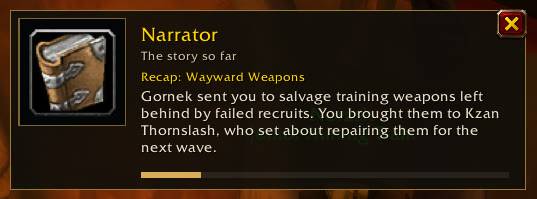
- After a turn-in, a narrator can recap where the story stands. You can also listen to a whole zone's story like an audiobook.
- If you come back to a zone after a while, you get a short "previously in…" reminder.
- A Characters tab lists everyone you've met, what they had you do, and a short bio.
- Chapters you've started show up as pins on the world map.
- Quest markers on the map are there if you want them: "!" for quest givers with something for you, "?" where to hand in. They're off by default and turn themselves off if you use Questie.
- Quests that are new in WoW: Forever are marked as such.
- No spoilers. The journal only tells you about things you've already been through.
Playing with friends
If people in your group also use Chronicle, it shares recordings of new Forever quests between you automatically. It only sends quest, greeting, book and NPC text that isn't voiced yet, and only to your own party. You can switch it off.
WoW: Forever has a lot of new quests that I can't voice until someone has seen their text. Chronicle remembers that text while you play (quest text only, never chat and never player mail), and it goes into the next voice update. If you want to help, type /lore share and send me what it gives you.
Options
You'll find them under Options > AddOns > Chronicle, or behind the minimap button. Greetings, books, world speech, reactions, subtitles, recaps, map pins and party sync can each be turned on or off.
You never need to type anything, but there are a few commands: /lore (or /chronicle) opens the journal, /lore stop stops the voice, /lore options, /lore status, and /lore report <note> if a name was mispronounced.
What to install
| Project | What's in it |
|---|---|
| Chronicle (this one) | The addon and the journal |
| Chronicle: Voices of Kalimdor | Voices for Kalimdor's zones and cities |
| Chronicle: Voices of the Eastern Kingdoms | Voices for the Eastern Kingdoms' zones and cities |
| Chronicle: Books & Adventures | Books and plaques, class, profession and dungeon quests, and your character's lines |
The CurseForge app installs the voice packs together with Chronicle, so your AddOns list only gets four entries. The sound files are only loaded when a line actually plays.
Known issues
- Content above level 30 isn't voiced yet. It's on its way, a few zones at a time.
- New Forever quests get voices after someone has recorded their text, so some of them will be silent for a while. If you turn on the stand-in voice in the options, the game's built-in text-to-speech reads those for now.
- Voice matching only works on English game clients. The journal works in other languages, but most lines won't play.
- If you run another voiceover addon at the same time, you'll hear both. Chronicle lets you know once if it finds one.
Feedback
Come say hi on the Chronicle Discord. That's the best place for bugs, ideas and sharing your recordings of new Forever quests (/lore share, then paste it in the share-recordings channel).
Every report helps. Post on Discord, leave a comment or open an issue, and if you can, include:
- the quest or NPC,
- what you expected and what happened,
- any Lua error (BugSack and BugGrabber make these easy to copy).
/lore report <note> saves a note about the line that just played, and /lore share is useful if a line is missing.
Credits and license
Quest, NPC and book text comes from the game. The cMaNGOS database and QuestieDB helped me map NPCs and zones (both GPL). Chronicle is released under the GNU GPL v3. It is not affiliated with Blizzard Entertainment.
The Chronicle: Voices of Azeroth Team