Chronicle: Story Journal
A story journal for WoW: Forever. Every quest sorted into chapters with recaps, a story map and zone introductions. No voices, just the journal.
Description
Chronicle: Story Journal
Join the Chronicle Discord for news, bugs and new Forever quests.
Ever come back to a quest chain after a week and have no idea what was going on? Chronicle keeps your story for you. Every quest you do is written into a journal, sorted into chapters by zone, with a short recap of what happened and why it mattered.
This is the journal on its own: no voices and no voice packs, a small download. If you'd like the quest givers and a narrator to speak as well, install Chronicle: Voices of Azeroth instead. It's the same addon with the voices. Install one or the other, not both.
There's nothing to set up. Install it, log in and play.
The journal
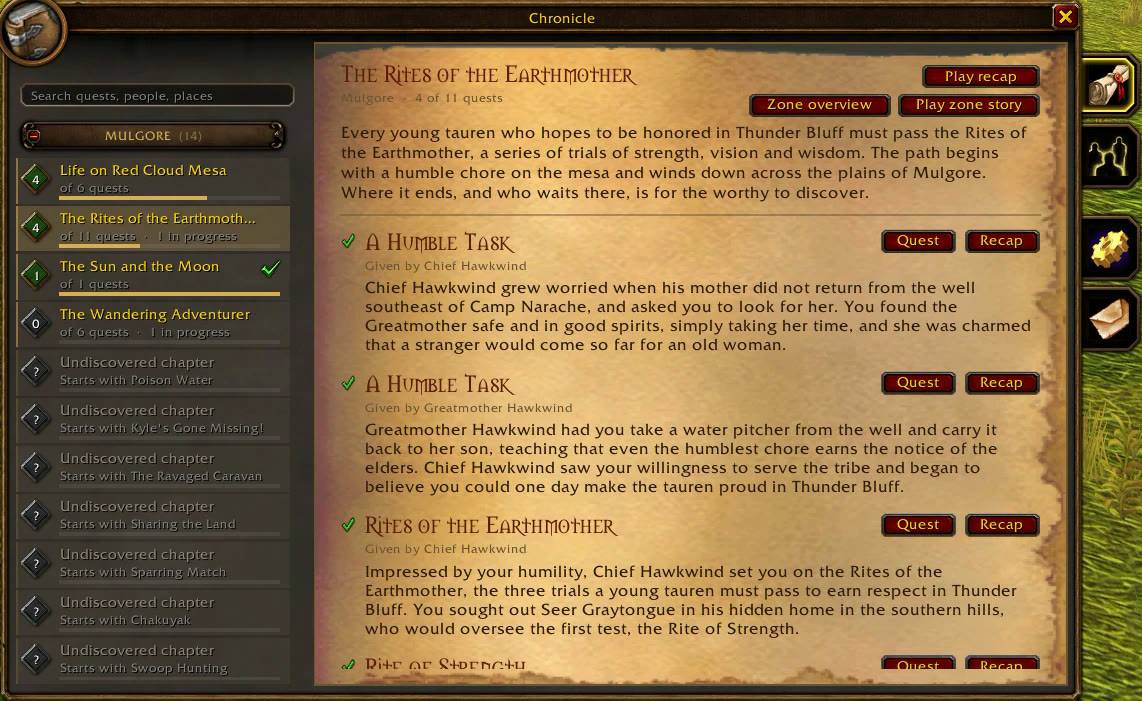
- The journal looks like WoW: Forever's own new windows: side tabs for the story, the characters you've met, the options and sharing, and each chapter as a card showing how far you are.
- Your finished quests are grouped into chapters by zone, each with a short introduction and a recap of every quest in it.
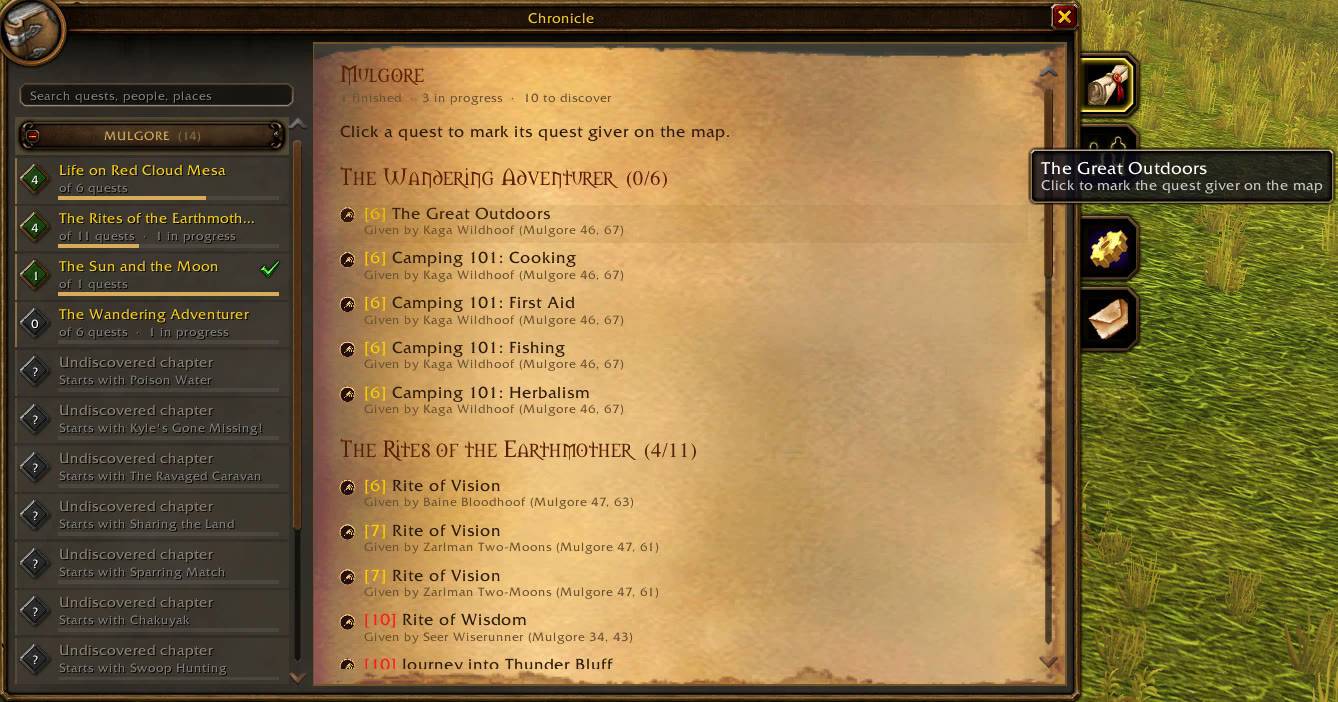
- Show what's left. For completionists: turn it on and every chapter lists the quests you still have to do, with level and quest giver, and chapters you haven't found yet show where they start. Press Zone overview on any chapter for a page with everything left in that zone, and click a quest to put a marker on the map at its giver (TomTom's arrow if you have it). Only names and places, never the story.
- If you come back to a zone after a while, you get a short "previously in…" reminder of what you last did there.
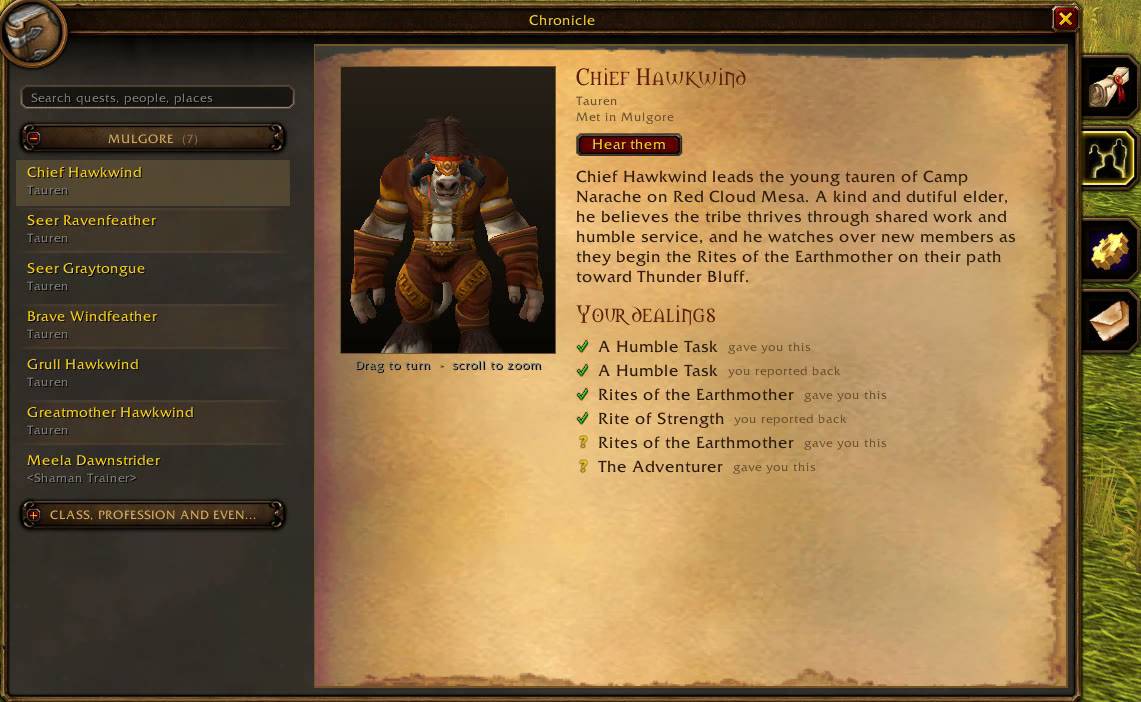
- A Characters tab lists everyone you've met, what they had you do, and a short bio.
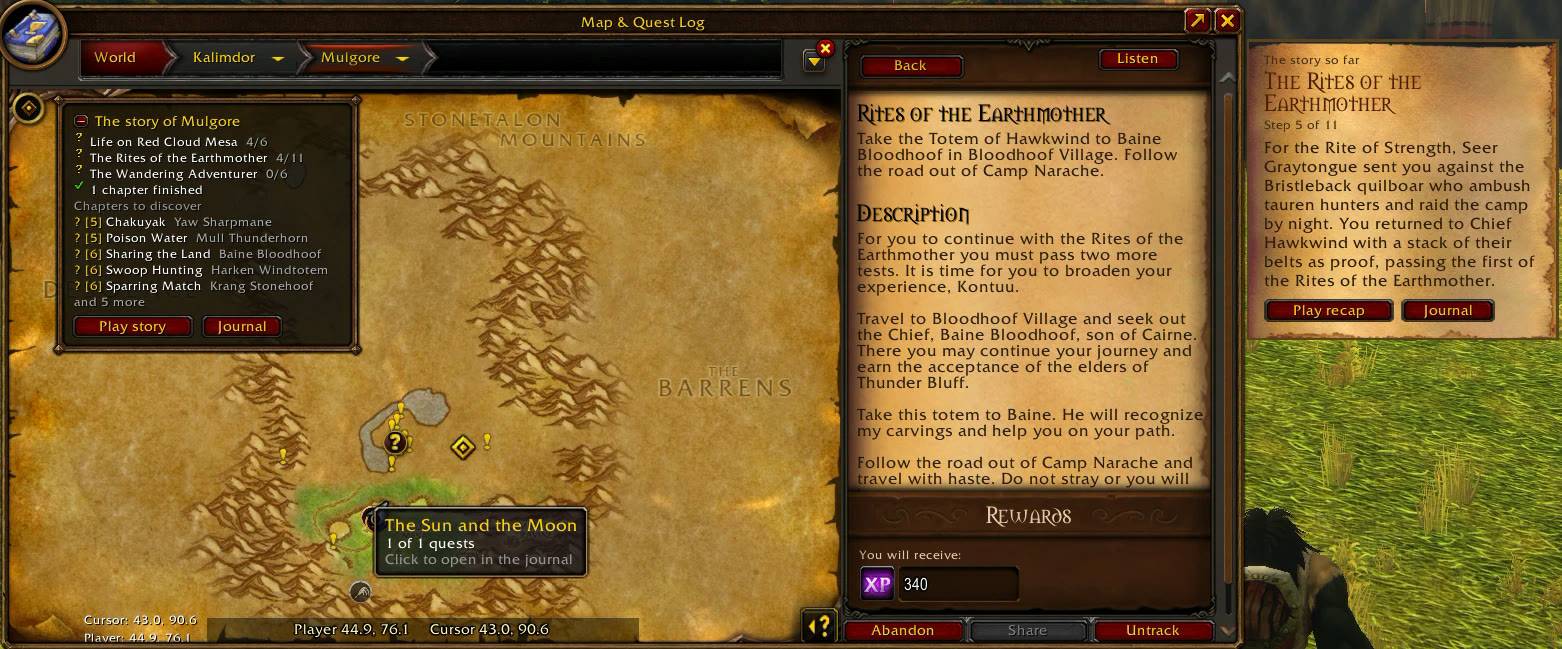
- Story map. Open a zone on the world map and a small panel shows its story: the chapters you've started, how far you are, and how many are still to discover. A book marks where a chapter you've started continues. On the continent map, hover a zone to see how much of its story you've found.
- Zone welcomes. The first time you enter a zone, a short introduction to the land, its people and the trouble brewing there. 46 zones, from the starting zones to Silithus.
- Zone epilogues. Finish most of a zone's story and the journal closes it: what changed because of you, and where the road leads next. 70 of them, Alliance and Horde each with their own.
- Dungeons. Walk into a dungeon and a short note tells you where you are and what waits inside. Defeat the last boss and you get its ending. 35 dungeons and raids.
- The story on flights. Take a flight and a small note shows the story so far in the zone you're flying to, or its welcome if you haven't been there yet.
- Level milestones. Every 10th level, a short note and two or three zones where new stories open up for your level.
- By the fire. Sit down at a camp fire and a small window counts down to the camp's benefits, shows what you already have, and offers a campfire tale about the zone while you wait.
- The story so far. Select a quest in your quest log that belongs to a chapter, and a parchment page beside the log shows the chapter, your step and a recap of what happened last.
- Quest markers on the map if you want them: "!" for quest givers with something for you, with the quest's level, and "?" where to hand in. They're off by default and turn themselves off if you use Questie.
- Quests that are new in WoW: Forever are marked as such, and the new Forever quests get recaps too as players share them.
- You only see your own faction's story, and there are no spoilers: the journal only tells you about things you've already been through.
Languages
The interface is in English, French, German and Spanish. The recaps and chapter texts are in English for now.
Help the new Forever quests
WoW: Forever has a lot of new quests. Chronicle remembers their text while you play (quest text only, never chat or mail). Open the journal's Share tab (or type /lore share) and post what it gives you in the share-recordings channel on the Discord, and the next update writes recaps for them.
Options and commands
In the journal's Options tab, under Options > AddOns > Chronicle, or behind the minimap button (which also fits in minimap button bags like Leatrix Plus, or can be detached and placed anywhere). Recaps, zone welcomes, "previously in…" reminders, the story so far, flights, level milestones, the campfire window, journal tips, map pins and quest markers can each be turned on or off.
/lore (or /chronicle) opens the journal, /lore welcome shows the zone introduction again, /lore share collects new quests to share.
Credits and license
Quest, NPC and book text comes from the game. The cMaNGOS database and QuestieDB helped me map NPCs and zones (both GPL). Chronicle's code is released under the GNU GPL v3. Its voice recordings, its own texts (recaps, chapters, welcomes, epilogues, tales and bios) and its artwork are All Rights Reserved: they may not be copied, shared, changed or reused without my permission. It is not affiliated with Blizzard Entertainment.
Chronicle: Story Journal Team