ChatUtils (Guild Invite, Party Invite, ...)
- By
An add-on that allows you to add features to chat, such as: invitations to a guild/group, symbols for classes/races/items, etc.
ChatUtils adds useful functions to the chat: clickable invites, keyword invites, icons, short channel names and a word filter. Every feature can be turned on or off on its own. Use only what you need.
Invites
Chat Links
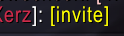
- [ginv]: the word
ginvin chat becomes a clickable link- Left click / right click: guild invite
- [inv]: the words
inv,invite,einladenandlayerbecome clickable links- Left click: group invite
- Right click: guild invite
- Middle click on any invite link: open the guild/community window
Keyword Invite
Set your own secret word. Only players who know it get an invite.
ginv <word>: a popup asks whether to invite the player to your guild (WoW requires a click for guild invites)rinv <word>: the player is invited to your group automatically and the group becomes a raid- Works in whisper, say, yell, guild, officer, party, raid, instance and channels
- No word set = no invites
Chat
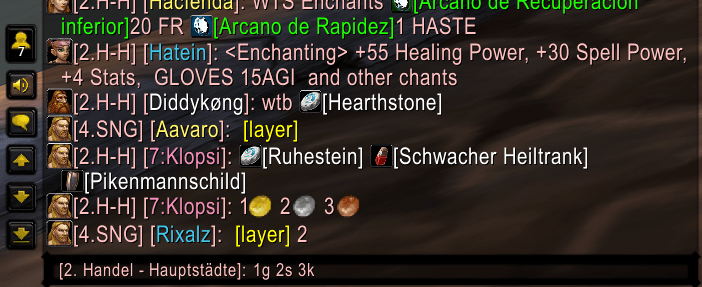
- Item Icons in front of item links
- Small Channel Names:
[2. Trade - Stormwind]→[2.T-S] - Class / Race / Role Icons in front of player names
- Player Level:
[Name]→[7:Name] - Hide Realm Names
- Gold / Silver / Copper Icons:
1g 2s 3c→ coin icons
Filter
- Blockwords: hide channel, say, yell and whisper messages that contain blocked words
- Up to 100 entries
- Wildcards:
*ung(ends with),Be*(starts with),*hat*(contains) - Ignores case, special characters and leetspeak (
H4U5=HAUS)
Settings
/chatutils, /chut or the minimap button
Discord
ChatUtils (Guild Invite, Party Invite, ...) Team
Owner