CharacterPanelRefined
- By
CharacterPanelRefined adds different improvements to Blizzard's default character panel.

Main window

Features

Various options to change the theme
Description
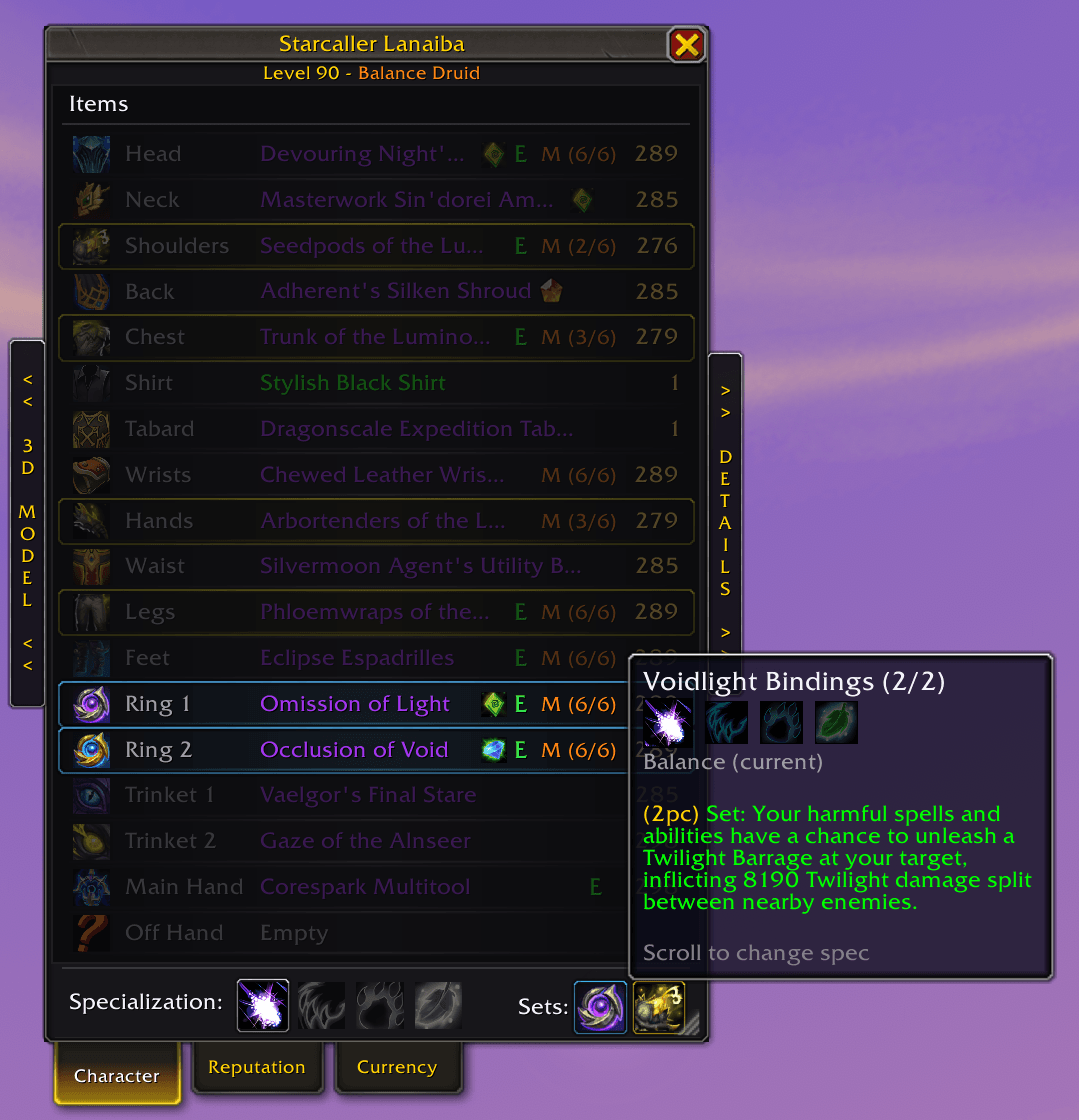
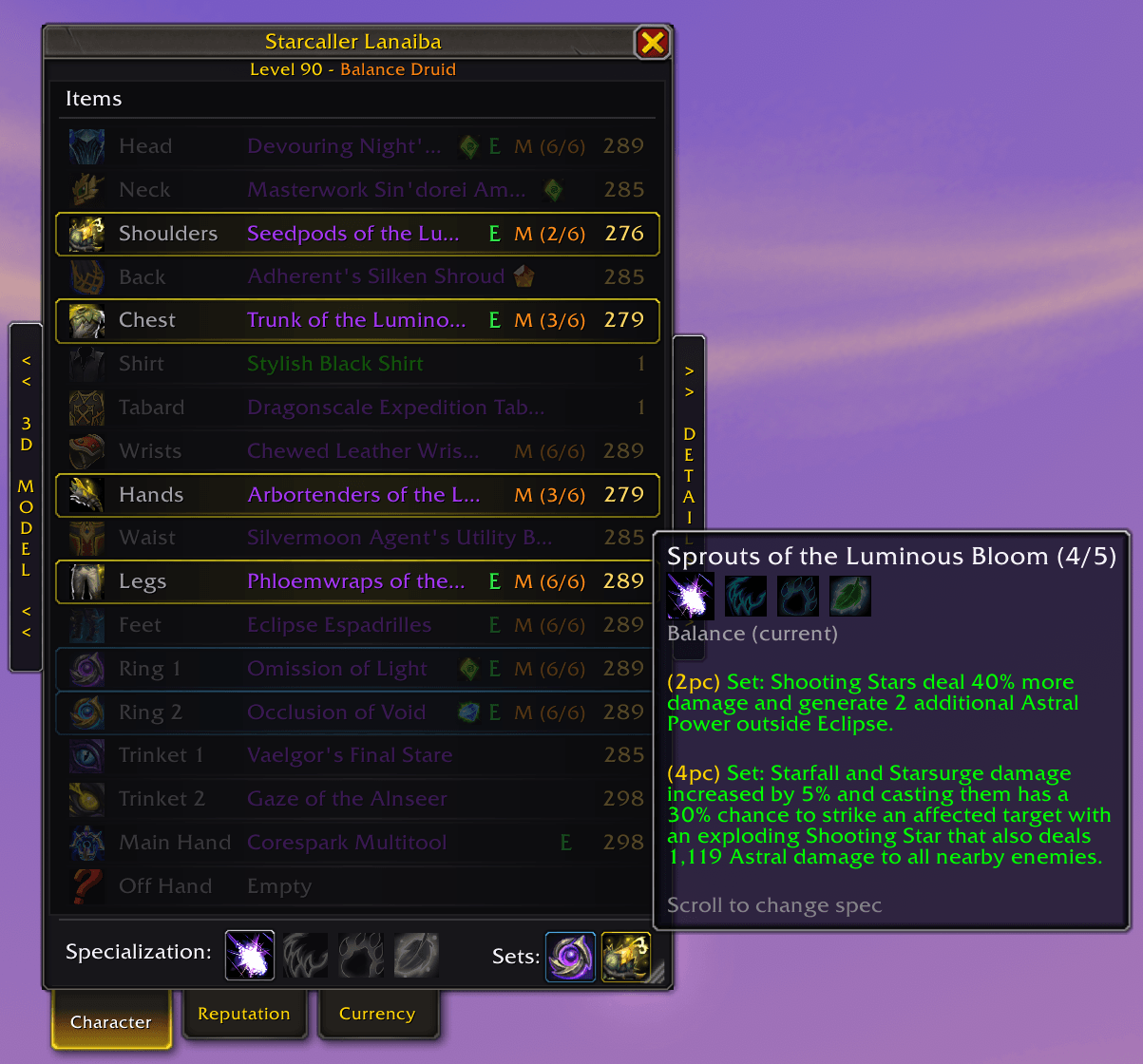
CharacterPanelRefined redesigns the standard Character panel with a cleaner layout, enhanced gear information, integrated specialization controls, and improved equipment management while retaining full Blizzard functionality.
Features
Enhanced Character Window
- Multi-panel layout
- Dedicated 3D character model viewer
- Resizable equipment list
- Optional collapsible side panels
Improved Equipment Display
View all equipped items in a compact and information-rich list:
- Item names
- Item levels
- Upgrade track progress
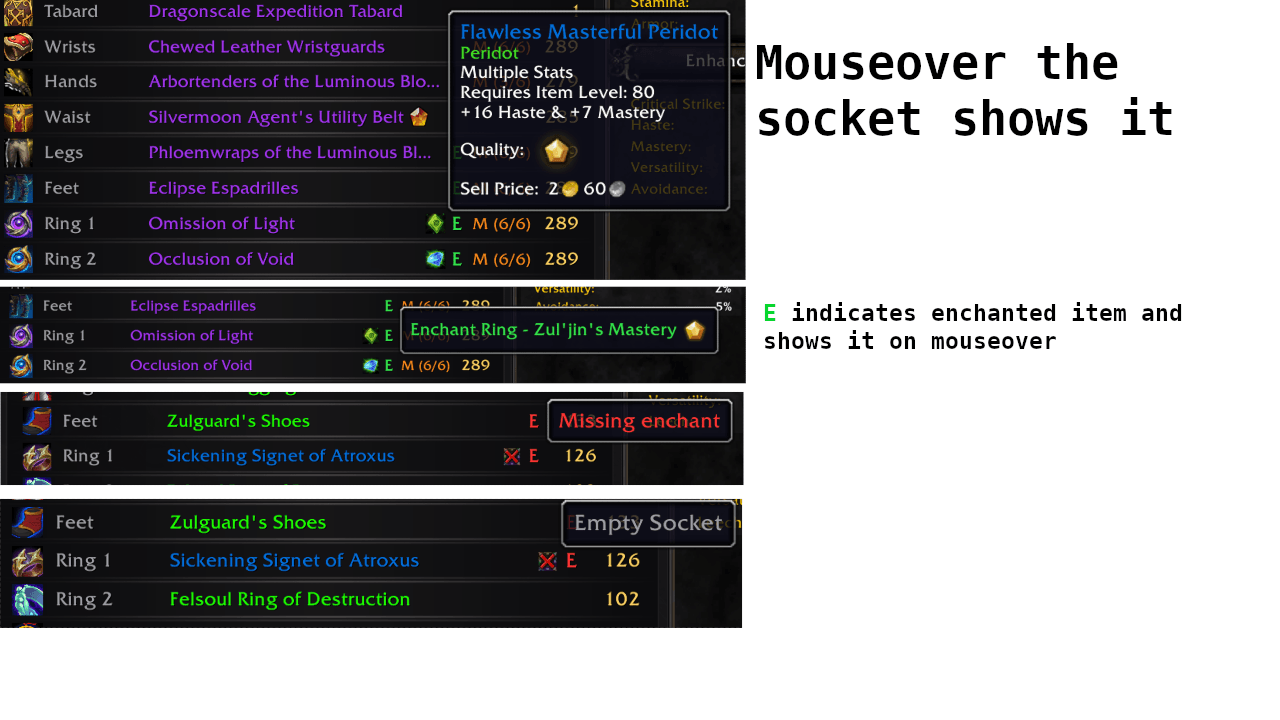
- Socket indicators
- Missing socket indicators
- Enchant status
- Missing enchant warnings
- Item quality coloring
- Color-coded set and tier pieces
Equipped Set Tracking
- Active sets are lit and ringed in their own color, while incomplete sets are desaturated
- Hover a set icon to highlight exactly which equipped pieces belong to it
- Shows the set's bonuses, with active and inactive bonuses clearly marked
- Scroll over a set icon to preview its bonuses for any of your specializations
- Each set is color-coded in the equipment list so multiple sets stay easy to tell apart
Specialization Bar
Quickly switch between specializations directly from the Character window.
- Highlights active specialization
- One-click specialization switching
Smart Gear Flyout
Hold Alt while hovering an equipment slot to instantly see alternative items from your bags.
- Filters compatible items
- One-click equip
- One-click unequip option
Themes
- 13 built-in colour themes, plus one for every class specialization, with matching artwork.
- Theme artwork spans the model, gear and details panels as one continuous background.
- Recolour any theme directly: accent, item slot names and stat values. Your colours stay with that theme.
- Pick the artwork per theme from class, dungeon or raid art, with a preview on mouseover.
- Save, rename and delete your own themes.
- Assign a theme and artwork to each specialization and have them switch automatically when you change spec.
- An ElvUI theme with a flat dark look, restyled buttons, rows and borders throughout.
- The Default theme is untouched, so nothing changes unless you want it to.
Gear filter
- Click the Items header to filter the gear list by item track, enchants, sockets, crafting or sets.
- Matching items are highlighted in place, so nothing moves or disappears.
- Item tracks, crafting and sets combine, while enchant and socket filters narrow the result.
- Embellished items show an indicator, and hovering it shows the item's effect.
Inspect window
- Inspect other players with item levels, enchants, gems and Mythic+ rating.
- Tabs for Character, PvP and Guild.
Mythic+ and the Great Vault
- A collapsible row of dungeon teleport buttons for the current season, with cooldowns.
- An All Teleports browser listing every instance teleport you know, searchable by name.
- A Great Vault button that shows when rewards are waiting.
Options
- Press C to open the panel, then the Options button in the top-left corner.
- Scale, fonts, gear list contents, window behaviour and themes, all in one place.
- Fully localized: English, German, French, Spanish, Italian, Portuguese, Russian, Korean and both Chinese clients.
buymeacoffee.com/lanaiba
CharacterPanelRefined Team