CardMaster
- By
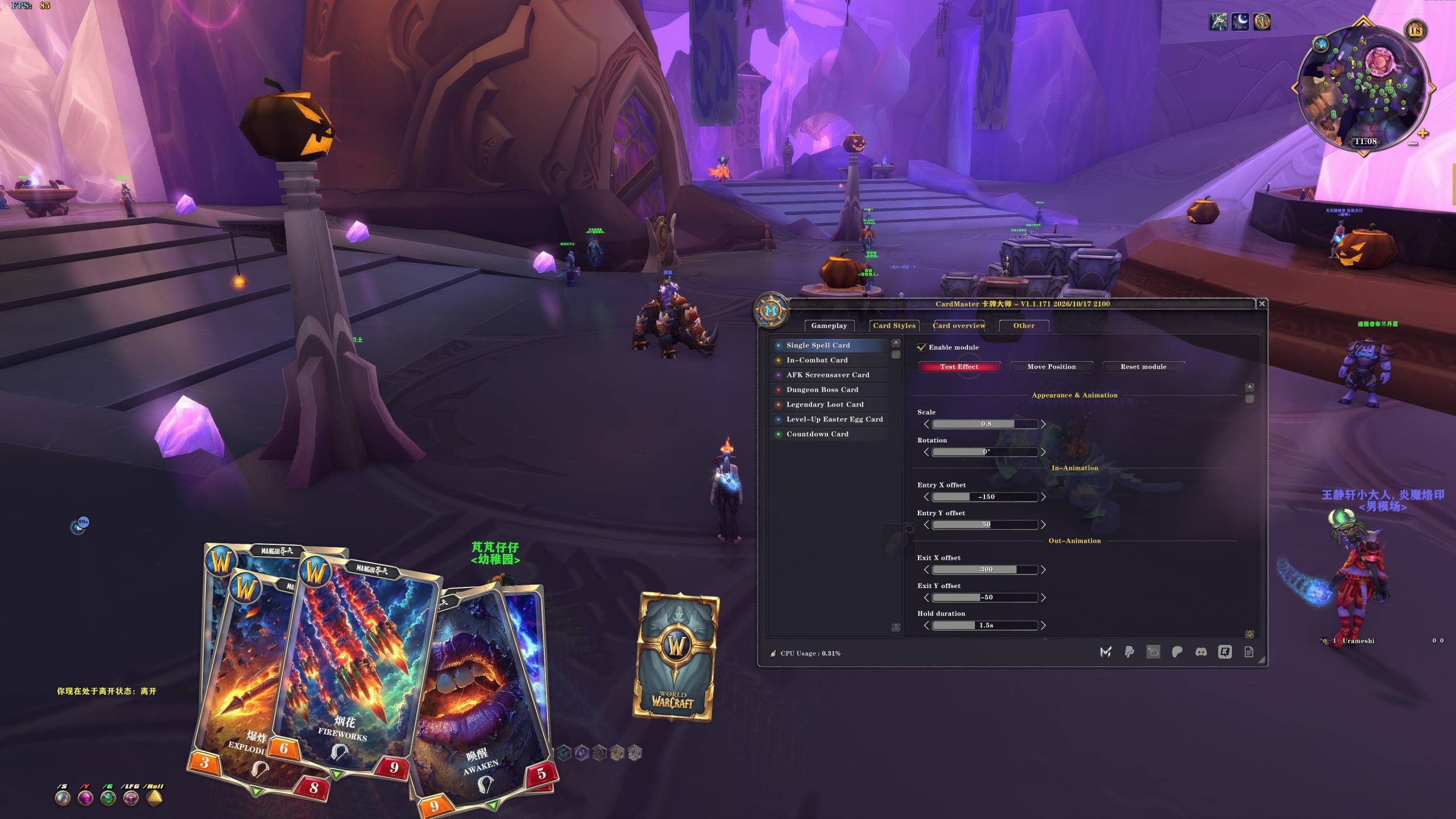
Single Spell Card Display matching card animations when you cast supported spells. Customize size, rotation, entry and exit effects, and card stacking. Click “Test effect” to preview.
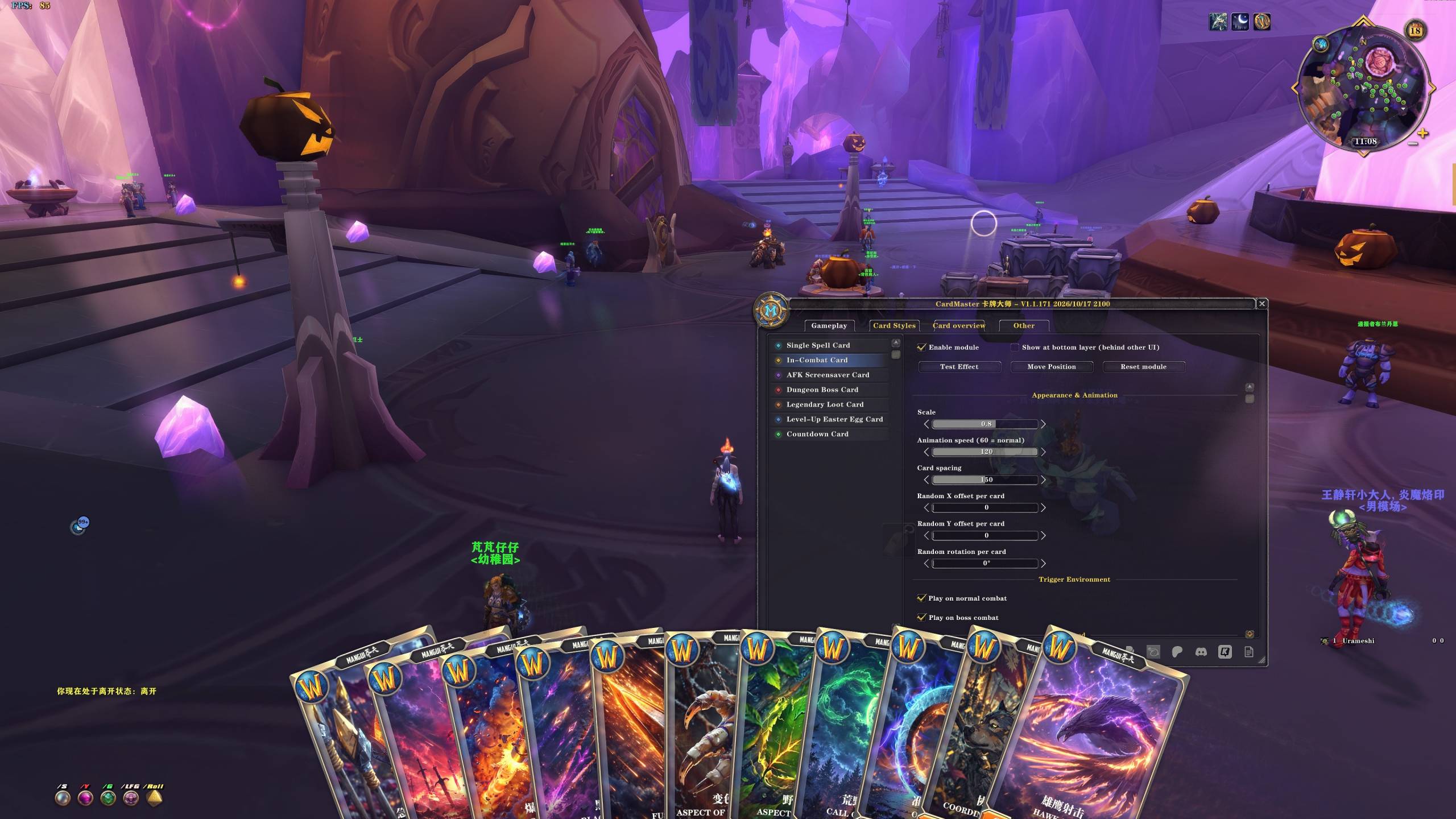
Play a multi-card animation when combat begins. Choose whether it triggers in normal combat, boss encounters, or both, then customize animation speed, card spacing, and random offsets.
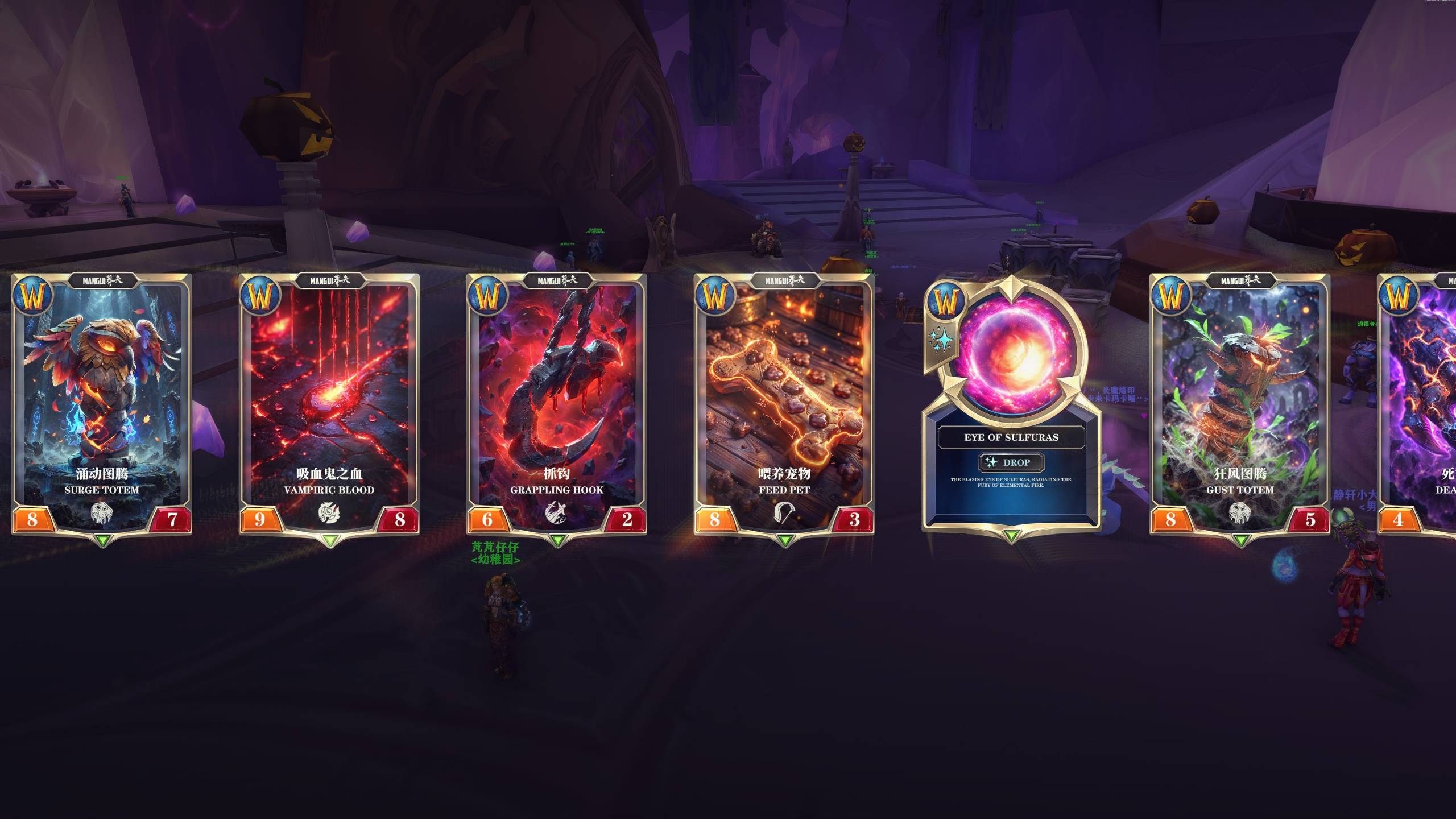
AFK Screensaver Card Random cards scroll from left to right while you are AFK and stop when you return. Adjust scrolling speed, spacing, and size, and choose whether to show the logo, dark overlay, and game UI.
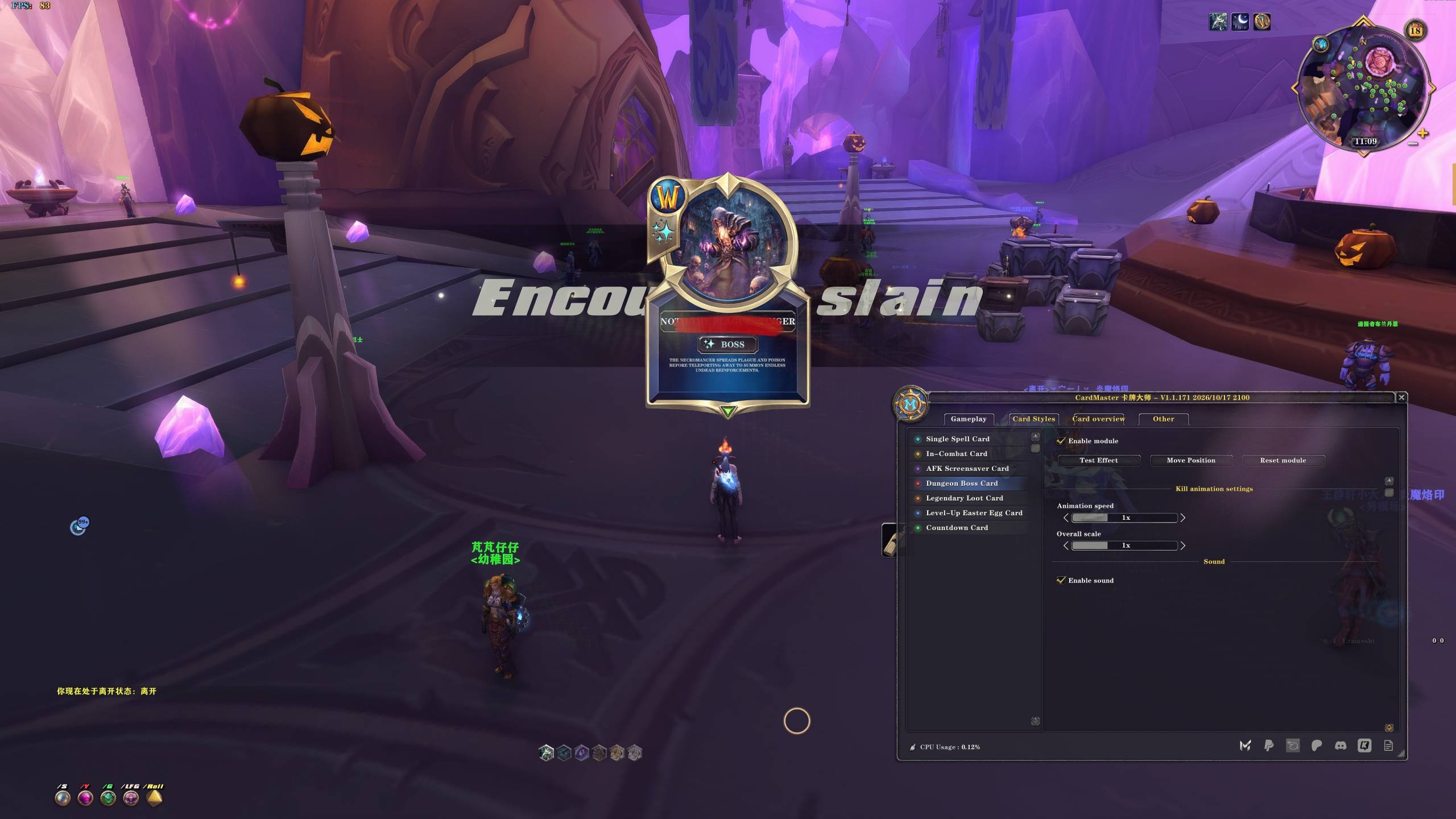
Dungeon Boss Card Celebrate supported dungeon and raid boss kills with matching boss card animations. Click “Test effect” to preview, then adjust animation speed, size, and position.
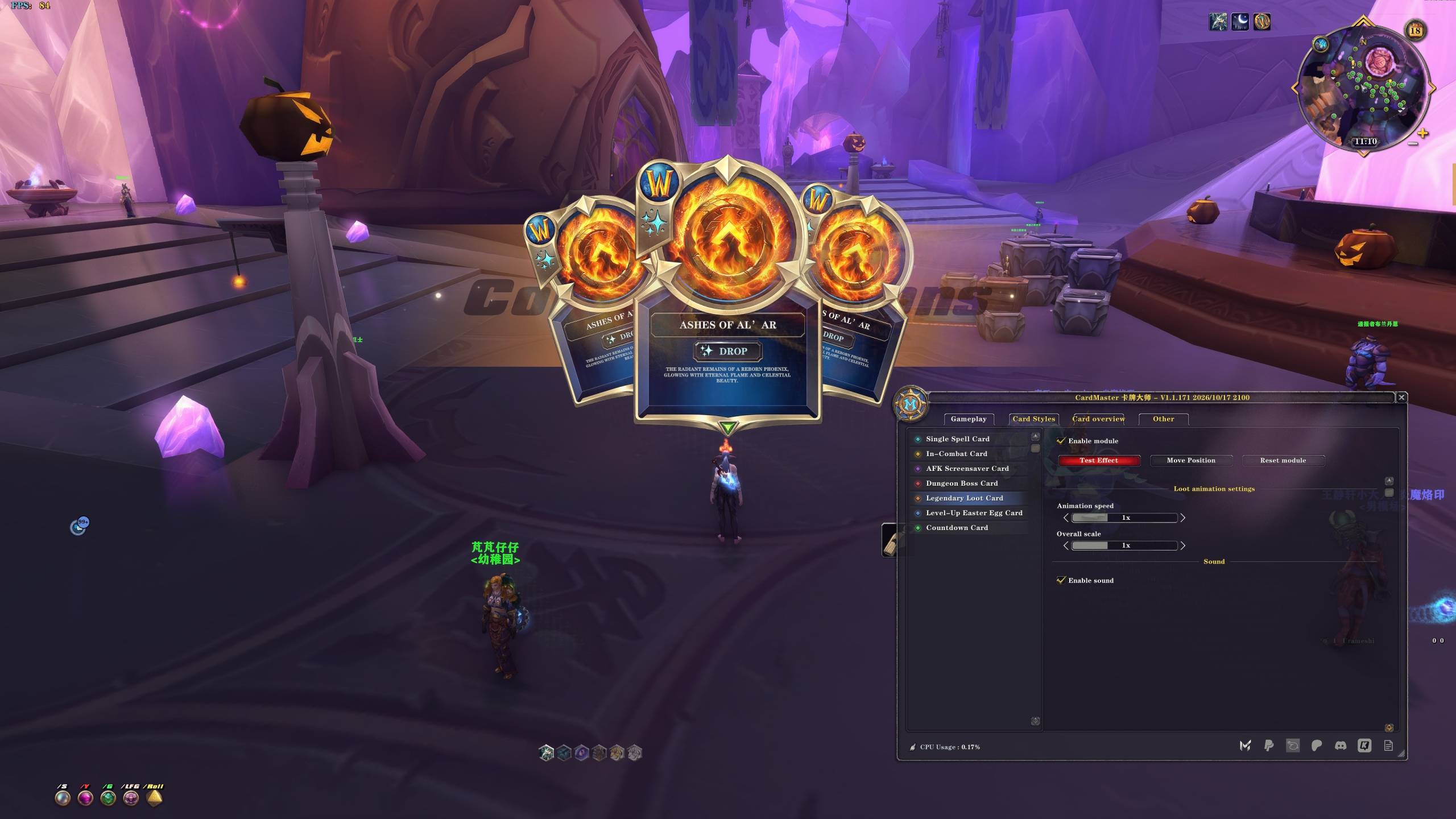
Legendary Loot Card Celebrate receiving supported legendary items in raids with a loot card animation. Click “Test effect” to preview and customize speed, size, position, and sound.
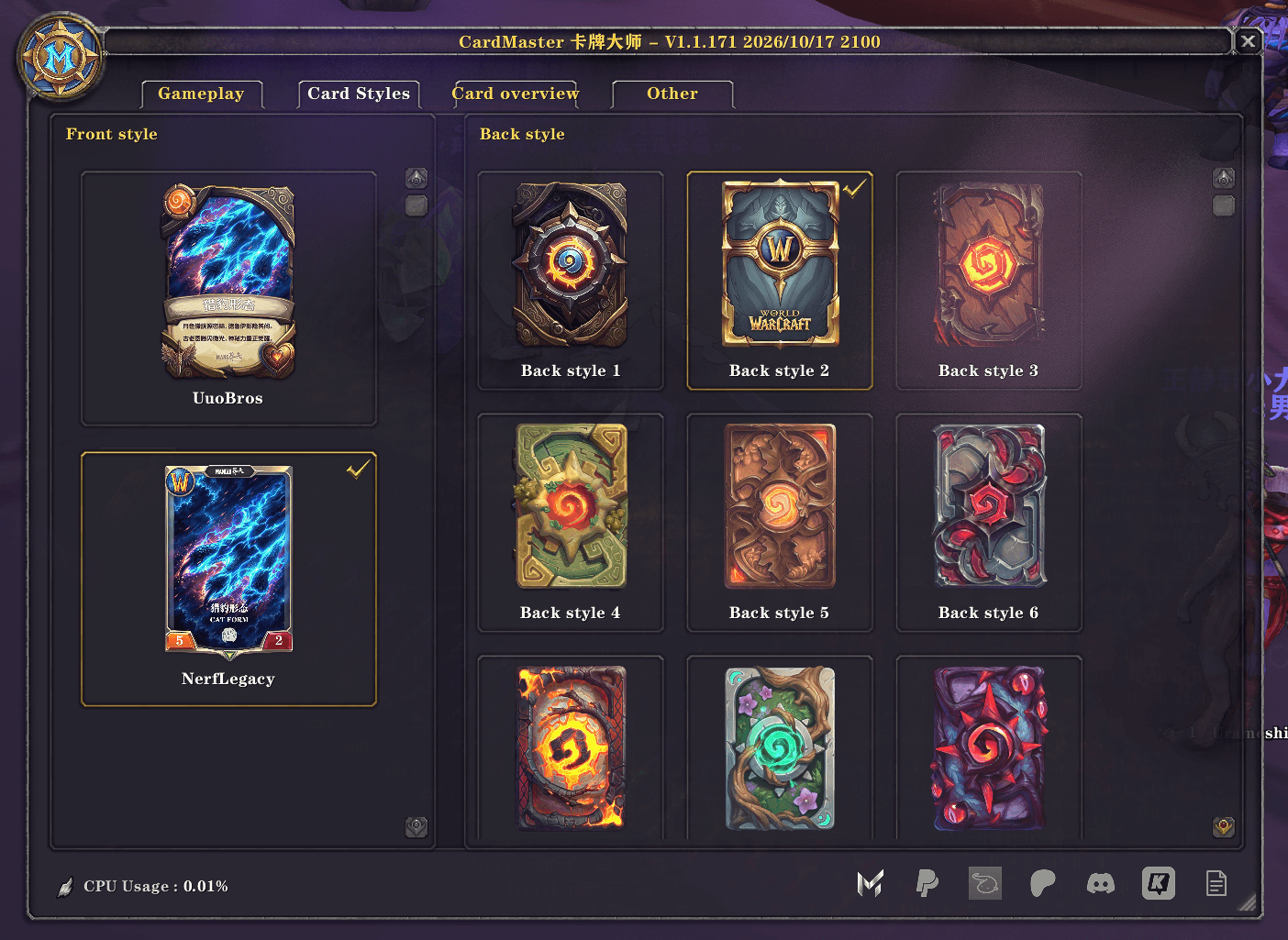
Card Styles Mix and match card fronts and backs. Click a thumbnail to apply your preferred appearance to the relevant card animations.
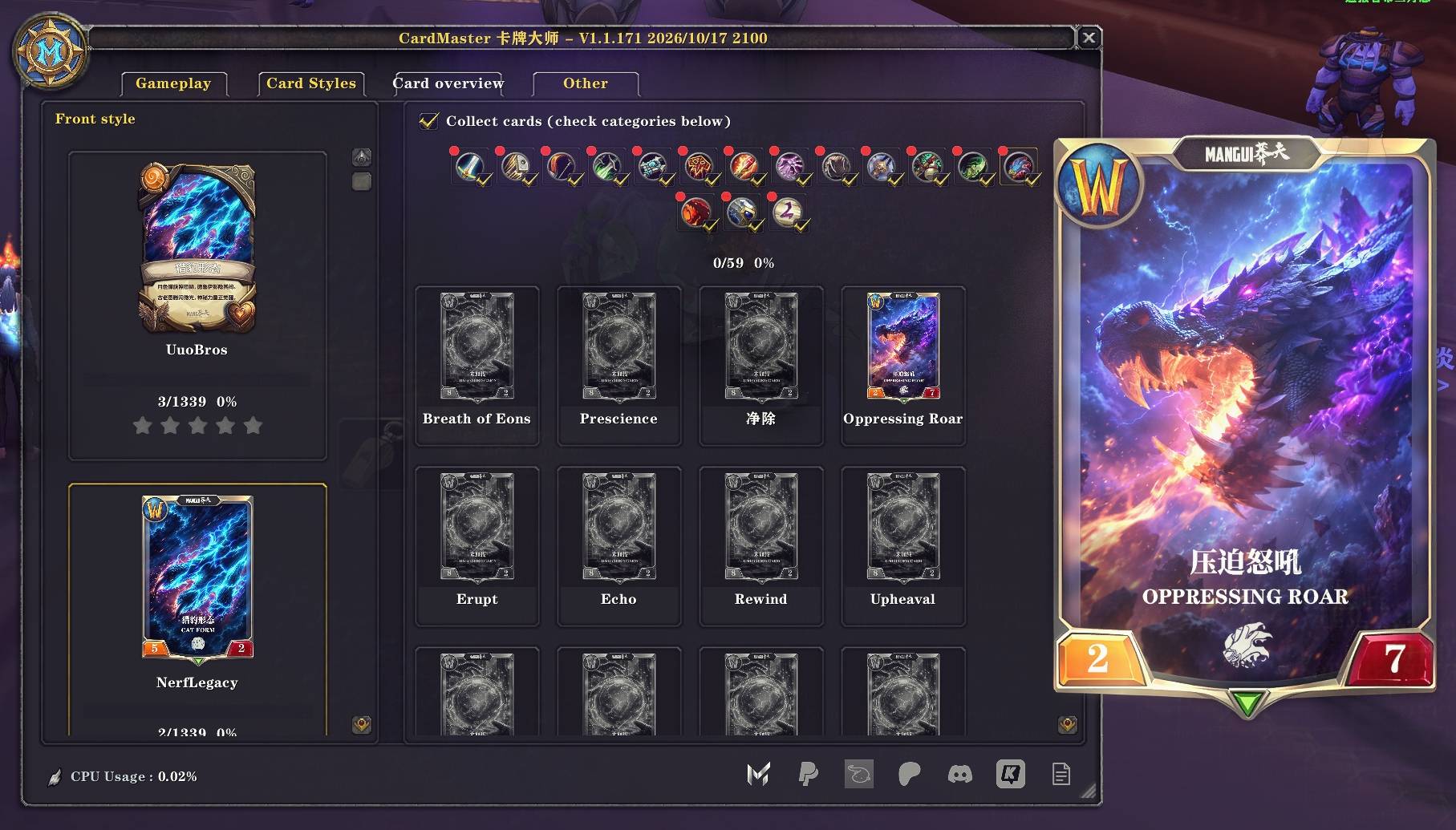
Browse the UuoBros and NerfLegacy sets, explore categories, and track your collection progress. Hover over a card for a larger preview. Enable “Collect cards” and check categories to earn uncollected cards through eligible gameplay activities.
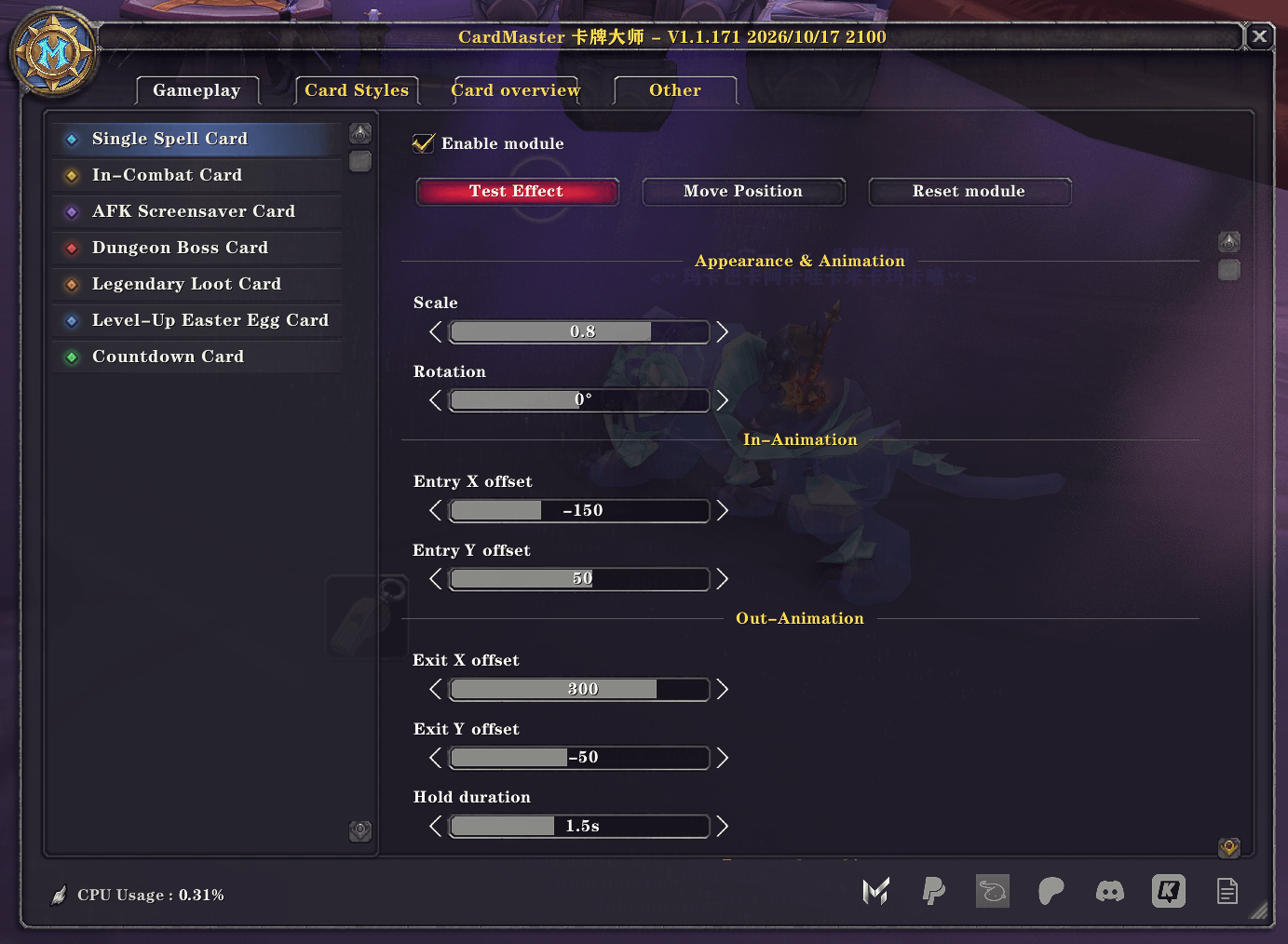
Manage all seven card effects, with separate controls for each module. Select an effect on the left and click “Test effect” to preview. Click “Move Position,” drag the anchor, then click “Lock Position.”
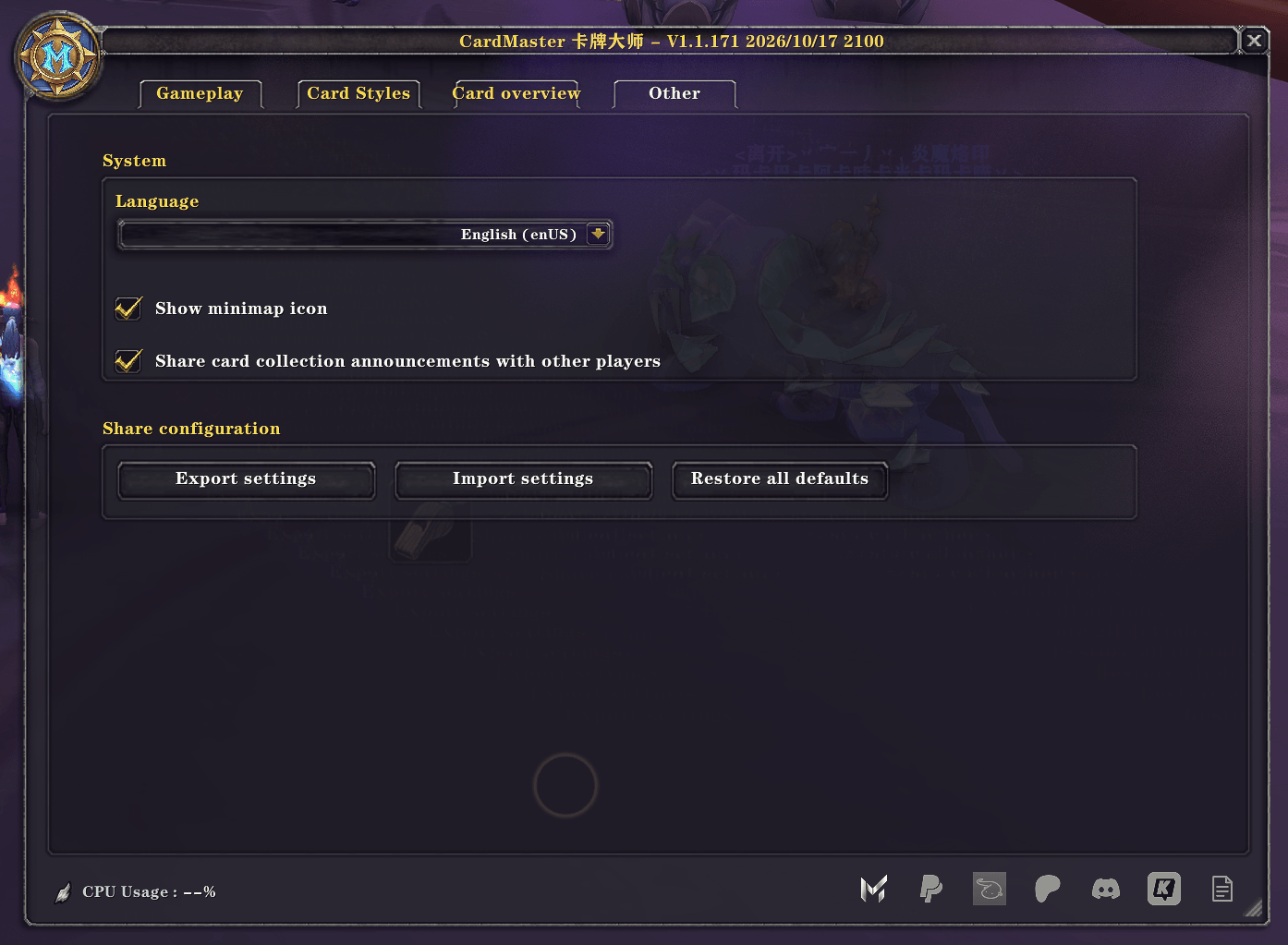
Switch between Chinese and English, manage the minimap button, and export or import your settings. You can also restore default settings while keeping your collected cards and collection progress.
Description
CardMaster
2,678 CARDS. COUNTLESS HOURS OF DESIGN. AN EVER-GROWING COLLECTION.
CardMaster currently features 2,678 individually designed cards, covering abilities from every World of Warcraft class, legendary bosses, and iconic content from across Azeroth's history.
Every card was created individually, refined through multiple revisions, and carefully finalized. Each design represents countless hours of creativity, experimentation, and attention to detail.
And this is only the beginning. More card series, artistic styles, and collectible content are coming in future updates.
Inspired by Hearthstone, CardMaster combines animated card visuals with a collection system that makes your everyday adventures more rewarding.
Play. Discover. Collect.
Collect Cards Through Adventure
Every adventure could bring your next collectible card.
Earn opportunities to discover new cards through combat, quests, gathering, fishing, dungeons, raids, and battlegrounds.
How it works:
-
Enable "Collect cards" in the Card Gallery.
-
Choose your preferred card series and categories.
-
Participate in eligible activities for a chance to earn a random uncollected card.
No duplicates! Every successful reward adds a new card to your collection.
An Ever-Growing Card Library
Currently available series:
- Hallowed Forge Series — A distinctive collection with its own artistic identity.
- Lustre Series — An alternative visual style with an independent collection.
Each series contains 1,339 cards, bringing the current total to 2,678 collectible cards.
Every series has its own collection progress, and more series will be introduced in future updates.
Collection Features
- Independent progress: Track each card series separately.
- Customizable collecting: Choose which series and categories to collect.
- Progress tracking: Monitor completion by category and series.
- No duplicate rewards: Collect only cards you don't already own.
- Instant notifications: Receive messages and sounds when discovering new cards.
- Card Gallery: Browse your collection and preview cards interactively.
- Shared progress: Characters on the same account within the same game client share their collection.
- Group progress: View teammates' progress when addon communication is supported and versions are compatible.
More Features
- Hearthstone-inspired card interface and animations
- Card effects for ability casts, combat, bosses, loot, leveling up, AFK, and countdowns
- Adjustable card position, scale, and animation settings
- Selectable card fronts and backs
- English and Chinese interface support
Getting Started
-
Install CardMaster through CurseForge.
-
Enable CardMaster and its included collection and card-series modules.
-
Type
/cmor click the minimap button to open settings. -
Open the Card Gallery, enable "Collect cards", and select your collection categories.
Important: Fully restart World of Warcraft after the first installation or updates that introduce new modules.
Compatibility
Supported World of Warcraft versions are listed on this CurseForge project page.
Features may vary between game clients. Collection progress is shared between characters on the same account within the same client but does not automatically synchronize across different clients.
Feedback
CardMaster will continue to grow with new card series, visuals, and features.
Bug reports, suggestions, and feedback are always welcome in the comments!
Disclaimer
CardMaster is an independent fan-made addon and is not affiliated with or endorsed by Blizzard Entertainment.
World of Warcraft and Hearthstone are trademarks of Blizzard Entertainment, Inc.
CardMaster Team