Camping Kit
- By
A camping kit that contains all your profession placeables to conserve action bar space! Also tells you when your camping buff has expired, along with weapon enhancements, and well fed.
1_overview.png
2_reminders.png
3_picker.png
4_closed.png
Description
Camping Kit
I found myself struggling to engage with the camping system meaningfully, because there was a lot to manage. So I made this and now I love going to the campfire or putting one down. It helps me be prepared, and the reminders for the camp buff or well fed helps me make sure I'm getting them whenever I can.
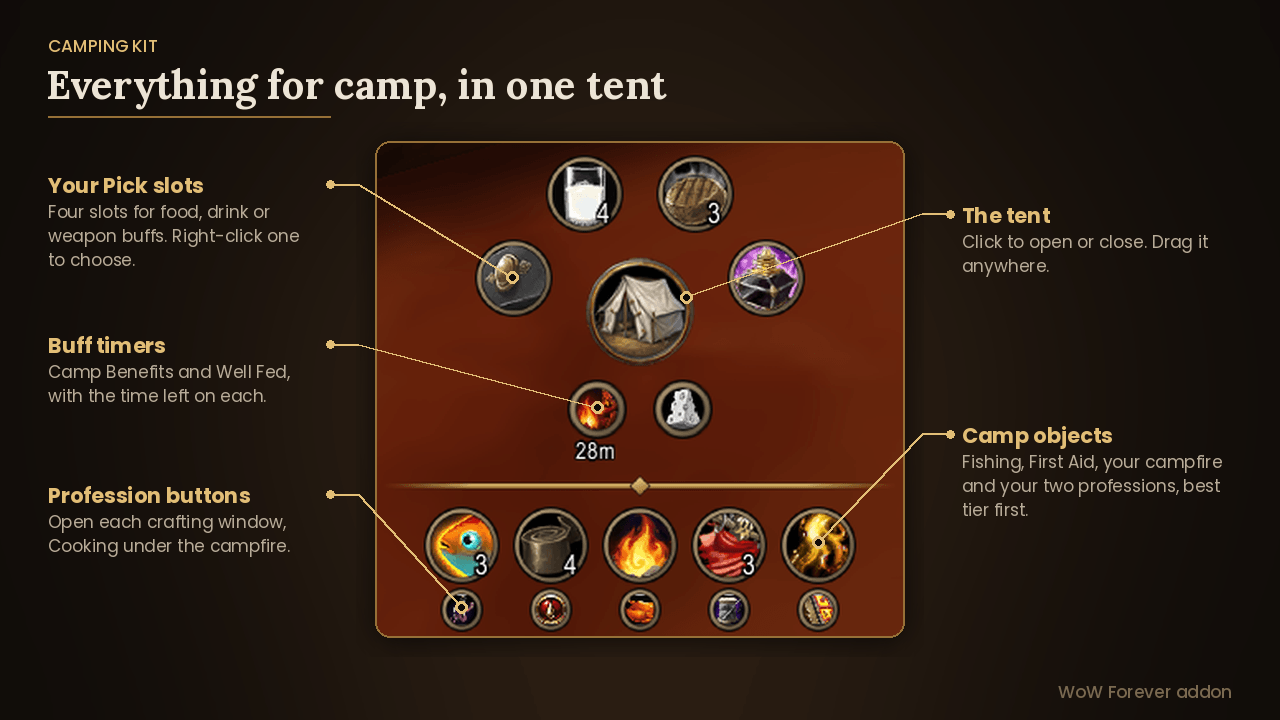
Camping in Forever brings a lot of new things to keep track of: campfire kits, a camp object for every profession, the Cozy Sleeping Bag, plus the food, drink, and weapon buffs you top up while you’re sitting at the fire. Camping Kit puts all of it in one small tent on your screen. Click it and your camping gear fans out around it. Click again and it packs away.
What’s in the tent
- Above: four “your pick” slots in an arc for food, drink or weapon buffs (sharpening stones, weightstones, oils, and poisons)
- Under the tent: timers for Camp Benefits and Well Fed
- Below the divider: a row with your Fishing and First Aid camp objects, your campfire kit in the middle, and the camp objects for your two professions
- Under each camp object: a small button that opens that profession’s crafting window (Cooking under the campfire)
- At the bottom: your Cozy Sleeping Bag, if you have one
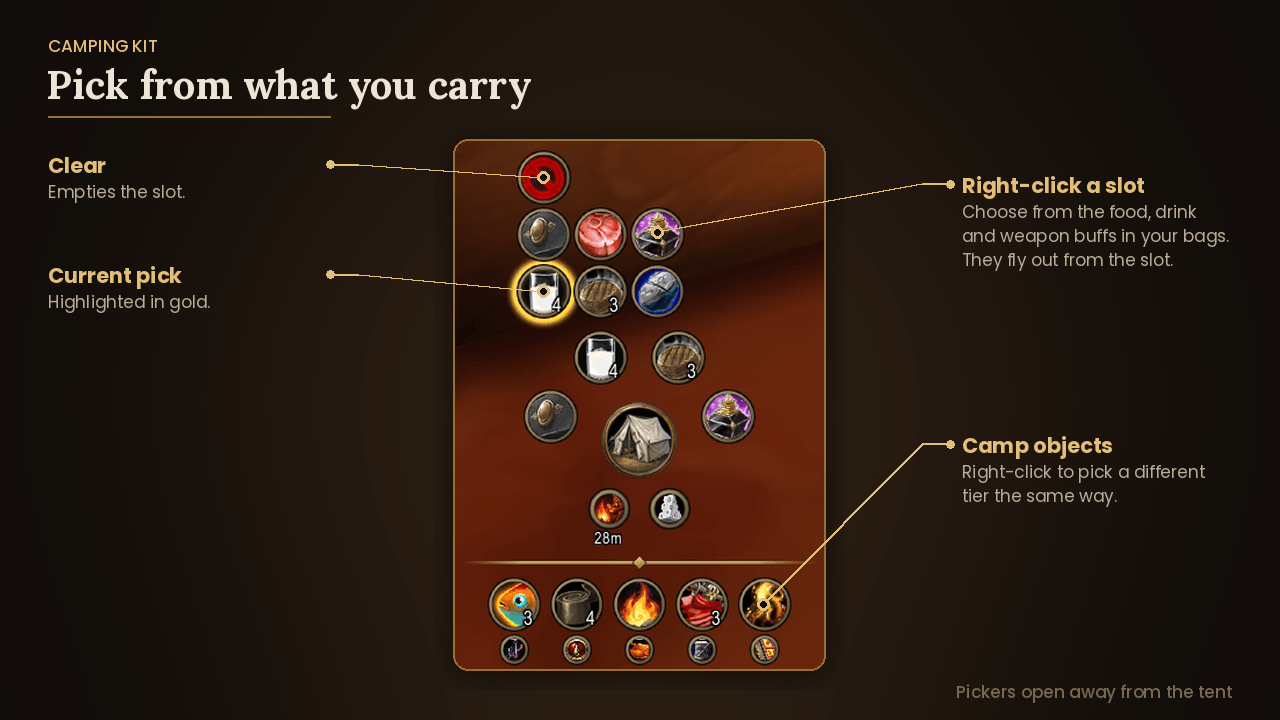
Camp objects need their profession to place, so the row covers everything your character can put down, and it works out your professions automatically. Each slot uses the best version you carry, and you can right-click to choose a different one. If you have none, the slot shows the starter item greyed out so you know what goes there.
Weapon buffs
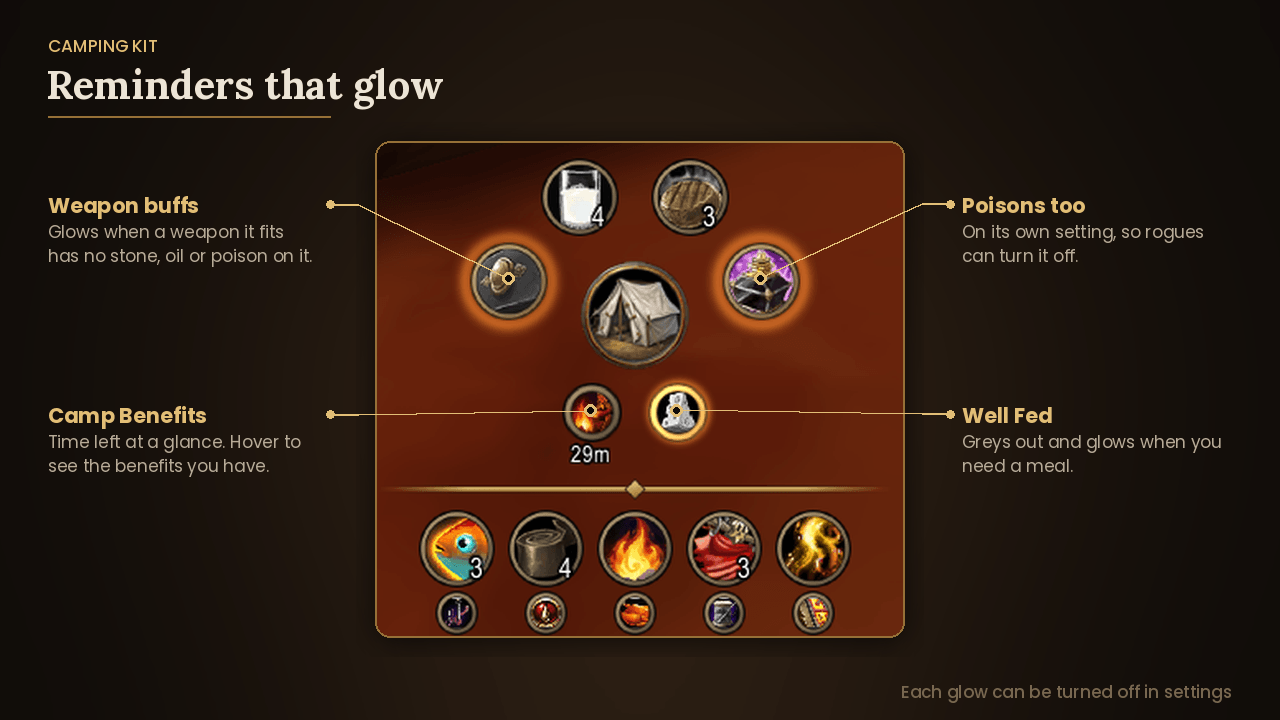
Click a stone, oil or poison and your character panel opens so you can click the weapon you want, whether it’s equipped or in your bags. The kit knows which buffs fit which weapons: sharpening stones for blades, weightstones for maces and staves, and oils and poisons for anything. Each one shows how long your weapon buff has left, and glows when a weapon it fits has nothing on it. Glow reminders can be turned off.
Buff reminders
Camp Benefits and Well Fed sit under the tent with their time left. When you don’t have one, it greys out and its border glows, so you know to sit by a fire or have a meal. Hover Camp Benefits to see exactly which benefits you’re getting. Glow reminders can be turned off.
Make it yours
- Right-click a slot to choose which item it holds.
- Drag food, drink or a weapon buff onto a “your pick” slot, or right-click to pick from what you’re carrying.
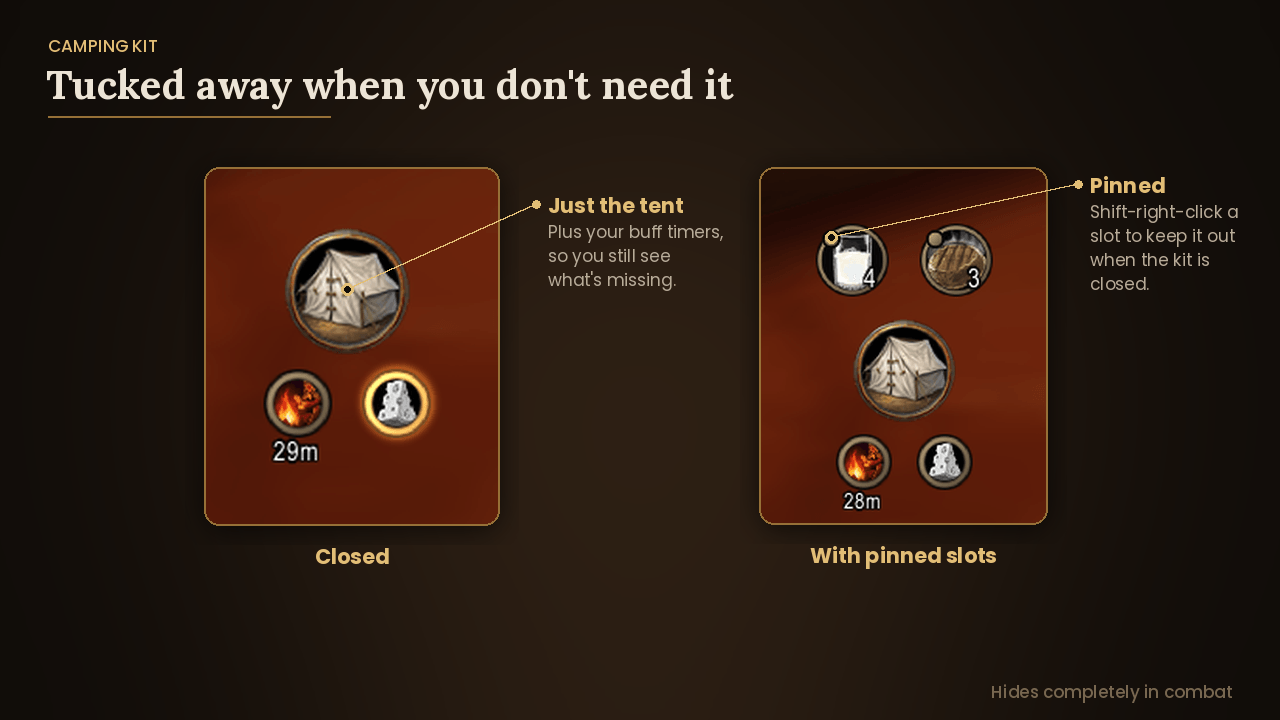
- Shift-right-click a slot to keep it showing even when the kit is closed.
- Drag the tent anywhere and resize it in settings.
- Square or round slots and profession buttons, set separately.
- Turn off any of the timers, their glows, or the profession buttons if you’d like a cleaner look.
- Key bindings for every slot, plus one to open and close the kit.
- Minimap button, and options under Esc > Options > AddOns.
Combat
Camping can’t be done mid-fight, so the whole kit hides as soon as combat starts and comes back when it ends.
Commands
/ck opens settings. /ck help lists everything else.
Camping Kit Team