BuffTap – Smart Buffing: Buff Reminder, Rebuff, Cleanse & Raid Buffs
- By
Buff reminder and one-click rebuff for WoW Forever. Spots missing buffs on you, your party or raid, your target and nearby players. Also cleanses curses, poisons, diseases and magic, and keeps weapon buffs, food and consumables up.
Description

Smart buff reminder and one-click rebuff for all classes in WoW Forever: missing buffs, cleansing, weapon buffs and consumables, with effortless mouse-wheel buffing.
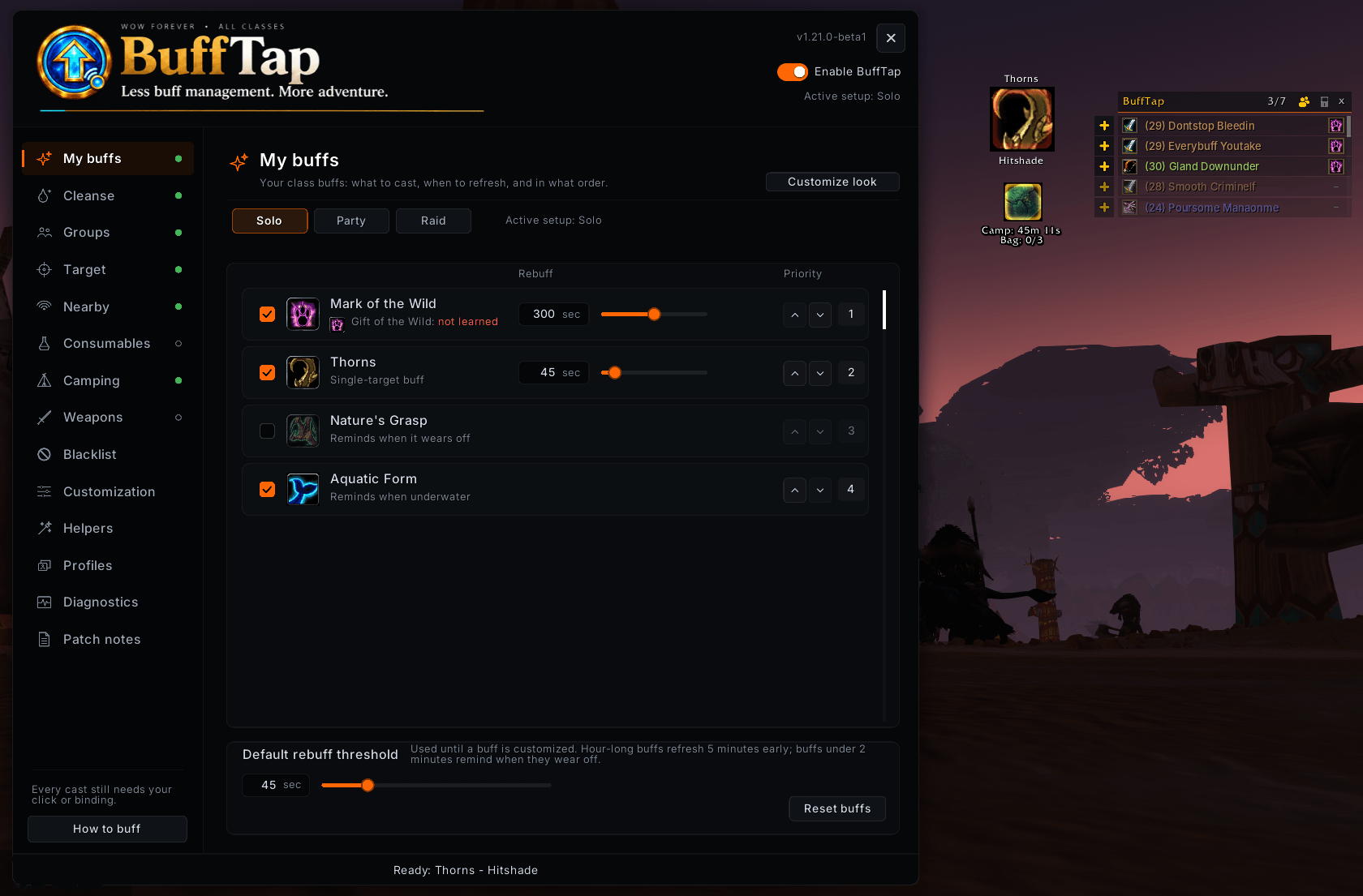
BuffTap detects missing or expiring buffs, follows your priorities, and prepares the next spell or item. Scroll to buff, then keep adventuring. Prefer a different control? Use a custom keybind, mouse button, or the clickable reminder.
Setup offers class recommendations without changing anything until you choose. Configure your class abilities before learning them, ready for later. BuffTap detects what needs doing and prepares the action; every cast or item use requires your input, outside combat.
🛡️ Buff yourself, your party, or your raid
Choose what to maintain, who receives it, and when to refresh it.
- Personal and friendly-target buffing with independent settings and class-aware Paladin target choices.
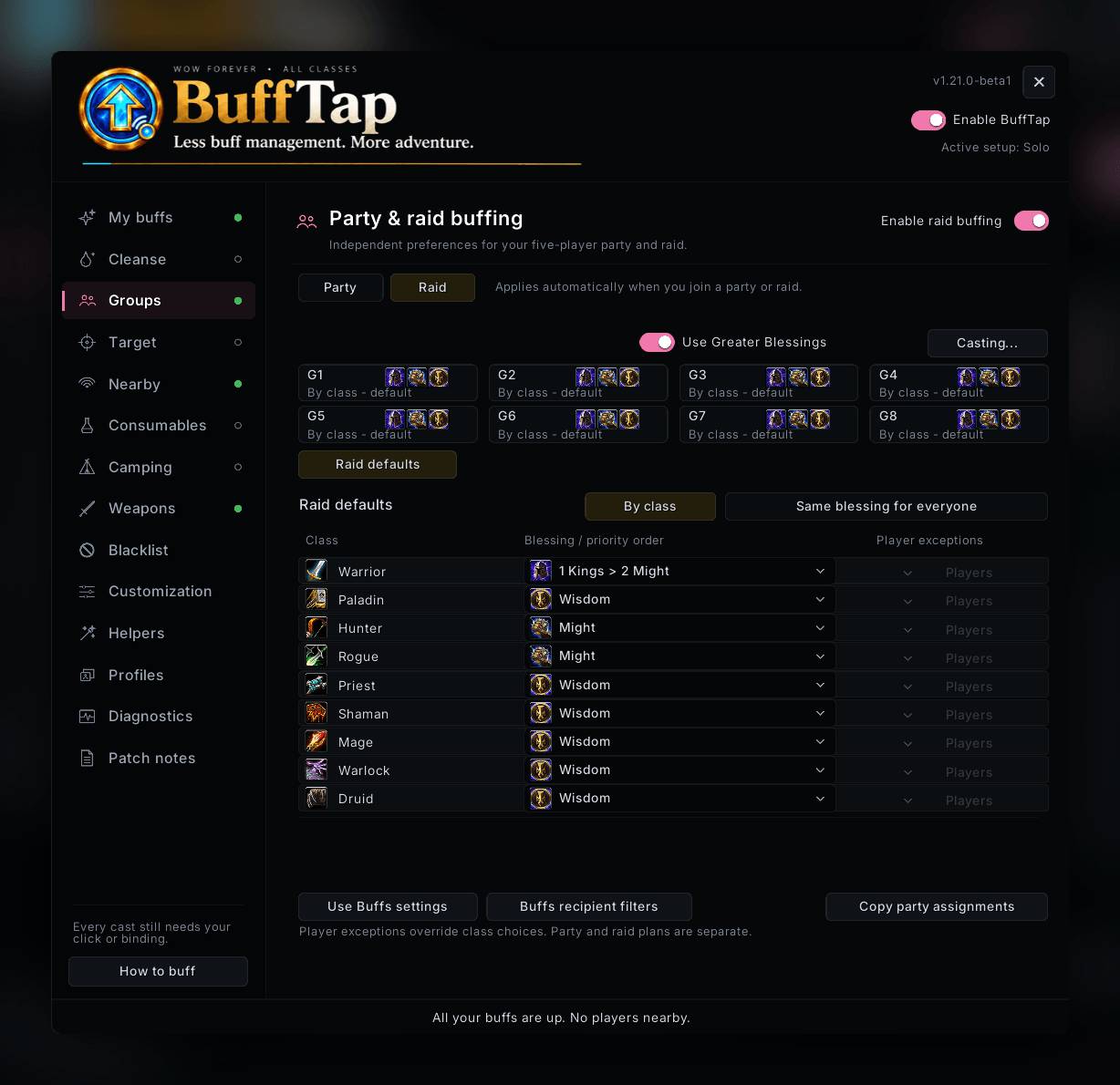
- Per-buff class, role and raid-group filters: give Thorns to the tank or Wisdom to healers, with priorities and refresh thresholds.
- Smart group spells that check who still needs the buff before spending reagents.
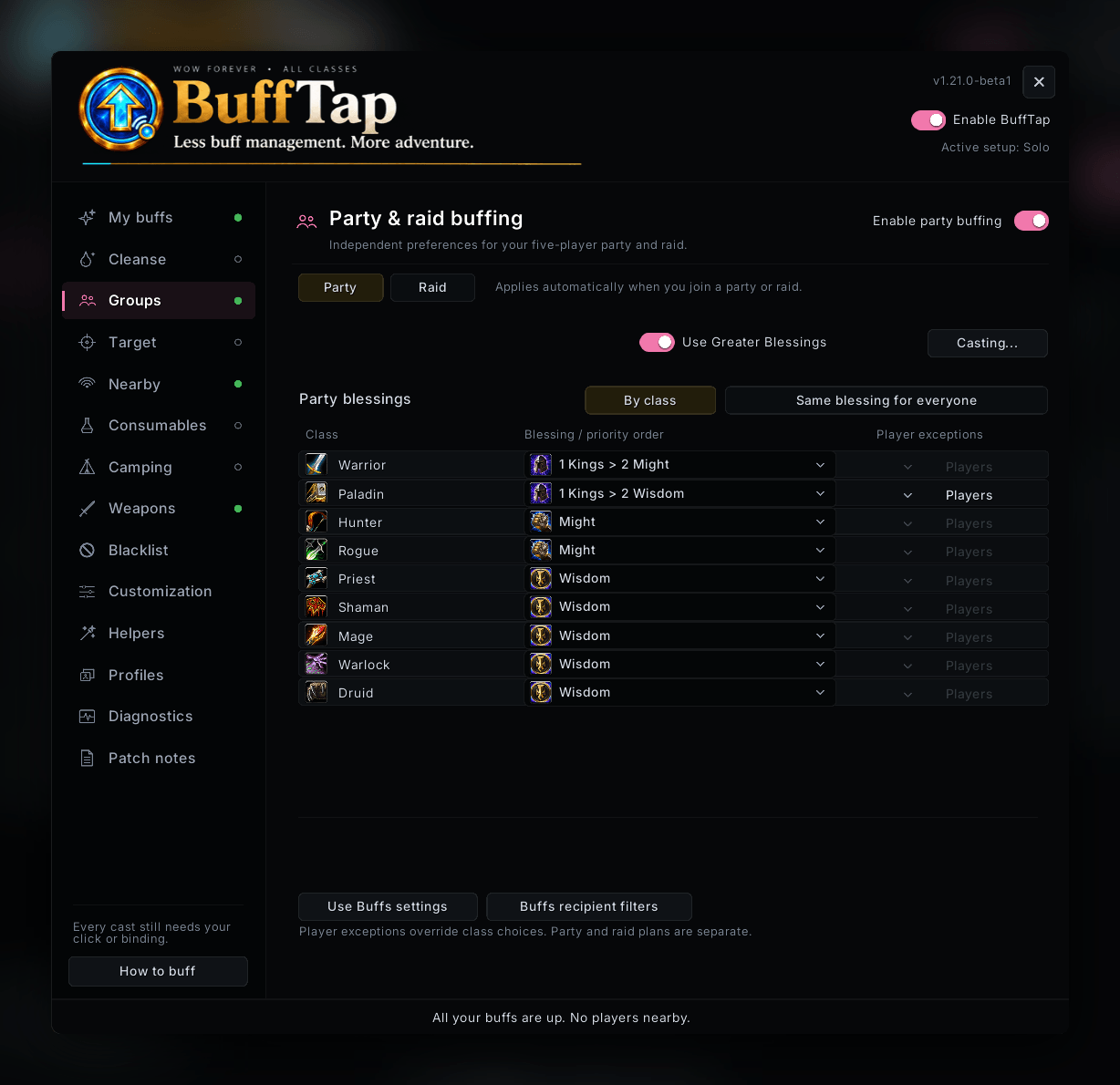
- Paladin blessing plans with separate party/raid choices, priorities that adapt as spells are learned, subgroup overrides and remembered player exceptions. Fixed manual choices stay fixed.
- SmartShift for Druids and Shamans: optionally offer your previous form after a BuffTap buff or cleanse shifts you out. Returning takes another click or binding press and is always silent.
💧 Cleansing and resurrection, out of combat
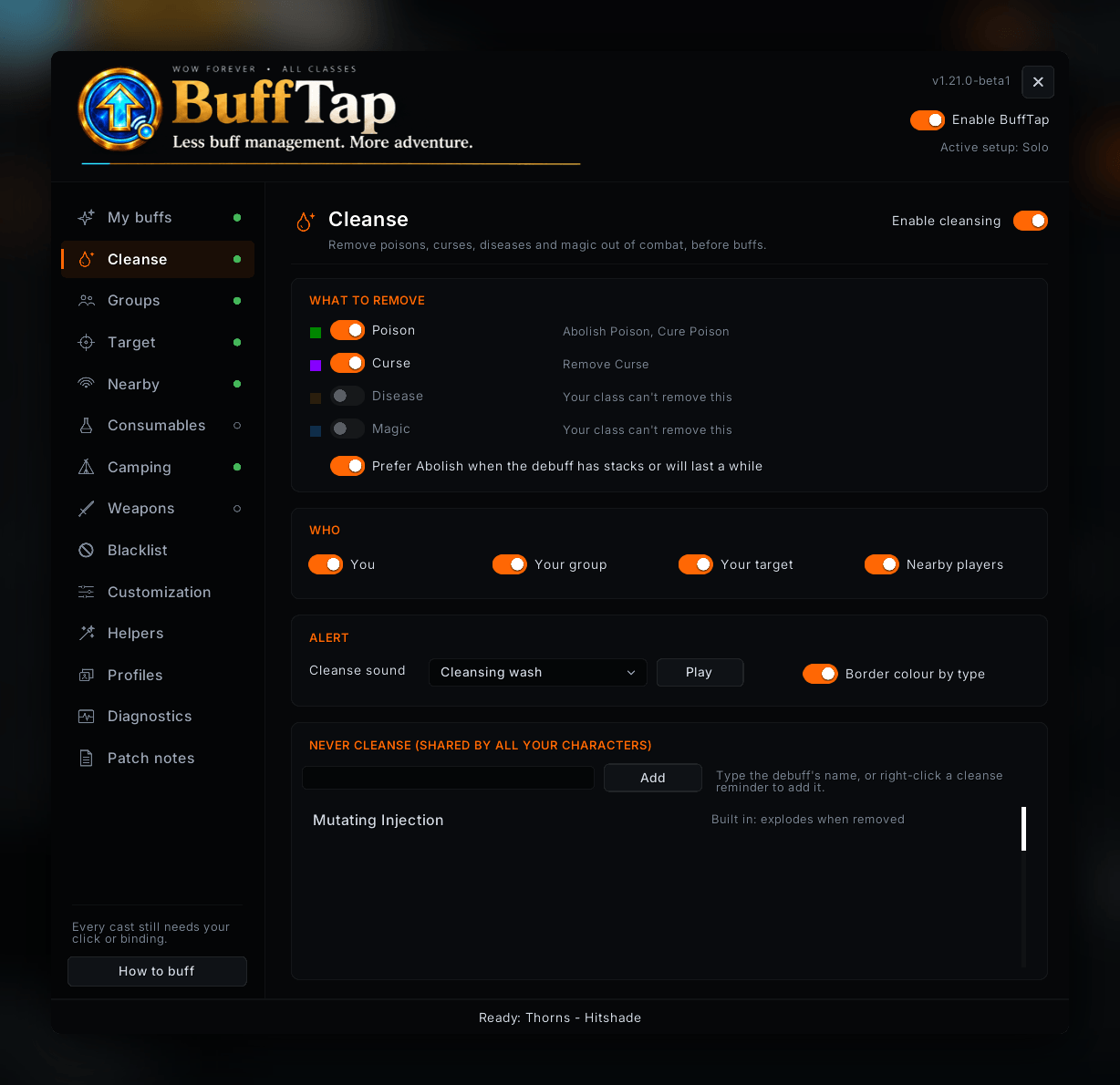
Cleansing and resurrection are included in the recommended setup for classes that can use them. Enable or adjust cleansing on the Cleanse page to remove poisons, curses, diseases and magic from you, your group, your target and, if you like, nearby players.
- Smart spell choice: uses Abolish Poison or Abolish Disease when learned, otherwise the plain cure, and lets an active Abolish keep working.
- Its own sound and a border in the debuff's colour, so a cleanse is easy to tell from a buff.
- Never cleanse list, shared by all your characters, with dangerous debuffs such as Mutating Injection already on it. Right-click a cleanse reminder to add its debuff.
- Resurrection: Druids, Priests, Paladins and Shamans get their normal resurrection spell offered for dead group members or a dead player they target. Druids can optionally allow Rebirth too.
Cleansing and resurrection reminders work outside combat. Reliable in-combat cleansing requires predefined secure actions and a unit-frame-style interaction model, which goes beyond BuffTap’s one-tap maintenance design. Addons such as Decursive are built specifically for that job.
👥 Nearby buffing & quick party invites
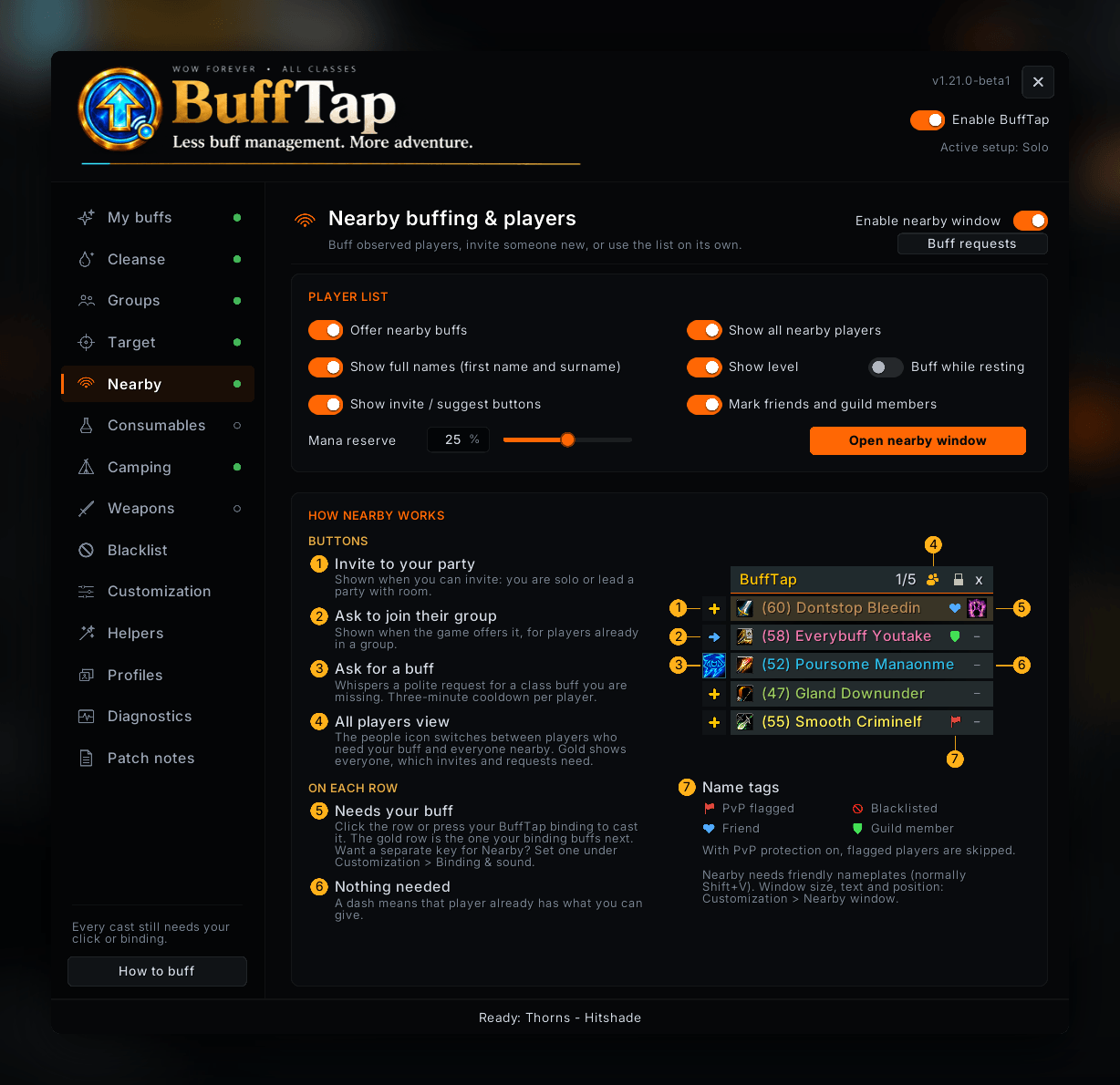
Share buffs with nearby players from a compact, movable window, with class-coloured names and missing-buff icons. Players needing an eligible buff appear first. Click a player or use your normal mouse-wheel or key binding to apply the next buff.
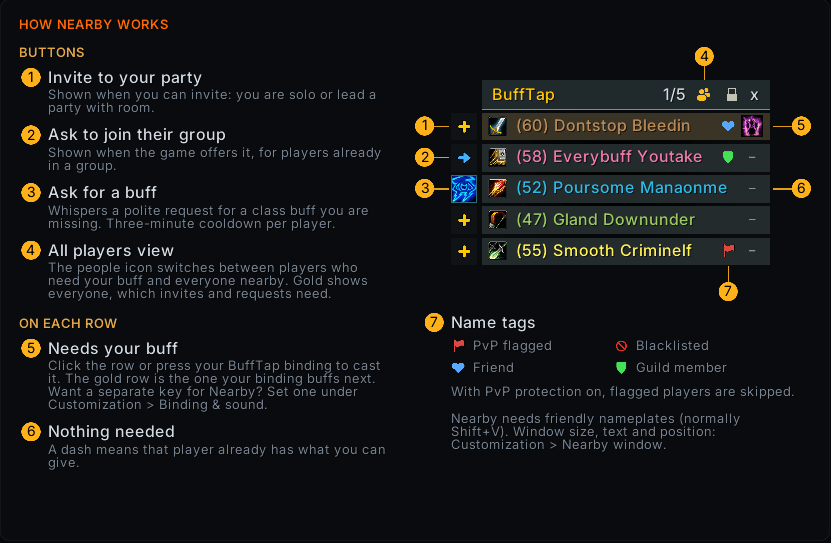
- Configurable list with 2–40 visible rows (five by default), a scrollbar and support for up to 40 detected players.
- Optional all-players view keeps nearby strangers listed after buffing, with a small header icon to switch views.
- One-click social buttons beside player names: invite, suggest an invite to your leader, or ask to join their group, whichever the game offers.
- Ask for a buff you are missing with a polite whisper to a nearby Mage, Priest, Druid or Paladin.
- See whether each cast worked: after you buff or cleanse a nearby player, their row briefly turns green, or red with the reason, such as out of range.
- Friend and guildmate alert (optional): a friendly sound and a brief row highlight when a friend or guild member shows up nearby, so you never walk past them unnoticed.
- Independent controls for nearby buffing, the player list and invitation buttons in the Nearby tab. Shift-left-click the minimap icon to toggle the window.
- Your existing preferences apply: Target settings for strangers and Groups settings for current party or raid members. Group members leave the list when no eligible buff is queued.
- Quiet buffing, with no extra reminder icon or notification ding.
Friendly player names must be enabled, normally with Shift+V; full health-bar nameplates are not required. Nearby is included in the recommended setup, and a short guide explains how it works. Every cast and invitation requires your input, and the window hides during combat. PvP and recipient-combat checks continue to protect buff casting.
⚔️ Keep your weapons ready
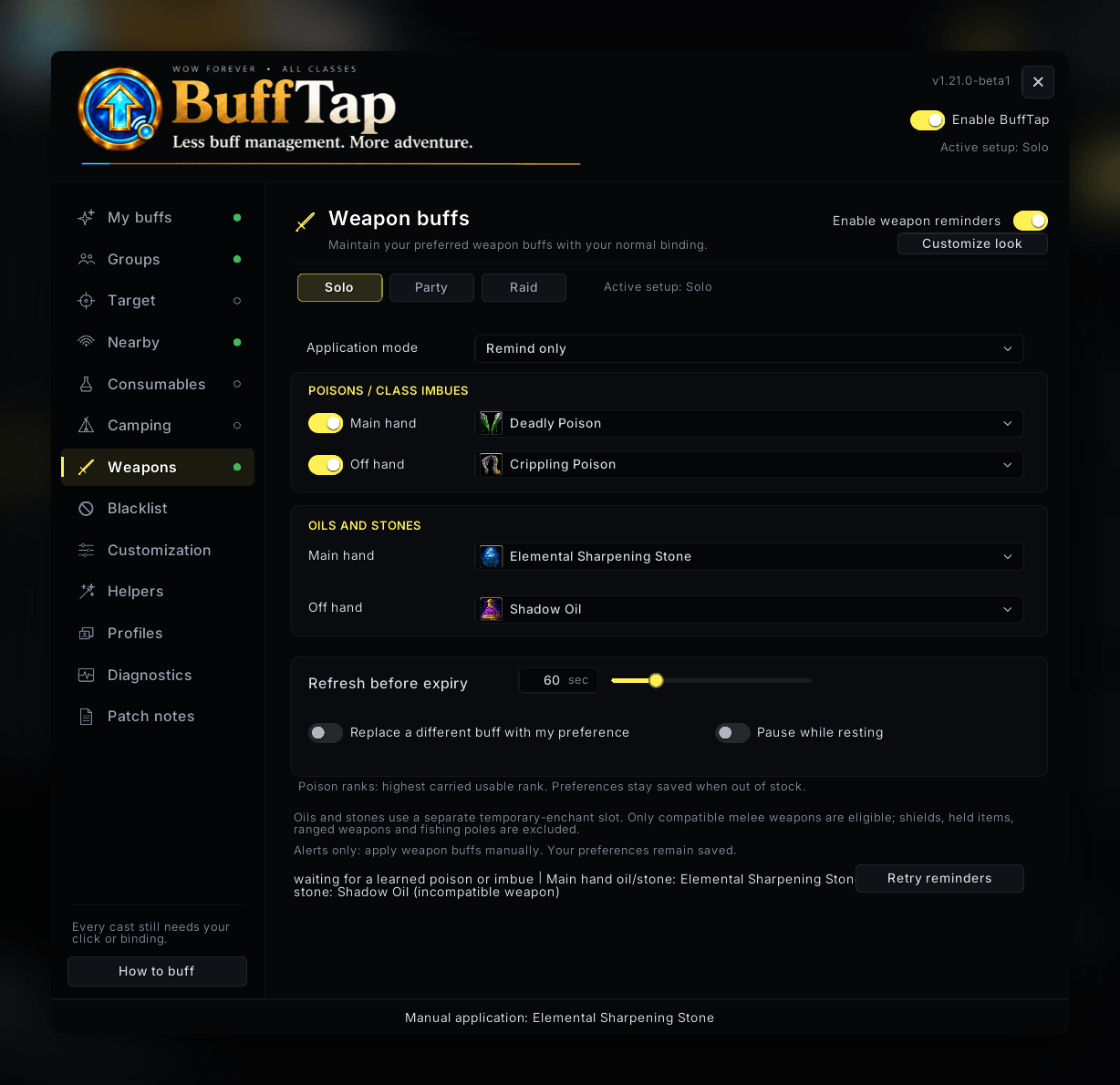
Maintain Rogue poisons, Shaman imbues, supported Mage imbue scrolls, Warlock Firestones and Spellstones, oils, sharpening stones, and weightstones through the same convenient binding.
Choose poisons and compatible oils/stones independently for each hand; Shaman imbues, Mage scrolls and Warlock stones use the main hand. Set your refresh timing and decide whether different existing effects may be replaced. Preferences remain saved when supplies run out.
Weapon application is optional and starts disabled.
🧪 Consumables without the bag search
Choose supported food, flasks, elixirs and utility buffs with search and an in-bags filter. Use Auto reminders through your normal BuffTap binding, or Manual mode for separate click-only item icons that stay off the binding. Food Auto means the first usable supported item, not the best stats.
The Supplies page tracks stock for your selected consumables and weapon items, plus custom carried items, with optional warnings, private alerts, sounds and ready-check summaries. Consumable reminders and stock warnings start off.
🔥 Camping & sleeping bag
Keep Camp Benefits and your sleeping bag's Well-Rested bonus in view with an optional, separately movable reminder. Check stacks and timers, snooze reminders, and open a compact tray for carried camp items and profession recipes. Customize its icon and text independently. Every craft or placement requires your click; food stays under Consumables.
✨ Helpful extras, when you want them
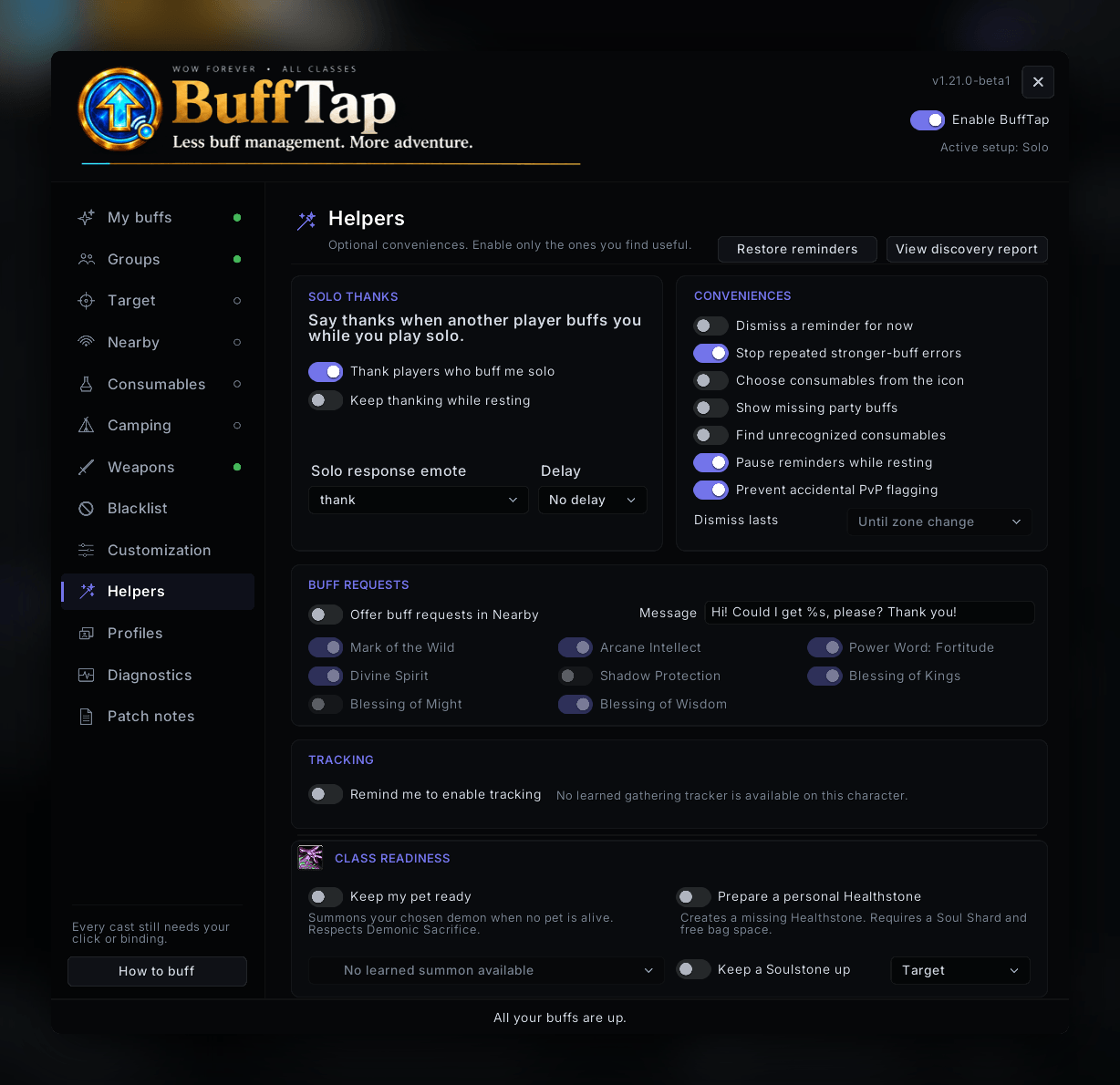
Enable Hunter/Warlock pet readiness, personal Healthstone creation, Soulstone upkeep for yourself, a healer or an assigned player, class and gathering tracking reminders, or party buff-coverage information. Dismiss unwanted reminders, reduce repeated stronger-effect errors, or optionally thank players who buff you while questing solo.
Optional class helpers can be enabled individually.
🎨 Make it your own
Open Customization to adjust your binding, appearance, sounds and quick access. Use arrows to arrange buff priorities. Pick a Classic or Modern icon, move and resize the reminder, and adjust opacity, label fonts/colors, timers, glow style, color and speed. Blizzard Edit Mode can also move Nearby, Camp, Supplies and detached Manual consumables.
Optional Buff Queue icons can show upcoming buffs, while Combat Expiry can warn when one of your own buffs is expected to run out during a fight.
The main, Camp and Supplies reminders have independent text font, size, color, outline and spacing controls. Choose reminder, low-stock and camp sounds from BuffTap's own set, game sounds or installed SharedMedia packs, preview them, and control alert frequency. Reminders pause while mounted; optionally pause them in cities and inns too.
Revisit Review class setup under My buffs (or /bufftap setup), with optional profile backup, and right-click the minimap icon for quick controls or a temporary pause. Open settings from the draggable minimap button or enable an optional LibDataBroker display alongside, or in place of, the standard reminder. Native game icons and automatic Spanish, German, French, and Brazilian Portuguese localization keep the interface familiar; untranslated text falls back to English.
Get started
Install BuffTap in your client's Interface/AddOns folder, log in and follow the short setup, or open /bt to choose your buffs. Then start scrolling.
Download on CurseForge · Source code and support
Found a problem? Include your class and level, addon version, game build, relevant feature, expected behavior and steps to reproduce it.
MPL 2.0. See bundled license notices. Game data and artwork belong to their respective owners. Developed with AI-assisted coding and review.
BuffTap – Smart Buffing: Buff Reminder, Rebuff, Cleanse & Raid Buffs Team