BuffReminder Forever
- By
Clickable reminder icons for your missing class self buffs and Well Fed. One click casts the buff or eats your food.
BuffReminder-1-icons.png
BuffReminder-2-settings.png
BuffReminder-3-tooltip.png
BuffReminder-4-minimap.png
Description
Never forget your self buffs again. BuffReminder shows a clickable icon for every buff of your class that is missing or about to run out, plus Well Fed.
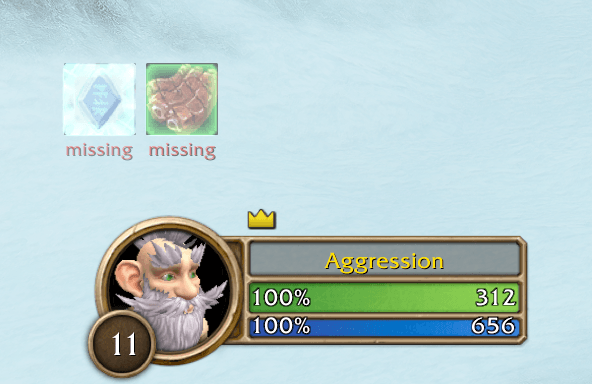
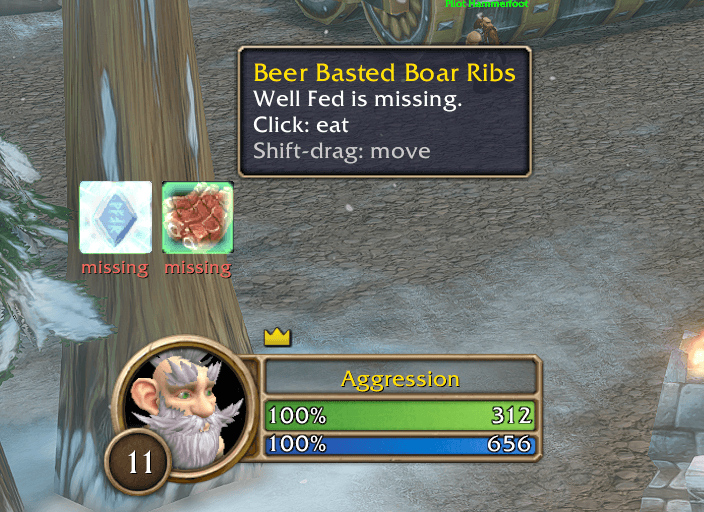
Out of combat, a small row of pulsing icons appears when a buff is gone or below the time you set. Click an icon and the buff is cast on you, or your buff food is eaten. When everything is up, nothing is shown.
Features
- Only spells your character has learned are shown, so it works from level 1 and on every class
- Buffs from other players count too (Mark of the Wild from another druid, Fortitude from a priest, …)
- One click casts the highest rank on yourself
- Buff groups: mage armor, warlock armor, hunter aspect, paladin aura and blessing. Any member counts. The one you used last is recast, right-click switches to the next one
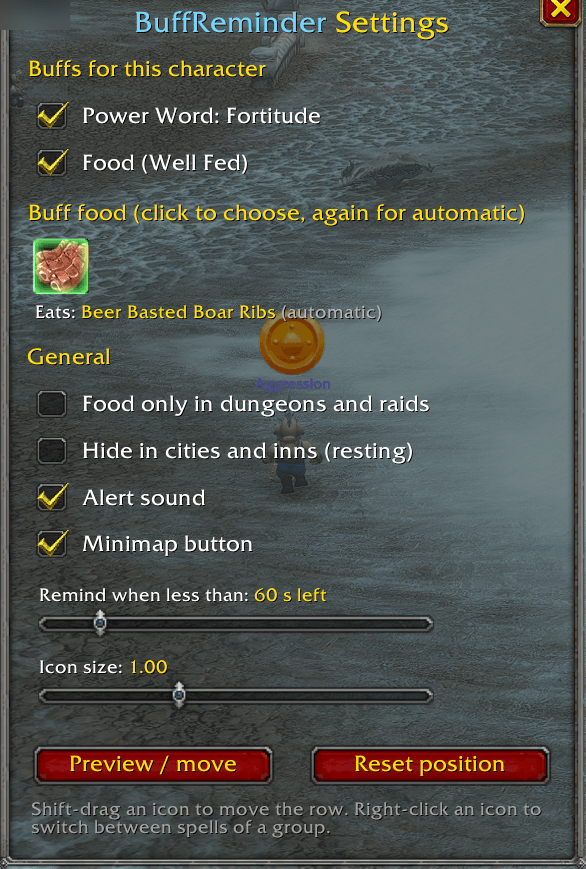
- Well Fed: BuffReminder remembers which food gave you Well Fed and eats it for you next time. Until then it finds buff food in your bags by its tooltip. Have several kinds? Pick one in the settings or right-click the food icon to switch. Without buff food in your bags there is no food reminder
- On/off per character, plus a checkbox per buff (saved per character), reminder time, icon size, preview mode to place the row and a minimap button
- Optional: food only in dungeons and raids, hide while resting in cities and inns
- Hidden in combat, while dead, mounted or on a flight path
- Lightweight, with no dependencies
Buffs per class
| Class | Buffs |
|---|---|
| Druid | Mark of the Wild, Thorns |
| Mage | Arcane Intellect, Armor (Mage / Ice / Frost Armor) |
| Priest | Power Word: Fortitude, Inner Fire, Divine Spirit, Shadow Protection (off by default) |
| Warlock | Demon Armor / Demon Skin |
| Paladin | Blessing on yourself, Aura, Righteous Fury (off by default) |
| Hunter | Aspect, Trueshot Aura |
| Shaman | Lightning Shield |
| Warrior | Battle Shout (off by default) |
| All | Well Fed |
How to use
- Click an icon: cast the buff on yourself or eat.
- Right-click a group icon: switch to the next spell of the group. On the food icon: switch to the next buff food in your bags.
- Shift-drag an icon: move the row. Or use Preview / move in the settings.
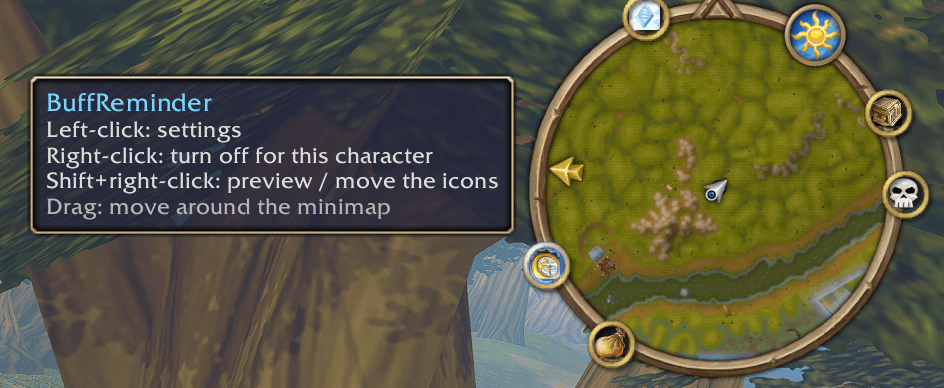
- Minimap button: left-click opens the settings, right-click turns BuffReminder on or off for the current character (e.g. off on a bank alt), Shift+right-click toggles the preview.
Commands (/br or /buffreminder)
| Command | Effect |
|---|---|
/br |
Open the settings window |
/br on / off |
Turn on or off for the current character |
/br preview |
Show all icons to move them |
/br time 60 |
Remind when less than 60 seconds are left |
/br scale 1.2 |
Icon size (0.5 to 2) |
/br reset |
Back to the default position and size |
/br help |
Short help in chat |
Notes
- The icons are secure buttons. The game does not allow showing or changing them in combat, so they are hidden as soon as a fight starts and come back afterwards.
- During some boss encounters the game hides buffs from addons even out of combat. Then the row stays hidden instead of showing every buff as missing.
- Special food with its own buff name (for example "Increased Agility") is not detected, only Well Fed.
- Rogue poisons and shaman weapon imbues are weapon enchants, not buffs, and are not covered yet.
License: GPL-3.0-or-later
BuffReminder Forever Team