Buffeteria
- By
Buff coordination for WoW Forever. Rank your preferred buffs, automatically share casting assignments, and track missing buffs with a one-click cast button.
Buffeteria_ Buffing, sorted-1.png
Buffeteria_ Your buffs, your order-2.png
Buff tracker states at a glance-3 (1).png
Shared assignments, simple buffing-4.png
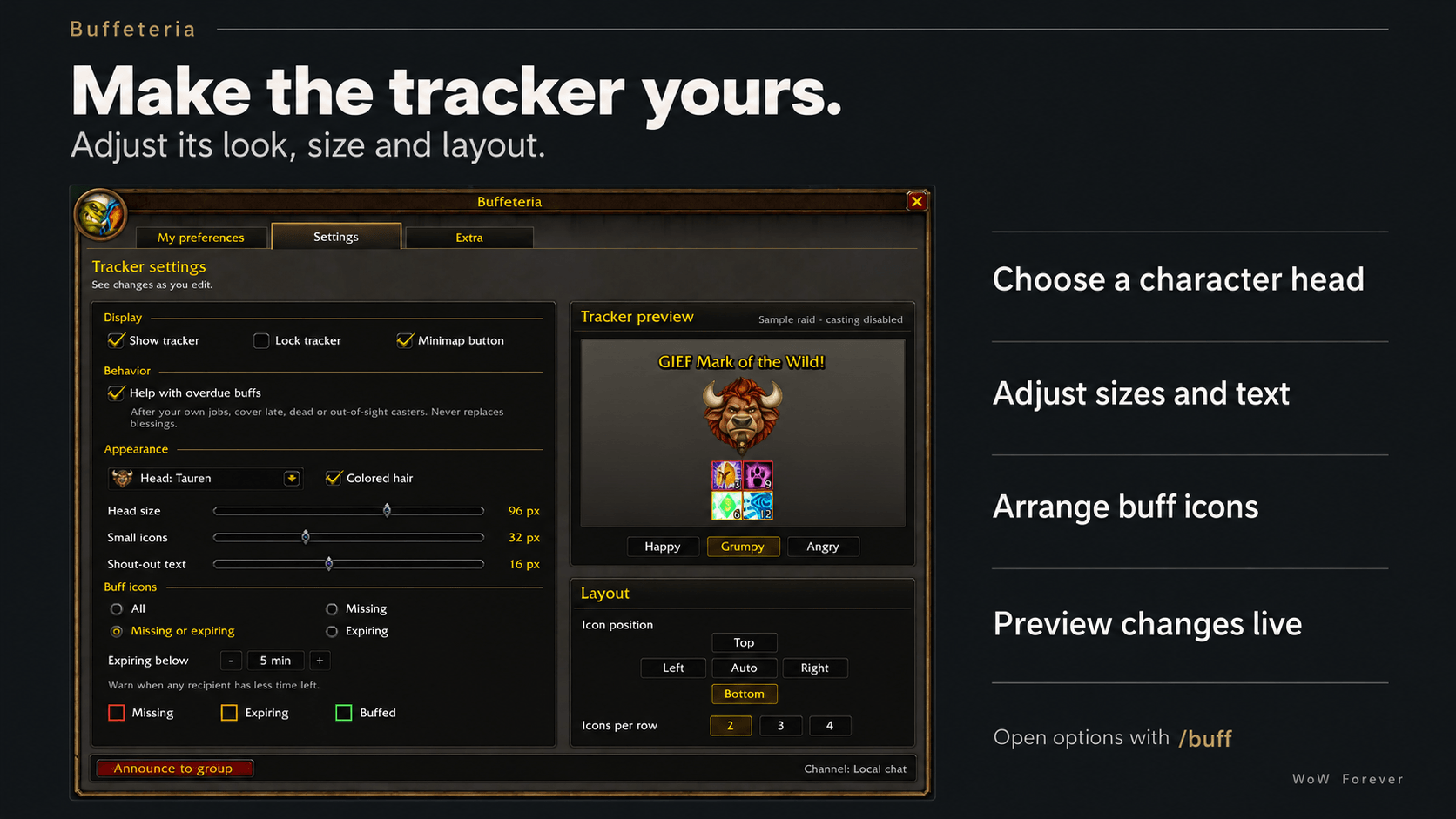
Buffeteria_ Make the Tracker Yours-5.png
Description
Buffeteria — All-you-can-buff.
Buffeteria coordinates raid and party buffs in World of Warcraft: Forever. Each player chooses the buffs they want, and Buffeteria works out who should cast them. A compact tracker shows what is missing and provides a button to cast your next assigned buff.
It brings paladin blessings, priest buffs, druid buffs, and mage buffs into one shared system.
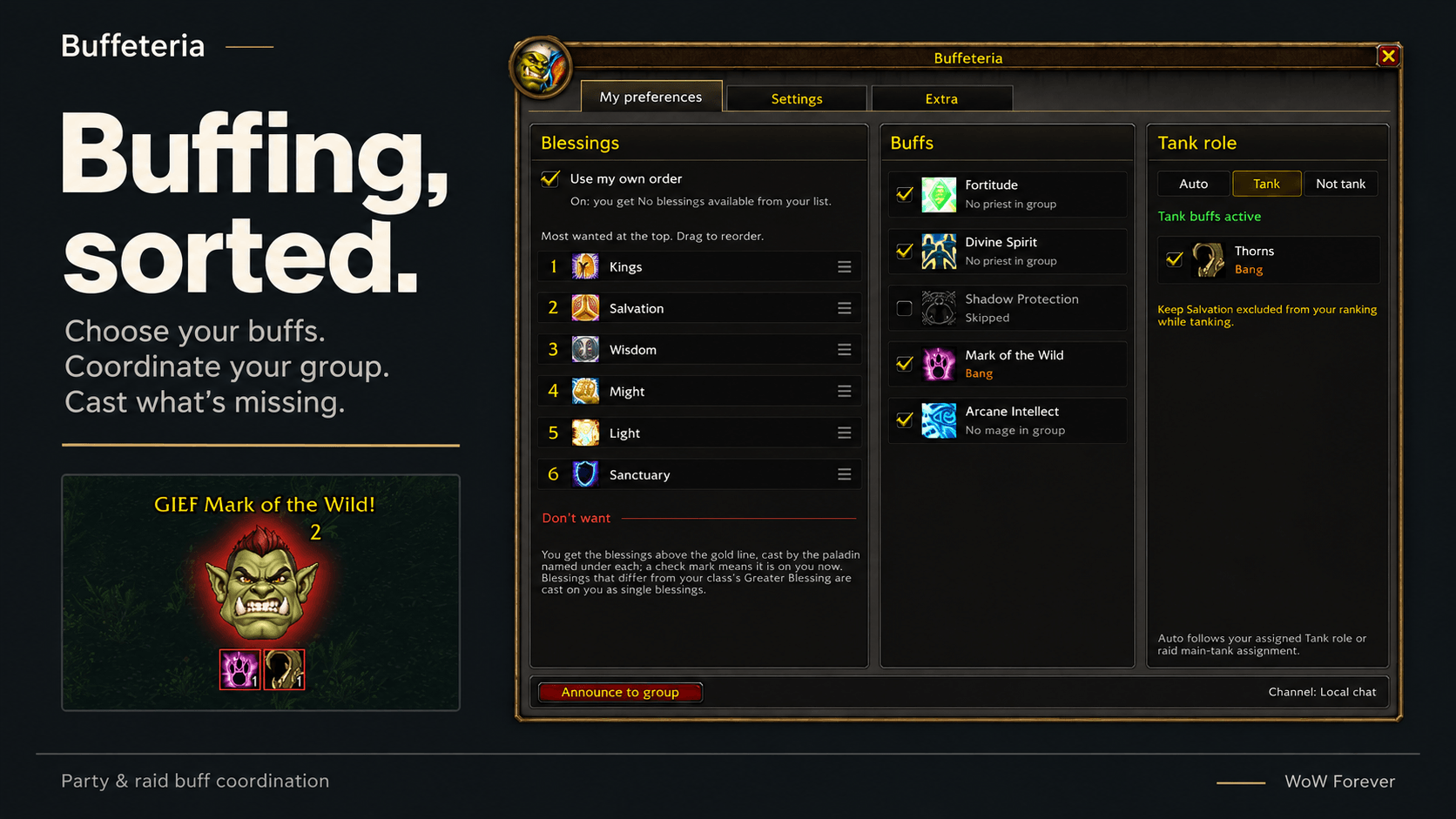
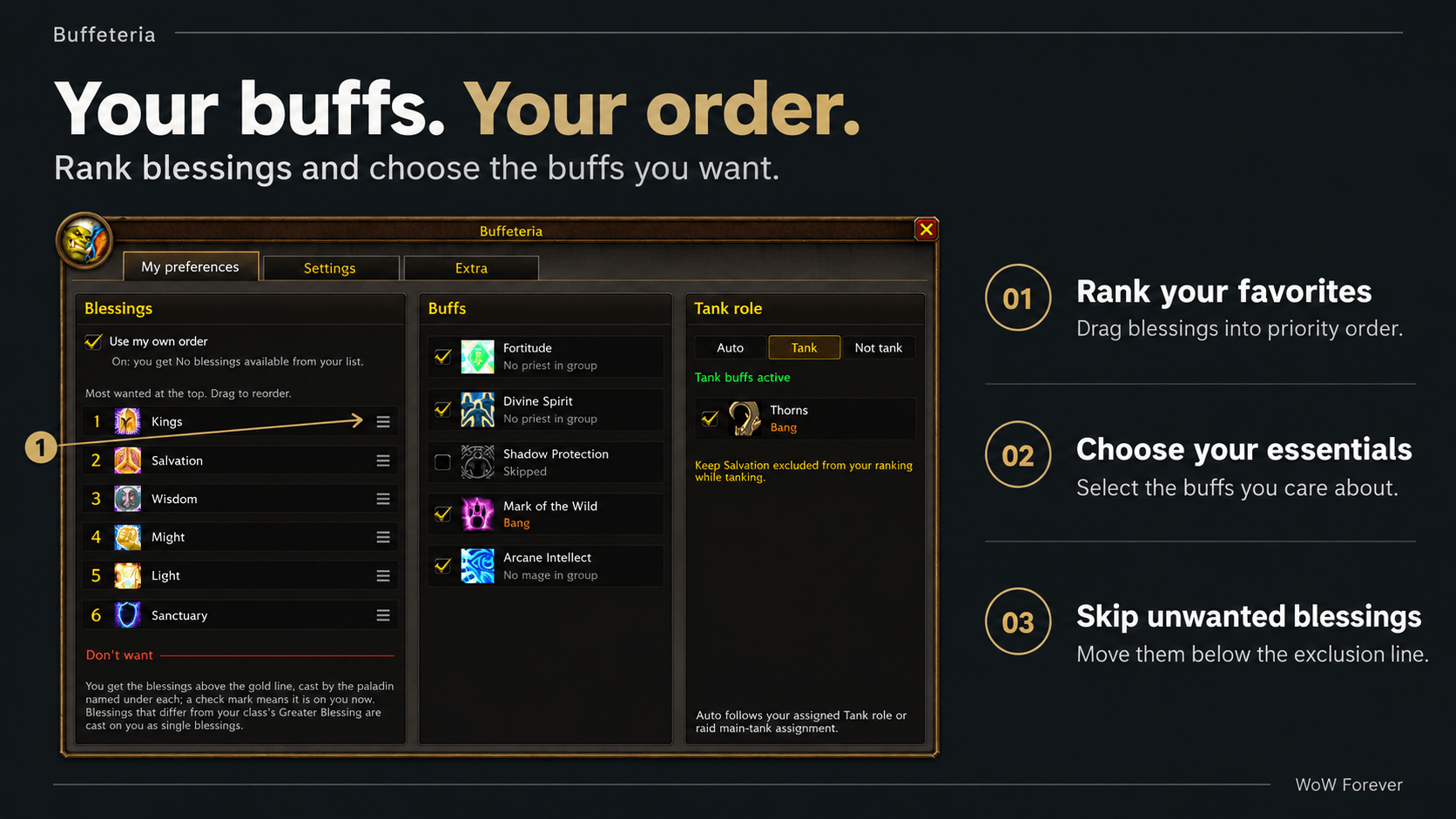
Choose what goes on your plate
Rank your preferred paladin blessings by dragging them into order. With one paladin available, Buffeteria prioritizes your first choice; with more paladins, it can cover additional choices.
You can also select the other buffs you care about:
- Power Word: Fortitude
- Divine Spirit
- Shadow Protection
- Mark of the Wild
- Arcane Intellect
Place unwanted blessings below the exclusion line. For example, a tank can exclude Salvation and receive a different personal blessing instead.
Automatic assignments
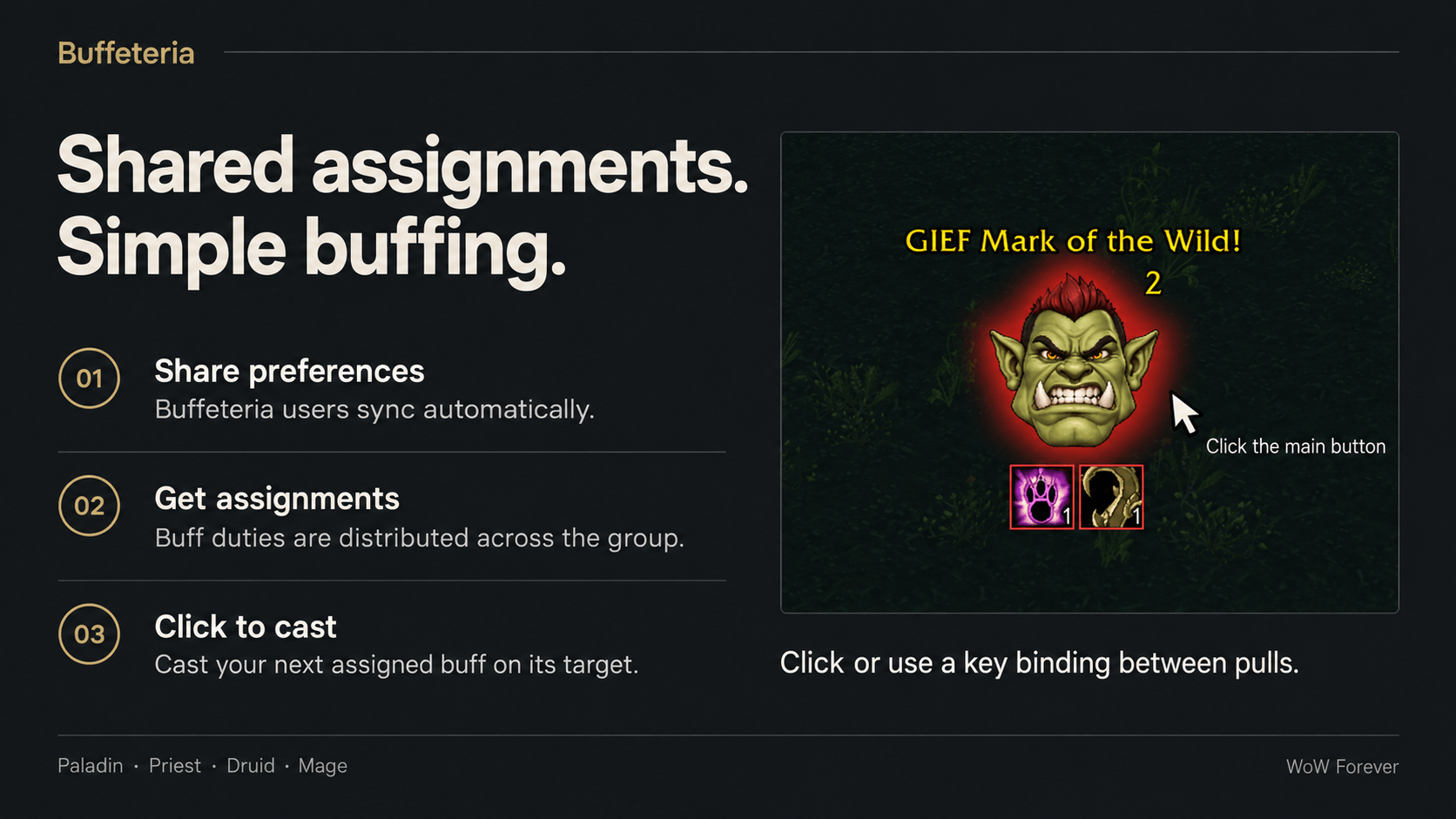
Buffeteria uses the group’s preferences to distribute buffing duties:
- Paladins receive Greater Blessing assignments by class, based on the preferences of players in that class.
- Personal blessing assignments handle players who excluded their class’s assigned blessing.
- Priests, druids, and mages divide coverage across raid groups.
Players running Buffeteria share their preferences automatically. Players without the add-on are included using sensible class defaults. Every copy computes assignments from the same shared information, so a dedicated raid leader is not required.
See who still needs feeding
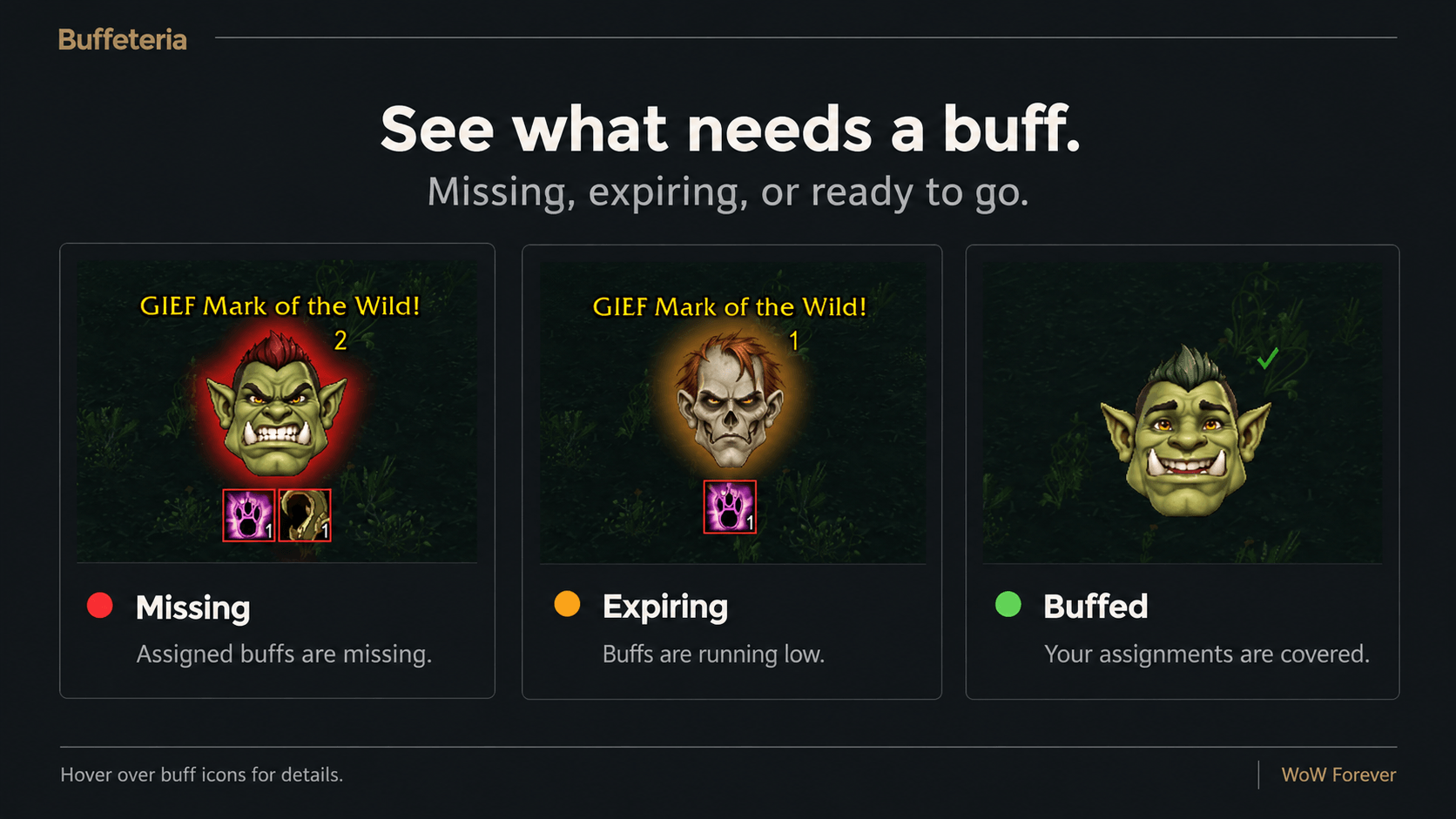
The tracker’s main button casts your next assigned buff on the appropriate target when clicked. Its colored ring shows your coverage:
- Green: everyone covered by your assignments is buffed.
- Orange: buffs are running low.
- Red: assigned buffs are missing.
Smaller icons show which buffs need attention and how many players are affected. Hover over them for details.
Move the tracker with Edit Mode, right-click its main button to open options, or assign a keyboard shortcut under Key Bindings → AddOns → Buffeteria → Cast next buff.
Useful commands
/buff— open options/buff who— show assignments/buff announce— post assignments to the group/buff preview— try the tracker with a simulated raid/buff showand/buff hide— control tracker visibility/buff lock— toggle the tracker’s position lock/buff minimap— toggle the minimap button/buff reset— reset settings
Buffeteria is designed for buffing between pulls. Casting requires your click or keypress, and the cast button cannot change targets during combat. When the client restricts access to buff information, the tracker retains its last available reading.
Made for WoW Forever, client version 1.60.1.
If you find any issues please report them on our Github page <3
Buffeteria Team