BoundToLearn
- By
Learn how to keybind, ping, and have fun while doing it! DDR-like rhythm game, keybind quiz and audit, and aim trainer for ping practice all in one addon.
Screenshot 2026-07-14 064842.png

click-nudges.png
keybind-audit.png
keybind-quiz.png
keybind-tracker.png
minimap-menu.png
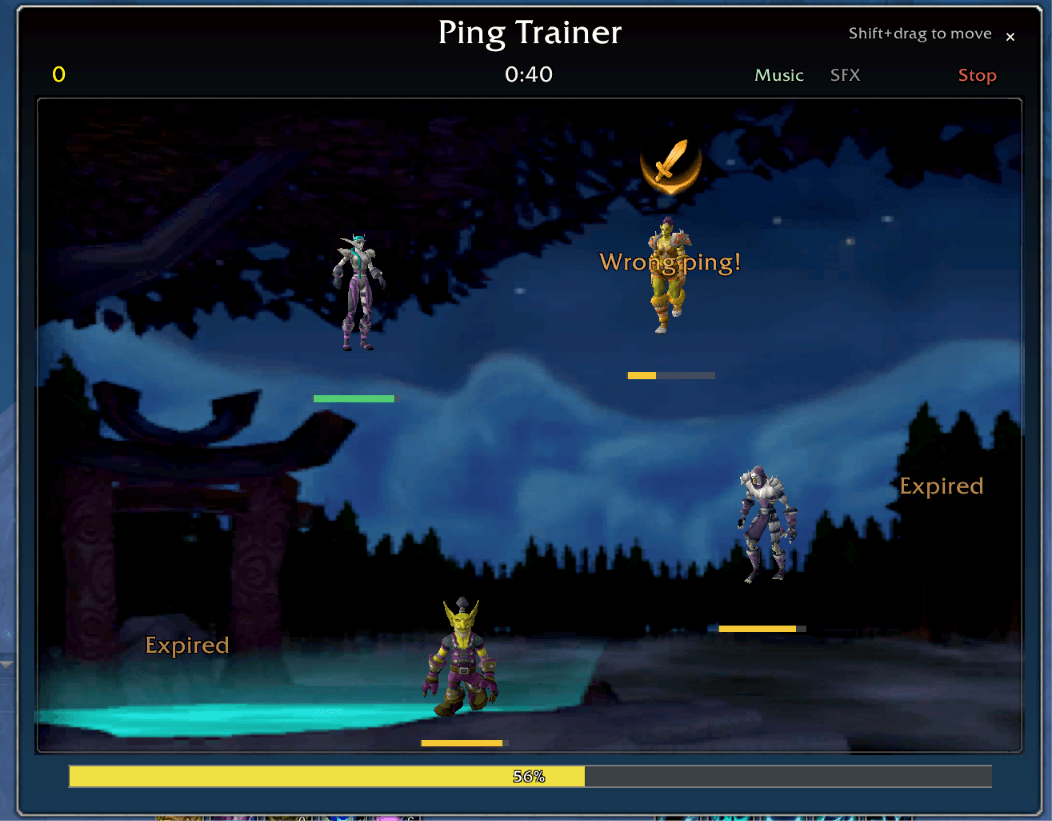
ping-trainer.png
Description
BoundToLearn
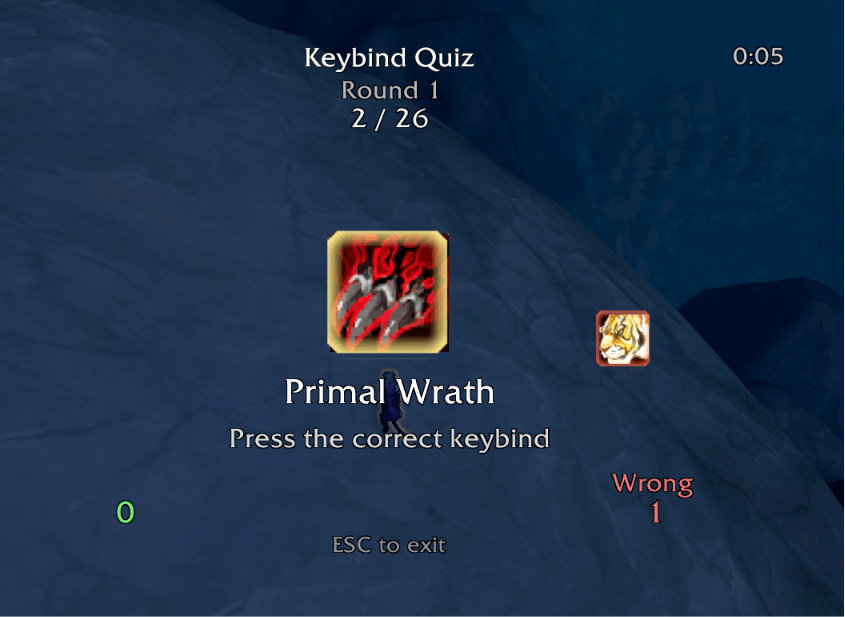
Transition from clicking spells to using keybinds, without the pain! This addon provides several avenues to stop clicking: a DDR/guitar-hero style game wherein you have to hit the correct bind for abilities as they reach your action bar; a keybind quiz; a keybind auditor. There's even real-time click-vs-keybind tracking, the ability to BLOCK clicking even, and messages that go straight to your chat to remind you to stop clicking (with some humor).
Features
Keybind Tracker
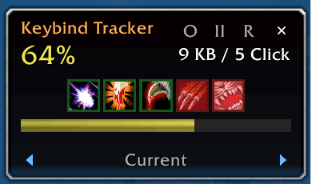
Monitors whether you activate abilities via keybind or mouse click. A small floating widget displays your keybind ratio in real time.
- Floating widget shows ratio percentage, counts, and color-coded status bar
- Last 5 actions displayed with green (keybind) or red-tinted (click) icons
- Widget is draggable, scalable, and can be set to combat-only display
- Pause/resume button on the widget itself to temporarily stop recording
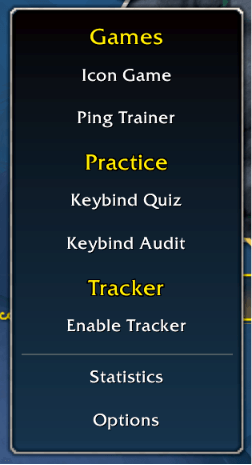
- Enable/disable tracker from minimap menu or
/btl track - Segment tracking: Auto-splits into segments on boss encounter start/end, just like common DPS meters (useful for checking how you do under real live pressure)
- Session recording with lifetime stats and personal bests
- Humorous rotating chat messages when you click the same ability too often
You can modify which type of buttons get tracked for clicking, in case you don't care whether you click things like mounts. These Tracker filters (toggleable in Options) allow toggling tracking for this purpose with:
- Mounts
- Toys
- Hearthstones
- Teleports / Portals
- Consumables (includes Conjure Refreshment)
- Professions
- Skyriding abilities (auto-detected via mounted + override bar)
- Non-combat macros (macros without /cast, /use, or similar combat commands)
- Buffs (helpful spells cast out of combat, e.g. Arcane Intellect, Fortitude)
- Blank action bar slots (always filtered, not toggleable)
Practice Game
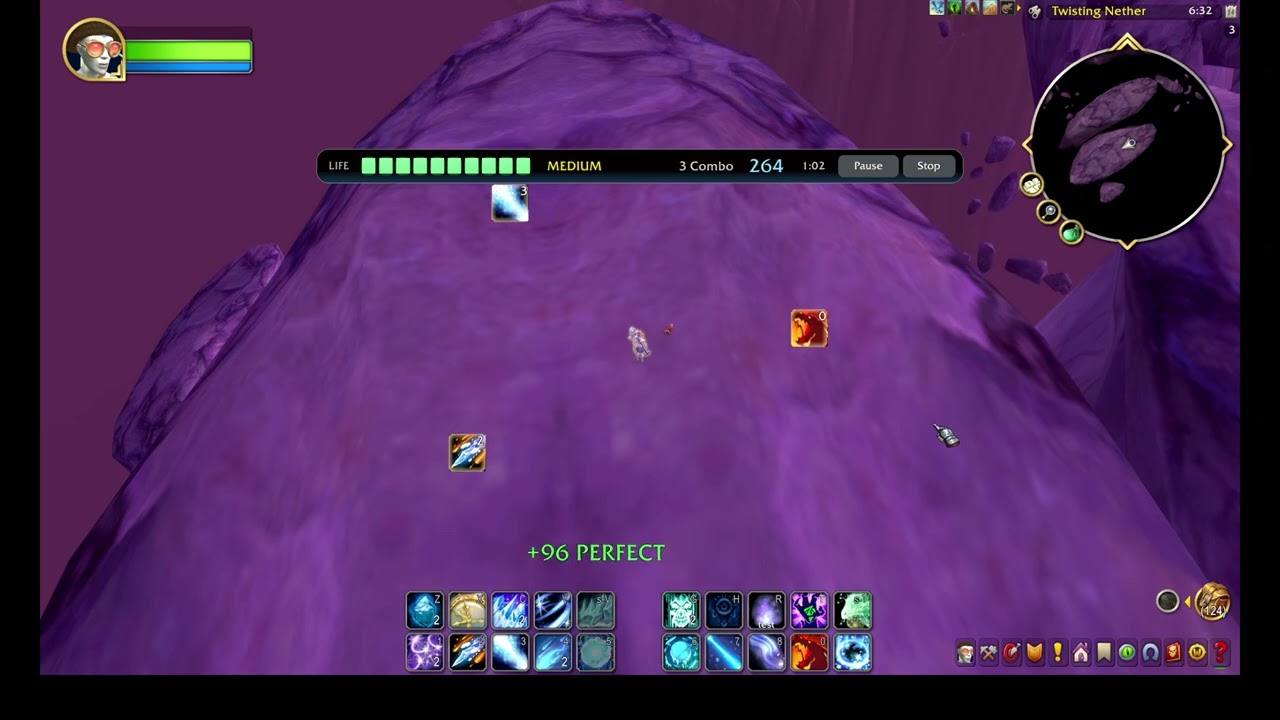
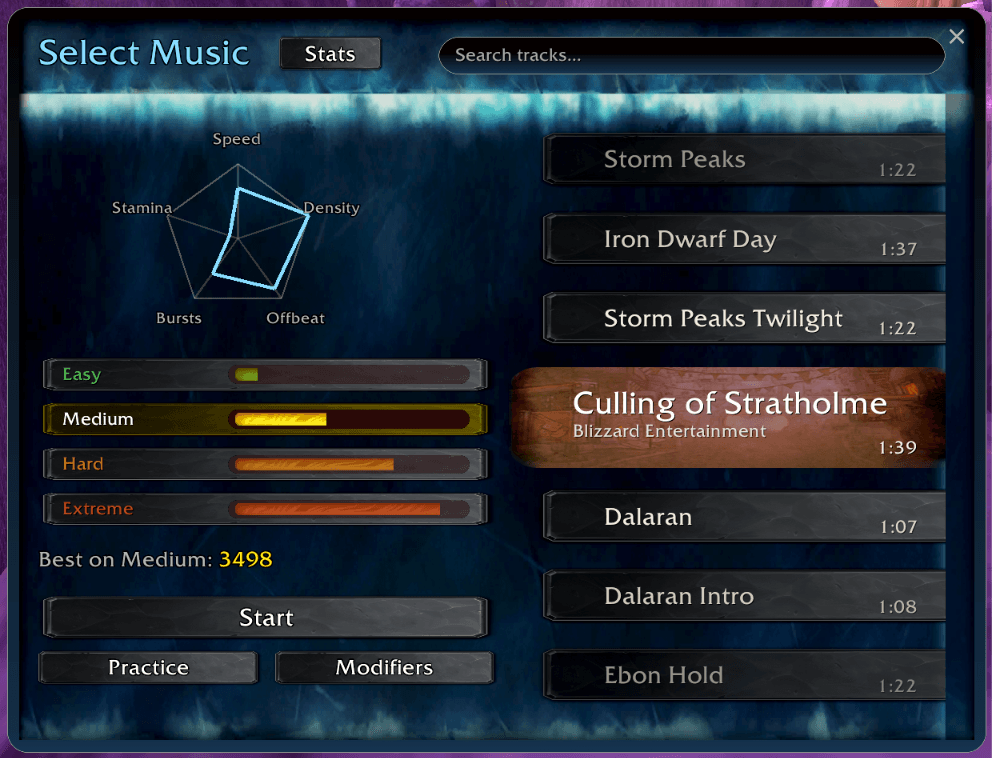
One of the most frustrating parts of learning keybinding is doing so under pressure and making a mistake that leads to something like wiping your entire raid or thorwing an arena match. However, if you don't practice under pressure, it's hard to expect yourself to ever truly stop clicking in these scenarios. A rhythm game is the perfect way to bridge this gap, where spell icons fall toward your action bar buttons and you have to press the correct keybind at the right time to score points. The game is very much like Dance Dance Revolution (DDR) and you can choose between a myriad of songs, and pick a difficulty on a song-by-song basis as well.
Modifiers (all optional, unlocked through play):
- Fake: some notes display a wrong spell icon. Pressing the keybind for a fake costs 200 points and resets your combo; the correct play is to let fakes pass.
- Angled: notes approach from random angles instead of straight down.
- Squiggly / Fade / Accelerate / Doubles / Mirror: further optional twists.
Statistics Panel
Two tabs showing historical data:
Tracking tab:
- Lifetime keybind ratio, total actions, keybinds, clicks
- Best session ratio
- Trend bars showing recent session ratios (color-coded, with tooltips)
Game tab:
- Lifetime accuracy, total notes, total hits
- High score, longest combo, best session accuracy
- Trend bars showing recent session accuracy
Click Blocking (Keybind Enforcement)
Forces keybind usage by placing invisible overlays on action bar buttons that absorb mouse clicks while letting keybinds pass through normally. Works in and out of combat.
Modes:
- All: Blocks clicks on all action bar abilities
- CC + Interrupts: Only blocks clicks on crowd control and interrupt abilities, letting you practice the most critical keybinds first
- Interrupts Only: Only blocks interrupt spell clicks
When hovering over a blocked button, a red tint appears to indicate the click will be absorbed. Toggle via /btl enforce or in Options.
Keybind Audit
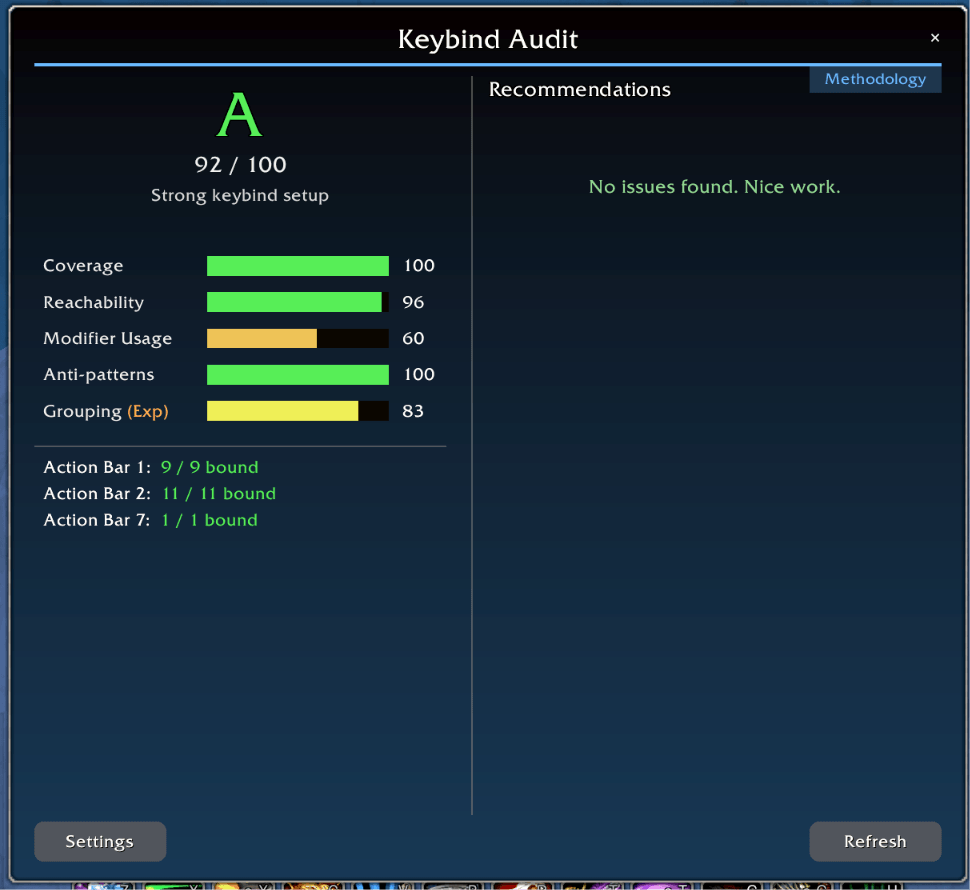
Scans your action bars and scores your keybinding setup (0-100 with letter grade). Accessible from the minimap menu or /btl audit.
Setup screen:
- Interactive bar selection: dims screen and highlights your visible action bars with click-to-toggle overlays
- Choose which bars to include in the audit
- MMO mouse option: marks number keys (1-12) as reachable instead of penalizing distant keys
- Skip non-combat macros toggle
- "Skip this setup next time" option (settings still accessible via Settings button on results)
Scoring categories:
- Coverage (40%) - Percentage of action bar abilities that have keybinds
- Reachability (30%) - Whether abilities are on keys near WASD (prime keys) vs distant keys (7-0, F-keys)
- Modifier Usage (15%) - Use of Shift/Ctrl/Alt combos to multiply available keybinds
- Anti-patterns (15%) - Deductions for keyboard turning, unbound abilities, poor key choices
Results view uses a two-column layout: grade, scores, and per-bar breakdown on the left; full-height scrollable recommendations on the right.
Lists specific recommendations: unbound abilities, distant keybinds, keyboard turning detection, and more.
BoundToLearn Team

Owner