Books Forever
- By
Library of Azeroth books tracker for WoW Forever: all 40 books on your map and minimap, progress, alts and one-click waypoints.
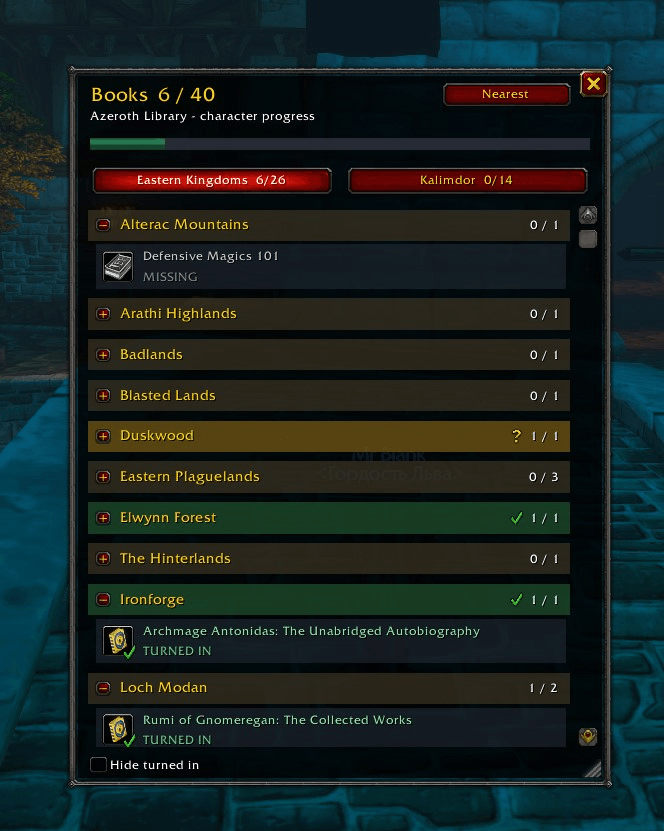
All 40 books grouped by zone with Missing / Found / Turned in status. Gold zones are fully found but not yet turned in, green zones are complete.
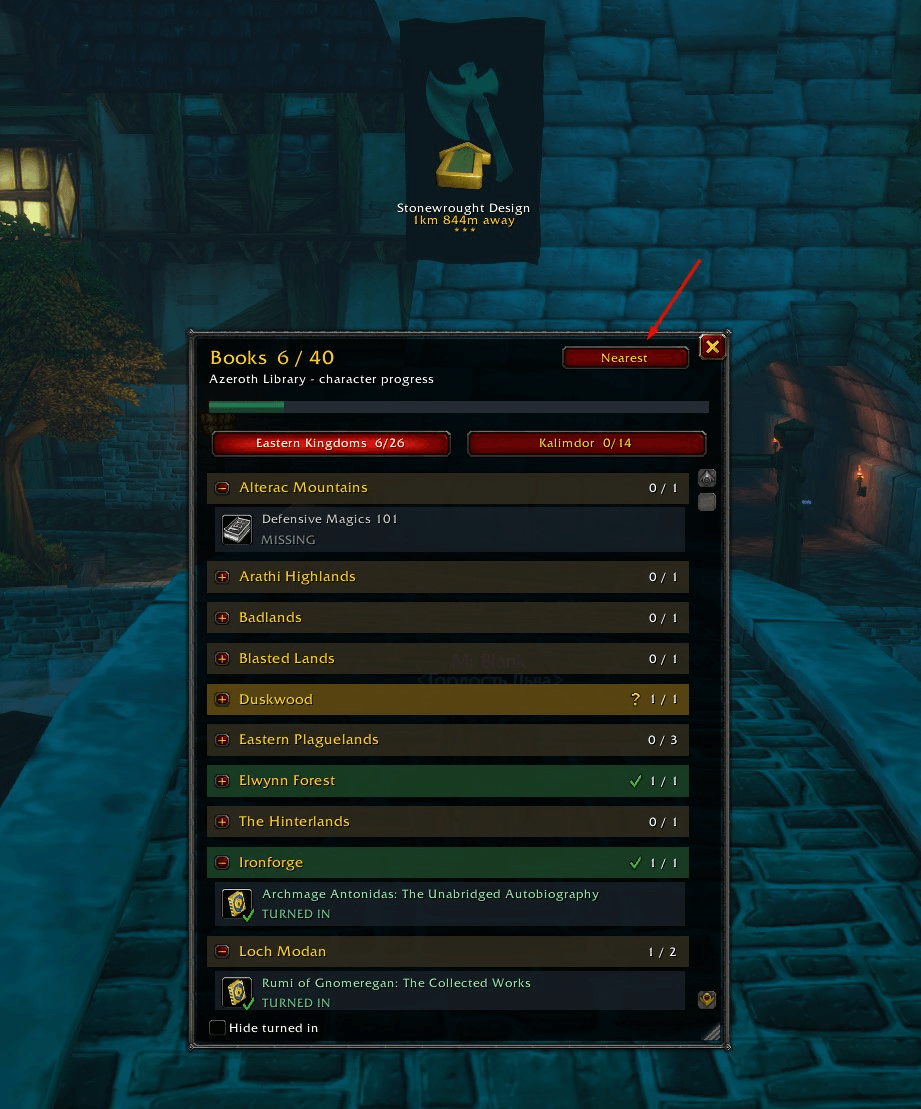
The Nearest button sets a waypoint to the closest missing book on your continent and tells you the distance.
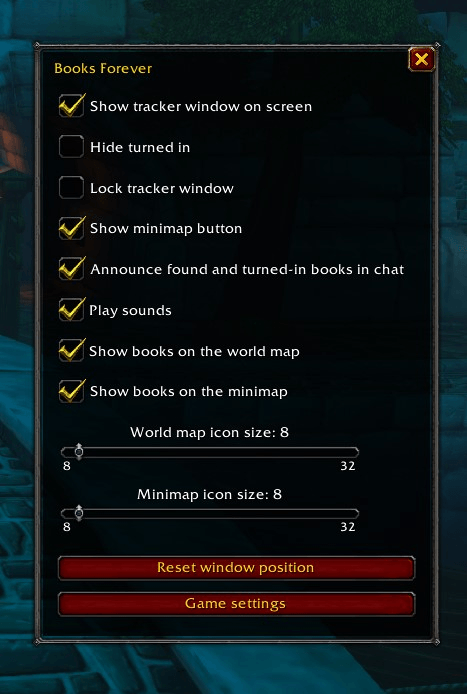
Right-click the minimap button: toggle the tracker, chat messages, sounds and map icons, and change icon size for the world map and the minimap.
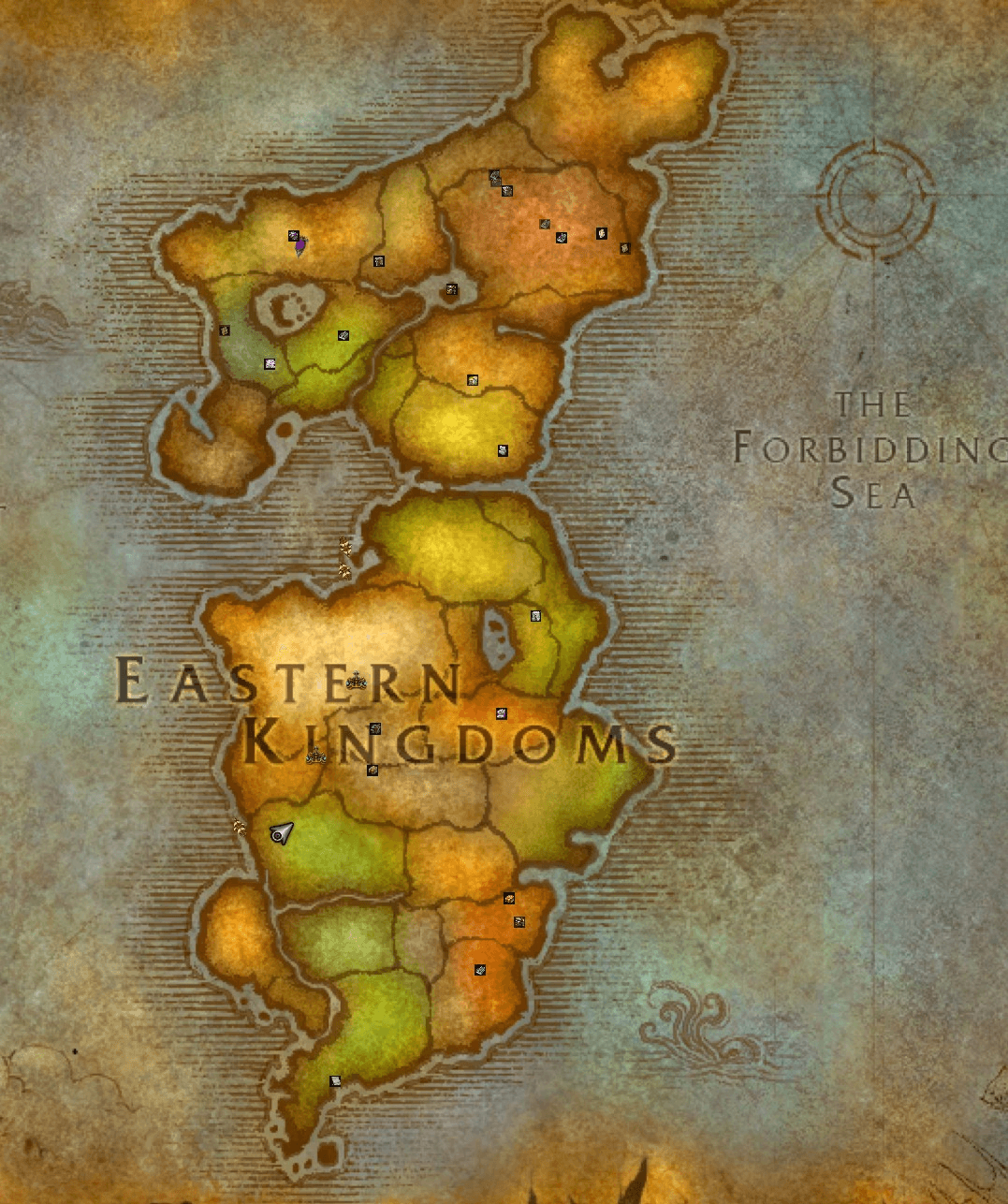
Icons follow you from the world map down to continent and zone maps. Click one to set a waypoint.
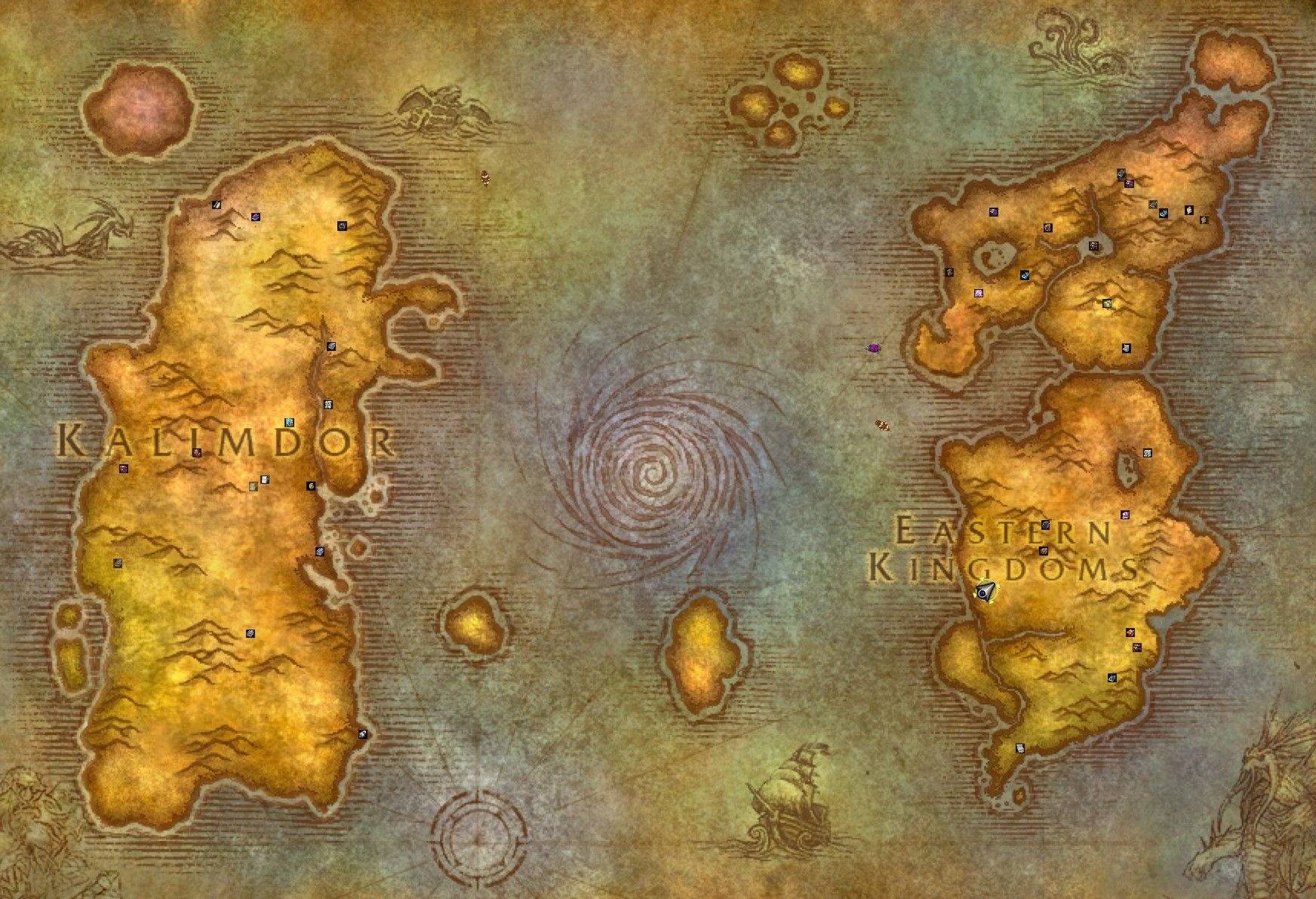
Book icons on the world map for every book you have not found yet, across Kalimdor and the Eastern Kingdoms.
Description
Books Forever
Track every Library of Azeroth book in WoW Forever: what you have found, what you have turned in, and where the rest are.
Books Forever is a lightweight tracker for the 40 library books that you collect around Eastern Kingdoms and Kalimdor and hand in to the librarian (Garion Wendell in Stormwind, Owen Thadd in the Undercity). It detects your progress automatically, shows every book on your maps, and sets waypoints for you in one click.
Features
Progress tracker
- All 40 books, grouped by zone, with separate tabs for Eastern Kingdoms and Kalimdor. Each tab shows a found/total counter.
- Every book is shown as Missing, Found or Turned in. Books whose location is still disputed in Forever are marked Location unconfirmed.
- Automatic detection. Books are picked up from your bags, your bank (while it is open) and your loot. Turn-ins are read from completed quests. You never tick anything by hand.
- Zone headers change color. Gold with an hourglass means everything in the zone is found but something is still waiting to be turned in. Green with a check mark means the zone is complete.
- Optional "Hide turned in" filter.
- A short golden glow on the book you just found or turned in, plus a "Library complete!" notice when you finish the collection.
- The window can be moved, resized and locked. Its size and position are saved per character.
Maps and waypoints
- Book icons on the world map and on the minimap, for every book you have not found yet. They appear on zone, continent and world maps.
- The minimap icons follow minimap zoom, indoor/outdoor scale, a rotating minimap and square minimaps.
- Several possible spawn points? The main spot uses a normal icon. Alternative spots use smaller, paler icons labelled "Possible spot".
- Click a book in the tracker or on a map to set a waypoint. With TomTom installed you get TomTom waypoints with the arrow. Without it the addon uses the built-in map pin when the client supports one, or prints the coordinates in chat.
- Right-click a zone header to set waypoints for every missing book in that zone.
- "Nearest" button (or
/books near): sets a waypoint to the closest missing book on your continent and tells you the distance.
Smart data
- Learns locations. When you loot a book whose spot is unconfirmed, Books Forever saves where you were standing. From then on, waypoints for that book use your real coordinates on all your characters.
- Learns quest IDs. If a book's turn-in quest is not known yet, the addon detects it the first time you hand that book in.
- Alt overview. Progress is stored for every character on the account. Book tooltips show which of your alts have found or turned in that book, and the minimap button tooltip lists every character's progress.
Notifications
- Chat messages when you find a book ("Found a book: X (12/40)") and when you turn one in ("Book turned in: X (13/40 turned in)").
- Sounds for both. Messages and sounds can be switched off separately.
Minimap button and settings
- Left-click shows or hides the tracker. Right-click opens a compact settings window. Drag moves the button around the minimap.
- In the settings you can switch on or off: the tracker, the "hide turned in" filter, window lock, the minimap button, chat messages, sounds, world map icons and minimap icons. Two sliders set the icon size (8 to 32 px) for the world map and the minimap separately.
- The same options are also in the game's Options → AddOns panel.
Languages
English, Russian, German, French, Spanish (EU and LATAM), Brazilian Portuguese, Italian, Korean, Simplified Chinese and Traditional Chinese. Book names come from the game client, so they always match your client language.
Slash commands
| Command | Action |
|---|---|
/books |
Show or hide the tracker (/bookui also works) |
/books near |
Waypoint to the nearest missing book |
/books hide |
Toggle "hide turned in" |
/books minimap |
Show or hide the minimap button |
/books options |
Open the settings window |
/books reset |
Reset window and minimap button positions |
/books mapdebug |
Print map IDs and icon info (useful for bug reports) |
Requirements
- WoW Forever client.
- TomTom is optional but recommended for the waypoint arrow.
About the location data
Coordinates are cross-checked against several community guides and databases. A few books are still disputed in Forever. They are marked Location unconfirmed, and their waypoints come with a warning. If you find one of them, Books Forever records the exact spot for you. Please share it in the comments so it can go into the next update.
Feedback
Found a wrong coordinate, a missing book or a bug? Leave a comment with the book name, the zone and your coordinates (or the output of /books mapdebug).
Support development
Books Forever is free. If you find it useful, you can support development on Boosty. Donations support future updates to Books Forever and the development of other addons for WoW Forever.
Books Forever Team