BliZzi Party Tools – Interrupt Tracker & Party Cooldowns
- By
Multi-feature M+ utility for your group. Track who can interrupt and who's on cooldown, see party defensives & offensives at a glance, share keystones with one click, and announce status to chat.
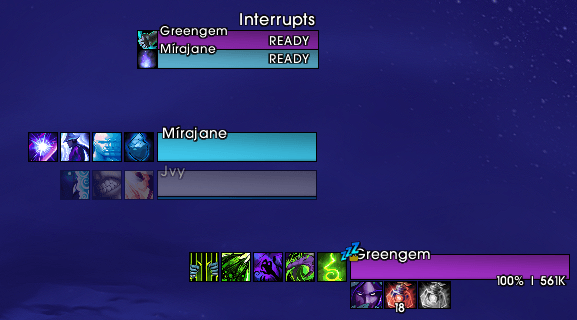
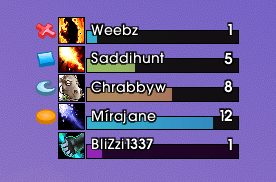
Shows interrupted Spells and the Raid Marker
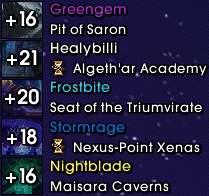
See the Keys in your Group with clickable Dungeon Teleports
Description
BliZzi Party Tools




A lightweight party-utility suite for Mythic+ and group play: see who can kick, watch your group's defensives, share keystones, and misdirect smarter — one addon, five tools, zero guesswork.
⚠️ Development Notice — Under active development. Since Midnight the game no longer exposes other players' spell data fully reliably, so some states are modeled or best-effort. Don't rely on the information 100%.
UI Packs & Wago
- Wago App ready — install and auto-update straight from the Wago App
- WagoUI pack compatible — BliZzi profiles export and import through the WagoUI installer, so your settings ship inside complete UI packs
- Made for streamers & pack creators — bundle your BliZzi profile with your UI pack and your viewers get your exact setup in one click
Interrupt Tracker
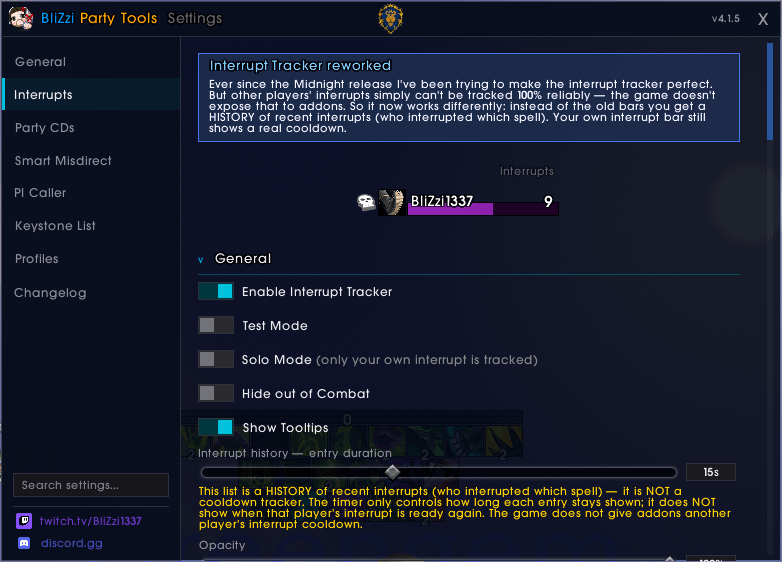
- Live interrupt feed — who kicked, which cast they stopped, and the target's raid marker. Works for every player — even without the addon, even in M+
- Your own kick as a cooldown bar — with instant color feedback: White cast · Green success · Red nothing interrupted
- Three display modes — standalone window · icons on unit frames · bars per member
- Spec- & talent-aware — the correct kick per spec (Muzzle, Wind Shear, Axe Toss …) and CD-reduction talents applied automatically
- Pet interrupts — Warlock & Hunter pet kicks, taint-safe for Midnight
- Attach anywhere — Blizzard, ElvUI, Cell, Grid2, ShadowedUnitFrames, VuhDo, EllesmereUI & more, or pin to ANY frame with the built-in mouse picker
Party CDs Tracker
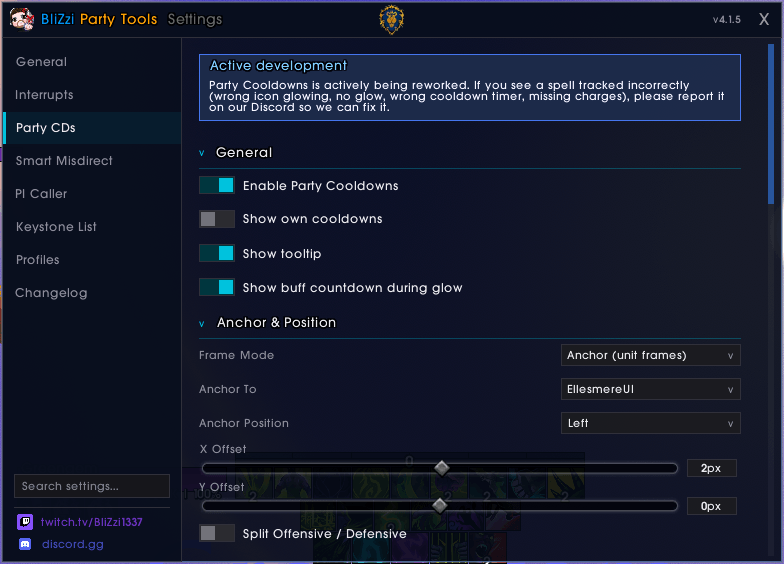
- Defensives & offensives at a glance — every party member's major cooldowns on one display
- Standalone or on your unit frames — same provider integration as the Interrupt Tracker
- Glows, charges & timers — icons light up while a defensive is active; badges count remaining charges (Fiery Brand, Blur, Vanish …)
- Talent-aware cooldowns — dozens of talents adjust the displayed CD live
- Built for Midnight — taint-safe detection separates look-alike defensives (Anti-Magic Shell vs Icebound Fortitude & co.)
Keystone List
- Your group's keystones — dungeon, level, and a click-to-teleport icon per member
- Teleport indicators — red flag when you haven't unlocked the port or it's on cooldown
- Auto-hide in active keys — disappears during the run, returns after (configurable)
- Default OFF — opt-in under Settings → Keystone List
Smart Misdirect (Hunter / Rogue)
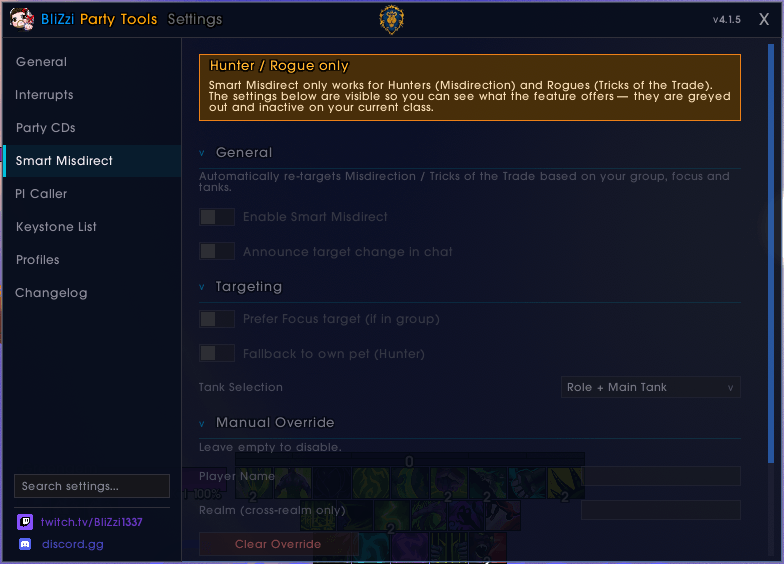
- Auto-retarget MD / Tricks — always pointed at the active tank, no manual targeting
- Flexible priority — role / main-tank preference, pet fallback, manual override by name
- Drag-to-bar macro — one macro that always follows your active target choice
PI Caller (in rework — temporarily disabled)
- Burst-CD highlights on party frames — flash + glow the moment a teammate pops a major offensive, so your Power Infusion lands on the right window
- Per-spell whitelist & custom colors — settings visible as a read-only preview until the rework lands
General
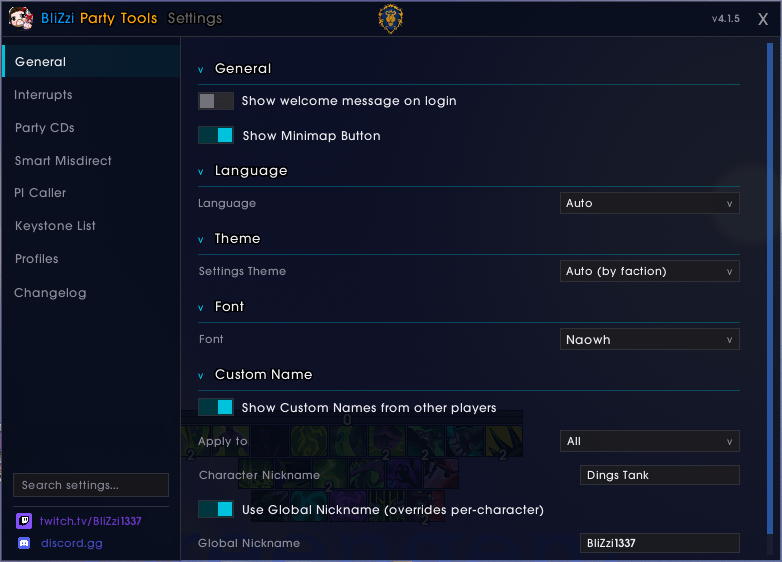
- Minimap button — module status on hover · left-click settings · shift-click test mode · right-click move-all-frames mode
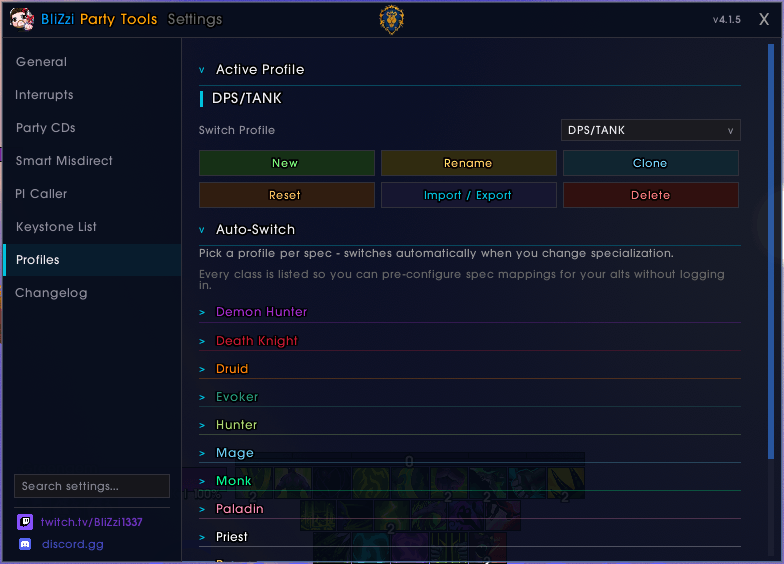
- Profiles — import/export everything as one string, per-spec auto-switching
- LibSharedMedia — fonts, bar textures, borders from your other addons, with live previews in every dropdown
- Visibility per zone type — dungeons, raids, open world, arena, battlegrounds
- Edit Mode integration — movable frames dock into Blizzard's Edit Mode
- 9 languages — English, Deutsch, Français, Español, Русский, 한국어, 简体中文, 繁體中文 & Klingon
Commands
- /blizzi (also /bitset, /bliset, /interrupts) — opens Settings
- /bitdebug — toggles debug logging
Requirements
- World of Warcraft Midnight
Optional
- LibSharedMedia-3.0 — unlocks your other addons' fonts, textures and borders in the BliZzi dropdowns
- LibOpenRaid-1.0 — feeds party keystones into the Keystone List; bundled with most major M+ addons
Other Projects
- BliZzi Crest Calculator — Shows how many M+ runs you need to fully upgrade your gear with Midnight Dawncrest currencies
BliZzi Party Tools – Interrupt Tracker & Party Cooldowns Team

Owner