BiquetteFlood
- By
Automates your chat announcements: multi-channel broadcasting, a timer per channel, live editing, byte-safe messages, send history.
2026-08-08_18h52_35.png

2026-08-08_18h52_12.png
2026-08-08_18h52_00.png

2026-08-08_18h52_27.png
2026-08-08_18h52_05.png
Description
⭐ BiquetteFlood
Write your line once. Let the goat shout it.
You're recruiting, or you're selling. Either way you've spent the last hour pasting the same sentence into /4 every two minutes, opening a Lua file and typing /reload every time you change a single word, and never quite knowing whether it actually went out. BiquetteFlood turns that into a machine: one message, as many channels as you want, each on its own timer, edited live in a window that tells you exactly what is going out and when.
Built and tuned on Spineshatter EU on one stubborn principle: you should never have to reload your interface to change a word.
📣 One message, every channel, each at its own pace
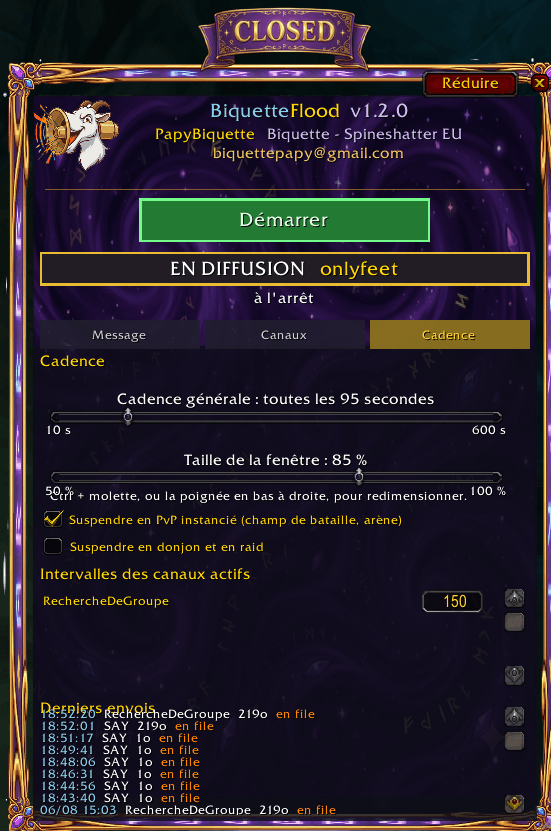
Broadcast anywhere at once — LookingForGroup, Trade, General, any custom channel you've joined, plus Guild, Party, Raid, Say and Yell. Tick the boxes, that's it. A timer per channel. This is the part other flood addons don't do. Public numbered channels are throttled by the server, /say and /yell are not. Put LookingForGroup on 120 seconds and /say on 30, and each one keeps its own rhythm. Channels are remembered by name, never by number. Channel 4 today can be channel 6 tomorrow. Your announcement still lands where you meant it. The list builds itself from the channels you're actually in. Nothing hardcoded, nothing to edit, and a refresh button when you join a new one. ✍️ Edit live, never reload
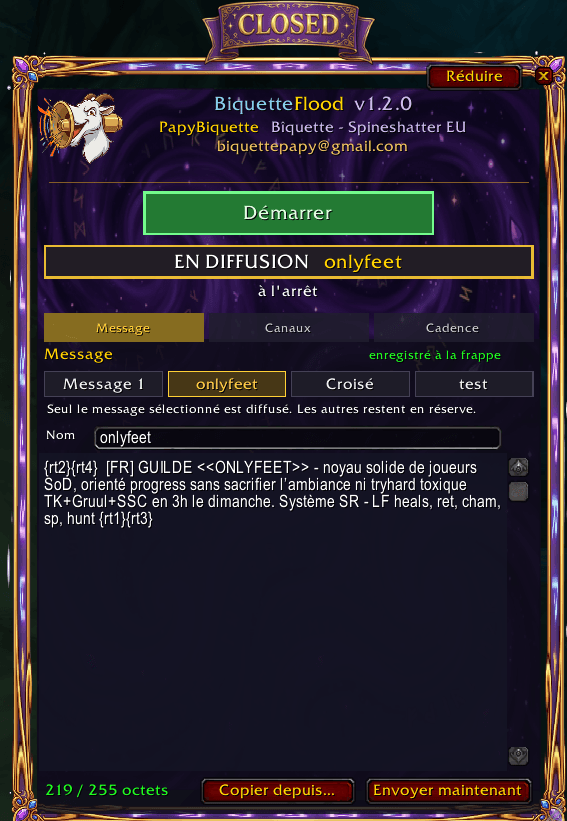
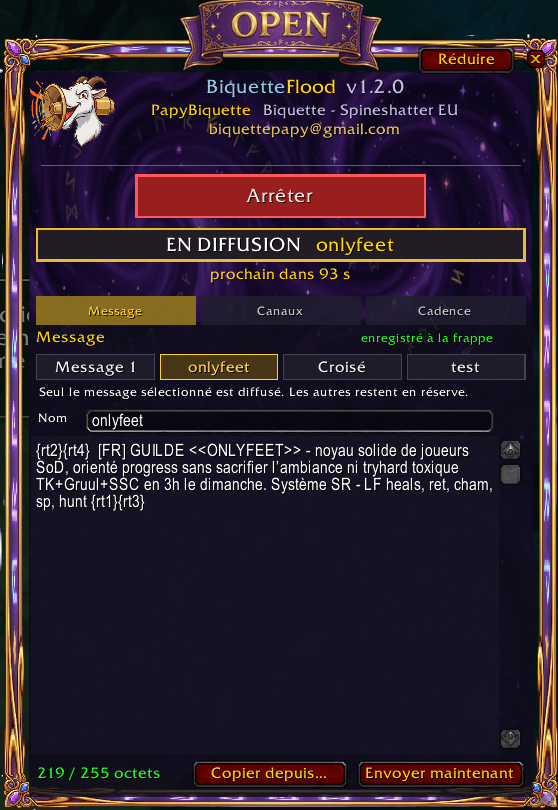
Type in the window and it's saved on the keystroke. No file to open, no /reload, no lost message. A live byte counter. Chat is capped at 255 bytes, not 255 characters — every accented letter costs two. The counter turns amber at 246 and red past 255, and the addon refuses to send a message that would be cut in half. Full raid-icon and formatting support, exactly what you'd type by hand. 🖥️ A window you'll actually leave open
OPEN / CLOSED banner across the top. You know your status from across the screen, without opening anything. One big Start / Stop button, green when idle, red when running, always visible — even folded. Three tabs — Message, Channels, Timing — and a fold button that shrinks the whole thing down to the banner, the logo and that one button. Resize it from 50 % to 100 % in 5 % steps, drag it anywhere. Position, size and folded state all survive a reload. Minimap icon — left click opens the window, right click starts or stops, and the tooltip gives you status, channels, countdown and pending messages at a glance. 📜 Know exactly what went out
A timestamped history of your last hundred sends: time, channel, message size, and whether it left immediately or waited. No more wondering if your recruitment line is still running. ⚙️ The quiet plumbing that makes it work
Blizzard requires a real player action before an addon can post to a public channel, /say or /yell. Most addons either ignore this and fail silently, or freeze your mouse waiting for it.
Your message is queued and released by any input — a keypress, a click, the scroll wheel. In practice, while you're playing, it's instantaneous and invisible. Guild, Party and Raid have no such restriction and go out immediately. Your clicks are never stolen. Where the client allows it, input passes straight through the addon while a message waits. A grey pixel in the top-left corner signals a pending send, so existing AutoHotkey trigger scripts keep working unchanged. Never stacks. If a message is still waiting, the next tick is skipped rather than piling a second one on top. 👥 Alts welcome
Settings are per character, so your recruiting main and your bank alt don't share a script. One button copies everything from another character — message, channels and every timer — so you set it up once and reuse it everywhere. On first launch it picks up an existing flood configuration automatically, so you don't retype anything. 🧩 Good to know
Everything is in the window — no command line needed.
/bflood opens and closes it /bflood on and /bflood off start and stop the announcements /bflood status prints the current settings, /bflood history the last sends /bflood minimap hides or restores the icon Full French and English, picked from your game client's language A word of sense: pick intervals your server can live with. The addon will happily do 10 seconds on five channels, and your server will happily mute you for it. Ninety seconds is a good place to start.
Write your line once. Let the biquette shout it.
By Bîquette — Spineshatter EU. The BiquetteFlood Team
The BiquetteFlood Team