Bindle - Bags & Bank
- By
One sorted, themeable window for your bags and bank, with item counts for all your characters and a host of quality-of-life features. For WoW: Forever.
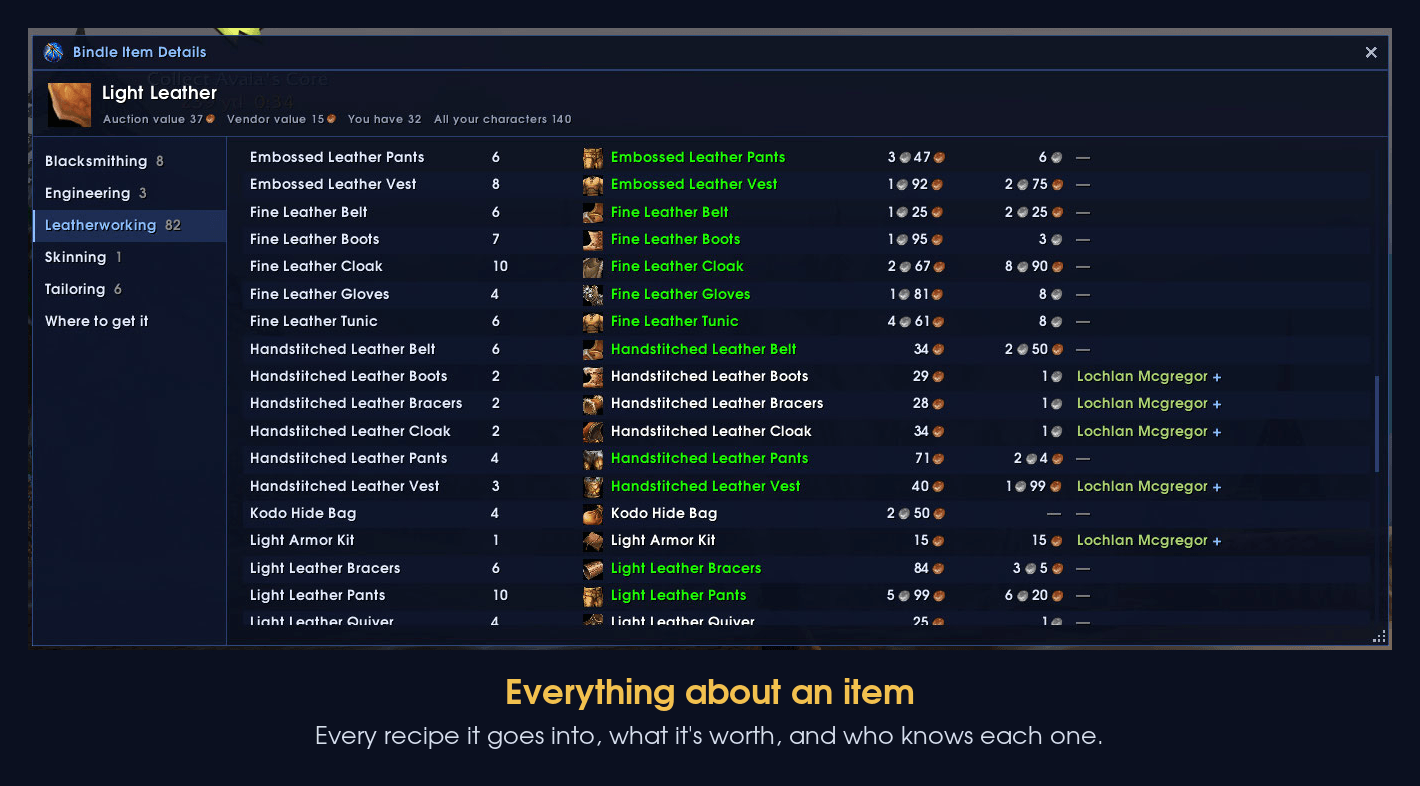
09-item-details-recipes.png
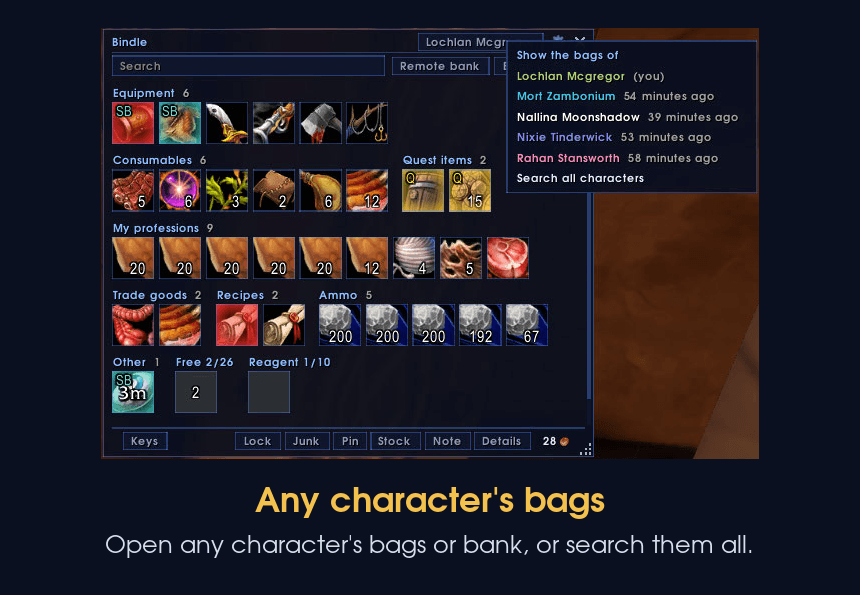
10-character-picker.png
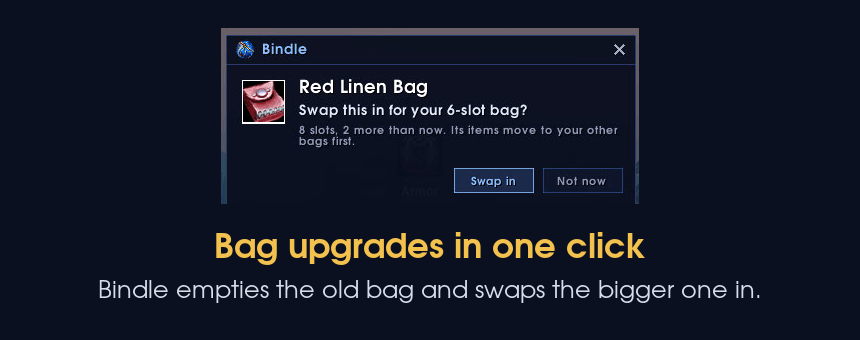
11-bag-upgrade-swap.png
12-bag-upgrade-empty-slot.png
13-settings-look.png
15-settings-upgrades.png
16-settings-helpers.png
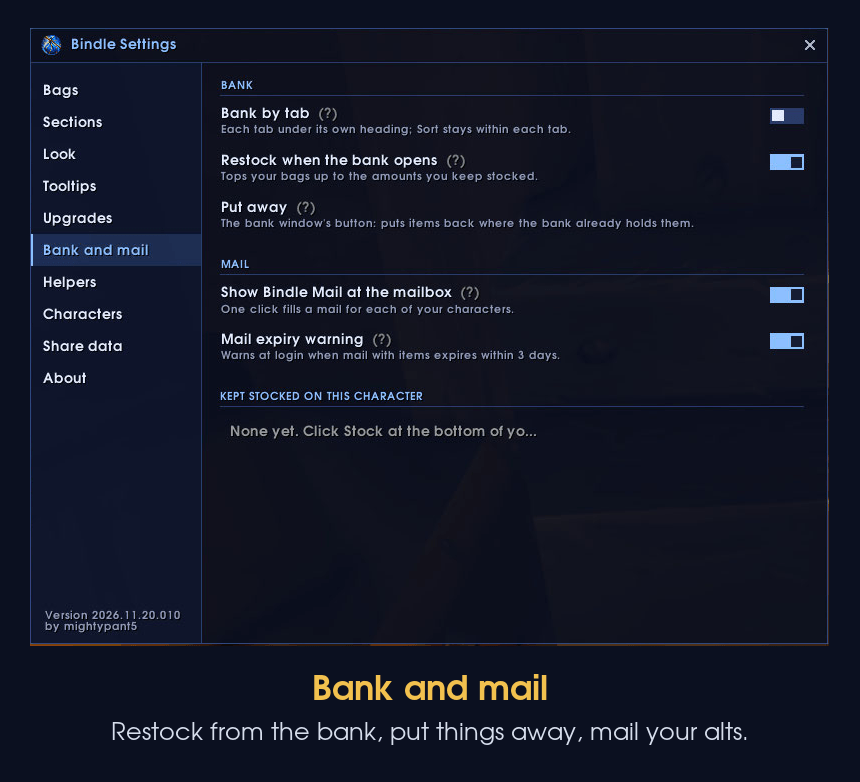
17-settings-bank-and-mail.png
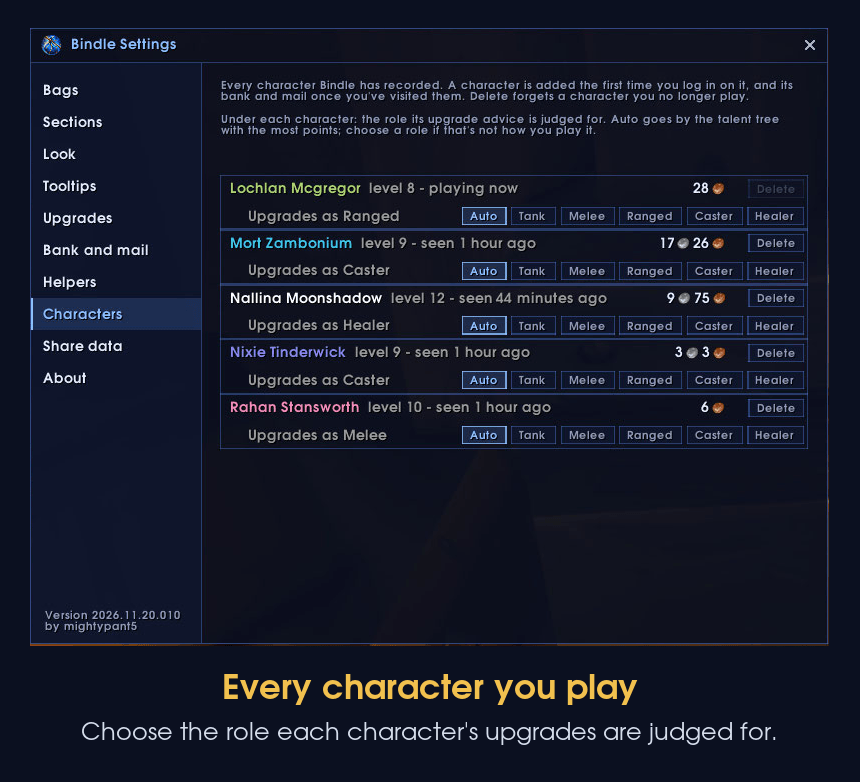
18-settings-characters.png
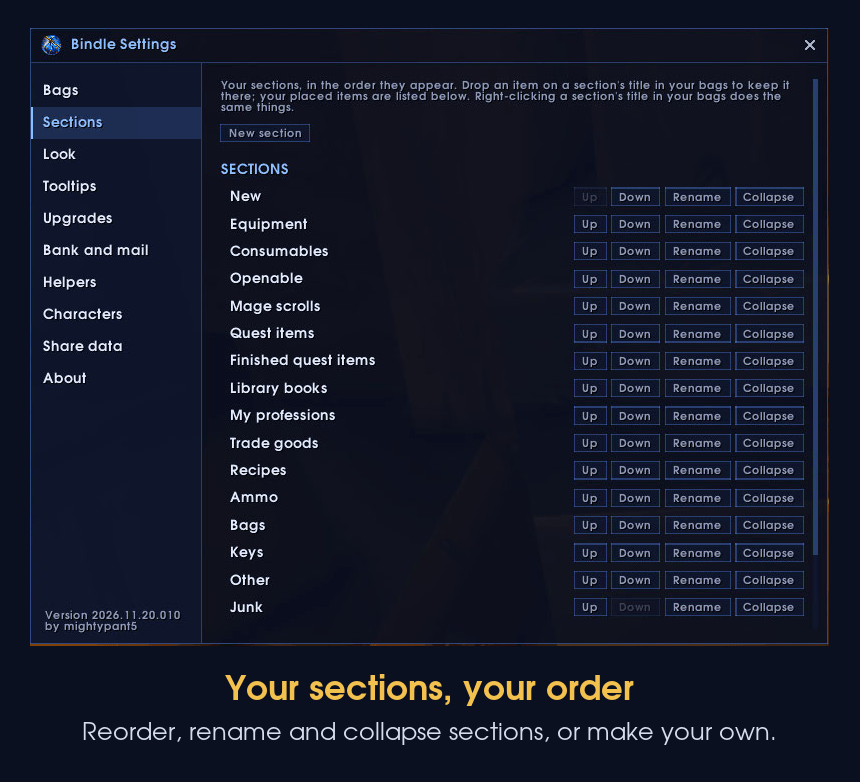
19-settings-sections.png
20-settings-about.png
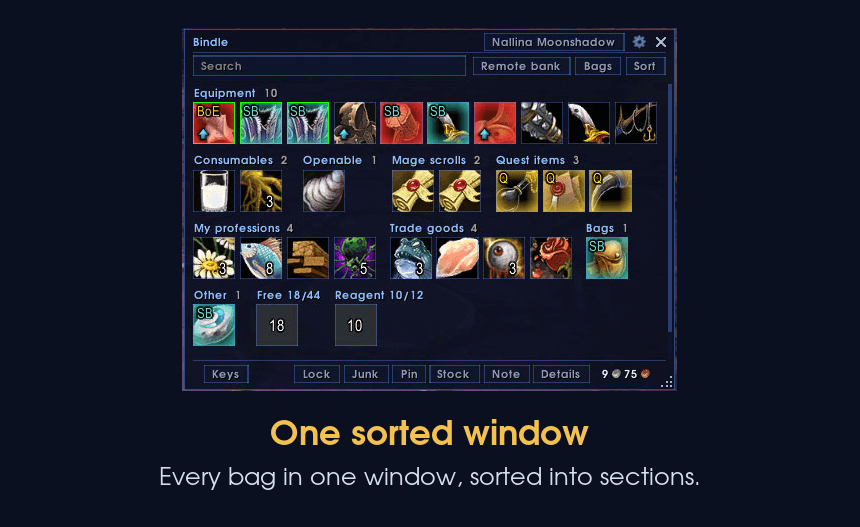
01-bags.png
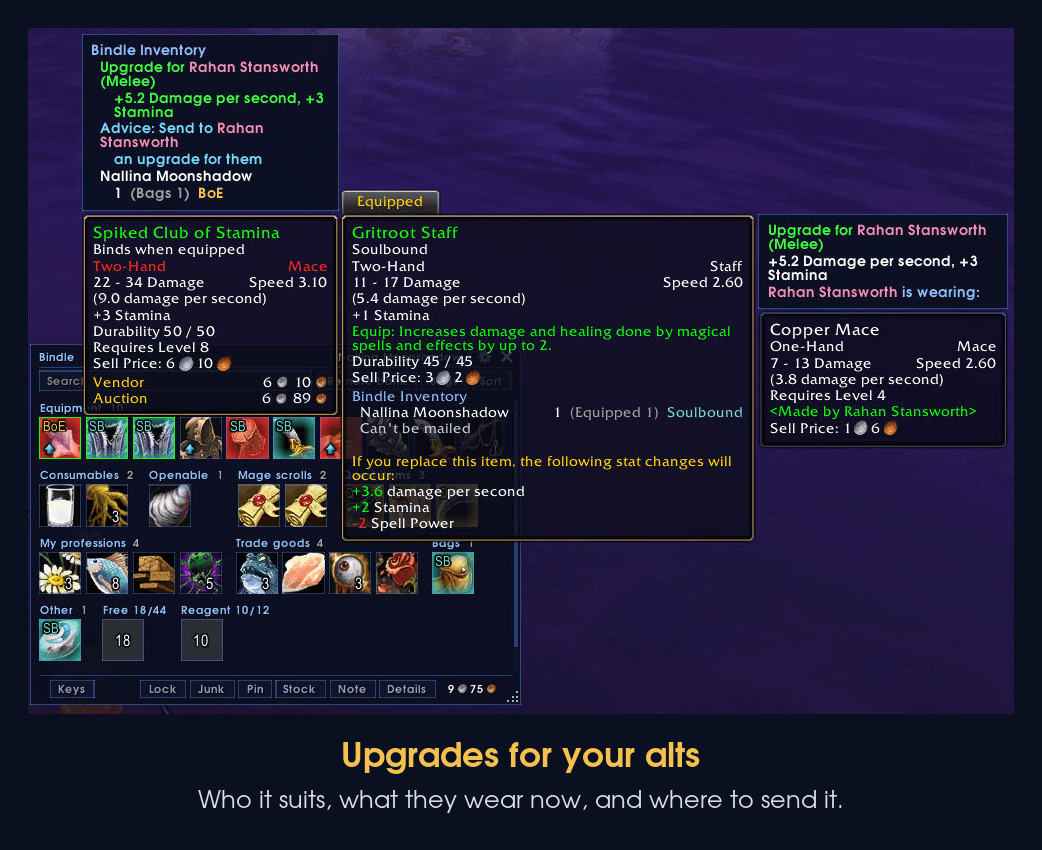
02-alt-upgrade-compare.png
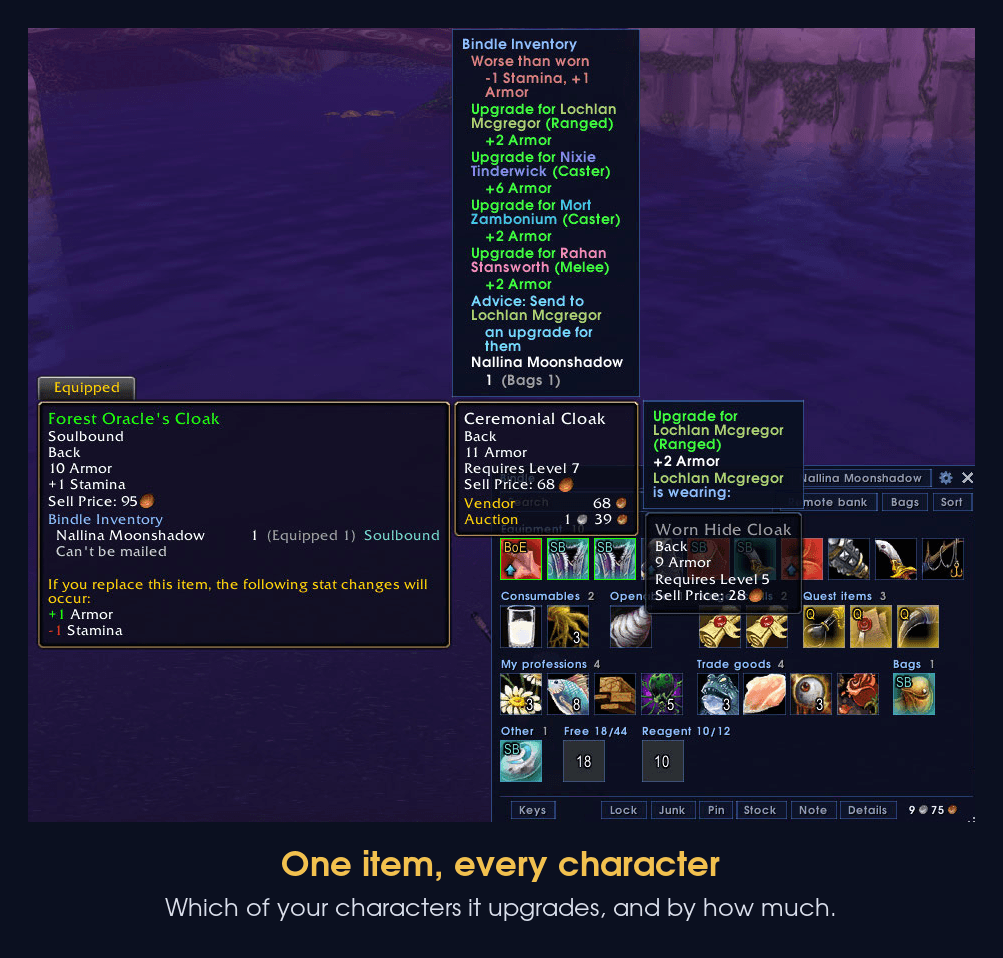
03-upgrade-every-alt.png
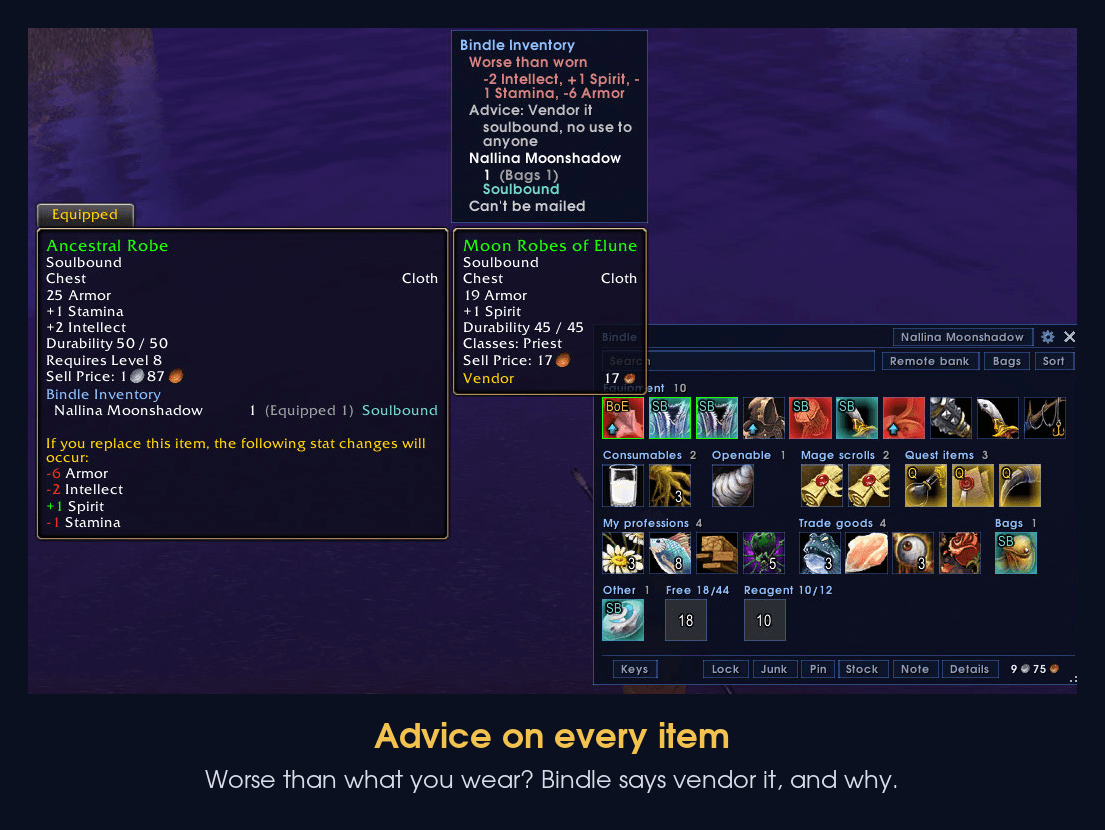
04-advice-vendor.png
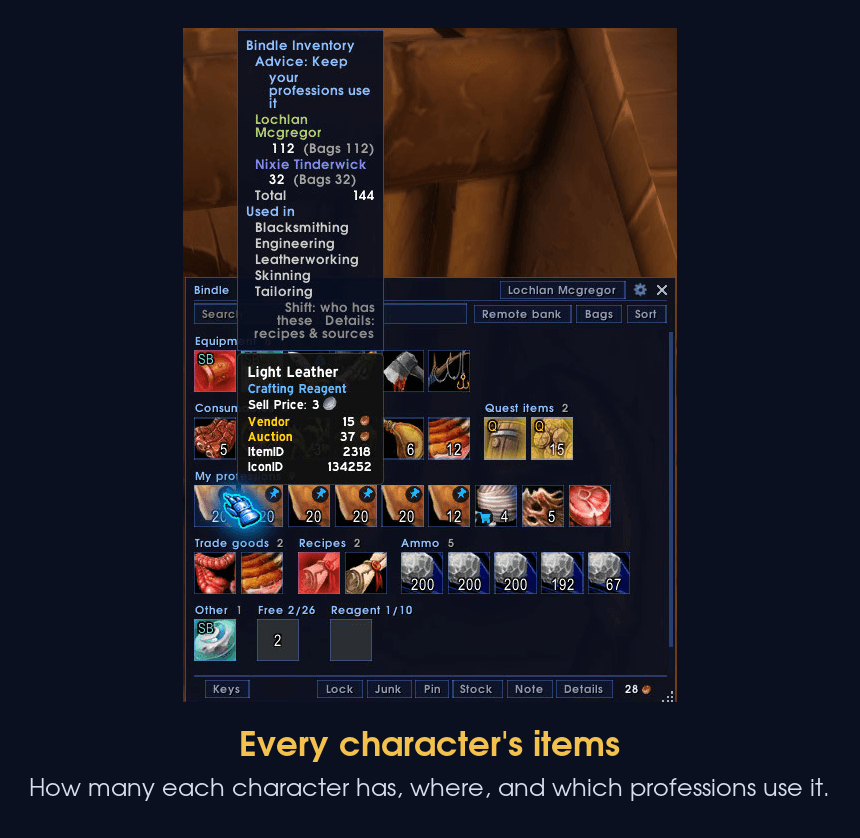
05-account-counts.png
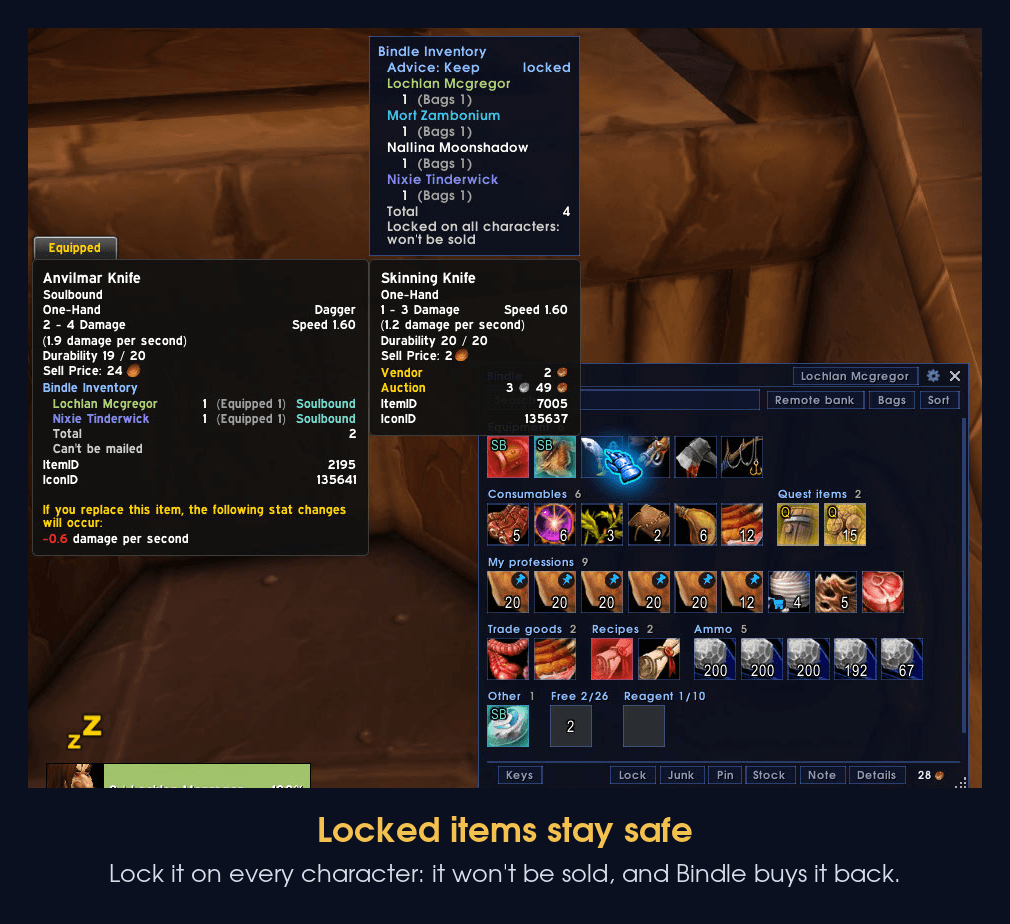
06-locked-items.png
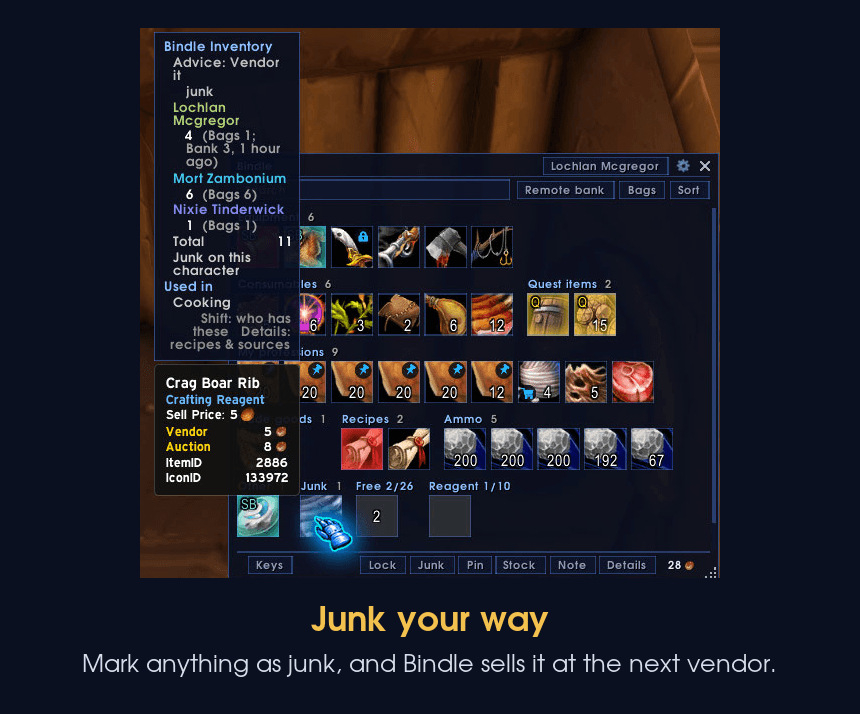
07-junk.png
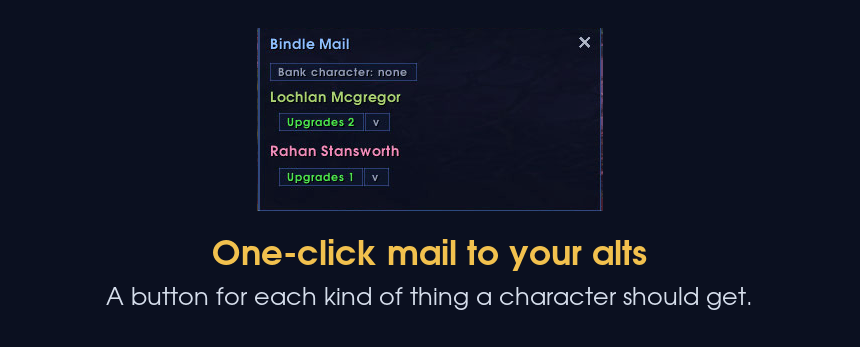
08-bindle-mail.png
Description
Bindle - Bags & Bank
Bags that know your whole account, and a growing guide to WoW: Forever's items. Bindle tells you what every item is for, where to get it, which of your characters needs it, and gets it to them, all in one sorted, themeable window. Made for WoW: Forever.
Why Bindle
It tells you what to do with every item
Hover any item, anywhere (in your bags, on an alt, at a vendor, in loot or a chat link), and Bindle's box answers the question you were about to ask:
- Advice first: Keep, Send to one of your characters, Use it up, Vendor it, Auction it or Disenchant it, with its value. Under it, every other choice once, best value first: or vendor it, or auction it, or disenchant it (with the likely materials and which of your enchanters can do it).
- For your characters: what the item means for you (upgrade, worse than worn, can't use, outgrown), then for each of your other characters it suits, and who else could use it.
- Supplies too: scrolls, elixirs and armor kits go to the character whose level and stats suit them, food your hunter's pet eats is kept for it, ammo goes to the hunter whose bow or gun fires it, and keys, mounts and lockboxes get their own advice.
- Hold Shift for the value of the whole stack.
A guide to Forever's items, built by players
Forever has its own items and changes, and little of it is written down anywhere. Bindle carries it with it:
- Over 7,700 items with their full stats and every "of the Bear" version.
- Over 2,400 recipes, with the skill each one needs and where to learn it.
- Where to get it: which vendors sell it and for how much, what drops it and how often, what gathering gives it, and which recipes craft it, even for things you've never seen.
- Creature tooltips: hover a creature to see the drops your characters need for quests, professions or gear upgrades, or hold Shift for every drop Bindle knows.
- At vendors, trainers and on recipes: at a vendor, items are marked when an alt can learn a recipe, needs a material, gets an upgrade, or another vendor sells it cheaper; at trainers and on recipes, see what it makes and uses and who can learn or craft it.
And it grows as you play. With Share discoveries on, what you find that Bindle doesn't know yet (a vendor's prices, with your reputation standing there since it changes the price, a creature's drops, what a trainer teaches) is shared with other Bindle players, and what they find shows up for you. Each release ships everyone's finds to all players.
Upgrades for you, and for every alt
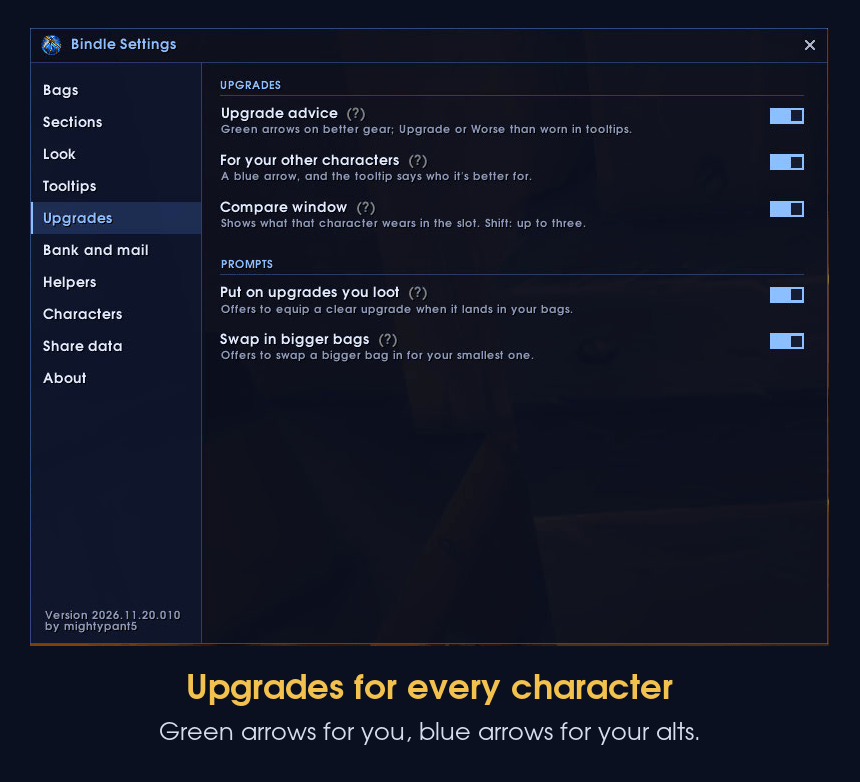
- A green arrow marks gear that beats what you wear or fills an empty slot; a blue arrow marks gear or a bigger bag that suits another of your characters.
- Tooltips say Upgrade, Possible upgrade or Worse than worn, with the stat changes ("+2 Intellect, -1 Spirit"), judged by the stats each character's role uses, from spell-school damage for the classes that use it to dodge and parry for tanks. Gear nobody can use or would want says so too.
- A window beside the tooltip shows what that character wears now.
- A weapon you could use after a visit to the weapon master gets a grey arrow and says which skill to learn.
- Loot a clear upgrade and Bindle offers to put it on.
- Gear you've already mailed to a character counts: the rest of that item stop saying it's an upgrade for them, and the advice moves on.
Seven buttons for your items
Click a button at the bottom of the bag window, then click your items. No key combinations to remember.
- Lock: on all your characters or just this one. A locked item can't be sold, and if it is, Bindle buys it straight back.
- Junk: mark anything as junk, on one character or all of them. Bindle sells it at the next vendor and never touches locked items.
- Pin: keep items at the front of their section, in the order you click them.
- Stock: keep a set number in your bags, like 20 food or 200 arrows. Bindle tops you up from the bank whenever you open it.
- Destroy: mark the items you want gone, then a red button names each one and destroys it with a click. No typing DELETE. Locked items can't be marked, and junk a vendor won't buy is handed to it at the vendor.
- Note: write your own note on any item; it shows in the tooltip.
- Details: everything Bindle knows about an item (see Professions below).
Locked, pinned and stocked items carry a small blue mark, so you can see them at a glance.
One-click mail to your alts
At the mailbox, Bindle Mail has already planned every item in your bags: one mail per character, with upgrades, profession materials, outgrown supplies and things to sell for your bank character together, each marked in its kind's colour. Press Fill mail and then Send, or Send all to go through every character in turn.
- Click any item to see why it goes there ("Blacksmithing: Copper Chain Vest at 30, Jory is at 28"), then pick who gets it, how many to send (the rest stays with you), and whether that's for this mail or always.
- Your call: when two of your characters would both use an item, it waits at the top for you to choose.
- Exclude leaves an item out of this visit's mails; Include puts it back.
- Who does what: one character per profession gets its materials (Bindle picks the highest skill), and you choose which mage gets Mage scrolls. Change one line and everything follows.
- Rules lists everything Bindle remembers for your mail, each with a Remove button.
The panel is as tall as the mailbox, the list scrolls, and you can fold any heading away.
Every character's items, from anywhere
Tooltips show how many each character has and where: bags, bank, worn, or in the mail from the moment you send it. Browse any character's bags, search them all at once, or open your Remote bank on the road.
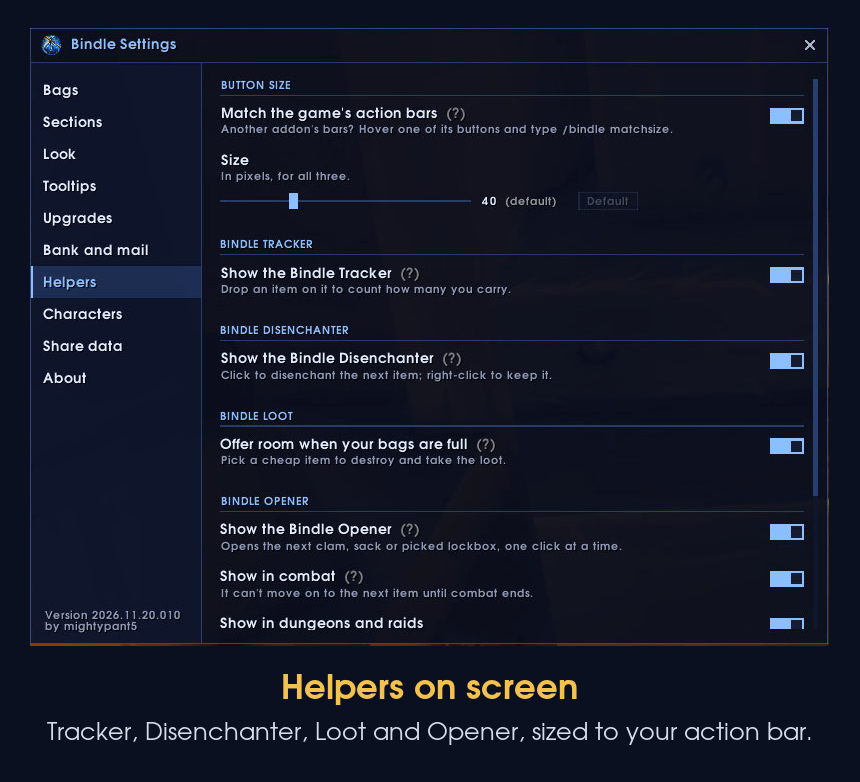
Helpers on screen
- Bindle Tracker: drop an item on it to count how many you carry. Add as many as you like.
- Bindle Disenchanter: for enchanters, the next item to disenchant. Click to disenchant, right-click to keep it.
- Bindle Comprehend: for mages, the next Mage scroll your Comprehension can decipher. Click to cast Comprehend Scroll on it, right-click to skip it.
- Bindle Loot: bags full while looting, or no room for a quest reward? It shows what you'd get and the cheapest things you could give up for it, each with its value and why it's safe to let go, and warns when something is worth more than what you'd get. One click destroys your choice and takes the loot.
- Bindle Opener: opens clams, sacks and picked lockboxes one click at a time.
- Bindle Pet, for Hunters: one button that does what your pet needs most. It revives it, calls it, mends it after a fight, or feeds it with the best food you carry, and turns red when your pet is unhappy and you have nothing it eats. In combat the same button revives, calls or mends.
They match the size of your action bar buttons, and you move them by dragging their title (or hide the titles in Settings). Pet, Opener, Disenchanter and Comprehend can each have a key.
Bags and bank
- Sections that sort themselves: Equipment, Consumables, Openable, Quest items, Library books, My professions, Trade goods, Junk and more. Drop an item on a section's title to keep it there, or make, rename, reorder and collapse your own.
- A bank that stays as you arranged it: By tab shows one named tab at a time, and Sort orders only that tab. Or switch to Unified, where Sort asks before mixing your tabs. Put away sends items back to the tabs that already hold them, and right-clicking an item moves it to the tab you're looking at.
- Bags by tab too: your bags get the same By tab and Unified view, with tabs you can rename.
- Bank bags and tabs: the Bags button shows each bank bag; drag one on to equip or swap it, or empty it into your other bank bags. Buy the next bank tab with +.
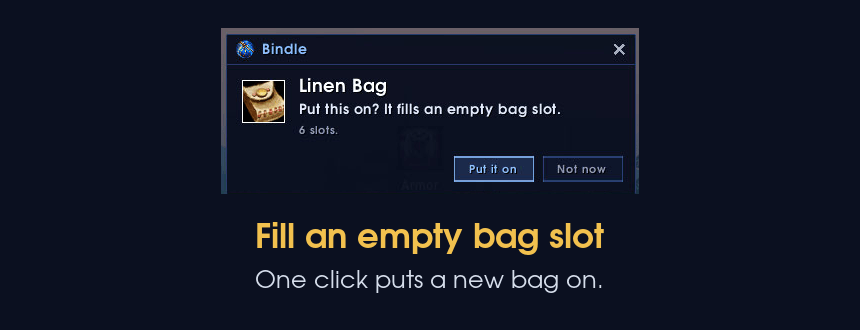
- Bag upgrades in one click: Bindle empties your smaller bag and swaps the bigger one in, in your bags, your profession bag slot and your bank's bag slots. At a banker it offers to fill an empty bank bag slot. Right-click a bank tab to take its bag out, or drag an empty bag off.
- Quest-aware: quest items show your progress ("3/10"), and leftovers from finished quests are marked safe to sell.
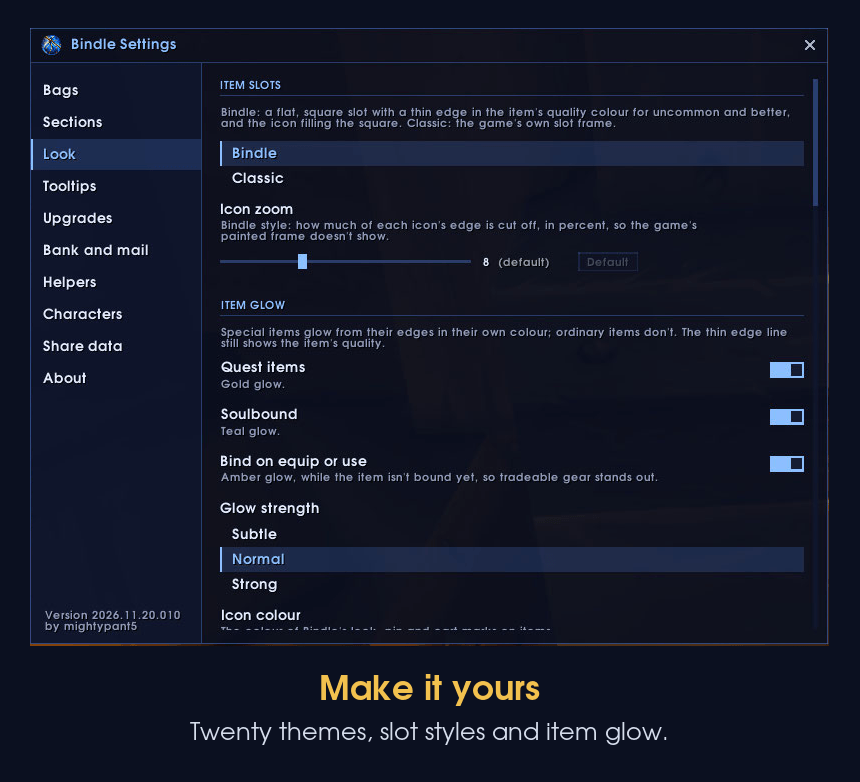
- Special items stand out: quest items glow gold, soulbound items teal and tradeable gear amber; gear a character can't use is washed red.
- Outgrown supplies: food, potions and bandages you've outgrown say which lower character could still use them.
- Search with filters: a name, or
boe,soulbound,quest,junk,locked,upgrade,outgrown,keep,send,sell,>50s,ilvl>40and more.
Professions
- Details on any item: every recipe it goes into, who knows each one, who still gets skill points, its vendor and auction value, and where to get it: sold, dropped, gathered, or crafted (with who knows the recipe and where to learn it).
- At a trainer, hovering a recipe shows what it makes, what it uses, and for each of your characters whether they know it, can learn it now, or how much skill they still need, plus how many they could make or what they're missing.
- Recipe items say the same for each of your characters with that profession.
- Materials your recipes use get their own section.
Make it yours
- Twenty-one themes, from Alliance and Horde to Rested Radar, Stone, Slate, Neon, Obsidian and Parchment, or a Custom theme made from one colour you pick. A welcome on first login walks you through picking a theme (miniature bag windows with your own items), your bags and bank, and the help Bindle gives while you play; reopen it under Settings > Look.
- The Bindle box where you want it: next to each tooltip, or in one place on screen you choose, and locked there if you like.
- Your own touches: an icon colour for the lock, pin and cart marks, window transparency, fonts, outline, slot style, slot size and glow strength. Colours are picked with a colour wheel or a hex code.
- Settings in ten tabs, each setting with a one-line summary and the full explanation on hover.
Help build Bindle
Bindle is building the most complete database of WoW: Forever's items, recipes and where to get them, along with an app that stays fast and error-free. The Share data tab has four switches, each on its own:
- Version check: shares your version number and tells you when a newer Bindle is out.
- Share discoveries: when you find something the database doesn't have yet (a vendor's prices, with your reputation standing there since it changes the price, what a creature drops, what a trainer teaches), Bindle shares it, and you see what other players find once two of them agree.
- Send error reports: when something in Bindle breaks, it sends where in Bindle's code it happened and the error message, so it can be fixed.
- Share how you use Bindle: a short summary of which features you use and which settings you changed, so updates focus on what you actually use.
Shared with other Bindle players on your realm, the same way addons do version checks: from your character on a hidden addon channel. Bindle doesn't log your character's name. Your gold and your chat messages are never sent.
Commands
| Command | Does |
|---|---|
/bindle |
open or close your bags |
/bindle bank |
your bank (the Remote bank away from a banker) |
/bindle search <text> |
search all your characters |
/bindle config |
settings |
/bindle welcome |
open the welcome again |
/bindle splash |
open the theme preview gallery (splash reset to show it on login again) |
/bindle sort |
sort now |
/bindle lock <item> / lockhere / unlock |
lock an item on all characters, on this one only, or unlock it |
/bindle junk <item> / junkall / notjunk |
mark an item as junk on this character, on all of them, or not |
/bindle note <item> <text> |
your own note on an item |
/bindle pet / pet move |
show or hide Bindle Pet, or show it to drag into place |
/bindle matchsize |
hover one of your action buttons first: the helpers take its size |
/bindle disenchant |
why each green in your bags is or isn't offered |
/bindle mail |
when each character's mail expires |
/bindle reset |
put the windows back where they started |
/bindle errors |
Lua errors from Bindle, for bug reports |
Set keys for your bags and the helpers in Bindle's settings (Bags and Helpers tabs) or in Options > Key Bindings > AddOns > Bindle; they're the same keys. Or use the minimap button.
Good to know
- A character is counted once you've logged in on it with Bindle; its bank and mail once you've visited them.
- Auctionator is optional. With it, Bindle shows auction prices and can tell when the auction house pays more.
- Bindle replaces other bag addons. If another is loaded, Bindle says so at login.
- Bindle tells you when a newer version is out (Version check, on the Share data tab).
Fonts
The fonts in Bindle/Media/Fonts are not covered by Bindle's licence. Each is the work of its own authors, distributed unmodified with its licence beside it: JetBrains Mono, IBM Plex Mono, Inconsolata and Courier Prime under the SIL Open Font License 1.1, and TeX Gyre Adventor (Bold and Regular) under the GUST Font License.
Copyright (c) 2026 mightypant5. All rights reserved.
Bindle - Bags & Bank Team