Better Quests
Shows quest givers on the world map, accepts and turns in quests for you, marks the enemies and items your quests need, and more.
Better Quests
Shows quest givers on the world map, accepts and turns in quests for you, marks the enemies and items your quests need, and more.
Turn each feature on or off in Options > AddOns > Better Quests.
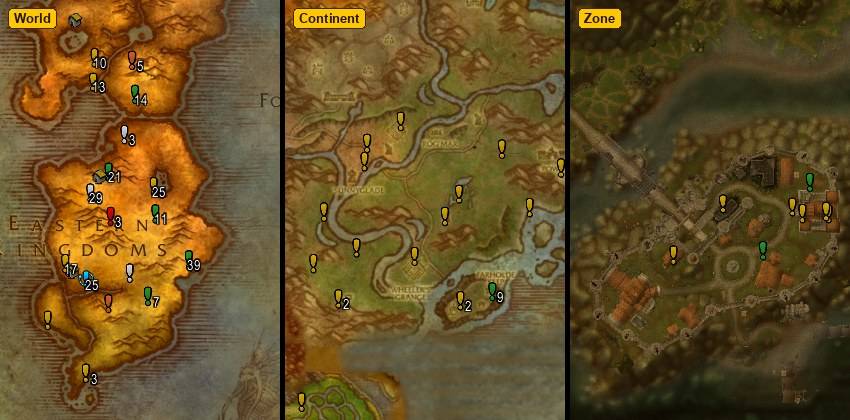
Map
- Quest givers, colored by difficulty. Click one to track it.
- Quest follow-ups: the quests a quest unlocks.
- Items that start a quest: where to get them.
Quests
- Class, profession and dungeon quests: marked with an icon.
- Redirections: an arrow on the quests you can skip. Abandon them all from the quest log.
- Automatic quests (off by default): accepts and turns in quests for you. Rewards are still yours to choose.
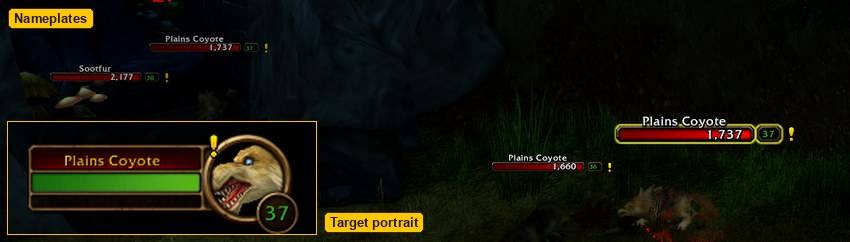
Enemies
- Quest enemies: an icon on the enemies your quests need.
- Drop rates: your chance to get a quest item, and the best enemies to kill for it.
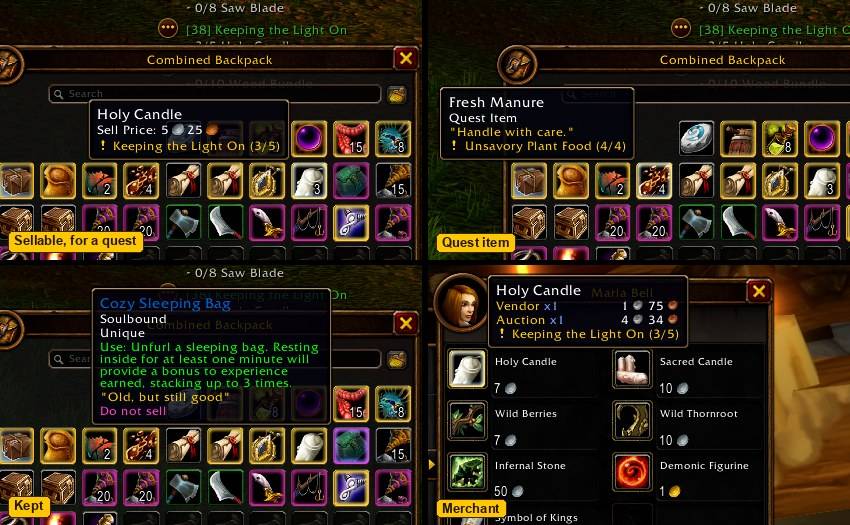
Bags
- Quest items: a border on the items your quests need, at merchants too.
- Items to keep: press a key over an item to mark it. Set the key in Options > Keybindings.
Quest tracker
- Quest tooltips: text, progress and XP.
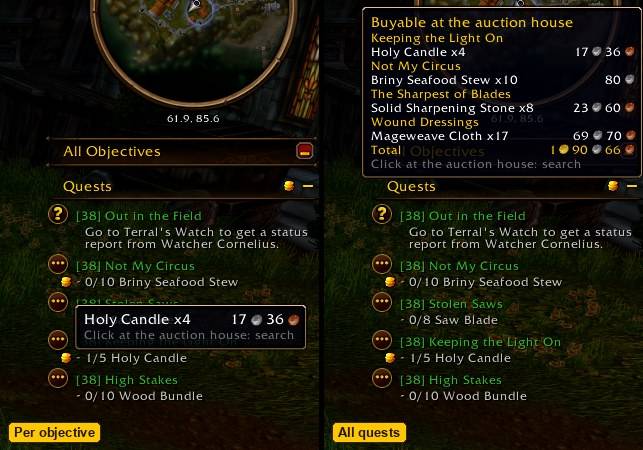
- Auction house prices: the price of the items you can buy, with Auctionator.
- Wowhead: right-click a quest to copy the link to its comments.
Group
- Quest sharing: a button shares all the quests of a category of the quest log with your group.
More
- Requires QuestieDB. Works with Auctionator, Baganator and OpenMap.
- In English and French.
- Ideas and bug reports are welcome in the comments.
- Thanks to the Questie team for the quest data.
Better Quests Team