Better Edit Mode
Enhances Blizzard's Edit Mode: elements that show only when you need them, a dark mode, combo point arcs, previews, and more.
Better Edit Mode
Enhances Blizzard's Edit Mode: elements that show only when you need them, a dark mode, combo point arcs, previews, and more.
Everything is off by default: turn on what you like in Edit Mode.
Visibility
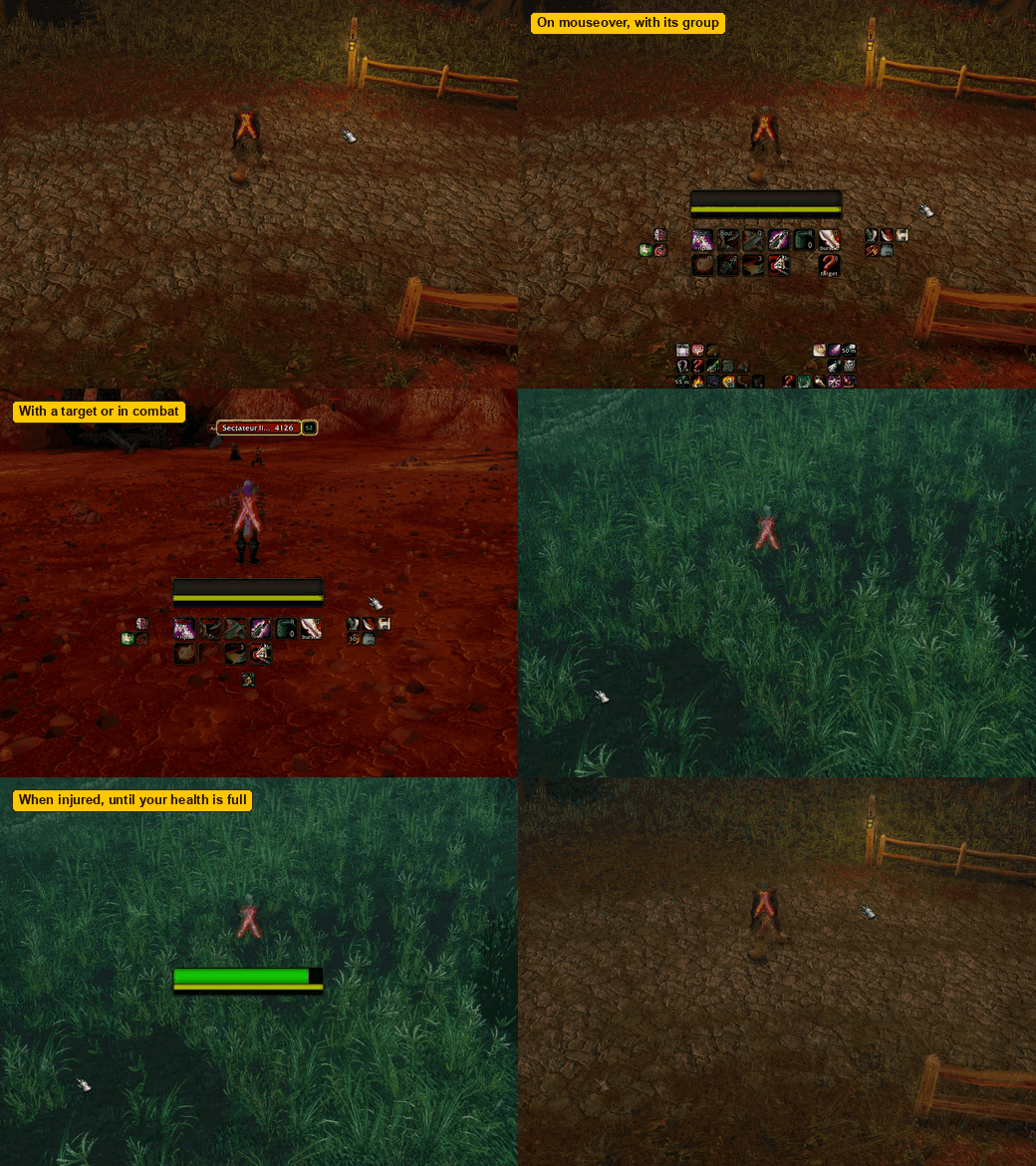
Choose when each element shows:
- In combat, with a target or injured, in any combination.
- On mouseover, alone or with a group of elements.
- When a quest changes, for the objective tracker.
- When a message arrives, for the chat.
Personal resource display
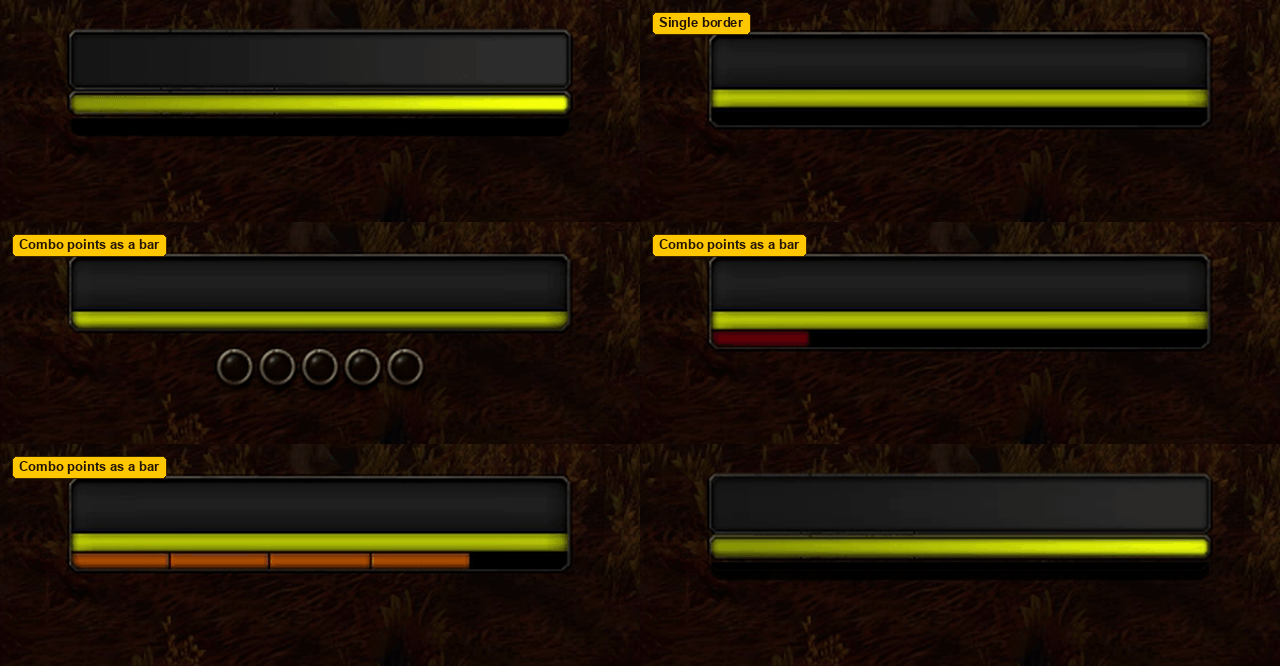
- Color by health: from red to green.
- Single border around health, power and combo points.
- Combo points as a bar, or as arcs around your character.
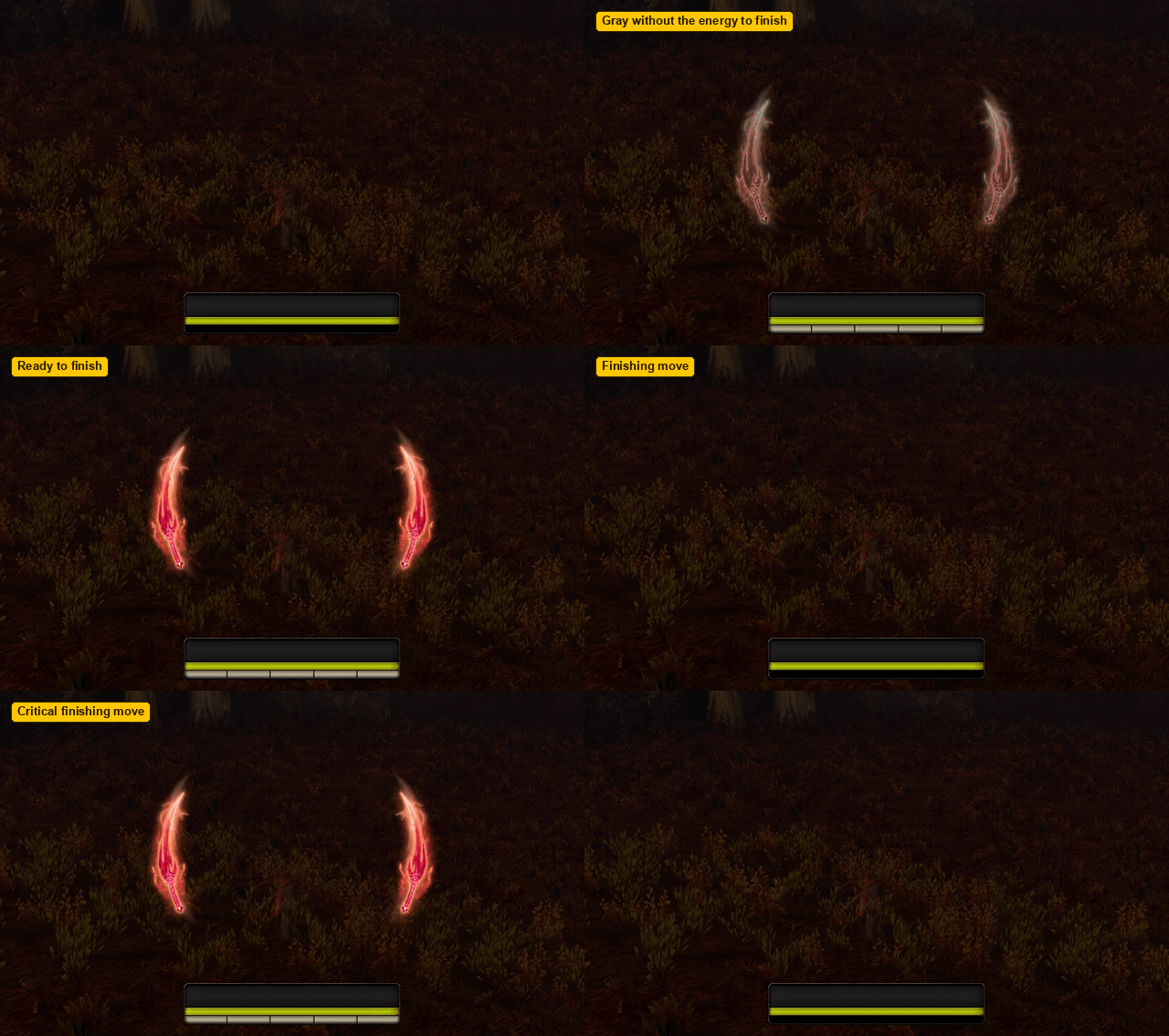
- Combo arcs gray without the energy for your finishing move, bursting when you use it, brighter on a critical hit.
Dark mode
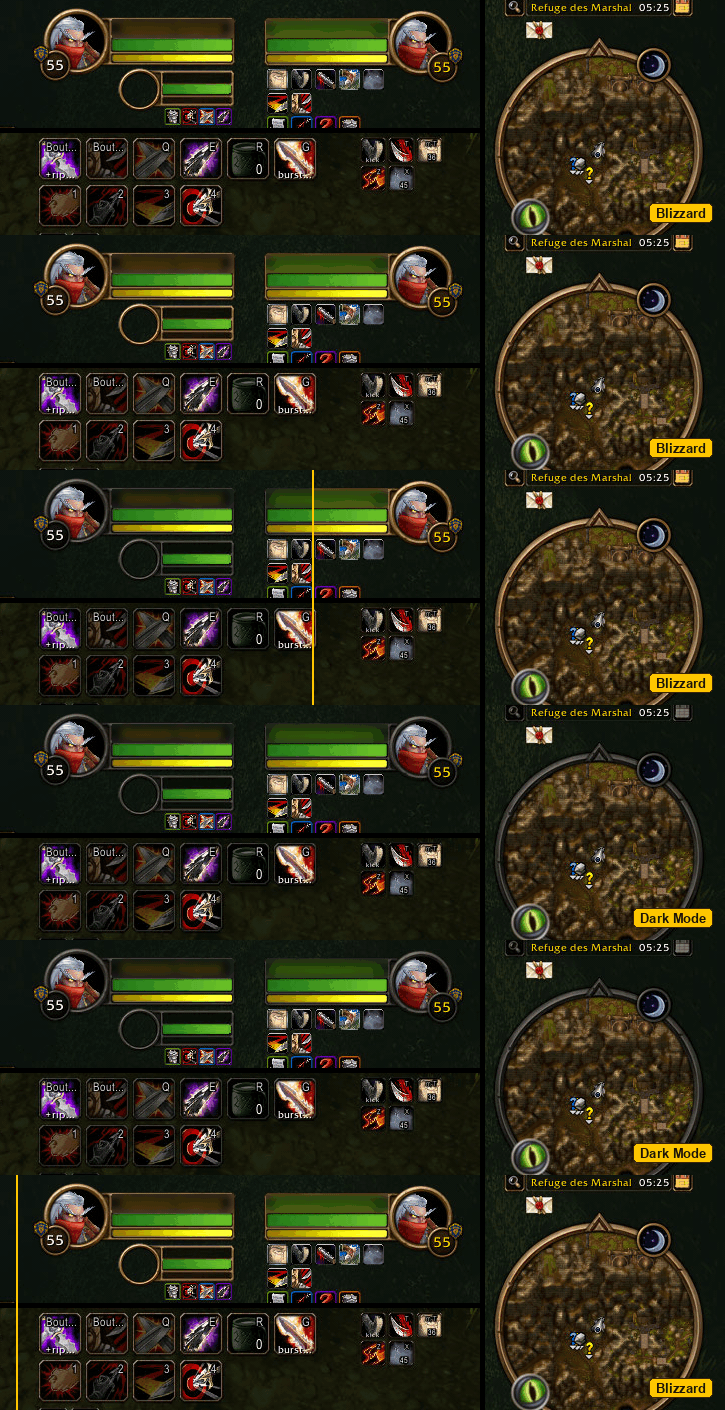
Darkens Blizzard's interface in one click.
Edit Mode
- Preview: your interface at rest, in combat or with combo points.
- Hide selection boxes: see your interface as it is while you edit it.
Minimap
- Heading marker: shows straight ahead on the rotating minimap.
In English and French.
Better Edit Mode Team