Better Bonus Rolls
- By
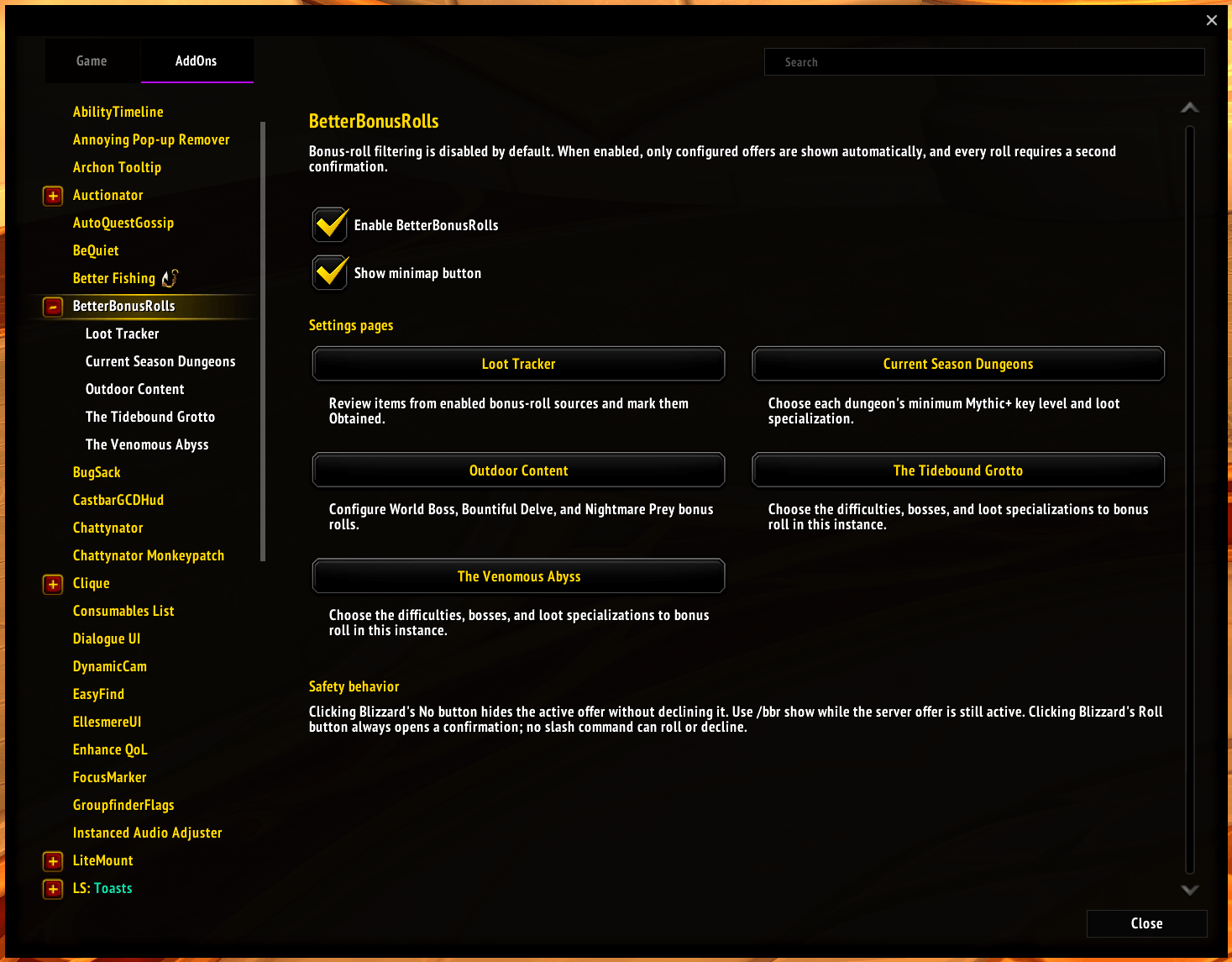
BetterBonusRolls only shows you bonus rolls for the content and loot specializations you care about. Configure each character separately; matching offers stay visible and everything else is hidden without being declined.
Bonus Loot Loot Change Spec and Bonus Roll Items.png
Screenshot 2026-09-08 181121.png
BBR Loot Tracker.png
BetterBonusRolls Main.png
Description
BetterBonusRolls
BetterBonusRolls only shows you bonus rolls for the content and loot specializations you care about. Configure each character separately; matching offers stay visible and everything else is hidden without being declined.
The addon is disabled by default. Supports Retail WoW 12.1.5.
Getting Started
- Open the settings with
/bbr, the minimap button, or the AddOn Compartment. - Enable BetterBonusRolls for your character.
- Open a content page and enable the bosses, dungeons, or outdoor content where you want to bonus roll.
- Choose Current Spec or a specific loot specialization for each enabled rule.
- Use the cog on a supported row to review its bonus-rollable items and manually mark anything you have already obtained.
Unchecked rows are treated as content you do not want to bonus roll and their offers are hidden while the addon is enabled.
What Happens When a Roll Appears
While BetterBonusRolls is enabled:
- Clicking Blizzard's Roll button always opens a confirmation. The roll is not used until you accept it.
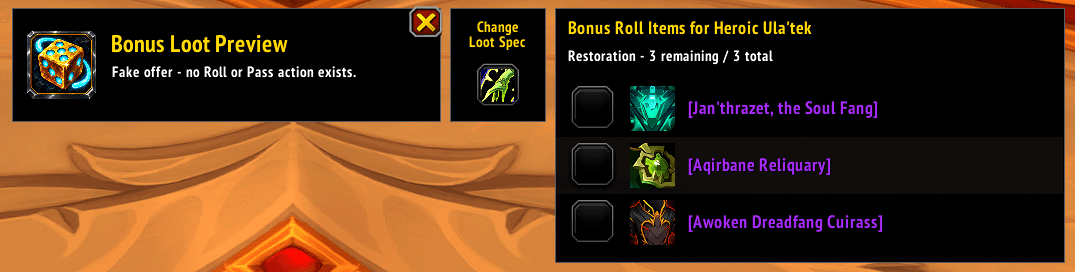
- If the configured loot specialization is not active, a Change Loot Spec button appears beside the roll. It changes only your loot specialization and never uses the roll.
- If you remain in the wrong loot specialization, the confirmation warns you before offering Roll Anyway.
- A checklist beside the offer shows its bonus-rollable items and which ones you have obtained.
- Clicking Blizzard's No button hides the offer without declining it. It stays hidden through Blizzard's periodic refreshes and zone redisplays. BetterBonusRolls prints a reminder that
/bbr showcan restore it while the offer remains active. - When a bonus roll awards a tracked item, its matching entry is automatically marked Obtained for that source, difficulty, and loot specialization.
- Once the server offer expires, it can no longer be restored.
BetterBonusRolls never automatically spends or permanently declines a bonus roll.
Tracking Your Loot
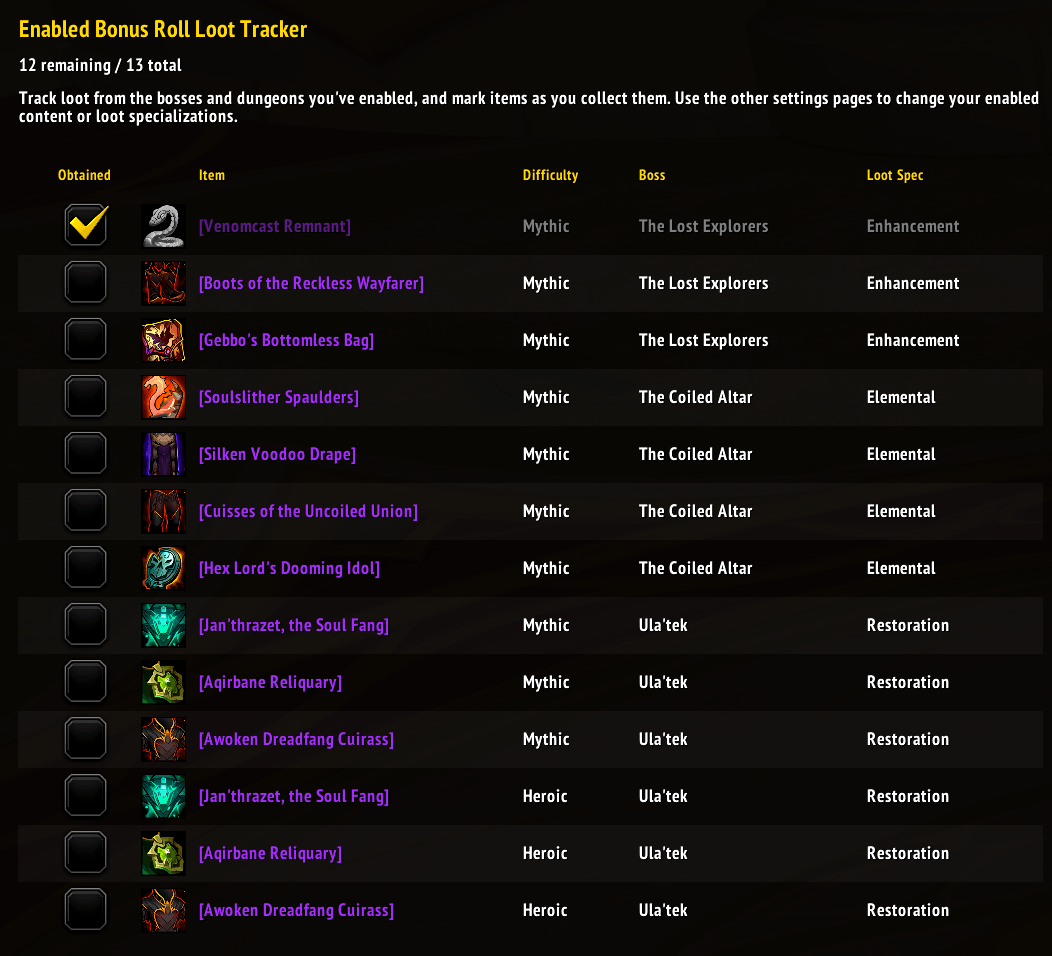
Open Enabled Bonus Roll Loot Tracker in settings to see items from all your enabled rules, with a total remaining count. This page manages your checklist; use the content pages to change which bosses or dungeons are enabled and which loot specialization to use.
Progress is saved per character, source, difficulty, and loot specialization. Each selectable Mythic+ key level has its own checklist. BetterBonusRolls records awarded items for the loot specialization used for the roll.
Tooltip-based checklist updates are currently disabled: Blizzard's cache tooltips can include already-obtained items or incomplete lists. Only actual bonus-roll rewards update your checklist automatically; tooltips do not change saved progress.
You can also mark items manually. Confirmed Obtained tooltips identify items the addon has verified, and unchecking one asks for confirmation. Later confirmed information takes precedence over manual changes. If loot information cannot finish loading, use Retry; loading may change the page shown in the Adventure Guide.
Supported Content
| Content | Available rules |
|---|---|
| Raids and Lairs | Choose each boss, difficulty, and loot specialization independently. |
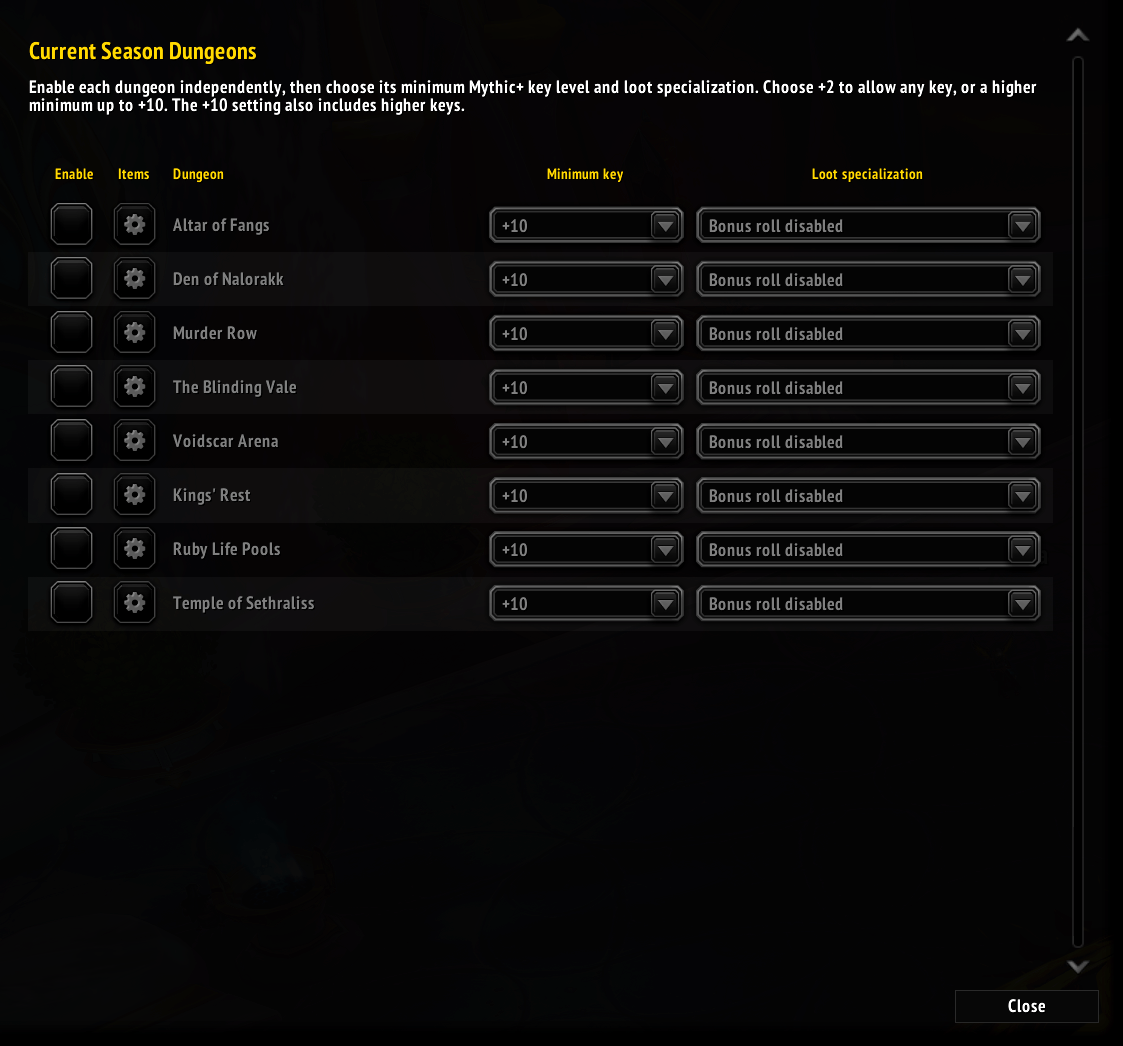
| Current Season Dungeons | Choose each dungeon, its minimum Mythic+ key level from +2 through +10, and loot specialization. New rules default to +10, which also includes higher keys. Normal, Heroic, and Mythic 0 are not selectable. |
| Bountiful Delves | Use one rule for all Bountiful Delves with a minimum Tier 1-11 and loot specialization. |
| Outdoor Content | Configure current-season World Bosses individually and Nightmare Prey separately. |
Bonus-rollable item lists are available for raids, Lairs, current-season dungeons, and individual World Bosses. These include equipment and specialization-specific tier tokens. Item tracking is not currently available for Bountiful Delves or Nightmare Prey.
Commands
| Command | Aliases | Action |
|---|---|---|
/bbr or /bbr settings |
s, config, c |
Open settings. |
/bbr show |
sh |
Restore a hidden offer while it is active. |
/bbr hide |
h |
Hide the visible offer without declining it. |
/bbr enable |
e |
Enable BetterBonusRolls for this character. |
/bbr disable |
d |
Disable BetterBonusRolls and restore Blizzard's normal behavior. |
/bbr status |
st |
Show addon and active-offer status. |
/bbr help |
? |
Show command help. |
/betterbonusrolls can be used in place of /bbr.
License
BetterBonusRolls is available under the MIT License. Embedded libraries retain their own licenses.
Better Bonus Rolls Team